Introduction
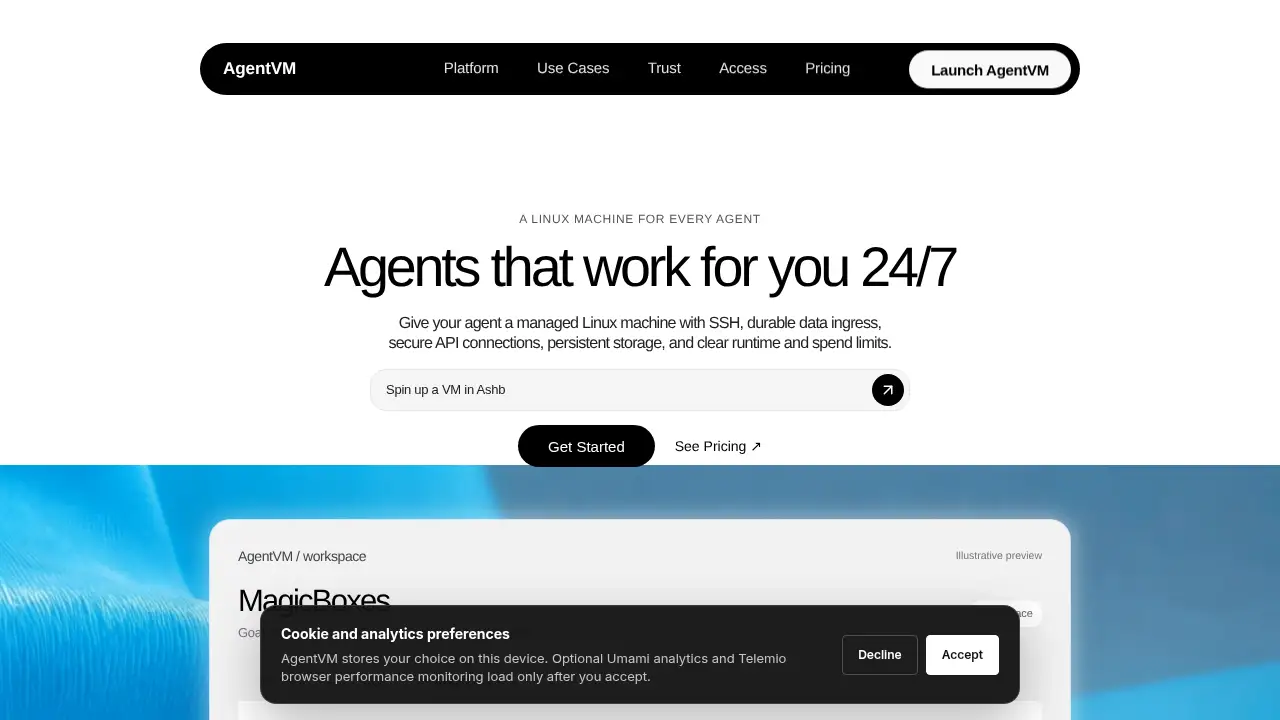
AgentVM is a managed compute platform that gives AI agents their own Linux machines. It pairs managed Linux machines with secure API connections, persistent storage, and clear runtime and spend limits, so agent workloads can run around the clock without a laptop staying open.
What is AgentVM?
AgentVM is a managed compute service for running AI agents on real Linux servers. Instead of hosting an agent on a local machine or assembling cloud infrastructure by hand, a user configures a machine, picks a provider and region, sets runtime and spend limits, and launches it. AgentVM then handles provisioning, lifecycle management, networking, and storage.
The platform offers three execution levels. Shared Sandbox is designed for short-lived agent jobs in isolated Linux environments on shared cloud hosts, using a gVisor application kernel. Dedicated VM gives each agent its own provider-backed Linux virtual machine with guest OS access, SSH, and configurable runtime. HelixCore Enterprise is a planning tier for organizations running agent workloads across large teams and fleets.
AgentVM matters because agent workloads behave differently from ordinary web apps. They may run for hours, call external APIs, write files, and need a stable place to keep data. AgentVM addresses this by combining managed Linux machines with explicit limits set before launch, so cost and runtime stay bounded. It also keeps external service credentials outside the virtual machine through approved Connections, which reduces exposure if a guest workload is compromised.
The platform is aimed at developers and teams already using tools such as Codex, Claude Code, and Cursor, and at anyone who needs an AI agent sandbox that behaves like a real server rather than a temporary script runner.
Key Features of AgentVM
Real Linux Environments
Launch a managed Linux server or an isolated MCP Sandbox with SSH access, native guest operations, services, and familiar OS tooling. An optional graphical desktop is available through RealVNC setup.
Runtime and Spend Limits
Set runtime and spend limits before provisioning and inspect the exact rate before launch. Managed lifecycle controls decide when a machine is retained or retired.
Persistent Storage Options
Keep workspace data on provider-backed persistent volumes or mount S3, R2, and GCS object storage at controlled guest paths. Persistent volumes, service IPs, and DNS identity can remain after compute expires.
Data Relay Ingress
Receive HTTP, OTLP, and MQTT traffic through Data Relay and route it to downstream destinations such as HTTP endpoints, S3, PostgreSQL, OTLP, or Kafka REST.
Credential Boundary for API Access
Let guest workloads call approved HTTPS services while external service credentials stay outside the VM. Access is configured per connection.
Multi-Provider Placement
Choose supported providers and regions for dedicated VMs, including Hetzner Cloud, Amazon EC2, and OVHcloud. Provider and machine profile are selected before launch.
Developer Interfaces
Operate machines, volumes, networking, and lifecycle through a dashboard, CLI, Node SDK, or Python SDK. Machine status and setup diagnostics help trace provisioning and connection issues.
MagicBox Starter Setups
Start from an agent goal with a preconfigured workspace, then review machine, credential, and spend settings before launch. MagicBox also supports MCP server testing.
Use Cases for AgentVM
Long-Running Coding Agents
Prepare a managed Linux machine for an existing coding harness and let it work continuously within a fixed runtime limit. SSH access keeps the environment inspectable.
MCP Server Testing
Use an isolated MCP Sandbox to test Model Context Protocol servers and grant approved external API access without exposing credentials inside the guest.
Event-Driven Agent Pipelines
Send incoming events through Data Relay over HTTP, OTLP, or MQTT and route them to storage or databases. This suits agents that react to webhooks, telemetry, or device messages.
Isolated Task Execution
Run short-lived jobs in Shared Sandbox environments where execution resources are released after completion instead of leaving a dedicated VM idle.
Enterprise Agent Fleets
Plan shared allocations of larger machine types through HelixCore Enterprise for organizations running agent workloads across hundreds or thousands of employees.
How to Use AgentVM
- Choose an environment. Select a managed Linux server or MCP Sandbox, then pick a provider, region, and runtime limit.
- Set your boundaries. Define runtime and spend limits and review the rate shown before provisioning.
- Launch the machine. AgentVM provisions managed capacity and prepares the operating system.
- Connect your tools. Use SSH with a generated key, add an optional RealVNC desktop, or hand the machine to an agent over a managed HTTPS endpoint.
- Retain or retire. Let bounded compute expire while persistent volumes, service IPs, and DNS records remain available when configured.
Target Audience for AgentVM
- AI developers building and testing autonomous agents
- Engineering teams running coding agents such as Codex, Claude Code, or Cursor
- Platform and DevOps teams that need repeatable agent environments
- Startups that want managed Linux machines without building infrastructure
- Enterprises planning large-scale agent capacity across departments
- Builders testing MCP servers and API-connected agent workflows
Is AgentVM Free?
AgentVM is currently in a paid public beta. Pricing is usage-based rather than subscription-based, and sandbox execution and charges remain disabled until host isolation and prepaid billing are verified.
| Plan | Price | Features |
|---|---|---|
| Shared Sandbox (Micro) | $0.0002/min (preview rate) | Short-lived agent jobs in isolated Linux sandboxes on shared cloud hosts |
| Shared Sandbox (S) | $0.0004/min (preview rate) | Same shared execution model with larger bounded resources |
| Shared Sandbox (M) | $0.0008/min (preview rate) | Larger shared profile for heavier sandbox jobs |
| Dedicated VM | Quoted by provider, profile, and runtime | Separate guest OS, SSH access, configurable runtime, provider billing terms |
| HelixCore Enterprise | Custom planning | Shared allocations of larger machine types for large teams and fleets |
Shared Sandbox charges, once public billing is enabled, use completed runtime rounded to whole minutes. Dedicated VMs follow a different lifecycle and can remain billable while idle. Current rates and limits are listed on the official pricing page.
AgentVM's Pros and Cons
| Aspect | Pros | Cons |
|---|---|---|
| Pricing model | Bounded job execution releases resources after completion; limits are set before launch | Shared Sandbox billing is still gated during the paid beta |
| Features | Real Linux environments, persistent storage, Data Relay, and SDK access in one platform | gVisor sandboxes are not hardware-isolated virtual machines |
| Setup | Provider, region, and profile chosen before provisioning; starter setups reduce configuration work | Requires some familiarity with SSH, cloud regions, and Linux basics |
| Security | Credentials kept outside the VM; SSH key access with host-key verification | Availability of sandbox execution depends on release gates |
| Scalability | Dedicated VMs and enterprise capacity planning for larger fleets | HelixCore placement depends on provider, host type, and capacity readiness |
Frequently Asked Questions about AgentVM
What exactly does AgentVM provide?
It provides managed Linux machines built for agent workloads, along with lifecycle controls, networking, storage, and credential boundaries. Users choose a profile, launch a machine, and connect over SSH or a managed HTTPS endpoint.
Is the Shared Sandbox hardware-isolated?
No. The Shared Sandbox uses a gVisor application kernel to separate workspaces on a shared host, and the documentation states that these sandboxes are not hardware-isolated virtual machines. Dedicated VM offers a separate guest operating system for stronger isolation.
Can agents keep their data after a machine expires?
Yes, when configured. Persistent volumes, retained service IPv4 addresses, and DNS records can remain available after bounded compute expires. Object storage such as S3, R2, and GCS can also be mounted at controlled guest paths.
How are external API credentials protected?
Approved Connections let guest workloads reach configured HTTPS services while the external service credentials stay outside the virtual machine. Access is granted per connection rather than embedded in the guest environment.
Which cloud providers are supported?
Dedicated VMs can be placed on Hetzner Cloud, Amazon EC2, or OVHcloud, depending on supported regions and machine profiles shown in the live provisioning catalog.
Can I control spending on long-running agents?
Yes. Runtime and spend limits are set before provisioning, and the exact rate is shown before launch. This keeps agent compute bounded instead of open-ended.
AgentVM Tags
AgentVM, managed Linux machines, AI agent sandbox, agent compute platform, dedicated VM hosting, MCP Sandbox, persistent storage for agents, runtime and spend limits, Data Relay ingress, SSH Linux server, AI agent infrastructure, cloud agent workloads