Introduction
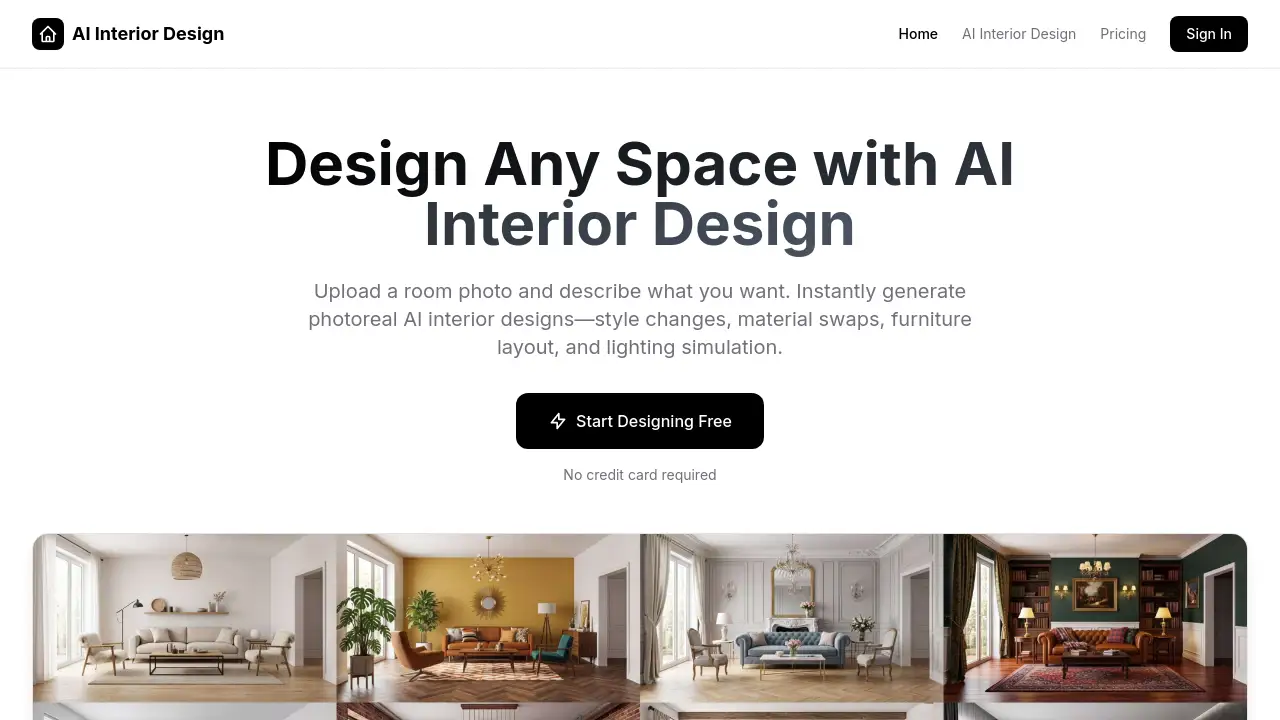
AI Interior Design is a web-based tool that uses artificial intelligence to generate photorealistic interior design concepts from a simple room photo and text description.
What is AI Interior Design?
AI Interior Design is a digital platform that allows anyone to visualize interior design changes instantly. It addresses the common challenge of imagining how a room will look after a renovation, style change, or furniture rearrangement without the cost and time of traditional methods like hiring a designer or using complex 3D software. Users simply upload a photo of their space and describe their vision in natural language. The AI then generates realistic images reflecting those changes, enabling endless experimentation. This tool is suitable for homeowners planning remodels, renters wanting a refresh, interior designers seeking inspiration, real estate agents staging properties, and furniture brands creating marketing visuals. It empowers users to make confident interior design decisions by providing a clear, visual preview.
Key Features of AI Interior Design
The platform offers several powerful capabilities centered around instant, AI-driven visualization.
Style Transformation
This feature can completely alter a room's aesthetic, transforming it into various styles like Industrial, Scandinavian, or Mid-century modern based on a simple text prompt, turning an empty or outdated space into a fully styled vision.
Material & Finish Swap
Users can experiment with different wall colors, flooring types, and surface finishes, seeing realistic textures, reflections, and shadows to compare renovation options before making any physical changes.
Furniture Layout & Virtual Staging
This allows for planning space by adding, removing, or rearranging furniture, which is ideal for furnishing an empty room or optimizing an existing layout for better flow and function.
Lighting Simulation
The AI can simulate different lighting conditions, from warm sunset glows to bright daylight, helping users preview how lighting affects the mood and ambiance of their space.
Iterative Design by Chat
A unique feature lets users refine their generated designs through a chat interface, asking the AI to make adjustments like "make it warmer" or "try a different sofa color" for rapid, conversational iteration.
Use Cases for AI Interior Design
This versatile tool serves a wide range of practical applications in both personal and professional contexts.
Home Renovation Planning
Homeowners can use it to visualize and compare different design ideas for a kitchen remodel, bathroom update, or living room makeover before committing to contractors or purchases.
Rental Apartment Personalization
Renters can explore non-permanent style changes, such as new wall colors via virtual paint or different furniture arrangements, to personalize their space without violating lease agreements.
Interior Design Concepting
Professional interior designers can rapidly generate multiple style options and material palettes for client presentations, speeding up the initial concept phase and enhancing collaboration.
Real Estate Virtual Staging
Real estate agents can virtually furnish empty listings with realistic furniture and decor, creating more appealing marketing photos that help properties sell faster and at better prices.
Product Visualization for Retailers
Furniture and home decor brands can create realistic room scenes featuring their products in various styled environments for use in catalogs, websites, and advertisements.
How to Use AI Interior Design
The process is designed to be straightforward and accessible, requiring no technical skills.
- Upload a Photo: Start by uploading a clear, well-lit photo of the room you want to redesign. Floor plans are also accepted.
- Describe Your Vision: In the chat box, describe the changes you want using natural language. For example, "Change this living room to a Modern style with a grey sofa and oak flooring."
- Generate & Review: The AI will process your request and generate a photorealistic image of your redesigned room within seconds.
- Refine Through Chat: If you want adjustments, simply type follow-up instructions like "make the walls lighter" or "add a coffee table" to get a new, refined image instantly.
Target Audience for AI Interior Design
This product is built for a broad audience interested in space design and visualization.
- Homeowners planning renovations or redecorating
- Renters looking to personalize their living space
- Interior Designers and decorators
- Real Estate Agents and property stagers
- Furniture and Home Decor Retailers
- Architects and space planners
- DIY enthusiasts and hobbyists
Is AI Interior Design Free?
The platform offers a free tier to get started, with premium plans available for users needing more advanced capabilities. Based on the reference information:
| Plan | Price | Key Features |
|---|---|---|
| Free Tier | $0 | Access to core design generation features to try the service. |
| Premium Plans | Not Specified* | Unlocks unlimited generations, high-resolution (including 4K) downloads, priority processing, and commercial usage rights. |
*For detailed and current pricing, users should visit the official AI Interior Design website.
AI Interior Design's Pros and Cons
| Aspect | Pros | Cons |
|---|---|---|
| Speed & Accessibility | Generates photorealistic renders in seconds; no design software skills required. | Output quality can depend on the clarity and quality of the input photograph. |
| Cost-Effectiveness | Free tier available; allows for extensive pre-purchase visualization, potentially saving money. | Advanced features like high-res exports and commercial use require a paid subscription. |
| Creative Exploration | Enables endless style changes and iterations through simple chat, fostering experimentation. | The AI's interpretation of text prompts may not always match the user's exact mental image, requiring refinement. |
| Professional Utility | Excellent for virtual staging and client presentations, offering realistic previews. | May not replace the need for detailed technical drawings or a professional designer for complex structural projects. |
Frequently Asked Questions about AI Interior Design
How does AI Interior Design work?
Users upload a room photo and describe their desired changes in natural language. The AI analyzes the image and text prompt to generate a new, photorealistic image of the redesigned space. Further refinements can be made by chatting with the AI.
What kind of photos work best?
For optimal results, use clear, well-lit photos taken straight-on to capture the entire room. Avoid extreme angles, heavy shadows, and blurry images. Higher-resolution photos typically yield better, more detailed outputs.
Can I keep my existing furniture layout?
Yes. You can instruct the AI to preserve your current layout by including phrases like "keep the same layout" or "only change the wall color and flooring" in your description prompt.
How long does it take to generate a design?
Most designs are generated within 10 to 30 seconds. The iterative chat-based refinement is virtually instantaneous, allowing for quick exploration of different ideas.
What design styles are supported?
The tool supports over 20 styles, including Modern, Scandinavian, Industrial, Japandi, Minimalist, Mid-century, Bohemian, Contemporary, and Luxury. You can also describe custom aesthetics in your own words.
Can I use the generated images for professional or commercial purposes?
Yes, premium plans include licenses for commercial use. The high-resolution exports (up to 4K) are suitable for real estate listings, marketing materials, client presentations, and other professional applications.
AI Interior Design Tags
AI interior design, virtual room design, photorealistic renders, interior design software, home renovation planner, virtual staging tool, AI design generator, room visualizer, furniture layout, style transformation, material swap, lighting simulation, interior design ideas, redesign my room