Introduction
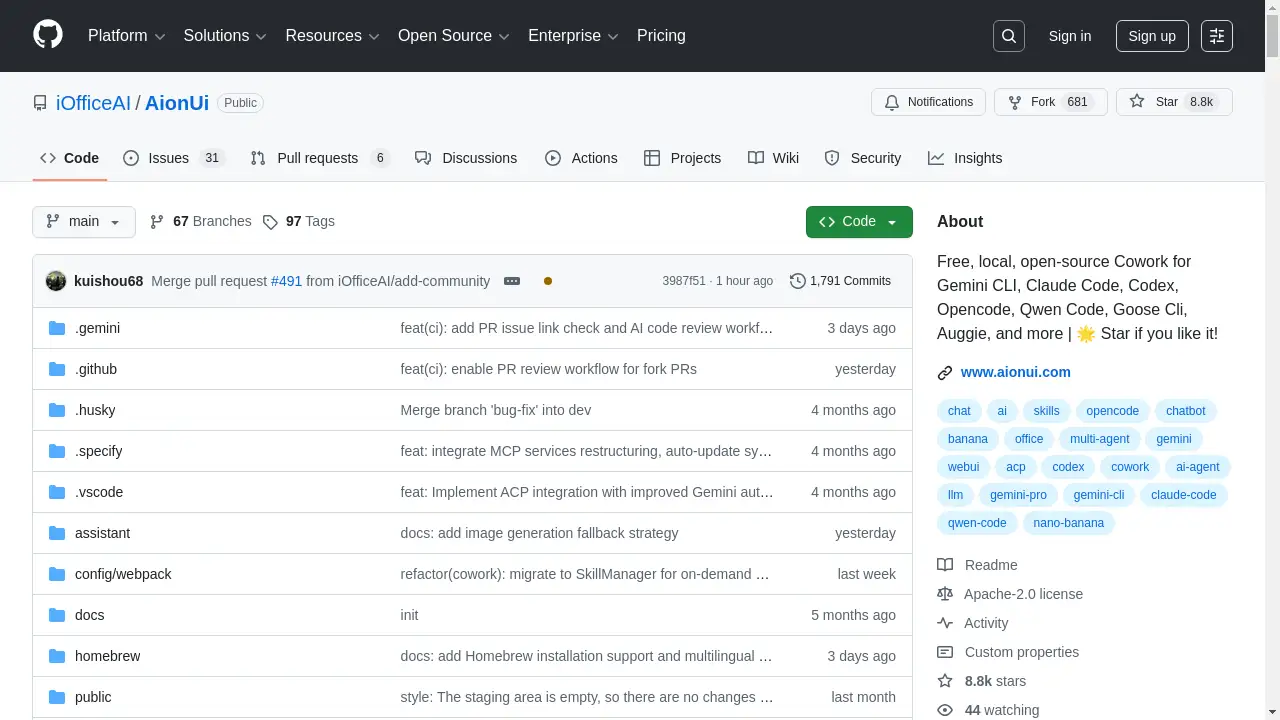
AionUi is a free, local, and open-source desktop application that provides a unified graphical interface for various command-line AI tools.
What is AionUi?
AionUi is a desktop application designed to serve as a Cowork platform for users of popular command-line AI tools like Gemini CLI, Claude Code, Codex, and Qwen Code. It addresses common pain points such as the inability to save conversations, single-session limitations, and cumbersome file operations. By offering a visual graphical interface, multi-session chat support, and local data storage, AionUi transforms these powerful but complex command-line tools into a user-friendly, efficient, and secure workspace. This product is ideal for developers, content creators, and professionals looking to enhance their AI office automation workflows without sacrificing data privacy.
Key Features of AionUi
Multi-Agent Mode & Unified Interface
AionUi automatically detects locally installed command-line AI tools like Gemini CLI and provides a single, cohesive graphical interface, eliminating the need to switch between different terminals or applications.
Multi-Session Chat with Local Storage
Users can open multiple parallel conversations, each with its own independent context memory. All chat histories are securely saved in a local SQLite database, ensuring data never leaves the user's device.
Smart File Management
The application includes features for batch renaming, automatic organization, and smart classification of files. Users can browse files with a tree view, drag and drop folders, and let the AI help organize messy directories.
Real-time Preview Panel
A built-in preview panel supports over nine formats, including PDF, Word, Excel, code, and Markdown, allowing users to instantly view the results of AI-generated files without switching to another application.
Multi-Model AI Support
AionUi supports a wide range of AI models, including Gemini, OpenAI, Claude, and Qwen. It also connects to local models via platforms like Ollama, offering flexibility to switch between different models for various tasks.
WebUI Remote Access
Users can start AionUi in WebUI mode, enabling remote access from any device on the same local network. This allows for secure control of local AI tools from a browser, including on mobile devices.
AI Image Generation & Editing
Powered by models like Gemini, the tool offers intelligent image generation, recognition, and editing capabilities directly within the unified interface.
Personalized Interface Customization
The interface is fully customizable with user-provided CSS code, allowing for personalized themes and styles to match individual preferences.
Use Cases for AionUi
Enhancing CLI AI Tool Usability
Users of Gemini CLI or Claude Code can leverage AionUi to gain a persistent chat history, multi-window support, and a more intuitive way to interact with these powerful models.
AI-Powered File and Document Organization
Professionals can use the smart file management features to batch rename hundreds of files, automatically categorize documents, or merge reports, significantly speeding up office automation tasks.
Cross-Platform AI Development and Testing
Developers working across macOS, Windows, and Linux can use AionUi as a consistent interface to test code, generate documentation, and preview outputs from different AI models in one place.
Secure, Local AI Collaboration
Teams or individuals concerned with data privacy can deploy AionUi as a local Cowork workspace, where all conversations and file operations remain on their own machines while still enabling collaborative features.
How to Use AionUi
- Download and Install: Visit the official GitHub repository or website to download the AionUi installer for your operating system (Windows, macOS, or Linux).
- Launch the Application: After installation, launch AionUi. It comes with Gemini CLI built-in, ready for immediate use.
- Connect AI Tools: If you have other CLI tools like Claude Code installed, AionUi will attempt to auto-detect them. You can also manually configure API keys for other supported models (e.g., OpenAI, Claude) in the settings.
- Start a Conversation: Use the chat interface to interact with your AI models. You can open multiple tabs for different tasks or models.
- Utilize Advanced Features: Explore the file browser to manage documents, use the preview panel to see generated content, or start the WebUI server for remote access using the command
AionUi --webui.
Target Audience for AionUi
- Developers and programmers using AI coding assistants like Claude Code or Codex.
- Researchers and students experimenting with multiple AI models locally.
- Content creators and office professionals seeking AI tools for document generation and file management.
- Privacy-conscious users who require all AI interactions and data to remain on their local machine.
- Teams looking for a free, open-source alternative to subscription-based AI coworking platforms.
Is AionUi Free?
The AionUi application itself is completely free and open-source. There are no subscription fees or paid tiers for the software. However, using the AI models integrated within AionUi may require users to have their own valid API keys for services like Gemini, OpenAI, or Claude, which are subject to the respective providers' pricing.
| Plan | Price | Features |
|---|---|---|
| AionUi Software | $0 | All core features: Unified GUI, multi-session chat, file management, preview panel, WebUI access, and customization. |
AionUi's Pros and Cons
| Aspect | Pros | Cons |
|---|---|---|
| Cost & Licensing | Completely free and open-source. | Using advanced AI models requires separate, potentially costly API keys. |
| Features & Usability | Unifies multiple CLI tools into one graphical interface; excellent local file management and preview capabilities. | May have a learning curve for users completely new to command-line AI tools. |
| Compatibility | Full cross-platform support (Windows, macOS, Linux). | Some integrated CLI tools (e.g., Claude Code) might have their own OS limitations. |
| Data & Privacy | All data stored locally in SQLite; ideal for sensitive information. | Advanced collaboration features are limited compared to cloud-based SaaS platforms. |
| Community & Support | Active open-source community and Discord channel for support. | As a community-driven project, formal enterprise support is not available. |
Frequently Asked Questions about AionUi
Is AionUi a replacement for Claude Cowork?
Yes, AionUi positions itself as a free, open-source, and cross-platform alternative. While the official Claude Cowork is macOS-only and locked to Claude models, AionUi supports multiple AI models and runs on Windows, macOS, and Linux, offering a broader Cowork platform experience.
What AI models does AionUi support?
AionUi supports mainstream cloud-based models like Gemini, OpenAI's GPT models, Claude, and Qwen. It also supports locally-run models through platforms like Ollama and LM Studio by connecting to their local API endpoints.
Is my data safe with AionUi?
Yes. AionUi emphasizes local data security. All conversations, file operations, and session data are stored locally on your computer in a SQLite database. No data is uploaded to external servers unless you explicitly use a cloud-based AI model's API.
Can I use AionUi without installing Gemini CLI or other tools?
Yes. AionUi comes with Gemini CLI built-in, so it is ready to use immediately after installation. For other tools like Claude Code, you would need to install them separately, after which AionUi can auto-detect and integrate them.
How do I access AionUi from another device?
You can start AionUi in WebUI mode using the command AionUi --webui (or --webui --remote for network access). This launches a local web server, allowing you to access the interface from any browser on devices connected to the same network.
Does AionUi work on Windows?
Absolutely. AionUi provides full support for Windows, alongside macOS and Linux, making it a truly cross-platform solution for managing your command-line AI tools.
AionUi Tags
AionUi, AI desktop application, Cowork platform, Gemini CLI GUI, Claude Code interface, open-source AI tool, local AI software, multi-model AI, visual graphical interface, file management AI, AI office automation, cross-platform AI assistant, free AI software, WebUI remote access