Introduction
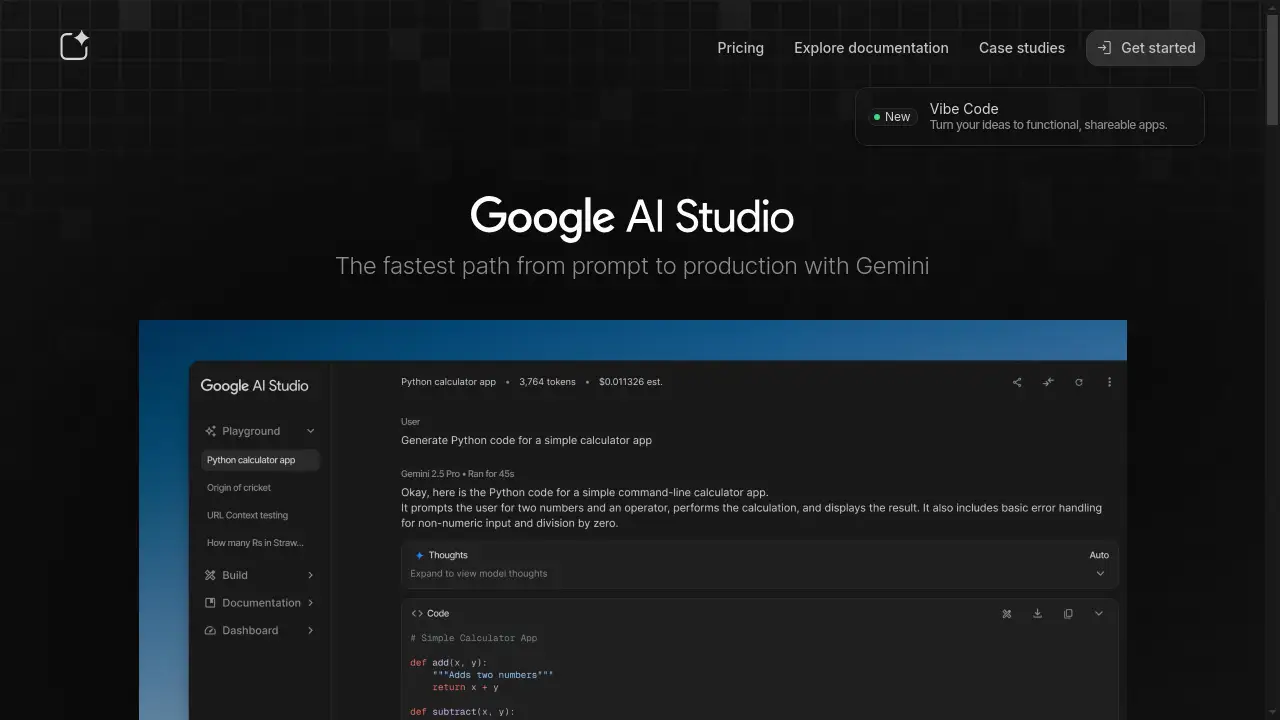
Google AI Studio is the fastest path from prompt to production with Gemini.
What is Google AI Studio?
Google AI Studio is a unified, web-based tool designed for developers and creators to build with Google's Gemini AI models. It serves as a central platform for exploring, prototyping, and deploying AI-powered applications. The product addresses the challenge of fragmented development workflows by providing an integrated environment from initial prompt testing to final API integration. It is particularly suitable for developers, data scientists, and product teams looking to leverage large language models efficiently. By offering a direct route from an idea to a functional application, Google AI Studio significantly accelerates the AI development lifecycle, making advanced AI more accessible.
Key Features of Google AI Studio
Explore AI Models
Users can test prompts and interact with all of Google's latest AI models, including Gemini, in a single, easy-to-use playground interface.
Rapid Prototyping
The platform enables a swift transition from a simple prompt to a functional application, facilitating quick iteration and idea validation.
Integrated Development Environment
Developers can vibe code AI-powered apps directly within the platform and share their creations, streamlining the entire build process.
Resource and Project Management
A dedicated operational space allows users to manage API keys, monitor billing, and oversee project resources efficiently.
Comprehensive Learning Resources
Access to detailed documentation, cookbooks, and API references supports developers in building directly with the SDK.
Quick API Integration
With a developer quickstart guide, users can set up their environment and make their first API request in just a few minutes.
Use Cases for Google AI Studio
Prototyping New AI Features
Teams can quickly prototype and test new features for their applications using various Gemini models to gauge performance and user interaction.
Educational AI Exploration
Students and educators can use the platform to learn about AI model capabilities and experiment with prompt engineering in a controlled sandbox.
Building AI-Powered Applications
Developers can leverage the integrated environment to build, test, and deploy fully functional AI apps, from chatbots to content generators.
API Development and Testing
The tool is ideal for developers who need to test API endpoints and integrate Google's AI models into existing software infrastructure.
How to Use Google AI Studio
Getting started with Google AI Studio is a straightforward process designed for efficiency. First, navigate to the Google AI Studio website and create an account or sign in. Second, explore the available Gemini models in the playground to test prompts and understand model behavior. Third, use the built-in tools to begin building your application, utilizing the provided code snippets for languages like Python or Node.js. Fourth, manage your API keys and project settings within the platform to prepare for production. Finally, integrate the generated code and API into your own application environment to go live.
Target Audience for Google AI Studio
- Application Developers and Software Engineers
- AI Researchers and Data Scientists
- Product Managers and Innovation Teams
- Students and Educators in Technology Fields
- Startups and Entrepreneurs building AI solutions
Is Google AI Studio Free?
Google AI Studio offers a generous free plan that provides access to its core features, including the model playground and a certain level of API usage. This allows users to explore, prototype, and build applications without an initial financial commitment. For higher volume usage and enterprise-level requirements, affordable premium options are available. These paid plans typically involve usage-based billing for API calls that exceed the free tier limits, ensuring scalability for production applications.
Frequently Asked Questions about Google AI Studio
What is the main purpose of Google AI Studio?
Google AI Studio is designed to be the fastest path for developers to go from a simple prompt to a production-ready application using the Gemini family of AI models.
Which programming languages are supported for the API?
The platform provides official SDKs and quickstart guides for popular languages including Python and Node.js, alongside direct REST API access.
Can I use Google AI Studio for commercial projects?
Yes, applications built with Google AI Studio can be used for commercial purposes, though developers should review the specific terms of service and pricing for high-volume API usage.
How does Google AI Studio differ from Google Cloud's Vertex AI?
Google AI Studio is positioned as a more streamlined, accessible tool for rapid prototyping and development with Gemini models, whereas Vertex AI is a broader, more comprehensive machine learning platform on Google Cloud.
Is there a limit on the number of API requests?
Yes, the free tier includes a limited quota for API requests. For sustained or high-volume use, a paid plan with higher limits and additional features is required.
What kind of support is available for developers?
Extensive documentation, code cookbooks, API references, and community resources are provided to help developers build effectively with the Gemini models and SDK.
Google AI Studio Tags
Google AI Studio, Gemini AI, AI development, prompt engineering, API integration, AI prototyping, Google AI models, build AI apps, AI playground, machine learning platform, developer tools, AI SDK