Introduction
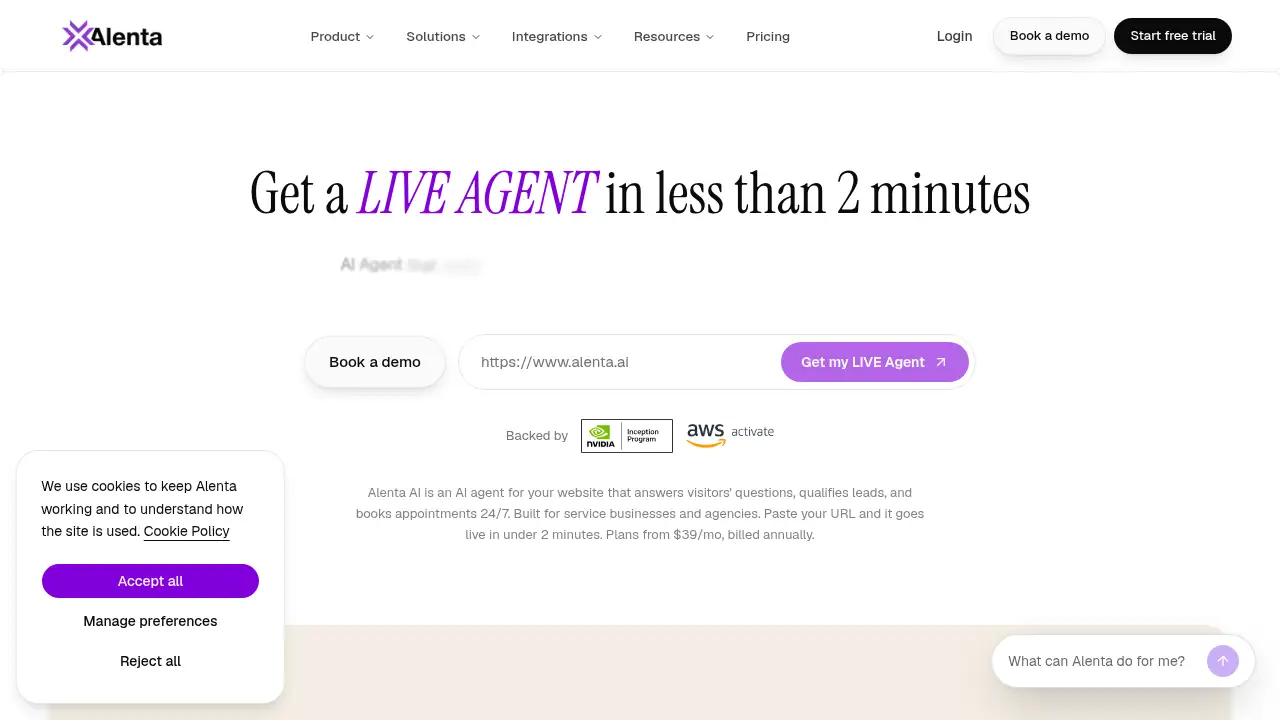
Alenta AI is an AI chatbot built to turn a website into a 24/7 sales and support assistant. It answers visitor questions, captures leads, and books appointments using content from the site. For teams that want a website chatbot without complex setup, Alenta AI aims to make the first conversation more useful.
What is Alenta?
Alenta AI is an AI chatbot for websites that reads a company’s pages, products, and policies, then replies to visitors in the brand’s voice. Instead of relying on canned FAQ scripts, this AI chatbot uses existing site content to give grounded answers. It is designed for businesses that want to answer questions, capture leads, and book appointments without adding live chat staff around the clock.
The product addresses a common website problem: visitors arrive with questions, but static pages and basic contact forms do not always help them move forward. Alenta AI turns those pages into a conversational sales and support channel. It is suitable for small teams, service businesses, ecommerce stores, SaaS companies, and agencies that need a practical website chatbot. Because it works with platforms such as WordPress, Shopify, Webflow, Framer, Squarespace, Wix, and custom stacks, Alenta AI can fit into an existing site without migration. It also connects with tools like Google Calendar, Calendly, HubSpot, Salesforce, Slack, Stripe, Zendesk, and Intercom, which helps the chatbot support lead capture and appointment booking workflows. For users comparing an AI chatbot for website conversion, Alenta AI’s main value is that it combines answers, qualification, and booking in one thread.
Key Features of Alenta
Answers from real site content
Alenta AI scans pages, products, and policies, then uses that knowledge to answer visitor questions. This helps the website chatbot give accurate replies in the company’s voice instead of generic scripted responses.
Lead capture inside chat
The AI chatbot can capture contact details and qualify visitor intent without sending people to a separate form. This supports lead capture at the moment interest is highest.
Appointment booking in the same thread
Alenta AI can offer available times and book appointments directly in the chat. This reduces handoff friction and helps turn a conversation into a scheduled meeting.
24/7 website coverage
The chatbot stays online during nights, weekends, and traffic spikes. Alenta AI is designed to handle conversations when the team is unavailable, then pass useful context to a human when needed.
Brand voice and escalation rules
Users can define tone, escalation rules, and goals such as booking a demo or collecting an email. Alenta AI then follows those rules while acting as an AI sales agent and support assistant.
Platform and tool integrations
Alenta AI works with common website platforms and business tools, including WordPress, Shopify, Webflow, HubSpot, Google Calendar, Calendly, and Slack. These integrations help the website chatbot connect to existing sales, support, and scheduling workflows.
Use Cases for Alenta
Sales inquiry handling
A B2B website can use Alenta AI to answer pricing and service questions, qualify intent, and book a demo. This makes the AI chatbot useful for early-stage sales conversations.
Ecommerce customer support
An online store can deploy Alenta AI to answer product, shipping, and policy questions from site content. The website chatbot can also capture leads for follow-up when a shopper needs more help.
Appointment-based businesses
Clinics, consultants, agencies, and service providers can use Alenta AI to explain offerings and book appointments in chat. This supports appointment booking without requiring a staff member to monitor every inquiry.
After-hours lead capture
When the office is closed, Alenta AI can keep the website conversational and collect details from interested visitors. The lead capture workflow helps teams return to organized conversations instead of missed inquiries.
How to Use Alenta
- Provide the website URL. Alenta AI scans the site’s pages, products, blog posts, and policies to build knowledge about the business.
- Set the brand voice and goals. Define tone, escalation rules, and actions such as “Book a Demo” or “Collect Email.”
- Connect useful tools. Link scheduling, CRM, support, or communication tools where needed, such as Google Calendar, Calendly, HubSpot, or Slack.
- Add the chat code to the site. Copy the provided code into the site header; Alenta AI is described as working with WordPress, Shopify, Webflow, and custom stacks.
- Review and refine conversations. Monitor chats, check that answers match site content, and adjust goals or escalation rules for better lead capture and appointment booking.
Target Audience for Alenta
- Small and midsize businesses that need a website chatbot without a large support team
- SaaS and B2B companies that want to qualify leads and book demos
- Ecommerce stores that need product and policy answers plus lead capture
- Agencies and consultants that want to automate first-response conversations
- Appointment-based service providers such as clinics, coaches, and local services
- Teams already using WordPress, Shopify, Webflow, HubSpot, or Calendly
Is Alenta Free?
No verified free plan or trial details are included in the provided reference content. Alenta AI’s official site should be checked for current pricing, plan limits, and any trial availability. Because pricing is not listed here, buyers should confirm costs directly before choosing a plan.
| Plan | Price | Features |
|---|---|---|
| Not specified | Not specified | Pricing details were not provided in the reference content. Check the official Alenta website for current plans, limits, and trial information. |
Alenta's Pros and Cons
| Aspect | Pros | Cons |
|---|---|---|
| Setup | Uses existing website content; no complex training data mentioned | Pricing and plan limits are not clear from the provided information |
| Core features | Answers questions, captures leads, and books appointments in one chat | Performance depends on the quality and coverage of site content |
| Availability | Designed to work 24/7, including nights and weekends | Human escalation rules still need careful setup |
| Integrations | Works with major website platforms and business tools | Full integration behavior may vary by tool and plan |
| Positioning | Useful AI chatbot for website sales and support | Not a replacement for complex human sales or support conversations |
Frequently Asked Questions about Alenta
What is Alenta AI used for?
Alenta AI is used as an AI chatbot for websites. It answers visitor questions from site content, captures leads, and books appointments, helping businesses turn more website visits into conversations.
Does Alenta AI work with WordPress and Shopify?
Yes, the product information says Alenta AI works with WordPress, Shopify, Webflow, Framer, Squarespace, Wix, Notion, and custom stacks. It can be added without migrating the website.
Can Alenta AI book appointments?
Yes. Alenta AI can offer times and book meetings inside the chat. It also integrates with scheduling tools such as Google Calendar and Calendly, which supports appointment booking workflows.
Is Alenta AI suitable for small businesses?
Alenta AI can suit small businesses that need a website chatbot for lead capture and common questions. Teams should still define escalation rules and review chats so the AI sales agent handles conversations appropriately.
Does Alenta AI replace human support?
No. Alenta AI is designed to handle common questions and pass conversations to a human when needed. The product information emphasizes context handoff, not fully replacing human support.
How long does setup take?
The reference content says Alenta AI can go from URL to active agent in minutes. Setup involves providing a URL, setting goals and tone, adding a code snippet, and reviewing early conversations.
Alenta Tags
Alenta AI, AI chatbot, website chatbot, AI sales chatbot, lead capture chatbot, appointment booking chatbot, 24/7 chatbot, chatbot for WordPress, Shopify chatbot, AI customer support, chatbot integrations, Alenta review