Introduction
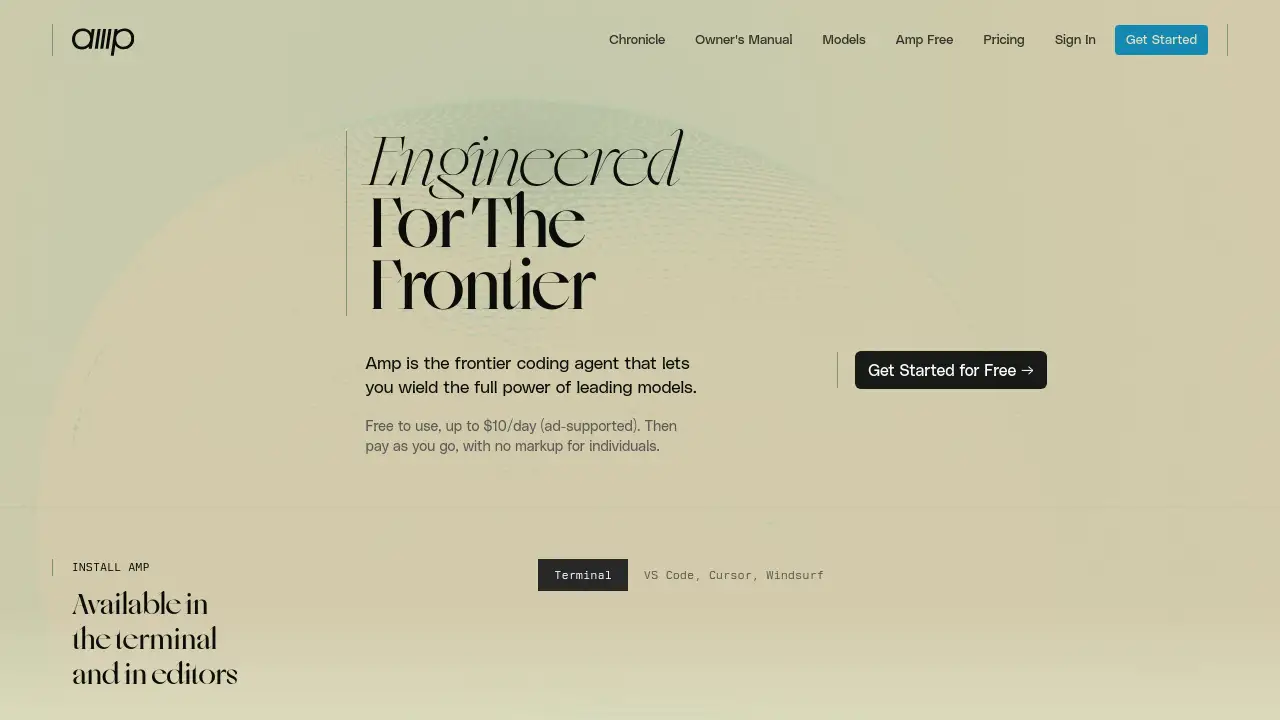
Amp is a frontier coding agent designed to leverage the power of leading AI models.
What is Amp?
Amp is an advanced AI coding assistant, or frontier coding agent, built to harness the capabilities of top-tier large language models (LLMs). It goes beyond simple code suggestions, acting as an autonomous agent that can understand context, generate complex code, and manage entire development workflows. This tool is engineered to solve the challenge of integrating powerful but sometimes unwieldy AI models into a developer's daily routine, providing a polished and efficient interface. Amp is suitable for software developers, engineers, and technical teams who want to accelerate coding, prototyping, and problem-solving by wielding the full power of leading models directly within their terminal or code editor.
Key Features of Amp
Frontier Model Integration
Amp connects directly to cutting-edge AI models, allowing developers to utilize the most advanced reasoning and coding capabilities available without switching between different platforms.
Terminal and Editor Availability
The Amp coding agent can be installed and used directly within your command-line terminal (CLI/TUI) or integrated into popular code editors, fitting seamlessly into existing developer workflows.
Agentic Workflow Management
Amp operates with a high degree of autonomy, capable of running multiple agent threads, managing sub-tasks, and persisting context to reliably complete complex coding objectives from a single instruction.
Free Tier with Usage Limits
Amp offers a free-to-use plan supported by advertising, providing up to $10 worth of daily usage, which makes the frontier coding agent accessible for individuals to try and integrate into their projects.
Pay-As-You-Go Pricing
For users who exceed the free tier, Amp employs a transparent, pay-as-you-go pricing model with no markup for individual users, ensuring you only pay for the computational resources you actually use.
Use Cases for Amp
Rapid Prototyping and App Development
Developers can use Amp to quickly generate boilerplate code, implement features, and build entire applications, such as iOS or web apps, by describing their goals in natural language.
Legacy Code Understanding and Refactoring
The AI agent can analyze existing codebases, generate data flow diagrams, explain complex sections, and suggest or implement improvements and refactoring strategies.
Automated Bug Fixing and Debugging
By describing an issue or error, developers can leverage Amp to autonomously diagnose problems, suggest fixes, and even apply patches to the code.
Learning and Exploring New Technologies
Amp serves as an on-demand tutor, helping developers understand new frameworks, libraries, or programming concepts by generating explanatory code snippets and examples.
How to Use Amp
- Sign Up and Install: Visit the Amp website to create a free account. Follow the installation instructions to set up the Amp agent either in your terminal (CLI/TUI) or within your preferred code editor.
- Configure and Authenticate: Link your Amp installation to your account and configure your preferred AI model settings if options are available.
- Initiate a Task: In your terminal or editor, start a new agent thread by describing your coding task, question, or objective in plain English.
- Collaborate and Iterate: Interact with the Amp agent as it works. You can provide feedback, ask for clarifications, or hand off tasks to new threads to manage complex projects.
- Review and Implement: Examine the code, diagrams, or solutions generated by the frontier agent, then integrate them into your project.
Target Audience for Amp
- Professional Software Developers and Engineers
- Tech Leads and Engineering Managers
- Students and Developers Learning to Code
- Startup Teams and Rapid Prototypers
- DevOps Engineers and System Architects
Is Amp Free?
Amp operates on a freemium model. The available plan based on the reference information is:
| Plan | Price | Key Features |
|---|---|---|
| Free Tier | $0 | Ad-supported usage with a daily limit equivalent to $10 in computational credits. |
| Pay-As-You-Go | Variable Cost | Usage beyond the free tier is charged directly at cost, with no markup for individuals. |
For the most current and detailed pricing, users should check the official Amp website.
Amp's Pros and Cons
| Aspect | Pros | Cons |
|---|---|---|
| Power & Capability | Direct access to frontier AI models for state-of-the-art code generation and reasoning. | Performance is dependent on the underlying AI model, which may have its own limitations. |
| Usability & Integration | Seamless integration into terminal and editor workflows; praised for its polished user experience. | Requires setup and familiarity with CLI or editor extensions. |
| Pricing & Accessibility | Generous free tier lowers the barrier to entry; transparent pay-as-you-go pricing for individuals. | The ad-supported free model may not be preferable for all users. |
| Functionality | Highly agentic, capable of managing complex, multi-step tasks autonomously. | Rapid iteration of features (as seen in news updates) means the tool's interface can change frequently. |
Frequently Asked Questions about Amp
What makes Amp different from other AI coding assistants?
Amp is positioned as a frontier coding agent, meaning it is specifically engineered to provide direct, optimized access to the most advanced AI models, with a focus on autonomous, multi-step task completion rather than just line-by-line suggestions.
Is Amp really free to use?
Yes, Amp offers a free tier that is supported by advertising. This plan provides up to $10 worth of daily usage, allowing individuals to explore the tool's capabilities at no initial financial cost.
How do I install Amp?
Amp can be installed in two primary ways: as a CLI (Command Line Interface) or TUI (Terminal User Interface) tool for use directly in your terminal, or as an extension within supported code editors. Installation instructions are provided on the Amp website.
Can Amp work with my existing code repository?
Yes, Amp is designed to work within existing projects. You can point the agent at your current codebase to have it analyze, explain, refactor, or add new features to your existing files.
What AI models does Amp use?
The reference information states Amp lets you "wield the full power of leading models." While specific models are not listed, user testimonials mention experiences with models like GPT-5 and Claude Sonnet 4, suggesting it integrates with top-performing models from various providers.
Does Amp only generate code, or can it do other tasks?
While focused on coding, Amp's agentic capabilities can extend to related tasks such as generating architecture or data flow diagrams, writing documentation, and explaining technical concepts, as highlighted in user testimonials.
Amp Tags
Amp, frontier coding agent, AI coding assistant, AI code generator, CLI coding tool, editor extension, autonomous development agent, free AI coding, pay-as-you-go AI, rapid prototyping tool, code refactoring AI, software development AI