Introduction
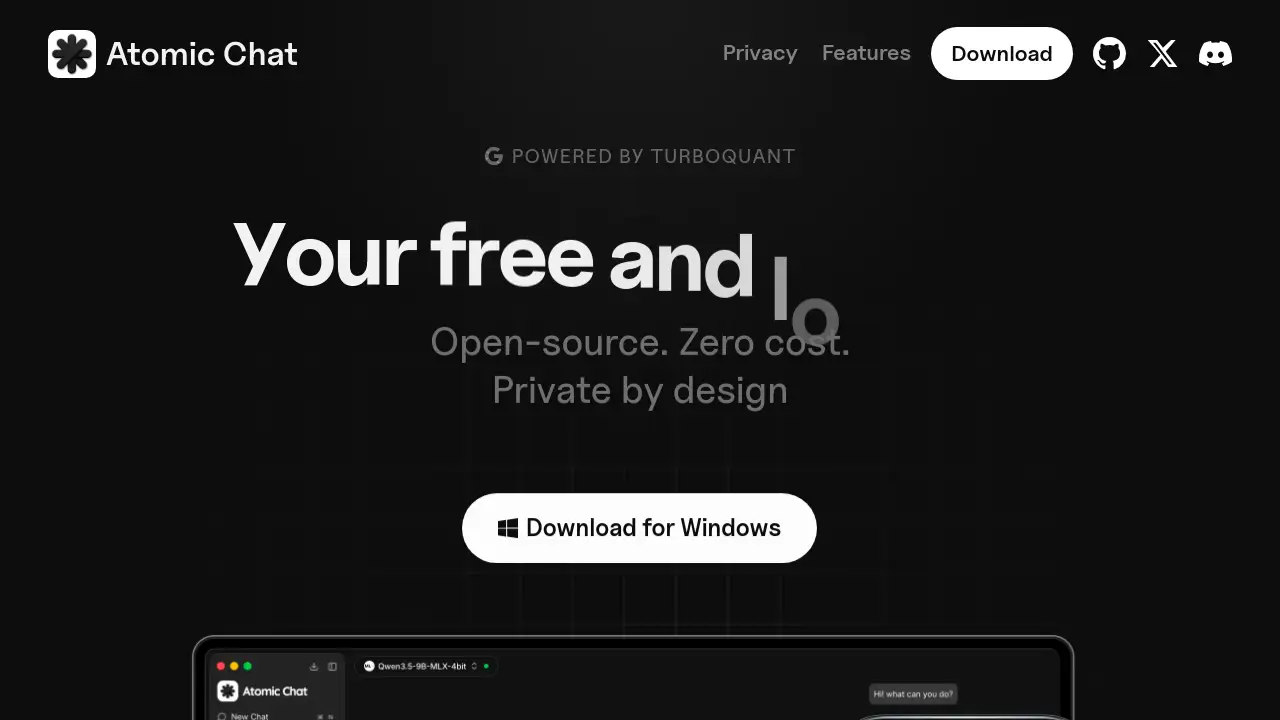
A free, local AI chat application that runs popular models like Qwen and LLaMA privately on your device.
What is Atomic Chat?
Atomic Chat is a desktop and mobile application designed to provide a private AI chat experience directly on a user's computer or phone. It solves the growing concern over data privacy with cloud-based AI services by operating entirely offline. This means all conversations, prompts, and model processing happen locally, with no data tracking, no subscription fees, and no reliance on an internet connection after setup. It is suitable for anyone from casual users to developers who want to experiment with open-source AI models without sending sensitive information to a third-party server. The inclusion of TurboQuant technology aims to make this local AI experience faster and more efficient, enabling the use of larger models on consumer hardware.
Key Features of Atomic Chat
100% Local and Private
Every interaction stays on your device; no cloud servers are involved, ensuring complete data privacy and offline functionality.
Access to 1,000+ Open-Source Models
Users can browse and download a vast library of models from Hugging Face, including Qwen, DeepSeek, Kimi, LLaMA, MiniMax, and Gemma, with one-click installation.
TurboQuant Technology Built-In
The built-in TurboQuant engine promises faster inference speeds and significantly reduced memory usage, allowing for smoother operation of local AI models on standard hardware.
Simple One-Click Setup
The application is designed for ease of use, requiring no complex configuration. Users can download, install, and start chatting with their chosen AI model in seconds.
Designed for Agents and Workflows
Beyond simple chat, Atomic Chat supports the creation and execution of autonomous AI agents that can perform multi-step tasks and workflows fully local on your machine.
Organized Chat and Project Management
The interface cleanly separates conversations and projects, helping users maintain focus and context with persistent memory across different sessions.
Use Cases for Atomic Chat
Private Brainstorming and Writing
Ideal for drafting documents, brainstorming ideas, or creative writing where you don't want your raw thoughts processed by a cloud AI service.
Learning and Experimenting with AI Models
A safe, cost-free sandbox for students, researchers, or hobbyists to test and compare different open-source AI models like LLaMA or Qwen without API costs.
Handling Sensitive Information
Perfect for professionals who need to use AI to analyze confidential documents, code, or data under strict privacy requirements, as everything runs offline.
Developing and Testing AI Agents
Developers can build, run, and debug autonomous AI agents and workflows locally, ensuring functionality and privacy before potential deployment.
How to Use Atomic Chat
- Download and Install: Visit the official website and download the Atomic Chat application for your desktop (Mac/Windows/Linux) or mobile device.
- Choose a Model: Open the app and browse the integrated model library. Select a model like Qwen or DeepSeek and download it directly within the application.
- Start a Conversation: Once the model is downloaded, simply create a new chat window and begin typing your messages. The local AI will generate responses entirely on your device.
Target Audience for Atomic Chat
- Privacy-conscious individuals wary of data collection by mainstream AI services.
- Developers and tinkerers interested in open-source AI models and local AI agent development.
- Students and researchers needing a free tool to experiment with various large language models.
- Professionals in fields like law, healthcare, or business who handle sensitive data and require offline AI assistance.
Is Atomic Chat Free?
Based on the available information, Atomic Chat is presented as a completely free application. The product description and homepage prominently state "Free local AI chat," "Zero cost," and "No subscription."
| Plan | Price | Key Features |
|---|---|---|
| Free | $0 | 100% local & private chat, access to 1000+ models, TurboQuant for faster inference, offline use, no data tracking, no rate limits. |
Atomic Chat's Pros and Cons
| Aspect | Pros | Cons |
|---|---|---|
| Cost & Privacy | Completely free with no subscriptions. Unmatched privacy as all data stays on-device. | Requires users to have sufficient local storage and hardware to run models effectively. |
| Model Selection | Vast library of open-source AI models from Hugging Face, updated regularly. | Performance depends entirely on the user's own computer specs (CPU, GPU, RAM). |
| Usability | Simple, one-click installation and model download process. | Lacks the seamless, always-updated nature and potentially more powerful models of cloud AI services. |
| Technology | TurboQuant integration aims to optimize speed and memory for local AI. | Cutting-edge, very large models may still be impractical to run on average consumer hardware. |
Frequently Asked Questions about Atomic Chat
Is Atomic Chat really free with no hidden costs?
Yes. According to the official information, Atomic Chat is completely free. There are no subscription fees, in-app purchases, or rate limits on messages. The cost is in the local computational resources required to run the models.
What kind of computer do I need to run Atomic Chat?
Performance depends on the model you choose. Smaller models can run on modest hardware, while larger ones require a capable computer with a good CPU, ample RAM (16GB+ recommended), and ideally a dedicated GPU for the best experience with TurboQuant acceleration.
Can I use Atomic Chat completely without an internet connection?
Yes, once the application and your desired AI models are downloaded, Atomic Chat works 100% offline. No internet connection is required for chatting, making it a true private AI tool.
Where do the AI models come from?
Models are sourced from open repositories like Hugging Face. Atomic Chat provides a convenient interface to browse and download popular models such as LLaMA, Qwen, and DeepSeek in supported formats like GGUF.
What is TurboQuant?
TurboQuant is a quantization technology built into Atomic Chat. It compresses AI models to run faster and use less memory on your device, enabling more responsive local AI interactions without sacrificing accuracy, according to the product claims.
How is Atomic Chat different from ChatGPT or Claude?
The core difference is location. Services like ChatGPT run on cloud servers, while Atomic Chat runs locally on your device. This means Atomic Chat offers superior privacy and no usage fees but may have slower responses and less powerful models depending on your hardware.
Atomic Chat Tags
Atomic Chat, local AI chat, private AI, offline AI, free AI chat, open-source AI, Qwen, LLaMA, DeepSeek, TurboQuant, local AI models, no data tracking