Introduction
BarBrain is an inventory management software designed for restaurants and hotels, helping businesses save significant time.
What is BarBrain?
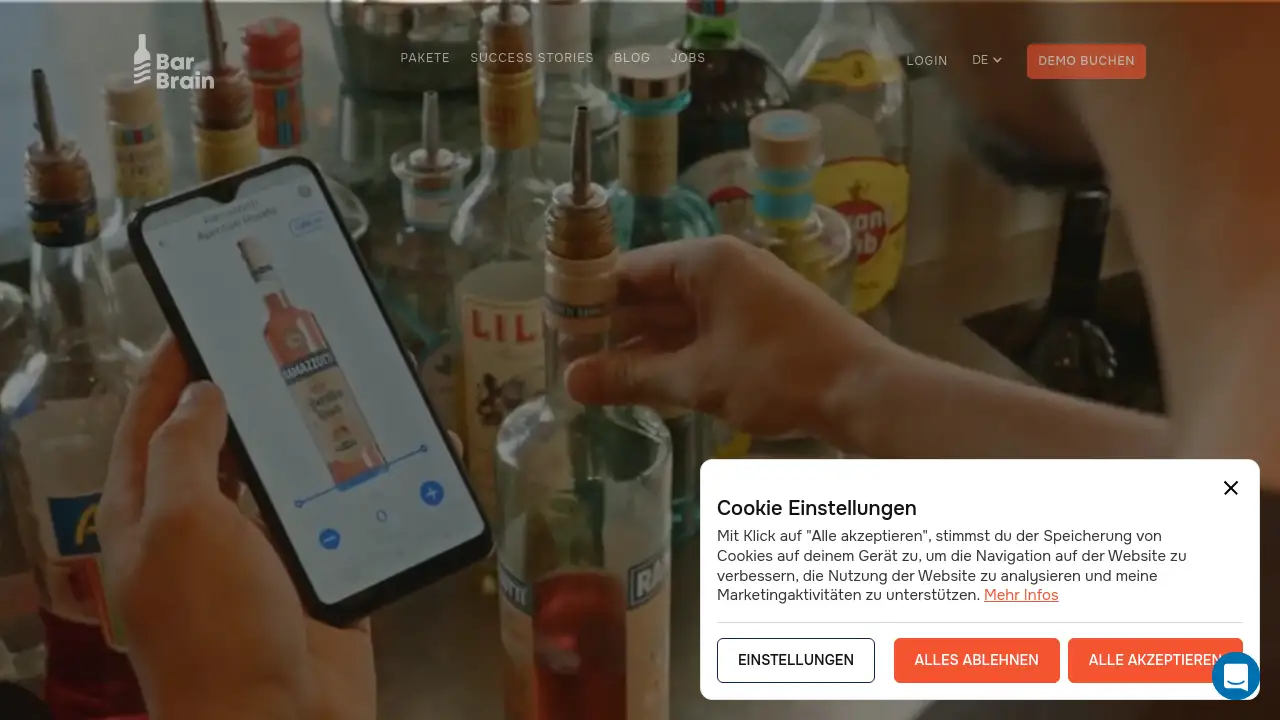
BarBrain is a digital inventory software specifically built for the food, beverage, and hospitality industries. It addresses the traditionally time-consuming and error-prone process of manual stocktaking. The software allows staff to conduct inventory counts using smartphones or tablets, drastically reducing the time spent on this essential task. It is suitable for a wide range of businesses, from independent bars and restaurants to large hotel chains and nightclubs. By digitizing the inventory process, BarBrain provides accurate, reliable data that helps business owners control costs, reduce waste, and make informed purchasing decisions.
Key Features of BarBrain
Parallel Counting on Multiple Devices
Teams can use BarBrain simultaneously on multiple iOS and Android devices, enabling different staff members to count different sections at the same time for faster completion.
Extensive Product Catalog with Over 30,000 Items
The software comes pre-loaded with a vast catalog of over 30,000 products, including spirits, wines, food items, and housekeeping supplies, simplifying the setup process for new users.
Automatic Inventory Report Generation
After each count, BarBrain automatically generates a complete and summarized inventory report, eliminating the need for manual data entry and post-processing.
Fill-Level Slider for Open Food Items
This feature allows for quick and accurate recording of partially used food and beverage products with a simple slider, ensuring precise inventory data for perishable goods.
Cloud-Based Data Synchronization
All inventory data is synchronized in real-time across devices and accessible via a web interface, ensuring everyone has access to the latest numbers from anywhere.
Use Cases for BarBrain
Streamlining Monthly Beverage Inventory in a Bar
BarBrain helps bar managers and staff complete their monthly liquor, wine, and beer counts in a fraction of the usual time, providing instant insights into stock levels and consumption.
Managing Food Cost Control in a Restaurant
Restaurants can use the software to track food inventory precisely, identify waste patterns, and calculate accurate food costs, leading to better menu pricing and profitability.
Centralizing Inventory for Multi-Location Hotel Groups
Hotel chains can standardize their inventory process across all properties, from minibars to banquet supplies, allowing for consolidated reporting and centralized purchasing.
Efficient Stocktaking for Nightclubs and Event Venues
Venues with high-volume beverage sales can quickly count stock before and after events, ensuring accurate sales reconciliation and timely reordering.
How to Use BarBrain
Getting started with BarBrain involves a straightforward process designed for quick implementation.
- Schedule a Demo: Interested users can begin by booking a free, personalized demo to see the software in action and discuss their specific needs.
- Account Setup: After the demo, an account is created. The BarBrain team offers assistance with the initial setup, including customizing the product catalog.
- Conduct the First Count: Users can then immediately start their first digital inventory by scanning items or selecting them from the catalog on their mobile devices.
- Review and Analyze: Once the count is finished, the automatic report is generated, providing clear data on stock levels, usage, and value.
Target Audience for BarBrain
- Restaurant owners and managers
- Bar and pub operators
- Hotel and resort management teams
- Nightclub and venue managers
- Catering companies
- Multi-location hospitality groups
Is BarBrain Free?
BarBrain offers a 30-day free trial for new users to test all features without obligation. After the trial, the service operates on a paid subscription model. The exact cost depends on the number of locations and specific requirements of the business. The product description mentions a starting price of 52 € per month. For precise and current pricing, it is best to consult the official BarBrain website.
BarBrain's Pros and Cons
| Aspect | Pros | Cons |
|---|---|---|
| Efficiency | Saves up to 75% of inventory time according to the company; parallel counting feature. | Requires initial setup and data input. |
| Accuracy | Eliminates manual entry errors; provides reliable numbers with features like the fill-level slider. | Accuracy depends on proper staff training and consistent use. |
| Reporting | Automatic report generation removes post-processing work. | Custom report formats may be limited compared to some advanced systems. |
| Usability | Mobile app is intuitive; includes a large pre-built product catalog. | Subscription cost may be a barrier for very small, single-operator businesses. |
| Scalability | Suitable for both single locations and multi-site operations. |
Frequently Asked Questions about BarBrain
What types of businesses is BarBrain suitable for?
BarBrain is designed for all types of food and beverage businesses, including bars, restaurants, hotels, nightclubs, and catering services, regardless of their size.
Can multiple users work on an inventory simultaneously?
Yes, one of the core features of BarBrain is parallel counting, which allows multiple team members to use the app on different devices at the same time to speed up the inventory process.
Is there a free trial available?
Yes, BarBrain offers a full-featured, 30-day free trial for new users to test the software with their own inventory.
Can I manage multiple locations with one BarBrain account?
Yes, the software supports multi-location management. Businesses with several branches or sites can manage and conduct separate inventories for each one within a single account.
Is BarBrain available as a mobile app?
Yes, BarBrain is available as a native app for both iOS and Android devices. It also offers a web application that can be accessed through a browser on a computer.
What kind of support is provided during setup?
The BarBrain team offers assistance during the initial account setup and is available to help users configure their product catalog and answer any questions.
BarBrain Tags
inventory software, restaurant inventory, bar inventory management, hotel inventory system, digital inventory, F&B inventory, stocktaking app, reduce inventory time, BarBrain review, hospitality software, inventory management for restaurants, food cost control