Introduction
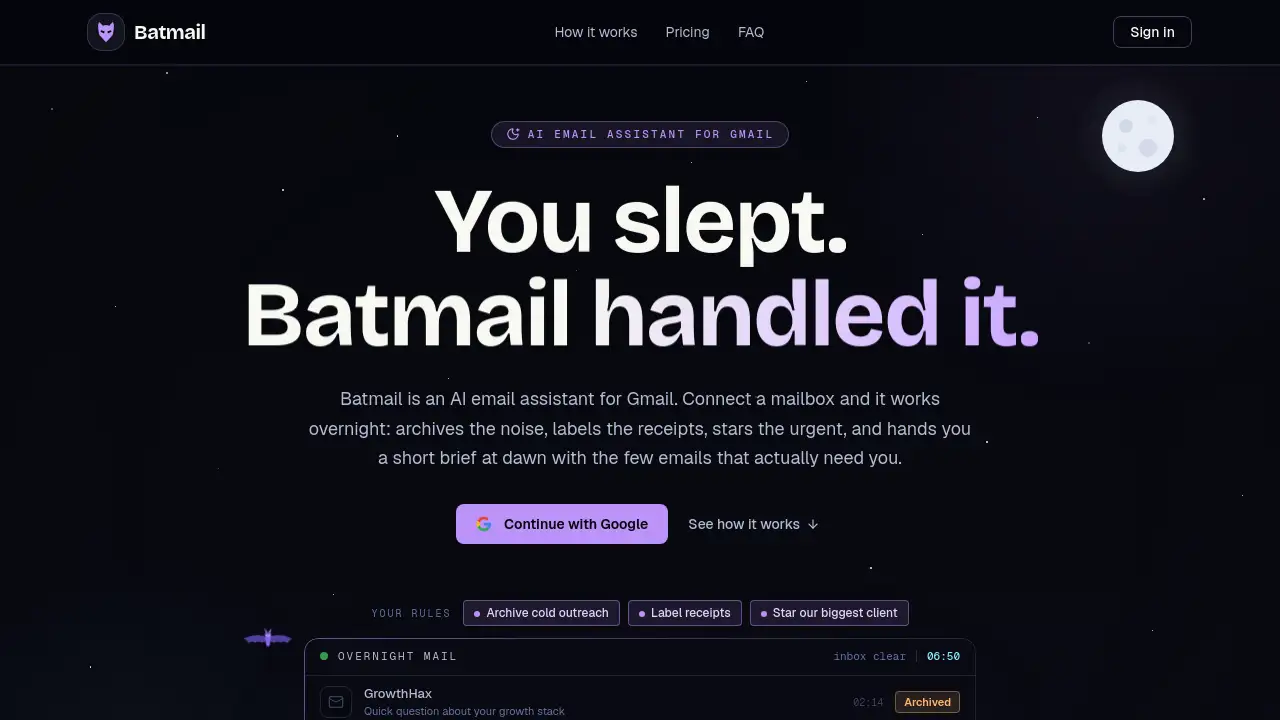
Batmail is an AI email assistant for Gmail that works while users sleep. It reads new email, applies plain-English rules, and delivers one morning email roundup. Batmail handles the noise overnight and leaves a short list of emails that actually need attention. For anyone tired of starting the day with a cluttered inbox, Batmail is a useful productivity tool. This review explains what Batmail is, how it works, and who can benefit.
What is Batmail?
Batmail is an AI email assistant designed to handle Gmail inboxes while the owner rests. It connects to Gmail accounts, reads incoming mail overnight, and applies rules written in plain English. The assistant assigns AI labels with reasons, archives messages that need no reply, stars urgent mail, and forwards messages when a rule asks it to. The core problem Batmail solves is email overload. Many users wake up to dozens of new emails and lose time deciding what matters. Batmail handles that sorting before morning. Batmail is suitable for people who run one inbox or many, since it supports multiple Gmail accounts from one workspace. The AI email assistant is useful because it keeps the user in control while reducing time spent on routine email triage.
Key Features of Batmail
Overnight Inbox Triage
The AI email assistant reads the messages that arrive in connected Gmail inboxes during the night. It archives noise, labels receipts, stars anything urgent, and forwards messages when the rules call for it.
Plain-English Rules
Users write rules in normal language. There is no filter syntax to learn. A user might tell the AI email assistant to "archive all newsletters from social sites" or "star messages from my manager."
AI Labels with Reasons
Every action the assistant takes is logged with an explanation. This helps users understand why an email was archived, starred, or labelled, and makes the AI email assistant feel transparent.
Morning Email Roundup
At a chosen hour, the service sends one digest. The roundup includes what was handled overnight and the few emails still waiting for the user.
Multi-Inbox Management
The AI email assistant is built for people who manage more than one Gmail address. Users can connect several inboxes, scope rules to one or all, and receive a single morning roundup.
Privacy-First Design
Batmail uses scoped Gmail access, revocable in one click. User mail is never sold, never used for ads, and never used to train AI models.
Use Cases for Batmail
Freelancers Managing Client Inboxes
Freelancers often juggle separate Gmail accounts for clients. The AI email assistant triages each inbox overnight and shows which client messages need an answer in the morning.
Small Business Owners
Small business owners receive receipts, invoices, and customer questions. The assistant labels receipts, archives confirmations, and flags urgent customer requests.
Travelers and Cross-Time-Zone Workers
When users sleep at unusual hours, the AI email assistant works. The morning roundup delivers a compact brief, so travelers can check what matters rather than scrolling through everything.
How to Use Batmail
- Sign in with Google and connect a Gmail inbox.
- Write plain-English rules for what should be archived, labelled, starred, or forwarded.
- Choose the hour for the morning roundup.
- Read the roundup and review the actions Batmail took.
- Undo any action from the activity log if needed.
Target Audience for Batmail
- Freelancers and independent professionals
- Small business owners
- Operations and support teams
- People who manage multiple Gmail accounts
- Anyone looking for an AI email assistant to reduce inbox overload
Is Batmail Free?
Batmail has a free plan called Scout, which covers one inbox. Scout includes plain-English rules, AI labels, and the in-app morning roundup. The paid plan, Night Shift, costs $12 per inbox per month and adds unlimited inboxes, unlimited triage, the emailed roundup, and all rule actions including AI replies. Batmail is currently in early access, and the maker says plan limits are not enforced yet, so early users can try the full experience without a card.
| Plan | Price | Features |
|---|---|---|
| Scout | Free | 1 inbox, plain-English rules and AI labels, morning roundup in the app |
| Night Shift | $12 per inbox / month | Unlimited inboxes, unlimited triage, emailed morning roundup, all rule actions including AI replies |
Batmail's Pros and Cons
| Aspect | Pros | Cons |
|---|---|---|
| Ease of setup | Simple Google sign-in and plain-English rules | Gmail only for now |
| Time-saving | Overnight triage and one daily digest | Pre-launch product without many public reviews |
| Privacy | Scoped access, no AI training, revocable tokens | Requires Gmail read, modify, and send scopes |
| Pricing | Free plan and early access period | Paid pricing per inbox can add up for many mailboxes |
Frequently Asked Questions about Batmail
Is Batmail safe to use?
Batmail uses Google sign-in and asks for Gmail read, modify, and send scopes. These permissions are limited to the inboxes the user connects, and disconnecting a mailbox revokes access immediately.
Can Batmail send messages without permission?
No. Batmail only sends a reply or forward when a rule written by the user says to do so. Every send is logged and shown in the morning roundup.
Does Batmail work with Outlook?
No, Batmail supports Gmail and Google Workspace addresses today. Outlook and IMAP support are on the roadmap.
What happens if I disconnect my inbox?
Batmail revokes and deletes the token for that mailbox and removes its processed history. Deleting the account removes snapshots, rules, labels, and roundups.
How much does Batmail cost?
The Scout plan is free for one inbox. Night Shift costs $12 per inbox per month and includes unlimited triage and emailed roundup. Early access accounts receive the full experience while the product is pre-launch.
Is my mail used to train AI?
No. Batmail processes mail to run rules and labels, and it does not use user mail for AI training, ads, or data sales.
Batmail Tags
Batmail, AI email assistant, Gmail email assistant, email triage, morning email roundup, plain English email rules, Gmail automation, inbox management tool, multiple Gmail inboxes, AI inbox organizer, email productivity tool