Introduction
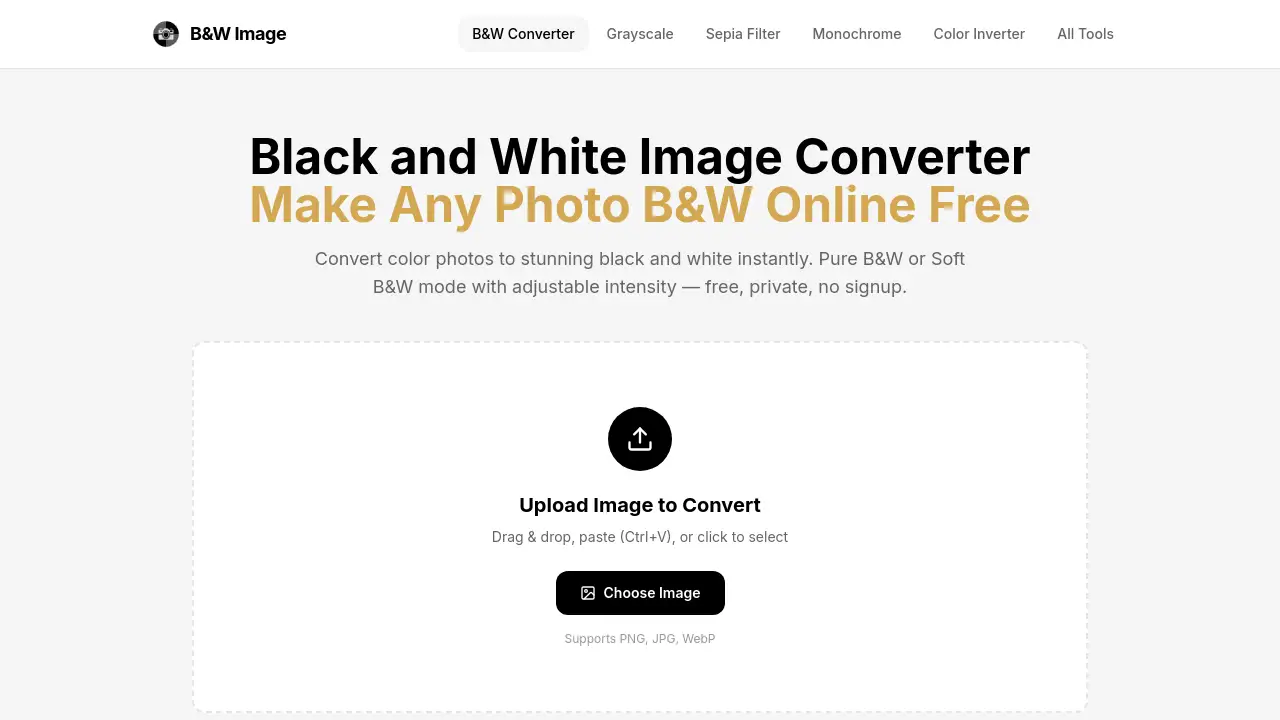
Black and White Image is a free, browser-based tool that instantly converts any color photo into a stunning monochrome image.
What is Black and White Image?
Black and White Image is a specialized online converter designed to make any image black and white directly within a web browser. It addresses the common need for quick, high-quality monochrome conversion without requiring complex software like Photoshop. This tool is suitable for a wide range of users, from photographers seeking to convert color images to black and white for artistic effect, to designers needing clean assets and individuals looking to add a classic touch to their personal photos. Its importance lies in its simplicity, privacy, and ability to produce professional-looking results in seconds, making the timeless art of black and white photography accessible to everyone.
Key Features of Black and White Image
Dual Conversion Modes
The tool offers two distinct modes: Pure B&W for a stark, high-contrast two-tone effect and Soft B&W for a full-range, smooth grayscale conversion, allowing users to choose the perfect aesthetic for their project.
Adjustable Intensity Control
Users can fine-tune the conversion with an interactive slider, adjusting the luminance threshold in Pure B&W mode to control the balance between black and white areas for custom results.
100% Browser-Based Privacy
All processing occurs locally on the user's device using HTML5 Canvas; images are never uploaded to a server, ensuring complete privacy and security for personal or sensitive photos.
No-Signup, Instant Conversion
The service requires no account creation, no watermarks, and imposes no file size limits, enabling users to turn images black and white immediately upon visiting the website.
High-Quality Output
It supports PNG, JPG, and WebP formats at full original resolution, delivering a downloadable, high-quality result that maintains the clarity and detail of the source image.
Use Cases for Black and White Image
Artistic Portrait Enhancement
Photographers can make a photo black and white to strip away color distractions, emphasizing emotion, texture, and the interplay of light and shadow on a subject's face.
Graphic Design Asset Creation
Designers can convert colour images to black and white to create bold, high-contrast monochrome versions of logos, icons, and illustrations for use in various media.
Social Media Content Styling
Content creators can apply a B&W filter to give their posts, stories, or profile pictures a minimalist, timeless, and editorial quality that stands out in a colorful feed.
Document and Scan Optimization
Individuals can convert a color image to black and white to prepare documents for cleaner OCR (Optical Character Recognition) processing or to reduce file sizes for archiving.
Landscape and Architecture Photography
Enthusiasts can transform color landscape shots to highlight structural forms, dramatic skies, and tonal contrasts, focusing the viewer's attention on composition and lines.
How to Use Black and White Image
Using the Black and White Image converter is a straightforward, three-step process:
- Upload Your Image: Click the upload area on the website, drag and drop a file, or paste an image directly from your clipboard. The tool supports PNG, JPG, and WebP formats.
- Choose and Adjust Mode: Select your preferred conversion style—Pure B&W for a graphic two-tone look or Soft B&W for grayscale. Use the threshold slider in Pure B&W mode to fine-tune the contrast to your liking.
- Preview and Download: View the converted black and white image side-by-side with the original. Once satisfied, click the download button to save the high-quality PNG file to your device.
Target Audience for Black and White Image
- Amateur and professional photographers
- Graphic and web designers
- Social media managers and content creators
- Students and educators working on visual projects
- Hobbyists and anyone wanting to edit personal photos easily
- Professionals needing to prepare images for monochrome print
Is Black and White Image Free?
Black and White Image is completely free to use. There are no premium plans, subscription fees, or hidden costs.
| Plan | Price | Features |
|---|---|---|
| Free | $0 | Access to both Pure B&W and Soft B&W modes, adjustable intensity, full-resolution download, support for PNG/JPG/WebP, 100% private browser-based processing, no watermarks, and no file size limits. |
Black and White Image's Pros and Cons
| Aspect | Pros | Cons |
|---|---|---|
| Ease of Use | Extremely simple, three-step process with an intuitive interface. | Limited advanced editing controls compared to desktop software. |
| Privacy & Security | All processing is local; images never leave the user's computer. | N/A |
| Cost | Completely free with no restrictions or trial periods. | N/A |
| Features | Offers two distinct conversion modes for different creative needs. | Lacks more nuanced tools like color channel mixing or selective adjustment. |
| Accessibility | Requires only a modern web browser; no software installation needed. | Dependent on an internet connection to load the web page initially. |
Frequently Asked Questions about Black and White Image
Is my data safe when I use this tool?
Yes. Black and White Image performs all conversion work directly in your browser. Your images are never uploaded to any external server, ensuring they remain 100% private on your device.
What image formats are supported?
The tool supports common image formats including PNG, JPG, and WebP. You can upload files in these formats and download the converted black and white image as a high-quality PNG.
What is the difference between Pure B&W and Soft B&W?
Pure B&W converts an image into pure black and pure white pixels only, creating a high-contrast, graphic effect. Soft B&W produces a full grayscale image with 256 shades of gray, preserving smooth tonal transitions and detail, which is ideal for most photography.
Can I adjust how the black and white conversion looks?
Yes. In the Pure B&W mode, you can use a slider to adjust the luminance threshold, controlling which pixels turn black and which turn white. This lets you fine-tune the contrast and detail of the final two-tone image.
Are there any limits on file size or number of conversions?
No. The tool does not impose any limits on the file size of images you upload or the number of times you can convert an image to black and white. It is free to use without restrictions.
Does the tool work on mobile devices?
Yes. Since it is a web-based application, Black and White Image works on any device with a modern browser, including smartphones and tablets.
Black and White Image Tags
black and white image, make image black and white, convert to black and white, photo to black and white, online B&W converter, free image converter, grayscale converter, turn photo black and white, black and white photo editor, private image tool, soft B&W, pure B&W, high contrast filter