Introduction
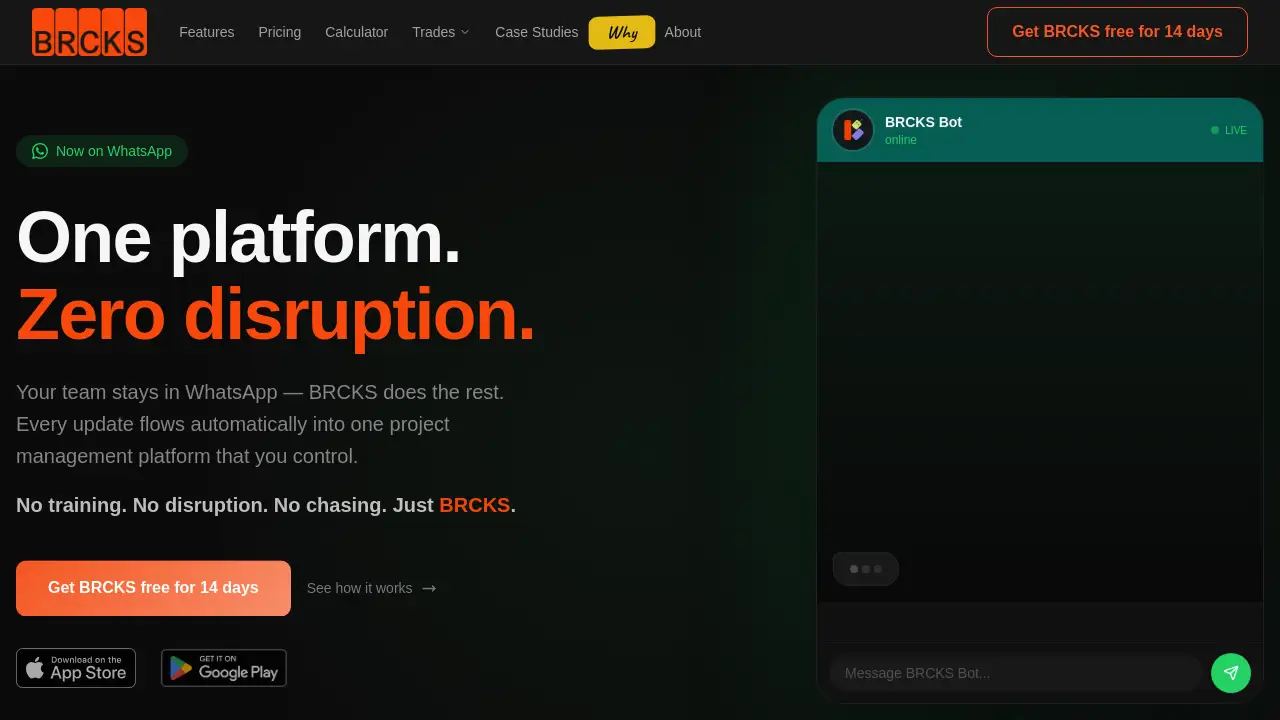
BRCKS is a simple construction project management software designed to centralize communication for builders and trades.
What is BRCKS?
BRCKS is a construction project management software that aims to solve the communication chaos common in the industry. It consolidates chats, checklists, tasks, files, and meeting notes into a single, unified platform. This software is designed for builders, contractors, various trades, and even homeowners involved in construction projects. Its primary goal is to reduce the time wasted switching between apps like WhatsApp, email, and texts, thereby saving teams significant time and reducing costly project delays.
Key Features of BRCKS
BRCKS Bot
The BRCKS Bot integrates with WhatsApp and Telegram, allowing teams to send project updates via their favorite messaging apps, which are then automatically logged and organized within the central project management platform.
Free Subcontractor Access
Users can invite all their subcontractors and trades to projects at no extra cost, giving them full access to relevant checklists, calendars, files, and schedules without requiring additional paid seats.
Client Portal
This feature provides homeowners and clients with a beautiful, read-only view of their project's progress, including photos and milestones, keeping them informed without granting access to internal tools.
Ask BRCKS (AI Search)
This AI-powered tool allows users to search across all their projects, files, and conversations to find information and get answers quickly, enhancing efficiency.
Unified Project Feed
All project updates from various sources are displayed in one chronological feed, giving managers and teams a single source of truth for project activity.
Checklists and Tasks
Users can create, assign, and monitor progress on tasks and checklists, ensuring accountability and clear workflows from first fix to final sign-off.
Video & Site Meeting AI
The software can record, transcribe, and automatically generate action items from both video calls and on-site mobile recordings, ensuring meeting discussions are captured and acted upon.
Team Calendar and Scheduling
A shared calendar helps with team scheduling across all projects, making it easy to coordinate availability and plan work.
Use Cases for BRCKS
Managing Residential Construction Projects
Builders and project managers can use BRCKS to coordinate all subcontractors, share drawings, track daily tasks via checklists, and keep homeowners updated through the client portal, all from one platform.
Streamlining Trade-Specific Work
Electricians, plumbers, and HVAC specialists can receive and acknowledge their assigned tasks and checklists, report completion, and share photos or notes directly within the project they are working on.
Reducing Communication Overhead for Small Teams
Small construction firms can eliminate the chaos of group WhatsApp chats and scattered emails by moving all project-related communication, file sharing, and scheduling into BRCKS.
Improving Client Transparency and Satisfaction
General contractors can provide clients with automatic, curated updates via the Client Portal, reducing frequent check-in calls and emails while building trust through visibility.
How to Use BRCKS
- Sign Up for a Free Trial: Visit the BRCKS website and start a 14-day free trial with full access to all features.
- Create Your First Project: Set up a new project within the platform and add basic details.
- Invite Your Team: Add your core team members as paid seats and invite all subcontractors and trades for free.
- Start Communicating: Use the BRCKS Bot to update projects via WhatsApp or use the built-in team chat, and begin creating checklists and tasks.
- Engage Clients: Invite homeowners or clients to the Client Portal to give them a view of progress.
Target Audience for BRCKS
- General Contractors and Builders
- Specialty Trades (Electricians, Plumbers, HVAC technicians)
- Construction Project Managers
- Small to Mid-Sized Construction Firms
- Homeowners managing renovation projects
- AV Installation and Solar Installation Teams
Is BRCKS Free?
BRCKS offers a 14-day free trial with full access. After the trial, it operates on a per-user, per-month subscription model. The main paid plan is detailed below.
| Plan | Price | Key Features |
|---|---|---|
| Professional | $52 per user/month (billed annually) | Free subcontractor invites, Client Portal, Ask BRCKS AI, BRCKS Bot, Video & Site Meeting AI, unlimited projects, chat, calendar, checklists, file sharing. |
| Enterprise | Custom Pricing | All Professional features plus a dedicated account manager and custom integrations. |
BRCKS's Pros and Cons
| Aspect | Pros | Cons |
|---|---|---|
| Pricing & Accessibility | Free access for all subcontractors reduces cost. Transparent, per-user pricing. | The Professional plan requires a minimum of 2 seats, which may be a barrier for solo operators. |
| Features & Integration | Unique integration with WhatsApp reduces disruption. All-in-one platform for core project needs. | May lack the deep, specialized functionality of enterprise-grade tools like Procore for very large companies. |
| Usability | Designed to be simple with no training needed. Centralizes scattered communication. | Teams heavily reliant on complex, existing systems may face a learning curve during adoption. |
Frequently Asked Questions about BRCKS
Do I have to pay for subcontractors or trades?
No. A key feature of BRCKS is that you can invite an unlimited number of subcontractors and trades to your projects at no additional cost. They get full access to the tools they need for their work.
Who counts as a paid seat in BRCKS?
Paid seats are typically for your core, internal team members who need full administrative access to manage and oversee projects. Subcontractors and clients do not count as paid seats.
How does the BRCKS Bot work with WhatsApp?
The BRCKS Bot acts as a bridge. Your team can message the bot in a WhatsApp group or directly. The bot understands the context and automatically posts updates, photos, or status changes to the correct project in the BRCKS platform.
Is there a long-term contract required?
No. BRCKS operates on a monthly or annual subscription basis with no minimum contract length. You can cancel anytime after the free trial period.
What kind of support is available?
The Professional plan includes standard support, while Enterprise plan customers receive a dedicated account manager. All users have access to a Help Centre for guidance.
Can I use BRCKS on my mobile phone?
Yes. BRCKS is designed to work on all devices, including smartphones, making it easy for on-site teams to update checklists, send photos, and communicate.
BRCKS Tags
construction project management software, BRCKS, construction software, builder software, trade management, subcontractor communication, construction communication, WhatsApp for construction, project management for builders, construction task management, client portal for construction, free trial construction software