Introduction
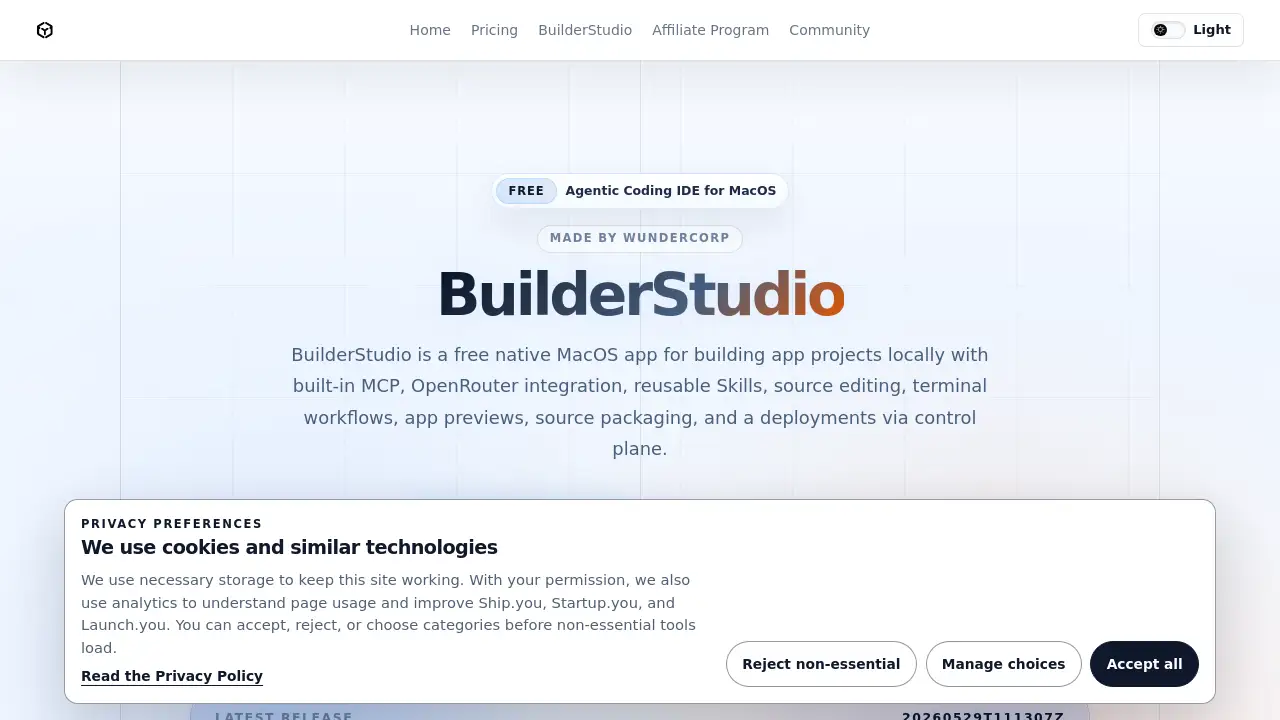
BuilderStudio is a free, agentic coding IDE for MacOS designed to build and preview AI-powered applications locally before seamless deployment.
What is BuilderStudio?
BuilderStudio is a free, native MacOS application that serves as a dedicated workspace for building, editing, and previewing application projects. It addresses the challenge of integrating AI-powered, agentic coding workflows into a secure and controlled local development environment. The agentic coding IDE is built around the Model Context Protocol (MCP), offering reusable Skills, local previews, and source packaging. It is particularly suitable for developers looking to leverage AI for rapid prototyping and application generation while maintaining security and control. The tool is designed to work as the local counterpart to a cloud-based control plane, handling the risky phases of AI app development—like executing new code and installing packages—safely on a Mac before handing off a sanitized bundle for deployment. This makes it a significant tool for modern developers who want to harness AI's power without compromising on security or development best practices.
Key Features of BuilderStudio
Built-in MCP and Agentic Workflows
The core of BuilderStudio is its integration with the Model Context Protocol (MCP), providing a structured environment for agentic coding with tool surfaces, project permissions, and command execution directly within the IDE.
Local Source Editing and Project Management
Open and edit source code directly from your disk, navigate files efficiently, and manage your entire local project within a focused, native MacOS workspace.
Safe Dependency Management with Aikido SafeChain
To mitigate supply chain risks, BuilderStudio can route frontend package installs (npm, Yarn, pnpm) through Aikido SafeChain, which screens for suspicious behavior before packages reach your workspace.
Isolated Docker Previews for App Testing
Generated applications can be previewed in disposable Docker containers. This runtime isolation ensures previews run in a contained environment with explicit port mappings, separate from your main system and global packages.
Workspace Quarantine and Secure Builds
BuilderStudio enforces security by writing generated files only into approved workspace folders, reviewing commands before execution, and keeping app preview runtimes completely separate from the rest of your Mac.
Curated AI Skills for Enhanced Generation
The IDE includes a library of curated Skills for tasks like improving design taste, implementing shadcn/ui component patterns, enhancing copywriting, and adding cinematic motion or 3D effects, elevating the quality of AI-generated code.
Source Packaging for Control Plane Handoff
After local development, BuilderStudio can package your application's source code into a clean, sanitized bundle, stripping out local machine details for a secure deployment handoff to the connected control plane.
Native MacOS Integration and Performance
As a native MacOS application, BuilderStudio offers a smooth, integrated user experience, leveraging the operating system's performance for a responsive coding IDE.
Use Cases for BuilderStudio
Rapid AI-Powered Prototyping
Developers can use BuilderStudio to quickly generate and iterate on application prototypes using agentic coding and pre-built Skills, significantly speeding up the initial design and build phase.
Secure Local Development of AI Applications
Teams concerned with supply chain security can use BuilderStudio's SafeChain and Docker preview features to safely test new AI-generated code and third-party packages in an isolated environment before deployment.
Component Library and UI System Development
Frontend developers building with systems like shadcn/ui can leverage the dedicated component Skills within BuilderStudio to generate consistent, accessible, and well-architected React interface primitives.
Preparing Applications for Cloud Deployment
Developers who build locally but deploy to a managed cloud platform can use BuilderStudio to edit, preview, and package their apps, then perform a clean deployment handoff to their control plane for staging and production.
How to Use BuilderStudio
- Download and Install: Visit the official BuilderStudio website and download the latest MacOS DMG file. Open the downloaded image and drag the BuilderStudio application into your Mac's Applications folder.
- Launch and Set Up: Open BuilderStudio from your Applications. You may be prompted to sign in with your platform account when ready to connect to the control plane for deployment.
- Start a Local Project: Open an existing project from your disk or begin a new one within the IDE's workspace.
- Utilize Agentic Tools: Use the built-in MCP servers, execute terminal commands, and apply curated Skills to generate or enhance your application code.
- Preview and Package: Run your app in an isolated Docker container to preview it. Once satisfied, use the packaging feature to create a sanitized source bundle ready for handoff to your control plane for deployment.
Target Audience for BuilderStudio
- AI Application Developers: Individuals or teams building applications that heavily utilize AI-generated code and need a secure, integrated workspace.
- Frontend Developers & Prototypers: Developers focused on UI/UX who want to use AI to accelerate prototyping and implement design systems like shadcn/ui.
- DevOps-Conscious Teams: Teams that prioritize security and want a safe, isolated local environment for testing AI-generated code and new packages before cloud deployment.
- MacOS-Based Development Teams: Developers who prefer native MacOS applications for their performance and integrated user experience.
Is BuilderStudio Free?
Based on the available information, BuilderStudio is currently offered as a free public download for MacOS. The product description and homepage prominently state it is a "free agentic coding IDE." There is no mention of paid plans, tiers, or subscriptions in the provided reference content. Users should download the latest release directly from the official BuilderStudio website.
BuilderStudio's Pros and Cons
| Aspect | Pros | Cons |
|---|---|---|
| Pricing & Accessibility | Completely free to download and use. | Currently only available for MacOS, excluding Windows and Linux users. |
| Security & Safety | Strong focus on security with SafeChain, Docker isolation, and workspace quarantine for local project development. | Advanced security features might add complexity for users who prefer simpler, less constrained dev environments. |
| Workflow Integration | Seamlessly integrates agentic coding and AI Skills into a native IDE, and facilitates a clean deployment handoff. | Requires a connected control plane for the full deployment cycle, which may involve another platform. |
| Features & Capabilities | Offers a unique combination of MCP integration, curated Skills, and local previews in one coding IDE. | As a newer tool, the ecosystem of available Skills and community support may be less extensive than established IDEs. |
Frequently Asked Questions about BuilderStudio
Is BuilderStudio really free?
Yes. According to its official website, BuilderStudio is a free, publicly available download for MacOS with no mentioned subscription fees or paid tiers.
What is MCP in BuilderStudio?
MCP stands for Model Context Protocol. In BuilderStudio, it is a built-in framework that enables structured agentic coding by allowing AI agents to access tools, project context, and execute commands within the local project environment.
How does BuilderStudio improve security for AI coding?
BuilderStudio employs a dual-layer security approach. It uses Aikido SafeChain to screen supply chain packages during installation and utilizes Docker containers for runtime isolation during app previews, preventing untested code from affecting your main system.
Can I use BuilderStudio without a control plane?
Yes, you can use BuilderStudio as a standalone agentic coding IDE for local development, editing, and previewing. However, the feature for deployment handoff and cloud-based app management requires a connected control plane.
What kind of Skills are included?
BuilderStudio includes curated Skills aimed at improving output quality, such as Skills for frontend design taste, shadcn/ui component patterns, copywriting polish, and motion/3D effects for cinematic interfaces.
What are the system requirements for BuilderStudio?
BuilderStudio is a native application for MacOS. Specific system requirements (like macOS version or hardware specs) are not detailed in the provided content, so users should check the official download page for the latest information.
BuilderStudio Tags
BuilderStudio, agentic coding IDE, MacOS development tool, MCP IDE, AI coding assistant, local project development, Aikido SafeChain, Docker previews, secure coding environment, deployment handoff, control plane, shadcn/ui skills, free IDE for Mac