Introduction
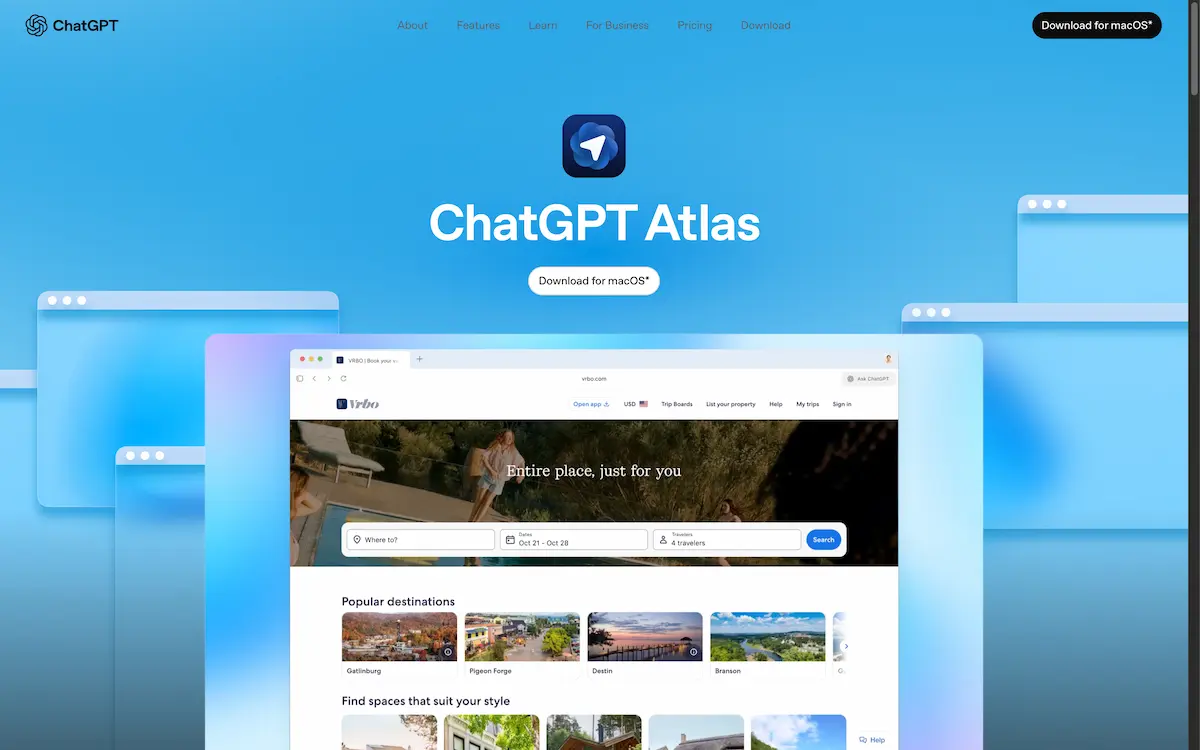
ChatGPT Atlas is a new web browser with integrated AI assistance for a smarter, more private web experience.
What is ChatGPT Atlas?
ChatGPT Atlas is a specialized web browser that integrates the capabilities of ChatGPT directly into the browsing interface. This product addresses the common problem of context switching, where users must constantly jump between a webpage and a separate AI application. By embedding a ChatGPT sidebar directly into the browser, it provides instant answers, content summaries, and task automation without leaving the current tab. This browser is particularly suitable for students, researchers, professionals, and anyone looking to enhance their productivity online. The significance of ChatGPT Atlas lies in its ability to transform a passive browsing session into an interactive, assisted experience, making information gathering and task completion significantly more efficient. With a strong focus on user privacy, it offers granular control over what data the AI can access and remember.
Key Features of ChatGPT Atlas
Integrated ChatGPT Sidebar
A key feature is the persistent ChatGPT sidebar that can be opened on any webpage, allowing for instant interaction to summarize articles, compare products, or analyze data without navigating away.
Agent Mode for Task Automation
In agent mode, the ChatGPT browser can actively interact with websites to perform multi-step tasks from start to finish, such as researching and booking a trip, all under user supervision.
Contextual Cursor Assistance
By simply highlighting text on any page, users can activate a cursor-based helper that provides instant suggestions and edits for content in emails, documents, or calendar invites.
User-Controlled Memory
This feature allows users to choose what ChatGPT remembers during a session, enabling the AI to bring up relevant context and details when needed, effectively picking up where the user left off.
Granular Privacy Controls
Users have comprehensive control, deciding which sites the AI can access, clearing browsing history, using incognito mode, and managing browser memories at any time.
Multi-Modal Search
The browser supports smarter searches across different formats, including text, images, videos, and news articles, all from a single search bar.
Use Cases for ChatGPT Atlas
Academic Research and Study
Students can use the ChatGPT browser to instantly summarize lengthy research papers or complex articles, accelerating their study process and improving comprehension.
Product Comparison and Shopping
Shoppers can open the AI sidebar on multiple product pages to get a concise, automated comparison of features, specifications, and prices to inform their purchasing decisions.
Data Analysis and Reporting
Professionals working with data-heavy websites can leverage the browser's AI to quickly analyze datasets, spot trends, and generate summaries for reports directly from the source page.
Content Creation and Editing
Writers and content creators can highlight text in web-based documents and emails to get instant grammar checks, tone suggestions, and rewriting help without using separate tools.
Travel Planning
With the agent mode, users can task the browser with researching destinations, comparing flight and hotel options, and even navigating booking sites to plan an entire trip.
How to Use ChatGPT Atlas
- Download and Install: Visit the official product page and download the ChatGPT Atlas application for macOS. The app is currently only available for macOS 14+ with Apple Silicon (M1 or better).
- Start Browsing: Open the browser and navigate to any website as you normally would with any other web browser.
- Activate the Sidebar: Click to open the ChatGPT sidebar from any page to ask questions, request summaries, or get help based on the content you are viewing.
- Use Contextual Help: Highlight any text on a webpage, in an email, or a document, and click the pop-up helper to get instant AI assistance for editing or explanation.
- Manage Privacy: Access the browser's settings to control which sites the AI can interact with, clear your history, or toggle incognito mode for private sessions.
Target Audience for ChatGPT Atlas
- Students and academics conducting online research.
- Professionals and knowledge workers who need to process information quickly.
- Shoppers who want to make informed purchasing decisions by comparing products.
- Content creators, writers, and editors who work within web-based platforms.
- Tech-savvy individuals looking to enhance their general web browsing productivity with integrated AI.
Is ChatGPT Atlas Free?
ChatGPT Atlas is available as a free download. However, access to its most advanced feature, the agent mode for task automation, is currently in preview and is available to users with a ChatGPT Plus, Pro, or Business subscription. This means the core functionality of the integrated sidebar and contextual help is part of the free browser experience, while power users can unlock deeper automation with a premium ChatGPT plan.
Frequently Asked Questions about ChatGPT Atlas
What operating systems support ChatGPT Atlas?
Currently, the ChatGPT Atlas browser is only available for macOS. Specifically, it requires macOS 14 or later and a computer with Apple Silicon (M1 chip or better).
How does the ChatGPT sidebar work?
The sidebar is a persistent panel within the browser window. When opened, it allows you to interact with ChatGPT about the content of the webpage you are currently viewing, enabling tasks like summarization and Q&A without leaving the site.
Can I control my privacy while using this browser?
Yes, privacy is a central tenet of ChatGPT Atlas. You have direct control over which websites the AI can access, can clear your browsing history at any time, use an incognito mode, and manage what the browser's memory feature retains.
What is the agent mode feature?
Agent mode is an advanced capability where ChatGPT can take actions on websites for you, such as filling out forms or navigating through a multi-step process like travel booking. This feature is under preview and requires a ChatGPT Plus, Pro, or Business account.
Is there a cost to use the ChatGPT browser?
The ChatGPT Atlas browser itself is free to download and use. Its core features, including the sidebar and contextual help, are available to all users. The premium agent mode functionality is tied to a subscription plan for ChatGPT.
Does it replace my current web browser?
ChatGPT Atlas is a fully functional web browser with tabs, a search bar, and bookmarks. It is designed to be a primary browser for users who want deeply integrated AI assistance, though its current exclusivity to macOS may limit adoption for some.
ChatGPT Atlas Tags
ChatGPT Atlas, AI browser, ChatGPT browser, web browser with AI, smart web help, instant answers, browser sidebar, AI assistant, task automation, privacy-focused browser, macOS browser, product comparison tool