Introduction
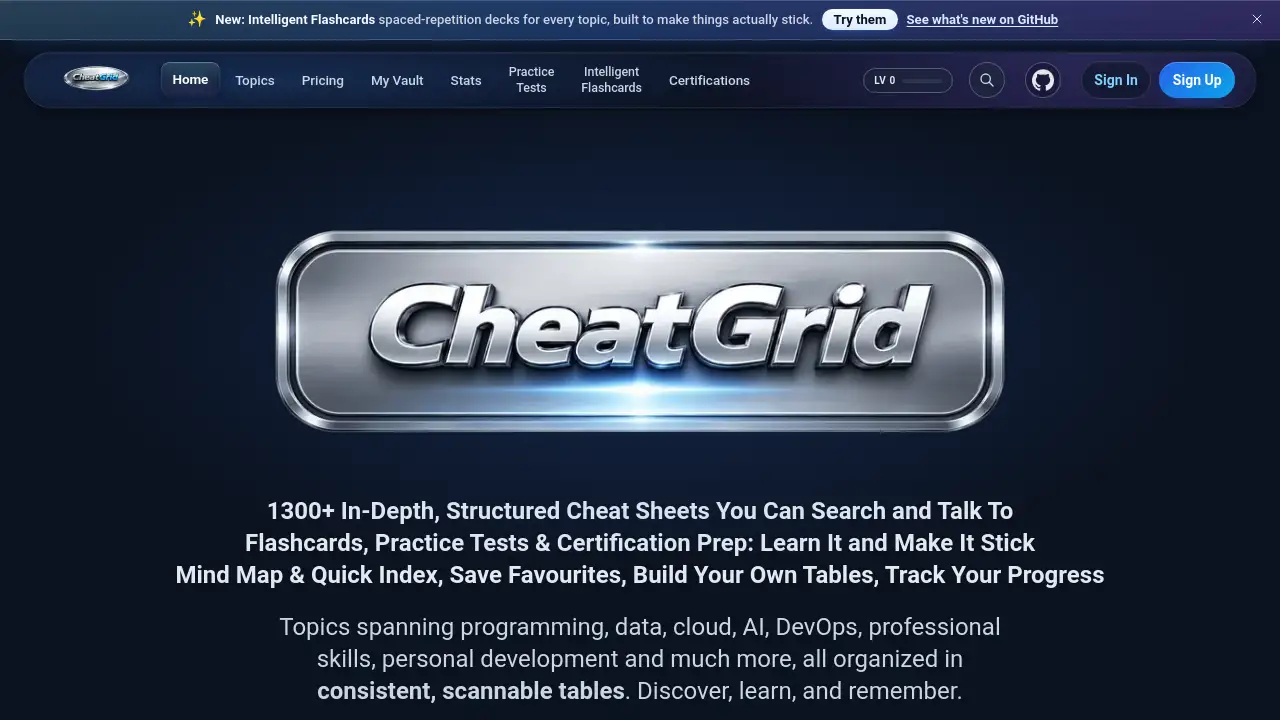
CheatGrid: 1300+ cheat sheets with smart flashcards.
What is CheatGrid?
CheatGrid is a learning platform that combines over 1300 structured cheat sheets with spaced-repetition flashcards, practice tests, and certification prep. The problem it solves is scattered and unstructured technical knowledge. Users often waste time piecing together information from dozens of websites, articles, and books. CheatGrid organizes programming, data science, cloud, AI, DevOps, professional skills, and personal development into consistent, scannable tables. Each topic includes an interactive mind map, an AI chatbot for answering questions, and a personal vault to save important rows. Progress is tracked through XP points and streaks. The platform suits developers, IT professionals, students, and career changers who want to discover, learn, and remember technical concepts efficiently. CheatGrid cheat sheets offer a unified format that reduces cognitive load and speeds up study sessions.
Key Features of CheatGrid
Structured Cheat Sheets
Every topic uses a three‑column table: concept, example, and description. Rows are sorted from most‑used to advanced, so the practical information appears first. Users can copy rows with formatting intact into Word, Docs, or notes.
Intelligent Flashcards with Spaced Repetition
Flashcards are written with beginner‑friendly explanations and real‑world examples. The spaced‑repetition algorithm schedules reviews just before the user would forget a card. Three study modes—daily Review, instant Practice, and read‑all Browse—are available.
Practice Tests
Each test includes one correct answer and two plausible wrong ones, with explanations that link to sources. Exam mode simulates real conditions, and after submission every question is broken down. Missed questions can be turned into spaced‑repetition flashcards.
Certification Prep
CheatGrid offers dedicated cheat sheets, practice tests, and flashcards for major certifications such as AWS, Azure, CISSP, Security+, PMP, CFA, and CPA. Content is aligned with official exam domains.
My Vault and Advanced Search
Users can star any row to save it in a personal vault, organized with subpages. Custom tables can be built in the same format, complete with a mind map. Fuzzy search works across all 1300+ topics, and an AI chatbot answers plain‑language questions with sourced answers.
Progress Tracking
XP points are earned for every minute of active study. Daily streaks with lives and milestones, plus a study calendar and a stats dashboard, show time spent, XP earned, and completions.
Use Cases for CheatGrid
Exam Preparation
A candidate studying for the AWS Solutions Architect exam uses the certification cheat sheet, then reinforces knowledge with practice tests and spaced‑repetition flashcards.
Quick Technical Reference
A developer debugging a Kubernetes issue opens the Kubernetes cheat sheet, finds the relevant command in the table, and copies the example row into their notes.
Building a Personal Knowledge Base
A data engineer learning Apache Iceberg saves key rows from the cheat sheet into My Vault, adds custom annotations, and reviews the space‑repetition flashcards daily to retain the material.
Team Onboarding
A new team member uses CheatGrid cheat sheets to quickly get up to speed on the company’s tech stack, scanning the interactive mind map to see the full landscape and jumping directly to advanced patterns.
How to Use CheatGrid
- Visit the CheatGrid website and create a free account. Browse the topic library or use the search bar to find a cheat sheet.
- Open any topic to view the interactive mind map and the table of concepts. Click a row to see its description and example.
- To study, go to the Flashcards or Practice Tests section for that topic. Start with core cards, then use spaced repetition to review.
- Save important rows by clicking the star icon. Organize saved rows into custom subpages in My Vault.
- Track progress on the Stats dashboard. Use the AI chatbot to ask questions about any concept.
Target Audience for CheatGrid
- Developers and programmers learning new languages or frameworks
- Data scientists and data engineers mastering tools like Spark, Airflow, or Snowflake
- Cloud professionals studying AWS, Azure, or Google Cloud
- Security professionals preparing for CISSP or Security+ exams
- Project managers studying for PMP or other certifications
- Students in computer science or related fields
- Career changers moving into tech roles
- Lifelong learners who want to retain technical knowledge
Is CheatGrid Free?
CheatGrid offers free articles that can be viewed without a subscription. Unlocking the full library of 1300+ cheat sheets, flashcards, practice tests, and all future content requires a subscription. For current pricing, visit the official pricing page at cheatgrid.com/subscription.
| Plan | Price | Features |
|---|---|---|
| Free | $0 | Limited free articles |
| Subscription | See website | Full library, all features, future content |
CheatGrid's Pros and Cons
| Aspect | Pros | Cons |
|---|---|---|
| Content coverage | 1300+ topics across many domains | Some niche topics may be missing |
| Learning tools | Spaced‑repetition flashcards, practice tests, mind maps | Flashcards require consistent daily use to be effective |
| Usability | Consistent table format, fast search, AI chatbot | No mobile app (web‑only) |
| Certification prep | Aligned with official exam domains | Number of certifications covered is still growing |
| Pricing | Free articles available | Full access requires a paid subscription |
Frequently Asked Questions about CheatGrid
Does CheatGrid have a mobile app?
CheatGrid is currently a web‑based platform. It works on mobile browsers, but there is no dedicated native app.
How does the spaced repetition work on CheatGrid?
The system tracks each card’s review history and schedules the next review just before the user is likely to forget it. Cards that are answered correctly appear less often; incorrect cards appear sooner.
Can I create my own cheat sheets in CheatGrid?
Users can build custom tables within My Vault in the same three‑column format, complete with a mind map. However, you cannot modify the official cheat sheets.
Are the practice tests the same as the flashcards?
No. Practice tests are multiple‑choice questions with one correct answer and two distractors, plus explanations. Flashcards are short concept‑example‑description cards used with spaced repetition. You can turn missed test questions into flashcards.
Does CheatGrid offer content for non‑technical topics?
Yes. Besides programming and data, CheatGrid covers professional skills (e.g., project management, communication) and personal development (e.g., mindfulness, habit building).
Can I use CheatGrid offline?
No. CheatGrid requires an internet connection to access cheat sheets, flashcards, and tests.
CheatGrid Tags
CheatGrid, cheat sheets, spaced repetition, flashcards, practice tests, certification prep, interactive mind map, AI chatbot, My Vault, progress tracking, study platform, technical learning