Introduction
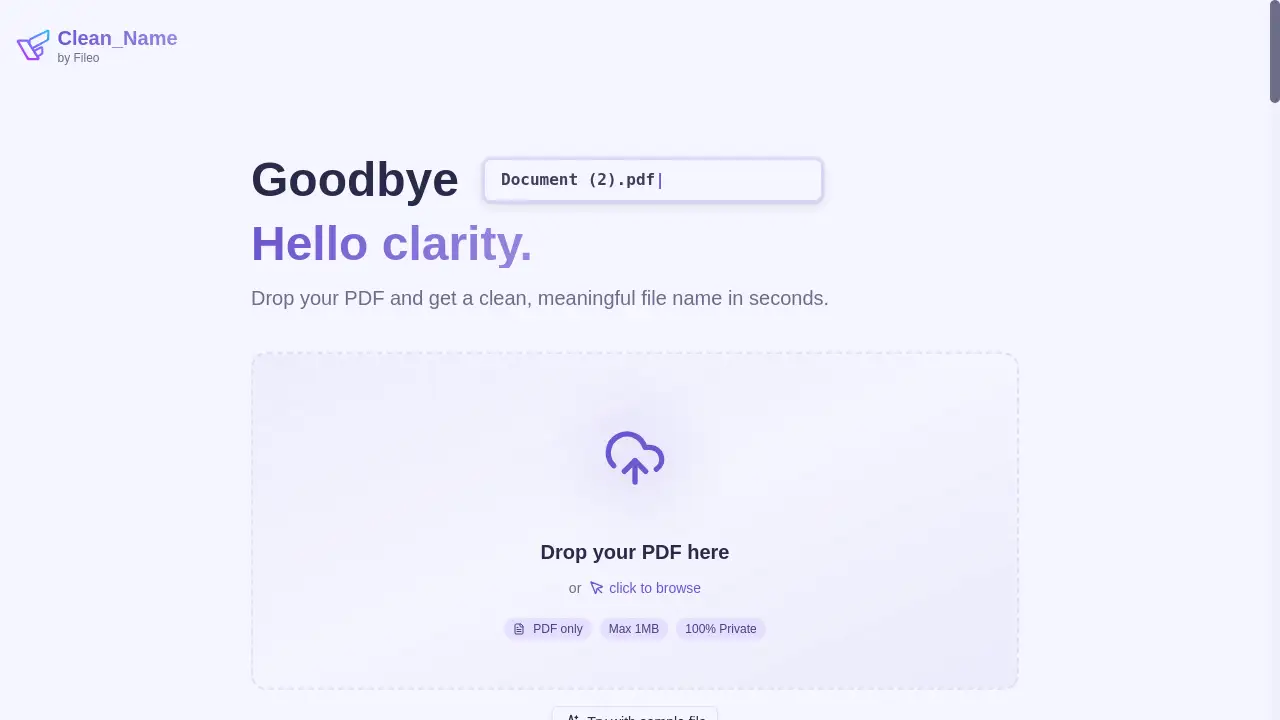
Clean_Name is a free AI tool that instantly transforms messy PDF filenames into clean, organized names.
What is Clean_Name?
Clean_Name is a web-based application designed to solve the common problem of disorganized and uninformative PDF filenames. Many users accumulate documents with names like "document_2024_final_v2.pdf" or "scan12345.pdf," which provide little context and make files difficult to find later. This product uses artificial intelligence to analyze the actual content of a PDF and generate a context-aware, meaningful filename. It is suitable for students, professionals, and anyone who handles digital documents regularly. The service is completely free, requires no user account, and prioritizes privacy by processing files securely without storing them. This combination of AI-powered PDF renaming, convenience, and security makes it a significant tool for improving digital workflow and document organization.
Key Features of Clean_Name
Advanced OCR Technology
This feature leverages Azure AI to accurately extract text from PDF documents, ensuring that the content analysis for naming is based on highly accurate data.
Smart AI Naming
The core of the service, this context-aware AI analyzes the extracted text to generate a clean, descriptive filename that logically represents the document's content.
Privacy-First Processing
All documents are processed securely in EU-based data centers and are immediately discarded after the renaming is complete, ensuring no data is stored or logged.
Instant and Free Service
Users can transform their PDF filenames in seconds without any cost, and there is no requirement to sign up or create an account to use the basic service.
Simple Drag-and-Drop Interface
The user experience is designed for maximum ease, allowing files to be processed through a straightforward drag-and-drop or click-to-browse mechanism.
Use Cases for Clean_Name
Organizing Academic Research
Students and researchers can use the tool to rename downloaded journal papers and articles with titles that reflect their actual content for easier citation and retrieval.
Streamlining Invoice Management
Business professionals and freelancers can upload received invoices to generate clean filenames that include vendor names and dates, simplifying financial record-keeping.
Managing Legal and Contract Documents
Legal teams and individuals can transform generic scanned contract filenames into organized names that identify the parties and purpose of the agreement.
Cataloguing Medical Records
Patients and healthcare administrators can create clearly named files for lab reports and medical records, ensuring important health information is easily identifiable.
Curating Digital Libraries
Anyone with a large collection of e-books or reports can batch process files individually to build a coherent and searchable digital library.
How to Use Clean_Name
Using Clean_Name to organize your documents is a straightforward process that takes only moments.
- Upload Your PDF: Navigate to the Clean_Name website. Drag your PDF file into the designated upload area or click to browse and select it from your computer. The current file size limit is 1MB.
- AI Analysis: The tool's Advanced OCR Technology will automatically process the file, extracting text with high accuracy. The Smart AI Naming system then analyzes this text to understand the document's context.
- Download Renamed File: Within seconds, your browser will download the same PDF file, but now with a clean, meaningful filename generated by the AI. Your original file remains unchanged on your device.
Target Audience for Clean_Name
- Students and Academics managing research papers and assignments.
- Office Professionals and Administrators handling invoices, reports, and contracts.
- Freelancers and Small Business Owners organizing client documents and financial records.
- Legal and Medical Professionals dealing with sensitive, document-heavy workflows.
- Any individual seeking to declutter their personal digital files and cloud storage.
Is Clean_Name Free?
Clean_Name operates on a completely free model for its core service. This generous free plan allows users to rename single PDF files instantly without any hidden costs or the need for a subscription. The product description explicitly states it is "Free, private, and instant - no signup required." For users requiring more advanced capabilities, such as batch processing or automatic cloud storage integration, the company offers a separate product called Fileo, which is a premium document management solution.
Frequently Asked Questions about Clean_Name
How does the AI determine the new filename?
The AI uses OCR technology to read the text within your PDF. It then analyzes this content to identify key elements like the document title, author, date, or primary subject, and generates a concise, human-readable filename based on this context.
Is my data safe and private?
Yes, privacy is a core principle. Documents are processed securely in EU cloud data centers and are immediately deleted after the renaming process is complete. The service does not store or log your files.
What are the file limitations?
The service currently supports PDF files with a maximum size of 1MB per file. This is suitable for text-based documents but may not be sufficient for large, image-heavy PDFs.
Can I rename multiple files at once?
The current version of Clean_Name is designed for single file renaming. For batch processing multiple files, the company's upcoming product, Fileo, will offer that functionality.
Do I need to create an account?
No, Clean_Name requires no signup or account creation. You can use the service immediately and anonymously.
What happens if the AI generates a filename I don't like?
The AI aims for accuracy, but the final filename is not customizable within the Clean_Name tool. You can always manually rename the downloaded file on your computer if desired.
Clean_Name Tags
Clean_Name, AI PDF renamer, organize PDF files, free document organizer, smart file naming, privacy-first PDF tool, clean filename generator, OCR document processing, Azure AI, digital file management, context-aware naming, instant PDF tool