Introduction
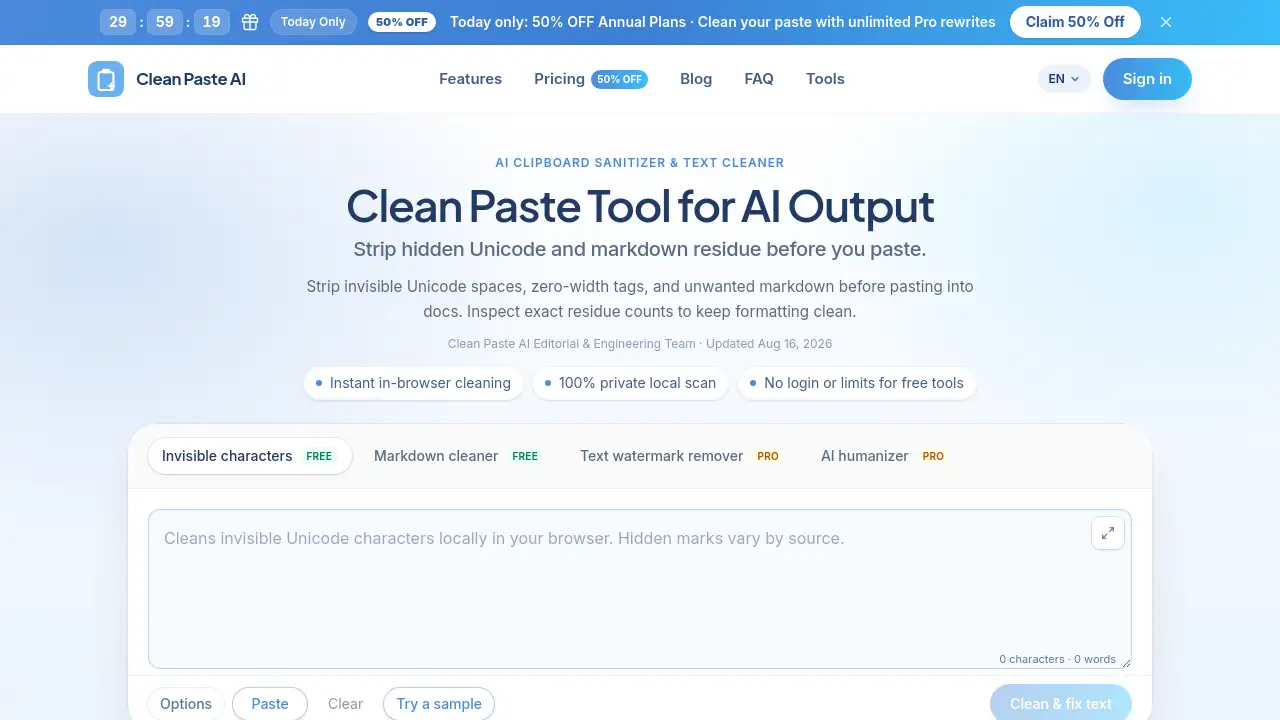
CleanPaste AI is a free clipboard sanitizer built for anyone who copies text from AI tools. It removes invisible Unicode characters, zero-width spaces, and unwanted Markdown before you paste into documents. The tool runs entirely in your browser, keeps your content private, and shows exact counts of hidden formatting residue. It works with ChatGPT, Claude, Gemini, and similar AI platforms.
What is CleanPaste AI?
CleanPaste AI is a dedicated text cleaner and clipboard sanitizer designed to solve a common problem: text copied from AI assistants and web apps often carries hidden characters that disrupt document formatting. These invisible characters include zero-width spaces (U+200B), narrow no-break spaces (U+202F), byte order marks, and more than 60 other non-printing Unicode code points. When pasted into Word, Google Docs, Notion, WordPress, or email clients, these artifacts can cause broken line breaks, font glitches, search indexing errors, and messy layouts.
The tool also strips raw Markdown syntax such as heading hashes, bold asterisks, blockquotes, and code fences, so pasted content appears as clean plain text. All processing happens locally in the browser, which means no text is uploaded to any server. That makes it a strong choice for writers, editors, developers, and content teams who handle confidential or unpublished material. The tool offers a free tier for invisible character removal and Markdown stripping, plus optional Pro features for text watermark removal and AI humanizing.
Key Features of CleanPaste AI
Invisible Character Detection
CleanPaste AI scans for and removes 60+ non-printing Unicode code points, including zero-width spaces, joiners, ghost spaces, and narrow no-break spaces. Every detected character is counted and clearly displayed so users can inspect the residue before cleaning.
Markdown Stripper
The Markdown stripper flattens raw headings, bold asterisks, blockquotes, and code fences into clean paragraph text. This is especially useful when pasting AI output into CMS platforms, knowledge bases, or email.
100% Local In-Browser Processing
All free cleaning happens locally in the web browser. No private text is ever uploaded, making it a privacy-focused clipboard sanitizer and text cleaner for sensitive documents and drafts.
Residue Count Inspector
The residue count inspector gives users an itemized breakdown of exactly how many zero-width spaces, narrow spaces, and Markdown tags were found in the draft. This transparency helps users understand what the text cleaner removes before they paste.
Text Watermark Remover
The Pro Text Watermark Remover reconstructs draft phrasing that may contain statistical sampling watermarks from AI models. It rewrites sentences while keeping the original meaning intact, which helps with official watermark traces.
AI Humanizer
The AI Humanizer refines stiff transition formulas and mechanical sentence pacing into organic, reader-friendly prose. It is designed for users who want AI-generated drafts to sound less robotic.
Use Cases for CleanPaste AI
CMS Publishing
Content operations teams can use CleanPaste AI as a clipboard sanitizer before publishing articles to WordPress, Webflow, or Notion. This prevents invisible tokens from breaking meta fields, search indexes, and page layouts.
Editorial and Copywriting
Editors and copywriters can turn raw AI chat transcripts into clean, unformatted plain text ready for style guides and editorial review. This saves time when working with large volumes of AI output.
Client Deliverables
Agencies can ensure client copy is free from embarrassing Markdown tags and zero-width artifacts before sending final files. This makes it simple to present clean, professional drafts.
Technical Documentation
Developers can normalize AI-generated code comments and release notes before pushing them to repositories or internal wikis. It removes hidden formatting without changing visible words.
How to Use CleanPaste AI
Using the tool takes three simple steps:
- Paste your raw text. Copy a snippet from ChatGPT, Claude, Gemini, or any web application and paste it into the workspace.
- Inspect detected residue. Review the itemized count of zero-width tokens, narrow spaces, and Markdown tags found in your draft.
- Clean or reconstruct. Strip invisible characters and Markdown for free, or use the Pro rewrite feature when you need complete wording restructuring.
Target Audience for CleanPaste AI
- Content managers and CMS publishers
- Editorial and copywriting teams
- Agency professionals preparing client deliverables
- Developers writing technical documentation
- Students and researchers working with AI-generated text
- Anyone who regularly pastes AI output into documents
Is CleanPaste AI Free?
Yes, CleanPaste AI offers free tools for invisible character detection and Markdown stripping with no login or usage limits. The paid plans add Pro features: Text Watermark Remover and AI Humanizer. Pro tools use credits, with 10 credits equaling 1,000 words. Free tools remain unlimited even without a paid plan.
| Plan | Price | Features |
|---|---|---|
| Free | $0 | Invisible character detection, Markdown stripper, residue count inspector |
| Starter | $3/month (billed yearly) | 200 credits/month (20k words), Text Watermark Remover, AI Humanizer, all free tools |
| Professional | $5/month (billed yearly) | 420 credits/month (42k words), Text Watermark Remover, AI Humanizer, all free tools |
| Advanced | $10/month (billed yearly) | 1000 credits/month (100k words), Text Watermark Remover, AI Humanizer, all free tools |
Payments are handled securely through Stripe.
CleanPaste AI's Pros and Cons
| Aspect | Pros | Cons |
|---|---|---|
| Privacy | 100% local processing, no text uploads | No cloud backup or sync |
| Free tier | Unlimited free tools, no login required | Pro features require a paid subscription |
| Feature set | Removes 60+ invisible characters and Markdown | Cannot guarantee removal of all statistical watermarks |
| Ease of use | Simple three-step workflow | Browser-based only, no desktop app |
| Pricing | Affordable plans from $3/month | Yearly billing required for listed rates |
Frequently Asked Questions about CleanPaste AI
Does CleanPaste AI work with ChatGPT and Claude?
Yes. CleanPaste AI is designed as a text cleaner for AI tools like ChatGPT, Claude, and Gemini. It strips invisible Unicode characters and Markdown residue commonly introduced by these platforms.
Is my text uploaded to a server?
No. All free cleaning features run 100% locally in your browser. Your text never leaves your computer during invisible character removal or Markdown stripping, so the clipboard sanitizer keeps private drafts safe.
What is a zero-width space?
A zero-width space (U+200B) is an invisible Unicode character used for line break control. It does not display on screen but can corrupt formatting when pasted into documents.
Can CleanPaste AI remove AI text watermarks?
The Pro Text Watermark Remover can reconstruct phrasing that may contain statistical sampling watermarks. The tool does not claim guaranteed AI detector bypass or removal of unreleased proprietary verification signatures.
Is there a free version of CleanPaste AI?
Yes, the free version includes unlimited invisible character detection and Markdown stripping with no login. Pro features like the Text Watermark Remover and AI Humanizer require paid credits. CleanPaste AI works well for most daily pasting needs without spending anything.
What is the difference between free cleaning and Pro rewrite?
Free cleaning removes hidden characters and Markdown locally without changing visible words. Pro rewrite uses AI to reconstruct wording, which is needed for removing statistical watermarks that live in word choice.
CleanPaste AI Tags
CleanPaste AI, clipboard sanitizer, text cleaner, invisible character remover, Unicode cleaner, Markdown stripper, AI text cleaner, ChatGPT text cleaner, Claude text watermark remover, zero-width space remover, paste residue detector, AI humanizer