Introduction
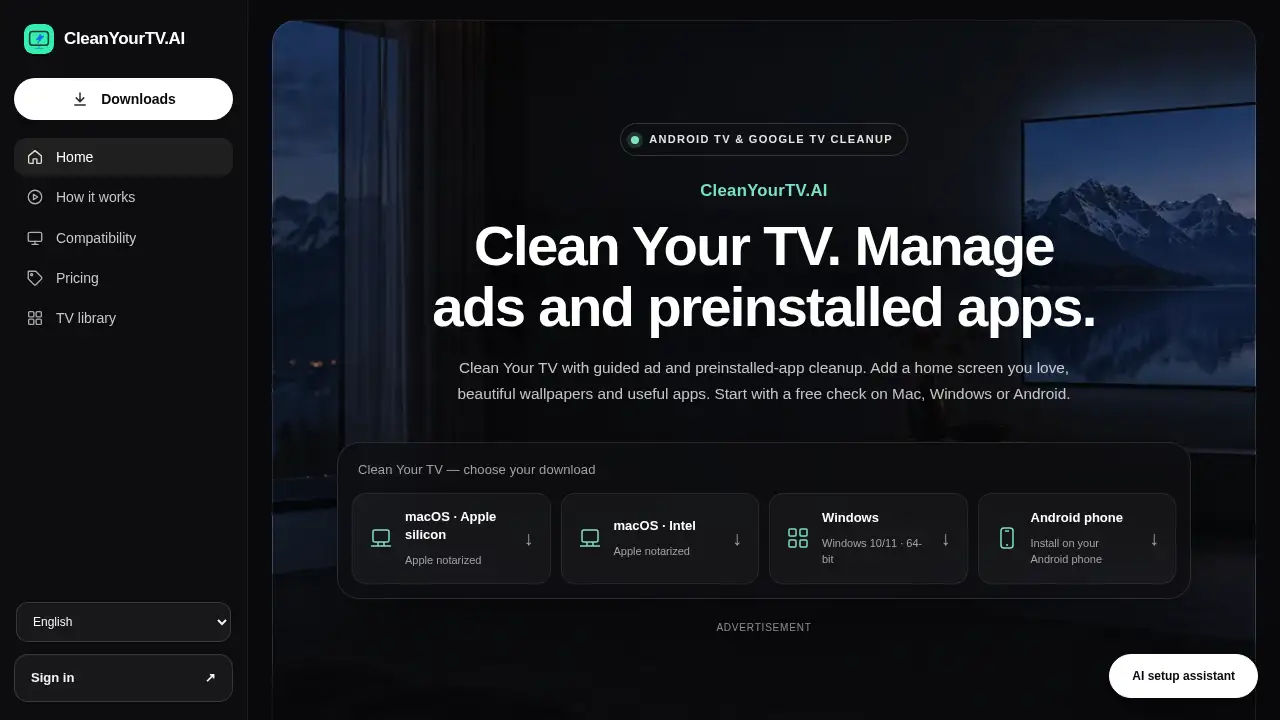
CleanYourTV.AI makes Clean Your TV simple.
What is CleanYourTV.AI?
CleanYourTV.AI is a guided cleanup tool for Android TV and Google TV devices. It helps users review supported ads and preinstalled apps, apply a new home screen layout, add wallpapers and themes, and restore saved changes. CleanYourTV.AI is built on the open-source CleanYourTV project but is independently developed. It is designed for people who want to Clean Your TV without root access, coding setup, or risky manual changes. Instead of blindly removing items, CleanYourTV.AI shows detected components and asks for confirmation. This makes Android TV cleanup and Google TV cleanup more transparent. CleanYourTV.AI also provides local recovery records, so users can undo changes if needed. It does not remove ads inside streaming videos or unlock paid content. CleanYourTV.AI works best on compatible Android TV and Google TV models, with limited support for some Fire TV devices.
Key Features of CleanYourTV.AI
Guided Ad and Preinstalled App Cleanup
CleanYourTV.AI lets users review recognized advertising components and supported preinstalled apps before applying changes. This supports Android TV cleanup and Google TV cleanup with a clear preview step.
Review Before You Change
CleanYourTV.AI presents detected items and readable descriptions so users can decide what to adjust. It keeps local records before changes begin, helping users restore saved changes later.
No Root Required
CleanYourTV.AI is a no-root TV cleanup tool. It uses a guided connection process and supported debugging steps rather than modifying the system in risky ways.
Home Screen Customization
With CleanYourTV.AI, users can preview app walls, spacious rows, compact docks, and other layouts. The goal is a cleaner home screen with favorite apps easier to reach.
Wallpapers, Themes, and Apps
CleanYourTV.AI includes a library of wallpapers, themes, clocks, games, and useful tools. Users can preview TV wallpapers and themes before applying them.
Privacy Controls
CleanYourTV.AI helps review supported ACR and analytics components that may collect viewing data. Availability varies by model and firmware, and no tool stops every form of tracking.
Supported System Ad Review
CleanYourTV.AI can review startup, home-screen, and idle-screen ad components on supported models. In-video ads are not removed, and results vary by TV model.
Free Restore and Recovery
CleanYourTV.AI keeps local recovery records available even on the free plan. Users can undo the last action or restore changes recorded on the device.
Use Cases for CleanYourTV.AI
Cleaning Up a Cluttered Android TV Home Screen
Use CleanYourTV.AI to review preinstalled apps and promoted rows, then choose a clearer layout. This is useful for Android TV cleanup on compatible Sony, TCL, Hisense, Philips, Sharp, Xiaomi, NVIDIA, and other models.
Giving a Google TV a More Personal Look
Users can apply TV wallpapers, themes, and app arrangements to make Google TV cleanup feel more personal. CleanYourTV.AI preview steps help avoid unwanted changes.
Reducing Supported System Ads
On supported models, CleanYourTV.AI can review advertising components tied to startup, home screen, or idle screen. The tool does not block ads inside streaming apps.
Keeping a Recovery Path
Before applying supported changes, CleanYourTV.AI users can review effects and keep restore records. This matters for households that want a safer TV cleanup process.
Managing Privacy Components
Users concerned about viewing data can review supported ACR and analytics components with CleanYourTV.AI. This is not a complete privacy solution, but it can help with Google TV cleanup and Android TV cleanup.
How to Use CleanYourTV.AI
- Download the CleanYourTV.AI app for Mac, Windows, or Android. Sign in inside the app if account or Plus access is needed.
- Connect the TV and computer or phone to the same home network. Follow the on-screen guide and enable TV debugging where required.
- Approve the connection on the TV. CleanYourTV.AI reads the model and inspects installed apps, home screen elements, and screensaver details.
- Review detected items and choose supported changes, a new home layout, or TV wallpapers and themes. Confirm only after reviewing the effects.
- Keep local restore records. If a change is unwanted, use CleanYourTV.AI recovery options to restore saved changes.
Target Audience for CleanYourTV.AI
- Android TV and Google TV owners who want a cleaner home screen.
- People looking for a no-root way to review preinstalled apps and supported TV ads.
- Users who want TV wallpapers, themes, and app layout choices in one guided tool.
- Households that prefer review-before-change cleanup with restore records.
- Fire TV users on supported models who understand feature limits.
- Privacy-minded viewers who want to review supported ACR and analytics components.
Is CleanYourTV.AI Free?
CleanYourTV.AI has a free plan and three Plus payment options. The free plan includes connection, inspection, restore, privacy protection, and AI help. Ad and preinstalled-app cleanup plus home screens, wallpapers, and tools are preview-only on Free; Plus allows users to apply supported changes with CleanYourTV.AI.
| Plan | Price | Features |
|---|---|---|
| Free | $0 | Connect, inspect, restore, privacy controls, AI help; preview cleanup and customization |
| Monthly Plus | $4.99 USD/month | Apply supported ad and preinstalled-app cleanup; apply home screens, wallpapers, and tools |
| Yearly Plus | $39.99 USD/year | Same Plus features; saves $19.89 compared with monthly billing |
| Lifetime Plus | $59.99 USD once | Same Plus features; one payment, lifetime access |
CleanYourTV.AI's Pros and Cons
| Aspect | Pros | Cons |
|---|---|---|
| Pricing | Free inspection and restore; Plus plans include monthly, yearly, lifetime | Applying cleanup and customization requires Plus |
| Features | Guided Android TV cleanup and Google TV cleanup; review before change; no root | Does not remove in-video ads; results depend on model and firmware |
| Compatibility | Supports many Android TV and Google TV brands; limited Fire TV support | Samsung, LG, and Roku are not supported |
| Safety | Local restore records; confirmation steps; essential components protected | Some users may need help enabling debugging and pairing |
| Customization | Home screen layouts, wallpapers, themes, apps | Available library choices and changes vary by TV |
Frequently Asked Questions about CleanYourTV.AI
What is CleanYourTV.AI?
CleanYourTV.AI is a guided tool that helps users Clean Your TV on compatible Android TV and Google TV devices. It reviews supported ads, preinstalled apps, home screen layouts, wallpapers, and themes before changes are applied.
Does CleanYourTV.AI remove all TV ads?
No. CleanYourTV.AI can review and apply supported system ad cleanup on some models, such as startup, home-screen, or idle-screen components. It does not remove ads inside streaming videos.
Do I need root access to Clean Your TV?
No. CleanYourTV.AI is designed as a no-root TV cleanup tool. It uses a guided connection and supported debugging steps instead of rooting the device.
Which TVs work with CleanYourTV.AI?
CleanYourTV.AI primarily supports Android TV and Google TV models from brands such as Sony, TCL, Hisense, Philips, Sharp, Xiaomi, and NVIDIA. Some Fire TV models have limited support. Samsung, LG, and Roku systems are not supported.
Can I undo changes made by CleanYourTV.AI?
Yes, CleanYourTV.AI keeps local recovery records before changes begin. Users can undo the last action or restore saved changes recorded on the device, and recovery remains free.
Is CleanYourTV.AI free?
CleanYourTV.AI has a free plan for connection, inspection, restore, privacy controls, and AI help. Plus costs $4.99 per month, $39.99 per year, or $59.99 once for lifetime access and lets users apply supported cleanup and customization.
CleanYourTV.AI Tags
CleanYourTV.AI, Clean Your TV, Android TV cleanup, Google TV cleanup, remove preinstalled apps, review TV ads, TV home screen customization, TV wallpapers and themes, no root TV cleanup, Fire TV cleanup, TV privacy controls, ADB TV cleanup