Introduction
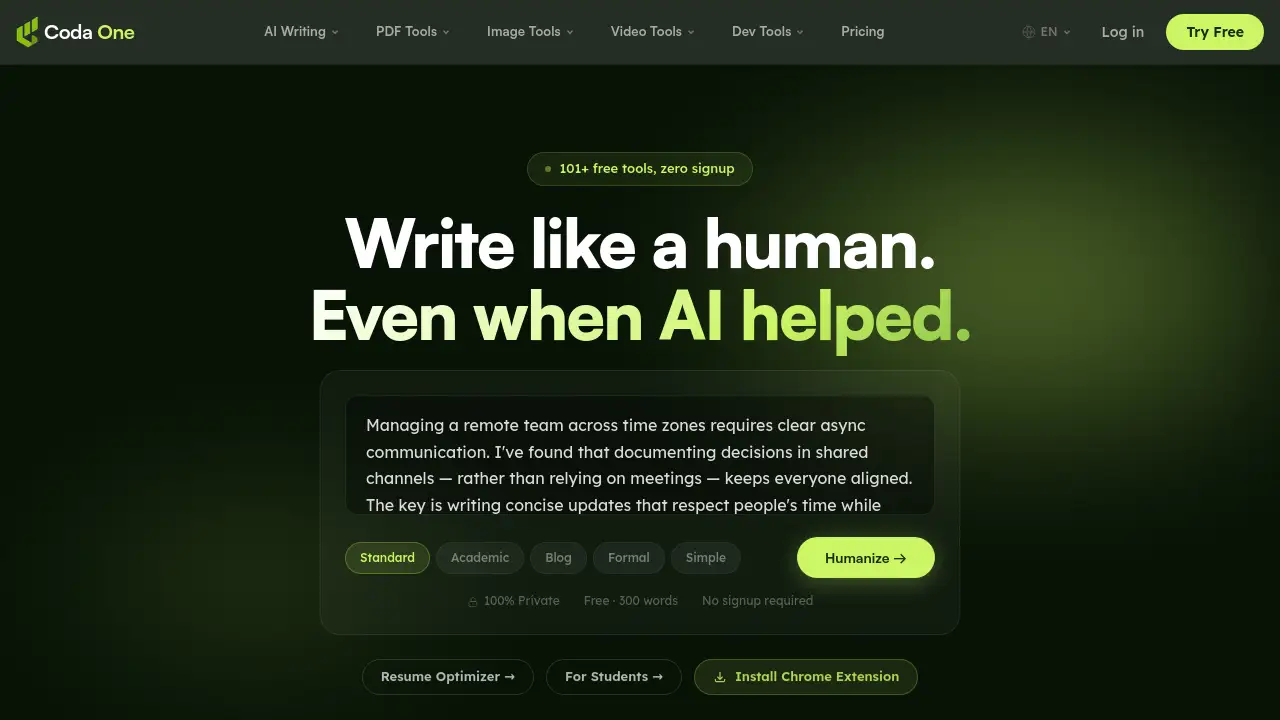
CodaOne AI is a comprehensive suite of over 101 free, browser-based online tools designed for AI writing, PDF management, image editing, and developer utilities, all without requiring a signup.
What is CodaOne AI?
CodaOne AI is an all-in-one digital toolkit that solves a common problem: the need to switch between multiple specialized websites for basic online tasks. It consolidates essential utilities into a single, private, and accessible platform. It is suitable for students, content creators, developers, and professionals who need quick, reliable tools for writing enhancement, document formatting, image compression, or coding tasks. The platform matters because it prioritizes user privacy and convenience, processing most tasks directly in the web browser so your data never leaves your device.
Key Features of CodaOne AI
### AI Humanizer Tool
This flagship feature transforms AI-generated text into natural, human-sounding content that can bypass major AI detectors while preserving the original meaning.
### Free AI Detector
This companion tool allows users to check any text for AI-generated patterns completely free, with unlimited use and no account required.
### 100% Browser-Based Processing
All PDF and image tools run via WebAssembly directly in your browser, ensuring your files never upload to external servers.
### Zero Signup Required
Users can immediately access and use any of the 101+ tools without creating an account or facing signup walls.
### Extensive PDF Toolkit
The suite includes 12 PDF tools for merging, splitting, compressing, converting, and protecting documents, all offered without usage limits.
### Multi-Category Tool Collection
Beyond AI writing and PDFs, the platform provides image editing tools and developer utilities like JSON formatters and regex testers in one place.
Use Cases for CodaOne AI
### Polishing AI-Generated Content
Writers and students can use the AI Humanizer and AI Detector to refine essays, blog posts, or reports to make them sound more original and human-written.
### Managing Documents Securely
Professionals needing to merge, compress, or convert PDFs for work can do so privately and for free, without file size limits or watermarks.
### Optimizing Web Images
Bloggers and website owners can quickly compress images or remove backgrounds directly in their browser to improve site performance.
### Aiding Development Work
Developers can utilize instant, browser-based utilities for formatting code, testing regular expressions, or decoding JWTs without installing separate software.
How to Use CodaOne AI
Using CodaOne AI is straightforward due to its no-signup design. Here is a general process:
- Navigate to the Tool: Visit the CodaOne AI website and select your desired tool from categories like AI Writing, PDF Tools, Image Tools, or Developer Utilities.
- Input Your Content: For writing tools, paste your text. For file tools, drag and drop or select your PDF or image file.
- Configure Settings (If Available): Some tools, like the AI Humanizer, offer different modes (e.g., Academic, Blog) to choose from.
- Process: Click the main action button (e.g., "Humanize," "Compress," "Merge"). The tool will process the task directly in your browser.
- Download or Copy Result: Once processing is complete, download your converted file or copy the transformed text to use immediately.
Target Audience for CodaOne AI
- Students: For checking and humanizing AI-assisted essays and research papers.
- Content Creators & Marketers: For generating, rewriting, and polishing blog posts, social media content, and marketing copy.
- Freelancers & Professionals: For handling client documents, contracts, and presentations with PDF tools.
- Web Developers & Programmers: For quick access to coding utilities like formatters, encoders, and testers.
- General Users: Anyone needing occasional, hassle-free tools for image editing, file conversion, or text analysis without subscriptions.
Is CodaOne AI Free?
CodaOne AI operates on a freemium model. Many core tools are completely free, while advanced AI writing features have usage limits on the free tier.
| Plan | Price | Key Features |
|---|---|---|
| Free | $0 | 3 AI writing uses/day, Unlimited AI Detector, All PDF/Image/Developer tools, No signup required. |
| Starter | $9.99/month | 30,000 words/month, All writing modes, 500 words per process. |
| Pro | $19.99/month | 100,000 words/month, Unlimited words per process, Batch file upload, Priority support. |
| Business | $39.99/month | 500,000 words/month, API access, Priority processing, Everything in Pro. |
All PDF, image, and developer tools are free and unlimited across all plans.
CodaOne AI's Pros and Cons
| Aspect | Pros | Cons |
|---|---|---|
| Privacy & Security | Strong privacy with browser-based processing; data never leaves your device. | Limited to browser capability; very large files may not be processed. |
| Accessibility & Cost | No signup for instant access; vast collection of permanently free tools. | AI writing features are limited on the free plan (3 uses/day). |
| Tool Variety | Excellent consolidation of multi-category tools (AI, PDF, image, dev) in one place. | May not have the ultra-specialized depth of single-purpose competitor sites. |
| User Experience | Clean, simple interface; tools are generally fast and easy to use. | Being a newer platform, some niche tools may be less developed than established alternatives. |
Frequently Asked Questions about CodaOne AI
### Is CodaOne AI really free to use?
Yes, a significant portion is free. All PDF, image, and developer tools are completely free with unlimited use. The AI writing tools offer 3 free uses per day without requiring an account or credit card.
### How does the AI Humanizer ensure privacy?
The AI Humanizer, like other tools, processes text directly in your browser. While it may connect to an API for the AI model, the platform states that for PDF and image tools, files never leave your device, indicating a strong commitment to privacy.
### Do I need to create an account to use the tools?
No, you do not need to create an account for basic use. You can open any tool page and start using it immediately without signing up, which is a core feature of CodaOne AI.
### What are the limits of the free AI writing tools?
The free tier allows for 3 uses per day across the AI writing tools (Humanizer, Rewriter, etc.). Each use is limited to processing 300 words of input text.
### Can CodaOne AI handle batch file processing?
Batch file upload for processing multiple files at once is a feature available to Pro and Business plan subscribers, not on the free or Starter plans.
### Are the tools available on mobile devices?
Since the tools are 100% browser-based, they are accessible on any device with a modern web browser, including smartphones and tablets.
CodaOne AI Tags
CodaOne AI, AI Humanizer, free AI detector, online PDF tools, browser-based tools, no signup required, image compressor, privacy-focused tools, AI writing assistant, PDF merge, free online tools, developer utilities, WebAssembly processing