Introduction
A Smart Comparison Widget is a tool that helps e-commerce sites boost sales and reduce product returns.
What is Smart Comparison Widget?
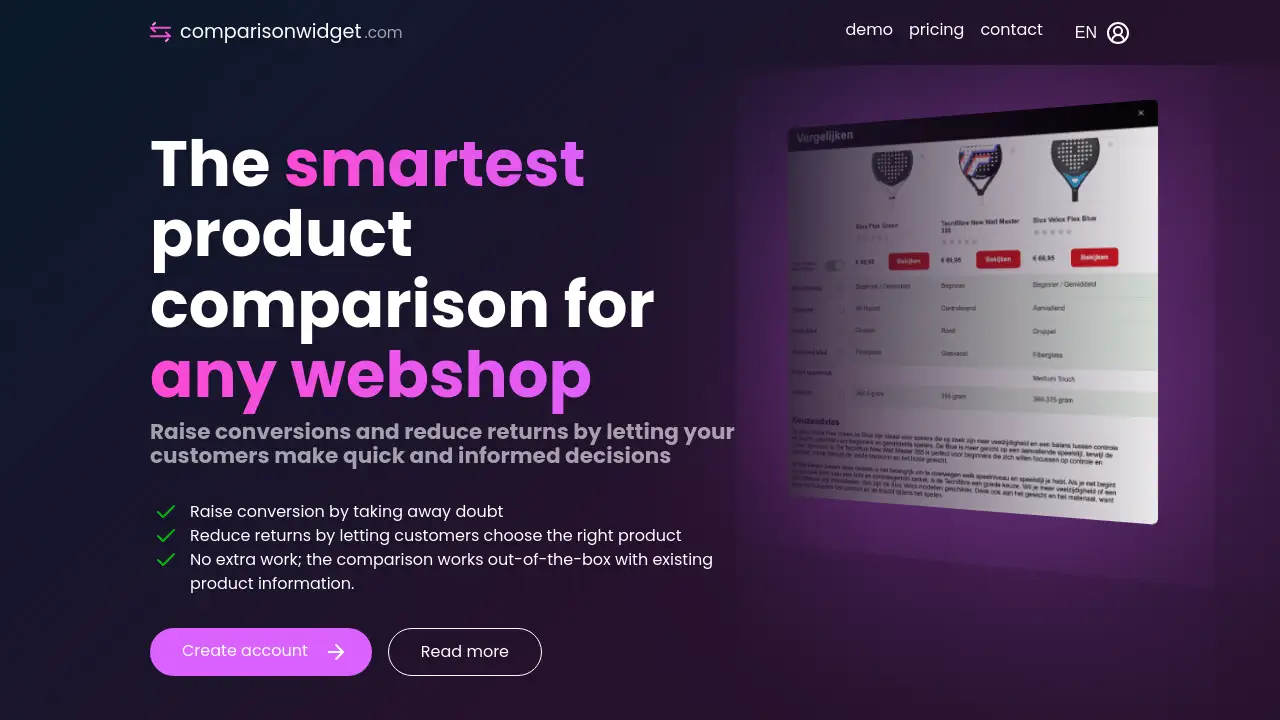
The Smart Comparison Widget is an automated tool designed for e-commerce websites and webshops. It functions as a product comparison tool, allowing online shoppers to easily place different items side-by-side and compare them based on key features and specifications. This tool directly addresses a common problem in online shopping: customer hesitation and uncertainty, which can lead to abandoned carts and increased return rates. By enabling quick, informed decisions, the comparison widget helps businesses raise conversion rates and reduce returns, as customers are more likely to purchase the product that best fits their specific needs.
Key Features of Smart Comparison Widget
Automated Data Import
The widget automatically imports and updates product specifications directly from existing product pages, eliminating the need for manual data entry and ensuring information is always current.
Smart Personalized Advice
Each product comparison is enhanced with automatically generated, personalized buying advice and clear explanations of differing features, providing reliable purchase guidance.
Easy Implementation and Integration
The comparison widget is designed to work out-of-the-box with existing product information, requiring no extra development work to set up on a webshop.
User-Friendly Comparison Interface
It offers a clean, intuitive interface that lets visitors easily compare multiple products based on the features that matter most to them, facilitating quick decision-making.
Use Cases for Smart Comparison Widget
Complex Product Categories
This tool is ideal for websites selling electronics, appliances, or software, where customers need to compare technical specifications like processor speed, storage capacity, or battery life.
Reducing Customer Support Queries
By providing clear, side-by-side comparisons and automated advice, the widget empowers customers to find answers independently, reducing the volume of pre-purchase questions to support teams.
Improving Product Discovery
For stores with large catalogs, the comparison feature helps customers navigate options more efficiently, leading them to the most suitable product faster.
Boosting Average Order Value
When customers can confidently compare premium and standard models, they are better equipped to see the value in higher-tier products, potentially increasing the average cart size.
How to Use Smart Comparison Widget
- Connect Your Store: The service periodically retrieves all products and their associated specifications directly from your e-commerce platform or webshop.
- Data Processing: The system processes this data to create a reliable foundation for the smart comparison widget.
- Place the Widget: Implement the provided widget code on your product category or individual product pages.
- Activate for Shoppers: Once live, visitors to your site can immediately start comparing products in a user-friendly interface with tailored advice.
Target Audience for Smart Comparison Widget
- E-commerce store owners and managers
- Online retailers with complex or technical product ranges
- Businesses experiencing high cart abandonment rates
- Brands looking to reduce product return rates
- Websites aiming to improve the customer shopping experience without extensive development
Is Smart Comparison Widget Free?
The reference information does not specify detailed pricing plans. It highlights that a free, no-obligation online demonstration is available. For specific pricing, subscription tiers, or trial availability, visitors are directed to contact the company directly or explore the official website for the most up-to-date information.
Smart Comparison Widget's Pros and Cons
| Aspect | Pros | Cons |
|---|---|---|
| Implementation | No extra work; works out-of-the-box with existing data. | Requires initial setup and integration with the webshop platform. |
| Data Management | Automatically imports and updates product info, ensuring accuracy. | Relies on the quality and structure of the existing product data feed. |
| Business Impact | Can raise conversion rates and reduce returns by aiding customer decisions. | The direct ROI may vary depending on product type and existing site traffic. |
| Customer Experience | Provides personalized buying advice and clear comparisons. | May not be necessary for websites with very simple or single-product offerings. |
Frequently Asked Questions about Smart Comparison Widget
How does the Smart Comparison Widget get its product data?
The tool works by periodically and automatically retrieving all products and their specifications directly from your e-commerce platform or webshop. This data is then processed to power the comparison interface, ensuring it always reflects your current inventory.
Do I need to manually update the comparison information?
No. One of the key features is that there is no extra work for manual updates. The system syncs with your product catalog, so any changes you make to product details on your site are automatically reflected in the comparison widget.
What kind of personalized advice does the widget provide?
The widget automatically generates tailored buying advice for each comparison. It highlights key differences between products and provides short, clear descriptions to explain why specific features might be more important for certain user needs.
Is a demo available to see how it works?
Yes, the company offers a free, no-obligation online demonstration. This 30-minute session showcases how the product comparison tool works in practice on a webshop and allows for all questions to be answered.
Can this tool really help reduce product returns?
Yes. By enabling customers to make quick and informed decisions through direct feature comparison and clear advice, they are more likely to select the product that truly matches their requirements from the start, which is a primary factor in reducing return rates.
On which pages of my website should I place the widget?
The widget is typically most effective on product category pages (where customers browse multiple options) or on individual product pages (with a "compare with similar items" function). The optimal placement can be discussed during the demonstration.
Smart Comparison Widget Tags
Smart Comparison Widget, product comparison tool, comparison widget, e-commerce tool, webshop widget, reduce returns, raise conversion, online shopping, product comparison, shopping cart conversion, automated product data, personalized buying advice, e-commerce optimization