Introduction
Craft Apps offers free browser-based creative tools.
What is Craft Apps?
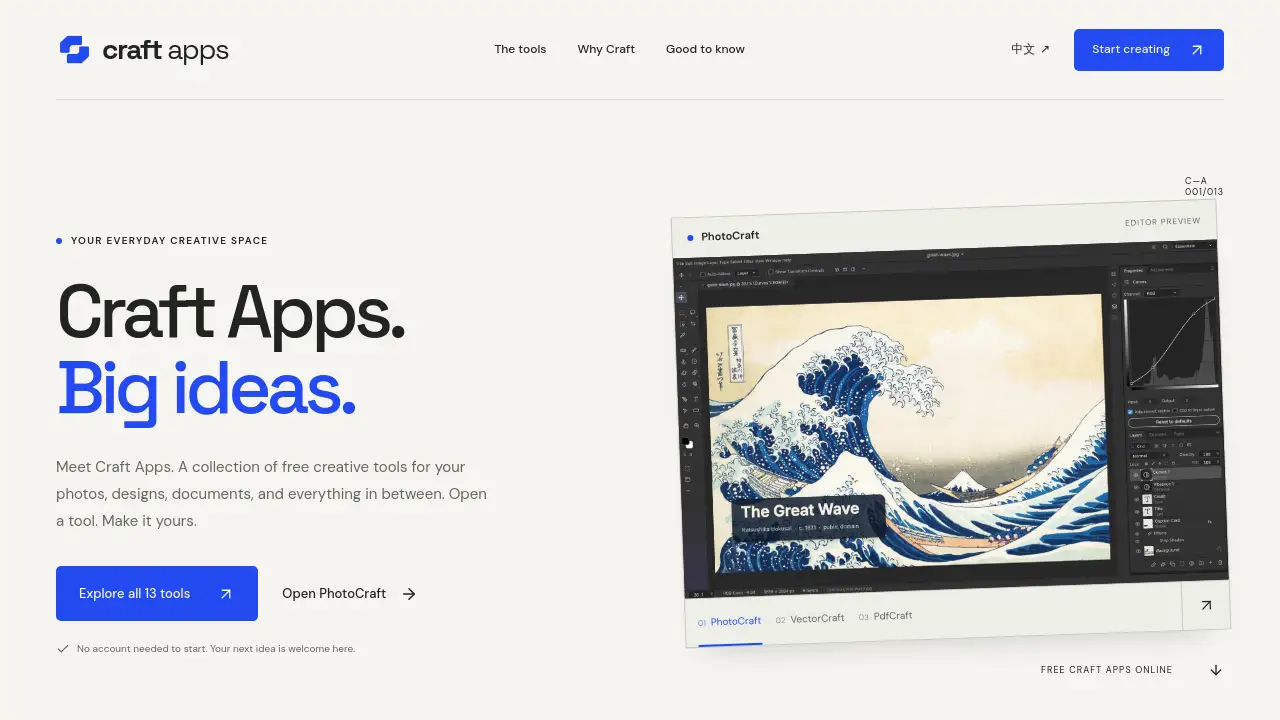
Craft Apps is an independent collection of browser-based creative tools for photos, design, PDFs, documents, video, audio, and CAD. It puts 13 tools in one creative space, so users can move from a quick photo fix to a PDF task without installing a full software suite. The free Craft Apps online collection is designed for simple, everyday work, and users can start without an account. The product is useful for students, solo creators, and small teams that need fast access to online photo editing, vector drawing, PDF tools, and document workspaces. Craft Apps matters because it lowers the setup barrier: open a tool, make something, and save the result. The collection is built on open-source ArtCraft projects, but Craft Apps is an independent hosted site, not the official ArtCraft website. The editors are early releases, so file format support and limits vary by tool. Users should try a copy of important files first and save or export work before leaving.
Key Features of Craft Apps
Craft Apps brings a focused set of free creative tools into one browser-based space. The main features are built around practical tasks rather than complex studio workflows.
13 Browser-Based Creative Tools
Craft Apps gathers 13 editors for photo, design, PDF, documents, video, audio, and CAD work. Users can open a tool directly in a current desktop browser and avoid a full desktop installation.
PhotoCraft Photo Editing
Open PhotoCraft inside Craft Apps to make quick photo edits and basic creative adjustments. This online photo editor is suitable for simple fixes when a full professional suite is not needed.
PDF and Document Tools
Use Craft Apps to organize PDFs, work with document files, and handle routine office-style tasks. These PDF tools and document workspaces help keep small jobs in one place.
Vector and Design Workspaces
Craft Apps includes vector drawing and design tools for sketches, layouts, and visual ideas. Users can start a design in the browser and export the work when it is ready.
No-Account Start
Craft Apps lets users open an editor without creating an account first. This makes the free Craft Apps online experience faster for quick tests and one-off tasks.
Browser File Processing and Export
The Craft Apps editors are designed to process files in the browser, and users should save or export work before leaving. Features that connect to external services may send data outside the device, so check each tool before using sensitive material.
Use Cases for Craft Apps
Craft Apps fits short, practical creative sessions across different file types. The following scenarios show where the collection can be useful.
Quick Photo Fixes
Use Craft Apps for simple photo adjustments, crops, and basic edits before sharing an image. PhotoCraft can handle quick tasks without a heavy setup.
PDF Organization
Open Craft Apps when a PDF needs basic organization or review. The PDF tools are useful for routine document work, but users should test important files first because format support varies.
Design Sketches and Vector Work
Craft Apps supports early-stage design work such as sketches and vector drawings. This is helpful for turning a rough idea into a file that can be exported and refined later.
Document and Slide Drafts
Use the document and slide tools in Craft Apps to draft simple content in the browser. The no-account start makes Craft Apps convenient for short writing or layout sessions.
How to Use Craft Apps
- Visit the Craft Apps homepage and review the 13 available tools.
- Choose the editor that matches the task, such as PhotoCraft, a PDF tool, or a design workspace.
- Open the Craft Apps editor in a current desktop browser; no account is needed to start.
- Make the changes, then save or export the file before leaving the page.
- For complex editing, use a desktop with a keyboard and pointer, because mobile support varies by Craft Apps editor and file size.
Target Audience for Craft Apps
- Students who need free Craft Apps for quick photo, PDF, and document tasks.
- Solo creators who want browser-based creative tools without a subscription.
- Small teams that need simple online photo editor and PDF tools for everyday work.
- Hobbyists exploring vector drawing, audio, video, or CAD tools in one place.
- Users who prefer no-account creative tools for short projects and file exports.
Is Craft Apps Free?
Yes. Craft Apps is free to open and use without an account. The reference information says paid AI or cloud features may be added later, and their pricing will be shown before use.
| Plan | Price | Features |
|---|---|---|
| Free | $0 | Open 13 Craft Apps tools, start without an account, use browser-based photo, design, PDF, document, video, audio, and CAD editors, save or export work. |
Pricing may change if paid features are introduced. Check the official Craft Apps site for current details.
Craft Apps's Pros and Cons
| Aspect | Pros | Cons |
|---|---|---|
| Pricing | Craft Apps is free to open and use without an account. | Future AI or cloud features may have paid pricing. |
| Features | One place for 13 tools, including photo editing, PDF work, design, documents, video, audio, and CAD. | Each editor is an early release, so format support and limits vary. |
| Access | Browser-based access and no-account start lower the setup barrier. | A current desktop browser is recommended, and the first load can take longer. |
| Workflow | Users can move between creative tools in one Craft Apps space. | Complex editing works best on desktop; mobile support varies. |
| File handling | Editors are designed to process files in the browser. | Users must save or export before leaving, and external-service features may send data outside the device. |
Frequently Asked Questions about Craft Apps
Is Craft Apps really free?
Yes. Craft Apps is free to open and use without an account. If paid AI or cloud features are added later, pricing should be shown before use.
Do I need an account to use Craft Apps?
No account is needed to start most Craft Apps editors. Users can open a tool, try a file, and save or export the result without a sign-up step.
Can I use Craft Apps on a phone?
You can browse Craft Apps and open tool pages on a phone. Complex editing works best on a desktop with a keyboard and pointer, and mobile support varies by editor and file size.
What happens to my files in Craft Apps?
The Craft Apps web editors are designed to process files in the browser. Save or export work before leaving, and check any tool that connects to external services before using sensitive material.
Is Craft Apps the official ArtCraft website?
No. Craft Apps is an independent hosted collection built on open-source ArtCraft projects. It credits the original projects and links source code on tool pages.
Are the Craft Apps editors finished products?
The editors are early releases, so features, layouts, and format support may vary. Try a copy of important files first and use a current desktop browser for the best experience.
Craft Apps Tags
Craft Apps, free Craft Apps online, browser-based creative tools, online photo editor, PDF tools online, vector drawing tool, no account creative tools, free online design tools, document editor online, audio video tools, CAD tools online, ArtCraft open-source editors.