Introduction
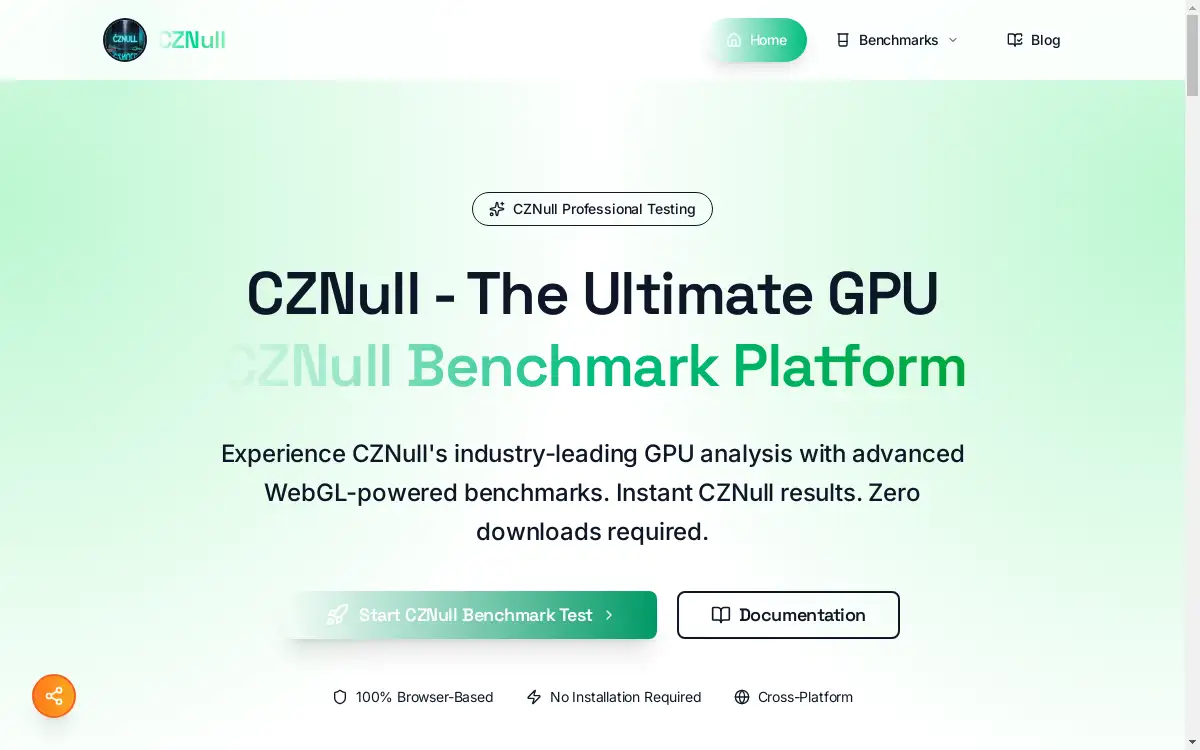
CZNull app is a free, browser-based GPU benchmark tool that instantly tests graphics card performance using advanced WebGL technology without requiring any downloads or installations.
What is cznull app?
CZNull app is a comprehensive GPU benchmark and speed test platform that runs entirely in web browsers. This innovative tool solves the common problem of needing to download and install heavy benchmarking software to test graphics card capabilities. The platform uses WebGL 2.0 technology to deliver professional-grade GPU analysis instantly, making it perfect for gamers, hardware enthusiasts, developers, and anyone wanting to understand their system's graphics performance.
The app stands out by offering cross-platform compatibility across Windows, macOS, Linux, and mobile devices. Users can access detailed benchmark results within seconds, comparing their hardware against industry standards. CZNull's adaptive testing methodology ensures accurate results for all hardware types, from integrated graphics to high-end gaming GPUs. The platform provides real-time analytics, comprehensive scoring systems, and detailed performance metrics that help users make informed decisions about hardware upgrades and system optimization.
Key Features of cznull app
Browser-Based Testing
CZNull app runs completely in web browsers without requiring downloads, installations, or system modifications, ensuring 100% safety and security through browser sandboxing.
WebGL 2.0 Powered Benchmarks
The platform utilizes advanced WebGL 2.0 technology to deliver professional-grade GPU testing with sophisticated shader computations and real-time rendering analysis.
Real-Time Performance Analytics
Users can monitor live system metrics including FPS, frame times, and resource usage through an intuitive dashboard that updates in real-time during testing.
Adaptive Testing Technology
Intelligent workload scaling automatically adjusts test difficulty based on detected hardware capabilities, ensuring accurate benchmark results across all GPU types.
Cross-Platform Compatibility
CZNull works seamlessly on all major operating systems and devices, enabling users to test and compare performance anywhere without platform restrictions.
Comprehensive Scoring System
The platform generates detailed benchmark scores with normalized results that enable meaningful comparisons between different hardware configurations and system setups.
Multiple Test Categories
CZNull offers specialized benchmarks including 3D volume rendering, ray casting analysis, dynamic shadow tests, physics simulations, and particle processing evaluations.
Use Cases for cznull app
Gaming Performance Validation
Gamers use CZNull to verify their system meets game requirements, optimize graphics settings, and identify potential bottlenecks before purchasing new titles.
Hardware Upgrade Planning
Enthusiasts leverage benchmark results to determine when GPU upgrades are necessary and compare performance improvements between different graphics card models.
Developer WebGL Testing
Software developers utilize CZNull to test WebGL application compatibility across various hardware configurations and ensure consistent user experiences.
System Troubleshooting
Technical users employ the platform to diagnose graphics-related issues, verify driver installations, and monitor system stability under GPU stress loads.
Educational Learning
Students and educators use CZNull to understand GPU architecture, learn about graphics processing concepts, and demonstrate hardware performance differences.
Pre-Purchase Hardware Research
Potential buyers test existing systems to establish performance baselines before investing in new graphics cards or complete system upgrades.
How to Use cznull app
Using CZNull app is straightforward and requires no technical expertise:
-
Visit the Website: Navigate to cznull.app using any modern web browser on your preferred device or operating system.
-
Start Benchmark Testing: Click the "Start CZNull Benchmark Test" button to access the comprehensive testing suite without creating accounts or providing personal information.
-
Select Test Categories: Choose from available benchmark options including visual rendering tests, computational power benchmarks, or run the complete testing portfolio for comprehensive analysis.
-
Monitor Real-Time Results: Watch live performance metrics, FPS counters, and system analytics as tests execute, providing immediate feedback about your GPU's capabilities.
-
Review Detailed Scores: Analyze comprehensive benchmark results, compare scores against industry standards, and understand your hardware's strengths and limitations through detailed reporting.
Target Audience for cznull app
- Gaming enthusiasts wanting to optimize system performance and validate hardware capabilities
- Hardware reviewers and technology journalists requiring reliable benchmarking tools for product evaluations
- Software developers building WebGL applications needing cross-platform compatibility testing
- IT professionals troubleshooting graphics-related issues in enterprise environments
- Students and educators learning about computer graphics and GPU architecture concepts
- System builders and hardware enthusiasts planning upgrades or comparing component performance
- Mobile device users testing graphics capabilities on smartphones and tablets
Is cznull app Free?
CZNull app is completely free to use with no hidden costs, subscription fees, or premium tiers. The platform provides full access to all benchmark tests, real-time analytics, detailed scoring systems, and comprehensive reporting features without requiring user registration or payment information. Users can run unlimited tests, access all available benchmarks, and utilize every feature of the platform at no cost.
The free model makes professional-grade GPU testing accessible to everyone, from casual users checking system performance to developers requiring extensive hardware compatibility testing. CZNull maintains this generous free approach while delivering enterprise-quality benchmarking capabilities typically found in expensive commercial software solutions.
Frequently Asked Questions about cznull app
What browsers support CZNull app testing?
CZNull works with all modern browsers supporting WebGL 2.0, including Chrome, Firefox, Safari, and Edge. For optimal benchmark accuracy, use the latest browser versions with updated WebGL drivers.
How accurate are CZNull benchmark results compared to desktop software?
CZNull delivers professional-grade accuracy through WebGL 2.0 technology, providing reliable results comparable to traditional desktop benchmarking tools while offering the convenience of browser-based testing.
Can CZNull app damage my graphics card or system?
No, CZNull is completely safe as it runs within browser security sandboxes without system modifications. The adaptive testing prevents hardware damage by automatically scaling workloads based on detected capabilities.
Does CZNull work on mobile devices and tablets?
Yes, CZNull supports mobile testing across smartphones and tablets, enabling GPU benchmark comparisons between mobile and desktop hardware using the same comprehensive testing methodology.
How should I prepare my system for accurate benchmark results?
Close background applications, ensure current GPU drivers, maintain proper cooling, and use a recent browser version. Consistent testing conditions help achieve reliable and repeatable benchmark scores.
Can I compare my CZNull scores with other users?
CZNull provides normalized scoring systems that enable meaningful comparisons across different hardware configurations, helping users understand their system's relative performance within the broader computing ecosystem.
cznull app Tags
GPU benchmark tool, browser-based graphics testing, WebGL benchmark suite, free GPU speed test, graphics card performance analysis, real-time GPU analytics, cross-platform benchmark testing, instant hardware evaluation, WebGL 2.0 GPU testing, online graphics benchmark, system performance validation, hardware compatibility testing