Introduction
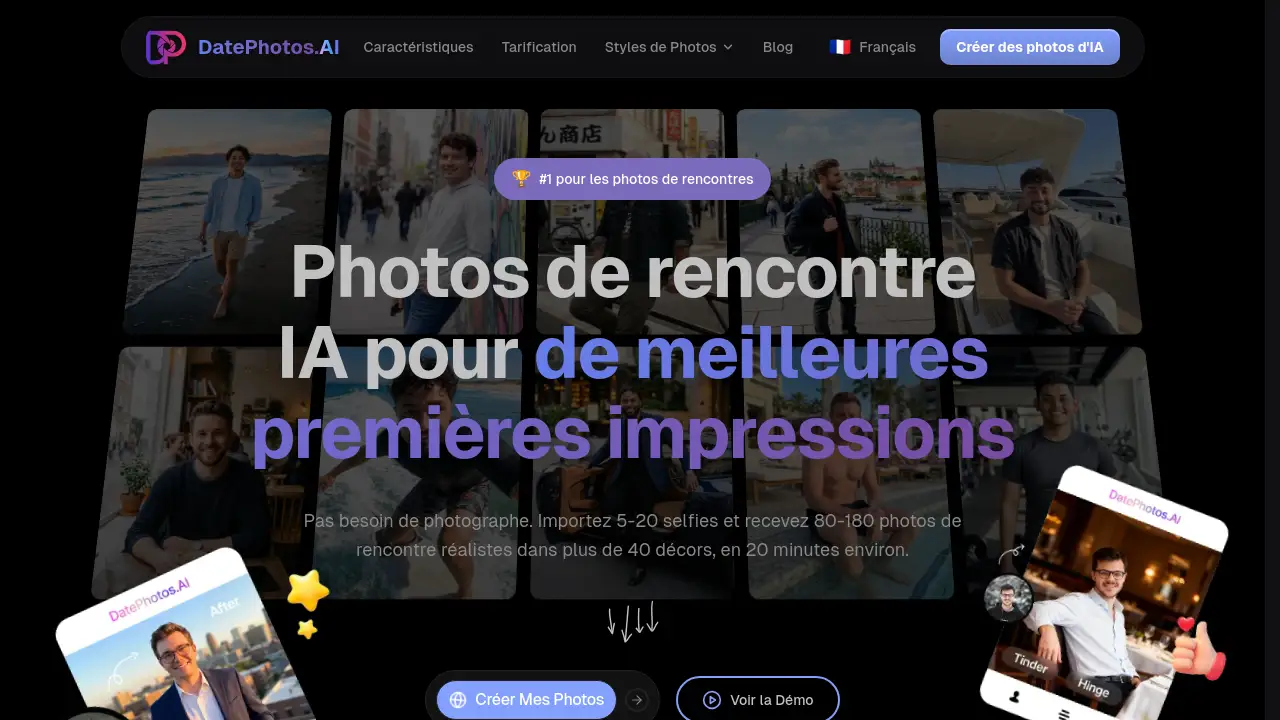
DatePhotos AI is a smart tool that creates realistic AI dating photos from selfies. It helps users build better Tinder, Bumble, and Hinge profiles quickly and affordably.
What is DatePhotos AI?
DatePhotos AI is an online service that turns 5–20 ordinary selfies into 80–180 high-quality, realistic photos designed specifically for dating apps. Instead of hiring a photographer or spending hours setting up shots, users upload simple selfies and receive a diverse set of images in over 40 different scenes—from coffee shops and beaches to gyms and urban streets—in about 20 minutes.
The platform solves a common problem: many dating profiles suffer from poor-quality or repetitive photos, which leads to fewer matches. By offering a fast, affordable, and convenient alternative to traditional photography, DatePhotos AI gives users a way to refresh their profile with varied, natural-looking images. Each photo also receives a realism score from 0 to 100, so people can easily pick the most authentic ones.
This tool is especially useful for busy professionals, online daters, and anyone who wants to improve their first impression on apps like Tinder, Bumble, and Hinge without the hassle of scheduling a professional shoot. The combination of speed, scene variety, and built-in quality control makes DatePhotos AI a practical choice for modern dating profile optimization.
Key Features of DatePhotos AI
Scene Variety – Over 40 Unique Settings
The AI generates photos in more than 40 different scenes, including beaches, cafes, gyms, city streets, and professional environments. Each scene offers 3–4 different poses, giving users a wide selection to choose from and making their profile stand out.
Realism Score – Quality Control at a Glance
Every generated photo is assigned a realism score from 0 to 100. Users can filter and download only the most natural-looking images, ensuring their Tinder profile photos and Bumble profile pictures blend seamlessly with real photos.
Fast Turnaround – 20 Minutes
DatePhotos AI delivers results in 20–30 minutes, which is significantly faster than traditional photographers (1–2 weeks) or other AI tools (24–48 hours). Users can upload during a coffee break and have new photos ready before it gets cold.
Free Regeneration – No Extra Cost
If a user is not satisfied with a particular photo, they can regenerate it for free. The platform allows 5–20 regeneration attempts per project without additional charges.
Platform Optimization – Built for Tinder, Bumble, and Hinge
The AI is trained to produce photos that work well on the three most popular dating apps. This optimization helps users get more matches because the images are tailored to what works best on each platform.
Simple Input – Just Selfies
No professional equipment or photography skills are needed. Users import 5–20 regular selfies, and the AI handles the rest—adjusting lighting, angles, and backgrounds.
Use Cases for DatePhotos AI
Freshening Up a Stale Dating Profile
Users who have been on Tinder, Bumble, or Hinge for a while often notice a drop in matches because their photos feel repetitive. DatePhotos AI provides a quick way to add fresh, varied images that reignite interest.
Preparing for a Dating App Relaunch
Someone who deleted their dating apps and wants to start fresh can use DatePhotos AI to create a complete new set of realistic AI photos before rebuilding their profile. This gives them a strong first impression from day one.
Saving Time and Money Over Professional Photography
Busy professionals who lack the time or budget for a traditional photographer can get high-quality dating app photos in under an hour for a fraction of the cost. This makes it an ideal solution for people who want results fast.
How to Use DatePhotos AI
- Prepare Your Selfies – Select 5–20 high-quality selfies with good lighting and a clear view of your face. Follow the upload guidelines for best results.
- Upload to the Platform – Go to the DatePhotos AI website and upload your chosen selfies. The process takes less than a minute.
- Wait 20 Minutes – The AI processes your images and generates 80–180 photos across 40+ scenes. You can leave and come back or wait on the page.
- Review and Select – Once ready, browse the generated photos. Each one shows a realism score. Pick the best ones—typically those above 80–85—and download them.
- Update Your Dating Apps – Upload your new AI dating photos to Tinder, Bumble, or Hinge. Mix them with your real photos for a natural profile.
Target Audience for DatePhotos AI
- Online daters using Tinder, Bumble, and Hinge who want better photos
- Busy professionals who lack time for traditional photography
- People who dislike taking selfies or have limited photo options
- Anyone looking to refresh their dating profile affordably
- Users who want realistic, high-quality dating images quickly
Is DatePhotos AI Free?
DatePhotos AI does not offer a permanent free plan, but the paid pricing is straightforward and much cheaper than hiring a professional photographer. Based on the reference information, the cost ranges from $29 to $79 per project. Details by plan are shown below:
| Plan | Price | Photos Delivered | Turnaround Time |
|---|---|---|---|
| Standard | $29 | 80–120 photos | 20–30 minutes |
| Premium | $79 | 120–180 photos | 20–30 minutes |
Both plans include access to over 40 scenes, realism scoring, and free regenerations. Users should check the official pricing page for the most current information.
DatePhotos AI's Pros and Cons
| Aspect | Pros | Cons |
|---|---|---|
| Cost | Much cheaper than professional photography ($29–79 vs. $250–500) | Still a paid service; no free version |
| Speed | 20-minute turnaround is extremely fast | Requires a short wait, not instant |
| Photo Volume | 80–180 photos per project, more than competitors | Not all photos will be usable; some may look unnatural |
| Quality Control | Realism score (0–100) helps users select the best images | Scores are AI-generated and may not always match human judgment |
| Scene Variety | Over 40 scenes with multiple poses per scene | Some scenes may not suit every user's style or preferences |
| Ease of Use | Simple upload process; no photography skills needed | Results depend on the quality of input selfies |
Frequently Asked Questions about DatePhotos AI
How does DatePhotos AI ensure the photos look realistic?
Each generated photo gets a realism score between 0 and 100. Users can sort by score and only download images above a certain threshold, typically 80 or higher. The AI is trained to adjust lighting and angles so the final images blend naturally with real photos on dating apps.
Can I use DatePhotos AI for any dating app?
Yes, the platform is optimized for Tinder, Bumble, and Hinge. Many users report that the Bumble profile pictures and Hinge photos they generate perform well and lead to more matches. The AI tailors scenes and poses to what works best on these platforms.
What kind of selfies should I upload for best results?
Upload 5–20 selfies with good lighting, a clear view of your face and body, and minimal filters or heavy editing. High-resolution images produce better results. The platform provides guidelines to help users choose the best source photos.
How long does it take to get the final photos?
The AI processes the images in 20–30 minutes. This is significantly faster than hiring a traditional photographer (1–2 weeks) or using other AI tools (24–48 hours). Users can upload and come back to download their photos shortly after.
What if I don't like some of the generated photos?
DatePhotos AI includes a free regeneration feature. Users can request 5–20 regenerations per project at no extra cost. This allows for fine-tuning until the user is satisfied with the selection of realistic AI photos.
Is my data safe when I upload selfies to DatePhotos AI?
The platform states that user privacy is taken seriously. A privacy policy is available on the website for those who want to understand how their data is handled. Users concerned about security can review this policy before uploading.
DatePhotos AI Tags
AI dating photos, DatePhotos AI, realistic AI photos, Tinder profile photos, Bumble profile pictures, Hinge photos, dating app photos, AI photo generator for dating, online dating profile optimization, affordable dating photos, fast AI photo generation, best photos for Tinder