Introduction
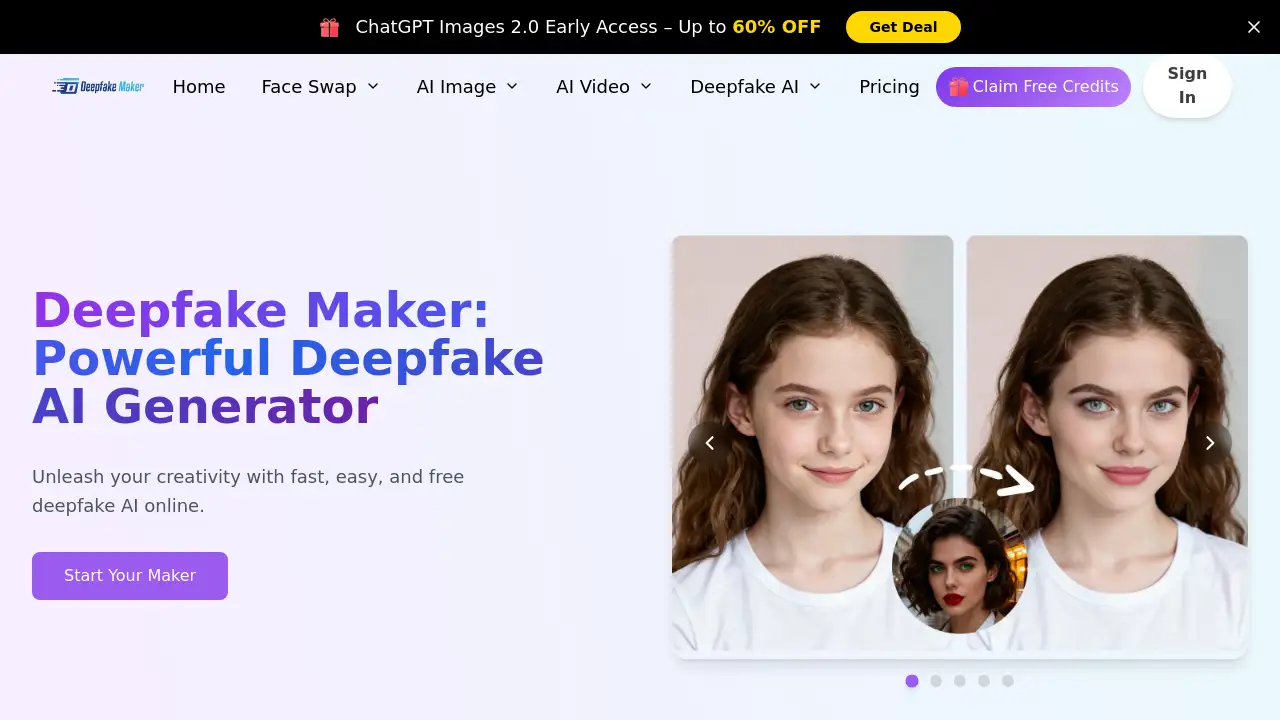
Deepfake Maker is an AI-powered online platform for creating realistic face swaps in photos, videos, and GIFs. With Deepfake Maker, users can generate high-quality deepfakes in seconds, without any editing skills. It uses advanced deepfake AI to blend faces naturally, making it useful for creators, marketers, and anyone exploring face swap online tools. Deepfake Maker also offers AI image generation and editing features, adding more value beyond face swapping. The service is free to start, requires no sign-up, and promises 100% privacy protection. This makes Deepfake Maker a convenient choice for safe and creative visual projects.
What is Deepfake Maker?
Deepfake Maker is an online tool that lets users swap faces in photos, videos, and GIFs with the help of artificial intelligence. It solves the problem of complicated editing software by offering a simple three-step process: upload, wait, and download. The platform is designed for people who want fast results without learning professional tools. Deepfake Maker is suitable for content creators, social media users, marketers, and anyone interested in AI face swap technology. The tool matters because it makes realistic face swapping accessible to everyone. It also includes gender swap, multiple face swap, and AI image/video generation, making it a versatile creative platform. For those searching for an easy and secure deepfake maker, this product delivers a clean user experience.
Key Features of Deepfake Maker
The main options in Deepfake Maker cover both basic face swapping and advanced AI editing. Below are the core features that make this platform stand out.
Photo Face Swap
Upload an original photo and a target face, and Deepfake Maker blends them into a natural-looking result in seconds. This AI face swap feature supports PNG, JPG, JPEG, and WEBP files.
Video Face Swap
Deepfake Maker can swap faces in MP4, MOV, and GIF files while keeping expressions and movements smooth. Users can create realistic video swaps without watermarks or sign-ups.
GIF Face Swap
The GIF face swap feature lets users animate images with realistic face changes. It is ideal for memes, reactions, and short social media clips.
Multiple Face Swap
For group photos, Deepfake Maker identifies and swaps multiple faces at once. This feature works well for party pictures, team photos, and group memes.
Gender Swap
The built-in gender swap tool transforms faces to look naturally masculine or feminine. It is a fun way to explore creative content with deepfake AI.
AI Image Generator and Editor
Beyond face swap online, the platform includes text-to-image, image-to-image, background removal, object removal, old photo colorization, and image upscaling. These tools make Deepfake Maker useful for more than just face swapping.
Privacy-First Design
Deepfake Maker states that uploaded media and generated content are not stored or tracked. This creates a safe space for users who care about data privacy.
Use Cases for Deepfake Maker
Deepfake Maker can be used in many scenarios, from casual entertainment to professional projects. Here are some common ways people use the platform.
Creative Content and Memes
Users can make funny face swaps for social media, turning friends or celebrities into viral meme clips and images.
Marketing and Advertising
Marketers can use Deepfake Maker to create personalized visuals, product demos, or localized ad variations without needing a design team.
Personal Entertainment
Friends can swap faces in group photos or videos for parties, birthdays, and online challenges.
Photo Restoration and Enhancement
The AI editor features allow users to fix old photos, remove unwanted objects, and upscale images for better quality.
How to Use Deepfake Maker
Using Deepfake Maker is simple and does not require technical skills. Follow these steps:
- Go to the Deepfake Maker website.
- Choose photo face swap, video face swap, GIF face swap, or multiple face swap.
- Upload the original image or video and a target face photo.
- Click the button to start the face swap and wait for the AI to process.
- Download or share the finished result.
The process is fast, with photo face swaps generally taking only a few seconds.
Target Audience for Deepfake Maker
Deepfake Maker works well for a wide range of users, including:
- Social media creators and influencers
- Digital marketers and advertisers
- Video editors and designers
- Meme creators and casual users
- Anyone needing quick AI image or video editing tools
Is Deepfake Maker Free?
Deepfake Maker offers a free version that lets users try photo and video face swaps without sign-up. The platform also has a premium plan for users who want no daily limits, no duration or size limits, and HD enhancement. Since the exact premium price is not listed on the homepage, users should check the Deepfake Maker website for current pricing.
| Plan | Price | Features |
|---|---|---|
| Free | $0 | Basic face swap, limited daily use, standard quality |
| Premium | Paid, see website | No daily limit, no duration/size limit, HD enhance result |
Deepfake Maker's Pros and Cons
| Aspect | Pros | Cons |
|---|---|---|
| Pricing | Free tier available, no sign-up required | Premium cost not clearly shown on homepage |
| Features | Wide range: photo, video, GIF, multiple face swap, AI editor | Some advanced tools may require premium upgrade |
| Ease of Use | Simple three-step process for face swapping | Requires an internet connection; no offline desktop app |
| Privacy | Claims no stored uploads or generated content | Users should review the official privacy policy for full details |
Frequently Asked Questions about Deepfake Maker
Is Deepfake Maker free?
Yes, the platform offers a free version for face swapping. A premium plan is available for users who need no daily limits, larger files, and HD results.
Does Deepfake Maker store my photos and videos?
According to the homepage, the service does not store uploaded media or generated content. It says the process runs on the server with no tracking or retention.
What file formats are supported?
Deepfake Maker supports PNG, JPG, JPEG, and WEBP for photos. Videos and GIFs can be uploaded as MP4, MOV, or GIF.
Is Deepfake Maker safe to use?
The platform emphasizes privacy and secure processing. As with any AI tool, users should avoid uploading sensitive personal data and review the official privacy policy.
Do I need editing skills to use Deepfake Maker?
No. The tool is designed for beginners. Users just upload files and click a button to generate face swaps.
Can I use Deepfake Maker for commercial projects?
The homepage mentions it is suitable for creators and marketers, but users should check the official terms for commercial usage rights.
Deepfake Maker Tags
Deepfake Maker, AI face swap, face swap online, deepfake AI, video face swap, photo face swap, gender swap, multiple face swap, GIF face swap, AI image generator, AI video editor, face swap tool