Introduction
DeepSeek Harness is a developer preview toolkit for building modular AI agents and agent harnesses. It uses a plugin-based design where every agent capability can be swapped, extended, or recomposed. This review covers core features, use cases, and tips for getting started with DeepSeek Harness.
What is DeepSeek Harness?
DeepSeek Harness is an open-source project that gives developers a flexible way to build agent harnesses. An agent harness keeps an AI agent connected to the real-world environment, helping it understand inputs, use tools, and complete tasks. DeepSeek Harness is built on the Cordis kernel, which manages plugin mounting, unmounting, and dependencies. Every capability, from models and tools to storage and the UI, is a plugin.
This design matters because many agent frameworks are rigid. Developers often need to change the model, add a tool, or modify how sessions are stored. DeepSeek Harness solves this by letting developers compose agent harnesses from reusable plugin modules. The Cordis plugin system is open for experimentation, and the source code is available. This makes DeepSeek Harness suitable for exploring AI agents, building coding assistants, or testing new agent designs for any agent harness developer. It is currently in developer preview, so APIs and core plugins will continue to evolve. The result is a transparent and customizable foundation for agent development.
Key Features of DeepSeek Harness
Everything Is a Plugin
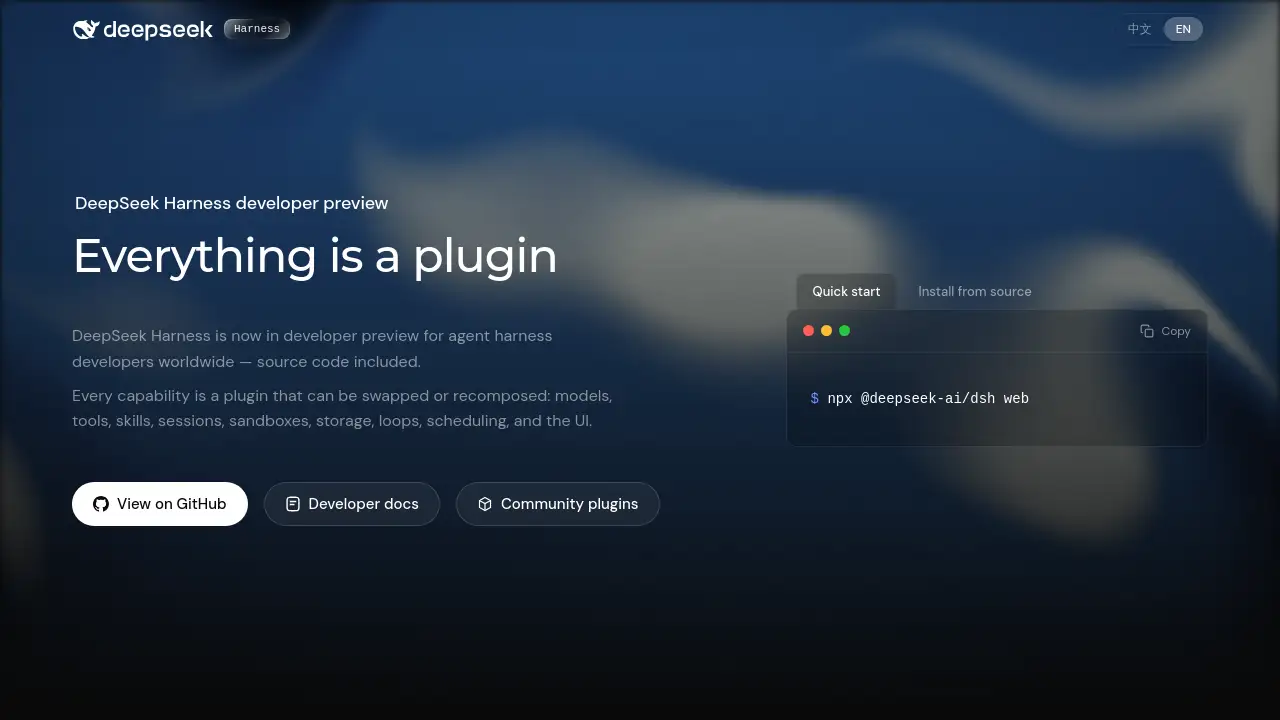
DeepSeek Harness is built around the idea that everything is a plugin. Models, tools, skills, sessions, sandboxes, storage, loops, scheduling, and the UI all come as plugins. This structure makes it easy to replace one part of an agent harness without rewriting the whole system.
Traceable Every Run
DeepSeek Harness records everything the model sees in an append-only session log. This includes system prompts, reasoning, tool calls, results, subagent scheduling, and context injections. The Trajectory view lets developers inspect records by source. For anyone debugging an agent harness, this traceability is valuable. Search, replay, resume, and fork all work on the same event stream.
Multiple Runtime Modes
DeepSeek Harness offers four runtime modes. Standard mode includes a full coding agent with file editing, shell, file and web search, skills, and planning. Code mode exposes tools through the Code Mode SDK so the model can combine multi-step operations in TypeScript. Minimal mode keeps only a persistent bash shell and a file editor for benchmarking models. Creator mode helps developers inspect the runtime and build new agent presets.
Compose with Configuration
Developers can select, swap, or extend any capability through configuration. This means customizing an agent harness does not require changing the DeepSeek Harness source code. The configuration-driven layout works with the Cordis plugin system to simplify maintenance and encourage reuse.
Open Source and Developer-Friendly
DeepSeek Harness is released under the MIT license. The source code is available on GitHub, and developer docs are published for quick orientation. Community plugins are also collected under the dsh-plugin topic, which gives the DeepSeek Harness ecosystem a clear starting point.
Use Cases for DeepSeek Harness
Building a Custom Agent Harness
Developers can use DeepSeek Harness to build a custom agent harness for specific tasks, such as file editing, web research, or workflow automation. Because every capability is a plugin, teams can choose only the components they need.
Benchmarking AI Models
DeepSeek Harness includes Minimal mode specifically for benchmarking models in a simple environment. With only a shell tool and a file editor, this mode gives researchers a controlled way to test agent behavior and compare different agent harness designs.
Experimenting with New Plugins
Creator mode allows developers to test Cordis plugins in memory and combine them into new modes. This makes DeepSeek Harness a useful playground for exploring agent capabilities and the plugin system before committing to a final setup.
How to Use DeepSeek Harness
Getting started with DeepSeek Harness is straightforward:
- Install Node.js on your system.
- Launch the Web UI with
npx @deepseek-ai/dsh web. - Choose a runtime mode: Standard, Code, Minimal, or Creator.
- Use the Trajectory view to inspect session logs and debug agent behavior.
- If needed, clone the GitHub repository and install from source for deeper customization.
For most developers, the quick start path gives immediate access to the plugin system and agent harness features. DeepSeek Harness gives you a simple way to modify configuration and swap models, tools, and other capabilities.
Target Audience for DeepSeek Harness
- AI developers building agent harnesses
- Researchers benchmarking language models
- Open-source contributors interested in plugin systems
- Technical teams creating internal AI assistants
- Developers exploring coding agents and automation tools
Is DeepSeek Harness Free?
Yes. DeepSeek Harness is open source under the MIT license and is available in developer preview at no cost. The official source code, developer docs, and community plugin directory are accessible to anyone who wants to explore or contribute.
| Plan | Price | Features |
|---|---|---|
| Open Source | $0 | Full source code, plugin system, runtime modes, developer docs, community plugins |
DeepSeek Harness's Pros and Cons
| Aspect | Pros | Cons |
|---|---|---|
| Architecture | Highly modular, every capability is a plugin | Requires understanding of Cordis concepts |
| Open Source | MIT license, source included, community plugins | Still in developer preview, APIs may change |
| Traceability | Complete session logs and Trajectory view | Logs may be large for long-running agents |
| Usability | Multiple runtime modes for different needs | New users may need time to learn configuration |
Frequently Asked Questions about DeepSeek Harness
Is DeepSeek Harness free to use?
Yes, DeepSeek Harness is open source under the MIT license. There is no charge for the source code or the developer preview. You can clone the repository and run the Web UI freely.
What does "everything is a plugin" mean in DeepSeek Harness?
It means every agent capability is packaged as a plugin. Models, tools, skills, sessions, sandboxes, storage, loops, scheduling, and the UI can each be replaced or recomposed without editing the core DeepSeek Harness source code.
How is DeepSeek Harness different from other agent frameworks?
DeepSeek Harness focuses on the agent harness layer that keeps agents working in real-world environments. It uses Cordis as its plugin system and emphasizes traceable runs, composable configuration, and multiple runtime modes, including a minimal mode for benchmarking.
Can I extend DeepSeek Harness with my own tools or models?
Yes. Because every capability is implemented as a plugin, you can select, swap, or extend models, tools, and other components through the plugin system. This design is central to the DeepSeek Harness developer preview.
Does DeepSeek Harness record agent actions?
Yes. DeepSeek Harness records everything the model sees in an append-only session log, including prompts, reasoning, tool calls, results, and context injections. The Trajectory view lets you inspect and replay these records.
Is DeepSeek Harness ready for production use?
DeepSeek Harness is currently in developer preview. Its core plugins and APIs will continue to evolve. It is suitable for experimentation and early adoption, but developers should expect changes before a stable release.
DeepSeek Harness Tags
DeepSeek Harness, agent harness, plugin system, developer preview, AI agents, open source agent framework, Cordis plugins, agent tracing, coding agent, runtime modes, AI development tools, modular agent architecture