Introduction
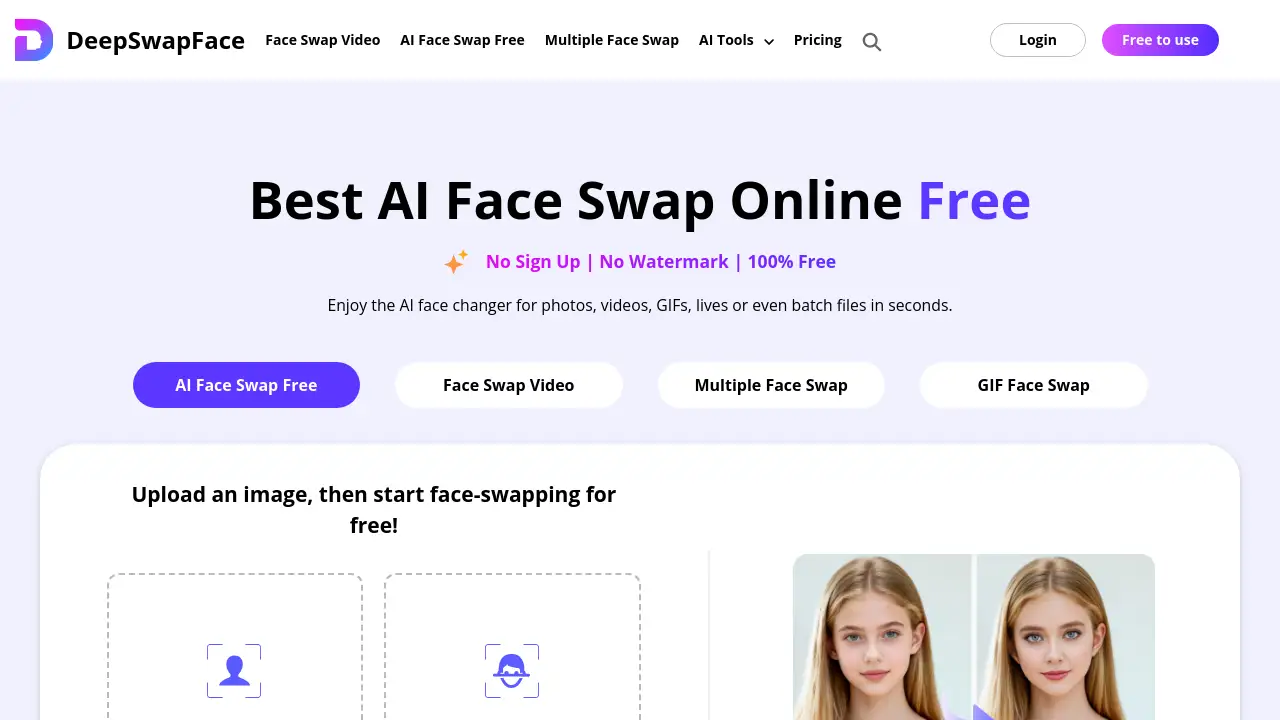
DeepSwapFace is a free online AI tool for instantly swapping faces in photos, videos, and GIFs without any sign-up.
What is DeepSwapFace?
DeepSwapFace is a web-based, AI-powered platform designed to make face swapping simple, fast, and accessible to everyone. It addresses the need for easy-to-use creative tools that don't require complex software or technical skills. Users can upload an image or video and have their chosen face seamlessly integrated in seconds. This makes it suitable for casual users looking for fun, content creators needing quick edits, and anyone wanting to explore digital creativity. As a free AI face swap online tool, it lowers the barrier to entry for this popular form of digital art.
Key Features of DeepSwapFace
Free AI Face Swap Online
The core service is completely free to use, with no account creation required and no watermarks added to the finished creations.
Face Swap Video Capability
Beyond static images, the platform can process videos, allowing users to create face-swapped movie clips or social media content with dynamic movement.
Multiple Face Swap Functionality
Users can swap more than one face within a single image or video frame, enabling group photos or complex scenes to be edited in one go.
GIF Face Swap Support
The tool supports animated GIFs, making it easy to create funny, face-swapped reactions or memes for sharing online.
Batch Processing Option
For users with many images to edit, a batch face swap feature allows multiple files to be processed sequentially, saving significant time.
User-Friendly Three-Step Process
The interface is designed around a simple three-step workflow: upload, let AI process, and download, making it accessible even for beginners.
Use Cases for DeepSwapFace
Creating Entertaining Memes
Users can quickly generate hilarious memes by swapping their face or a friend's face into popular meme templates or reaction GIFs.
Exploring Creative Concepts
Artists and designers can use it for brainstorming character designs, visualizing actors in roles, or creating surreal digital art pieces.
Enhancing Social Media Content
Content creators and social media managers can produce engaging, personalized video clips or images to boost audience interaction and shares.
Having Fun with Friends and Family
It's perfect for lighthearted fun at parties or in group chats, allowing people to swap faces in group photos or videos for a laugh.
Prototyping Visual Ideas
Marketers or filmmakers can use it for quick visual prototypes or mood boards, such as testing how a celebrity might look in a campaign concept.
How to Use DeepSwapFace
Using DeepSwapFace is straightforward and requires no technical knowledge.
- Upload Your Media: Navigate to the DeepSwapFace website. Click to upload your base photo, video, or GIF. Then, upload the image containing the face you want to swap in.
- Start the AI Process: Click the "Start Face Swap" button. The platform's AI will automatically detect faces and begin the swapping process.
- Download Your Result: Within seconds, the processed file will be ready. You can then download it directly to your device, free of watermarks, ready to share or use.
Target Audience for DeepSwapFace
- Social Media Enthusiasts looking to create unique and viral content.
- Digital Artists and Hobbyists exploring creative editing without expensive software.
- Content Creators and Influencers needing quick, engaging visual edits for their channels.
- Everyday Users seeking a fun, easy-to-use tool for personal entertainment with friends and family.
Is DeepSwapFace Free?
DeepSwapFace offers a robust free tier alongside optional paid plans for power users. The free plan includes core features with a daily limit.
| Plan | Price | Key Features |
|---|---|---|
| Free | $0 | Up to 10 face swaps per day. No login required. No watermark. Access to photo, video, GIF, and multiple face swap tools. |
| Pro (700 Credits) | $4.90 one-time | Process approximately 70 videos/images. Standard processing queue. |
| Pro (1400+100 Credits) | $9.90 one-time | Process approximately 150 videos/images. Priority in the processing queue. |
| Pro (2800+500 Credits) | $19.90 one-time | Process approximately 330 videos/images. Priority queue and parallel task processing. |
| Pro (7100+1900 Credits) | $49.90 one-time | Process approximately 900 videos/images. Includes VIP customer support. |
All paid plans are one-time purchases, not subscriptions, and are paid via credits.
DeepSwapFace's Pros and Cons
| Aspect | Pros | Cons |
|---|---|---|
| Cost & Accessibility | Completely free core service with no sign-up; very accessible. | Free tier has a daily limit (10 swaps). |
| Ease of Use | Extremely simple, three-step process suitable for anyone. | Advanced manual controls for fine-tuning are not a focus. |
| Features | Supports videos, GIFs, and multiple faces; wide format support. | Some advanced AI tools (like body swap) are listed but may require navigation. |
| Output Quality | Fast processing with generally seamless and realistic AI blending for casual use. | Results can vary heavily depending on the quality and angle of the source images. |
| Privacy | No mandatory account creation offers more anonymity. | As an online tool, users must trust the platform with their uploaded media. |
Frequently Asked Questions about DeepSwapFace
What is DeepSwapFace?
DeepSwapFace is an online AI platform that allows users to swap faces in photos, videos, and GIFs quickly and easily. It is designed to be a user-friendly and free tool for digital face manipulation.
Do I need to create an account to use it?
No, you do not need to create an account or sign up to use the basic AI face swap free features. You can start swapping faces immediately upon visiting the website.
Are there any usage limits on the free version?
Yes, the free version of DeepSwapFace allows up to 10 face swaps per day. This limit helps maintain server performance and stability for all users.
What file formats does DeepSwapFace support?
For images, it supports common formats like JPG, PNG, and WebP. It also supports video files and GIFs for face swap video and GIF face swap functionalities.
Can I swap multiple faces in one photo?
Yes, DeepSwapFace offers a multiple face swap feature that can detect and swap several faces within a single image or video frame simultaneously.
Is there a mobile app for DeepSwapFace?
There is no dedicated mobile app. However, the DeepSwapFace website is fully optimized for mobile browsers, so you can access all its features directly from your smartphone or tablet's web browser.
DeepSwapFace Tags
free ai face swap, deepswapface, ai face swap online, face swap video, multiple face swap, gif face swap, online face changer, free video face swap, ai face swap free, no watermark face swap, instant face swap, batch face swap, meme maker, creative editing tool