Introduction
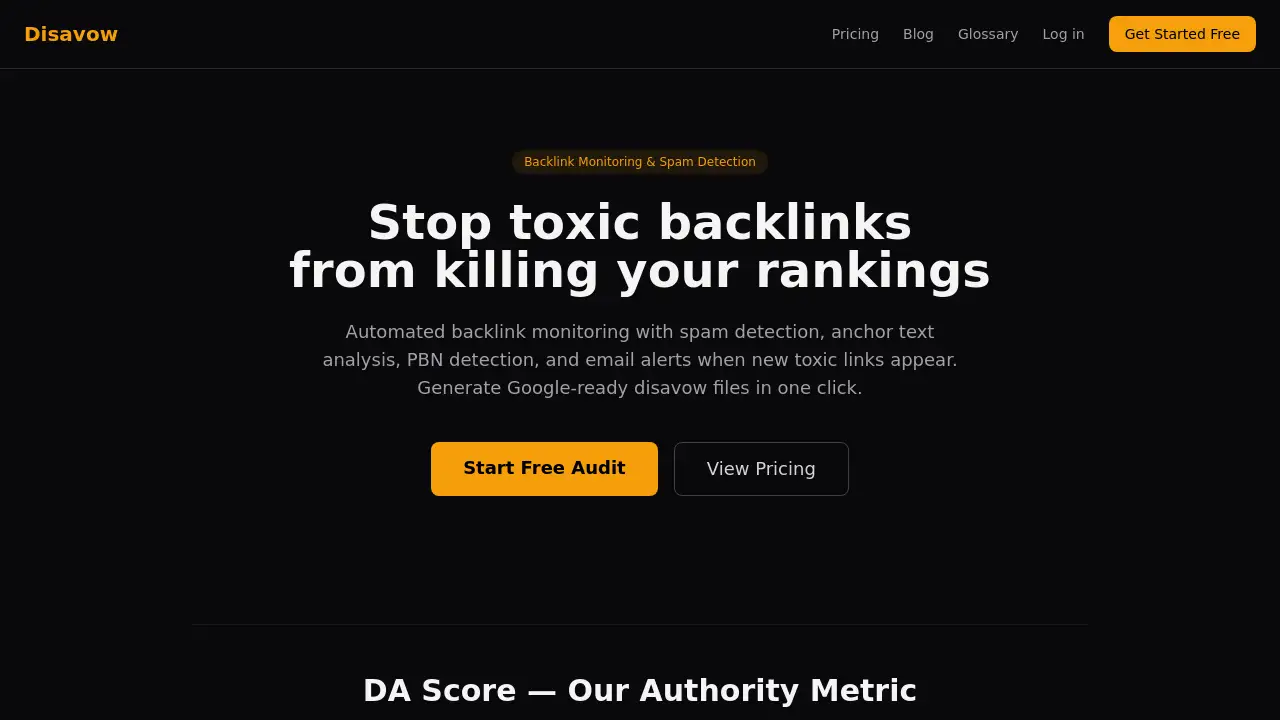
Disavow.ai is a powerful free backlink audit tool designed to protect your website's SEO health by identifying and managing toxic backlinks.
What is Disavow.ai?
Disavow.ai is an automated backlink monitoring and spam detection service. The core problem it solves is the risk posed by low-quality, spammy, or toxic backlinks that can harm a website's search engine rankings. Google's algorithms can penalize sites with unnatural link profiles, and manually auditing thousands of links is a complex, time-consuming task often requiring SEO expertise. This tool simplifies that process. It is suitable for website owners, bloggers, and digital marketers who want to safeguard their SEO efforts without deep technical knowledge. By providing clear spam scores, detailed risk classification, and one-click generation of Google-ready disavow files, Disavow.ai empowers users to take proactive control of their backlink profile health, potentially preventing manual penalties and ranking drops.
Key Features of Disavow.ai
Smart Risk Engine
This multi-layered protection system analyzes every backlink through four independent filters—Trusted Domain Shield, Pattern Detection, Composite Scoring, and a Suspicious flag—to minimize false positives and ensure only truly toxic links are recommended for disavowal.
DA Score Authority Metric
Each linking domain receives a proprietary DA Score from 0 to 100, calculated from multiple data sources to gauge its trustworthiness and authority, helping users quickly distinguish between high-quality and low-quality referring domains.
Automated Backlink Monitoring
The tool continuously scans for new or lost backlinks, sending email alerts when new potentially toxic links appear, enabling proactive spam detection and profile management.
PBN Detection
It identifies Private Blog Network (PBN) link schemes by analyzing IP subnet clustering, revealing networks of low-quality sites that may be targeting your domain with manipulative links.
Anchor Text Analysis
This feature spots unnatural or over-optimized anchor text patterns across your backlink profile, which can be a strong signal of spam or negative SEO campaigns.
One-Click Disavow File Export
With a single click, users can generate a formatted text file ready for immediate upload to Google Search Console, streamlining the entire disavow process.
Historical Trend Tracking
View 12 months of backlink history to visualize how your profile's health has changed over time, identifying when spam attacks may have begun.
Use Cases for Disavow.ai
Recovering from a Google Penalty
Websites that have received a manual action for unnatural links can use the tool to efficiently identify the toxic backlinks causing the penalty and create a comprehensive disavow file as part of their reconsideration request.
Proactive SEO Maintenance
Website owners can schedule monthly or weekly audits to catch new toxic backlinks early, before they accumulate and potentially trigger algorithmic filters or a ranking decline.
Investigating Ranking Drops
When a site experiences unexplained ranking losses, a backlink audit with Disavow.ai can quickly determine if a surge of spammy links is a contributing factor.
Auditing a Newly Acquired Website
Before investing in a newly purchased domain, users can scan its existing backlink profile to uncover any legacy toxic links that need to be cleaned up.
How to Use Disavow.ai
- Sign Up and Add Your Domain: Create a free account on the Disavow.ai website and add the URL of the website you want to monitor.
- Run Your First Scan: Initiate a backlink audit. The tool will fetch your backlink data from available indexes and begin analysis.
- Review the Analysis: Examine the dashboard. Links are classified (e.g., Toxic, Suspicious, Good) using the DA Score and Smart Risk Engine. Review the details for suspicious links.
- Generate and Export: For links classified as Toxic, use the one-click function to generate your disavow file.
- Upload to Google: Download the file and upload it to the Disavow Tool in your Google Search Console account to complete the process.
Target Audience for Disavow.ai
- Small to medium business website owners concerned about SEO.
- Bloggers and content creators who earn organic backlinks.
- In-house marketers managing their company's digital presence.
- SEO consultants and agencies managing multiple client websites.
- Website flippers and investors evaluating domain health.
Is Disavow.ai Free?
Disavow.ai offers a free tier with limited scans, making it easy to try. For ongoing protection and full features, paid plans are available.
| Plan | Price | Key Features |
|---|---|---|
| Free | $0 forever | 15 backlinks per scan, 2 scans/day, spam scoring, risk classification. |
| Pro | $29/month (billed annually) | 1 monitored domain, unlimited backlinks, 10 scans/day, disavow file export, Smart Risk Engine, PBN detection. |
| Enterprise | $99/month (billed annually) | 4 monitored domains, 50 scans/day, priority support, all Pro features. |
Disavow.ai's Pros and Cons
| Aspect | Pros | Cons |
|---|---|---|
| Ease of Use | Very user-friendly interface; no SEO expertise needed. | Advanced users may desire more granular control over some risk parameters. |
| Pricing & Value | Generous free plan for testing; Pro plan is affordable for serious users. | Enterprise plan may be costly for very small businesses or individuals. |
| Features & Technology | Multi-layered Smart Risk Engine reduces false positives. Comprehensive features like PBN detection and trend tracking. | Backlink data relies on third-party indexes, which may not be 100% exhaustive. |
| Output & Integration | One-click generation of ready-to-use Google disavow files saves significant time. | The tool identifies problems; removing the links at the source still requires manual outreach. |
Frequently Asked Questions about Disavow.ai
What is a disavow file?
A disavow file is a plain text file you submit to Google Search Console. It instructs Google to ignore specific backlinks when assessing your site's ranking, helping to neutralize the harm caused by toxic or spammy links.
How often should I audit my backlinks with this tool?
For most stable websites, a monthly audit is sufficient for maintenance. If you operate in a highly competitive niche or have been targeted by negative SEO in the past, weekly scans (available on the Pro plan) are recommended.
Will using a disavow tool hurt my SEO?
It can only hurt your SEO if you disavow good, authoritative links by mistake. Disavow.ai's multi-layered Smart Risk Engine is specifically designed to prevent this by carefully classifying links, so users are advised to only disavow those marked as "Toxic."
Is the free plan useful?
Yes, the free plan is excellent for getting started. It allows you to scan and see the analysis for your first 15 backlinks, giving you a clear idea of your profile's health and how the tool works before committing to a paid plan.
How is Disavow.ai's DA Score different from other metrics?
The DA Score is a proprietary 0-100 authority metric built from multiple independent data sources (backlink strength, referring domain quality, spam signals). This composite approach aims to provide a more nuanced and reliable assessment than relying on a single metric.
Do I need to disavow links if Google says it ignores most spam?
While Google's algorithms do filter out obvious spam, they still maintain the disavow tool and issue manual penalties. The risk is the accumulation of hundreds of toxic links over time or targeted negative SEO. Regular auditing provides peace of mind and proactive protection.
Disavow.ai Tags
backlink audit tool, free backlink checker, toxic backlinks, spam detection, Google disavow file, backlink monitoring, SEO tool, negative SEO protection, PBN detection, anchor text analysis, domain authority score, link cleanup