Introduction
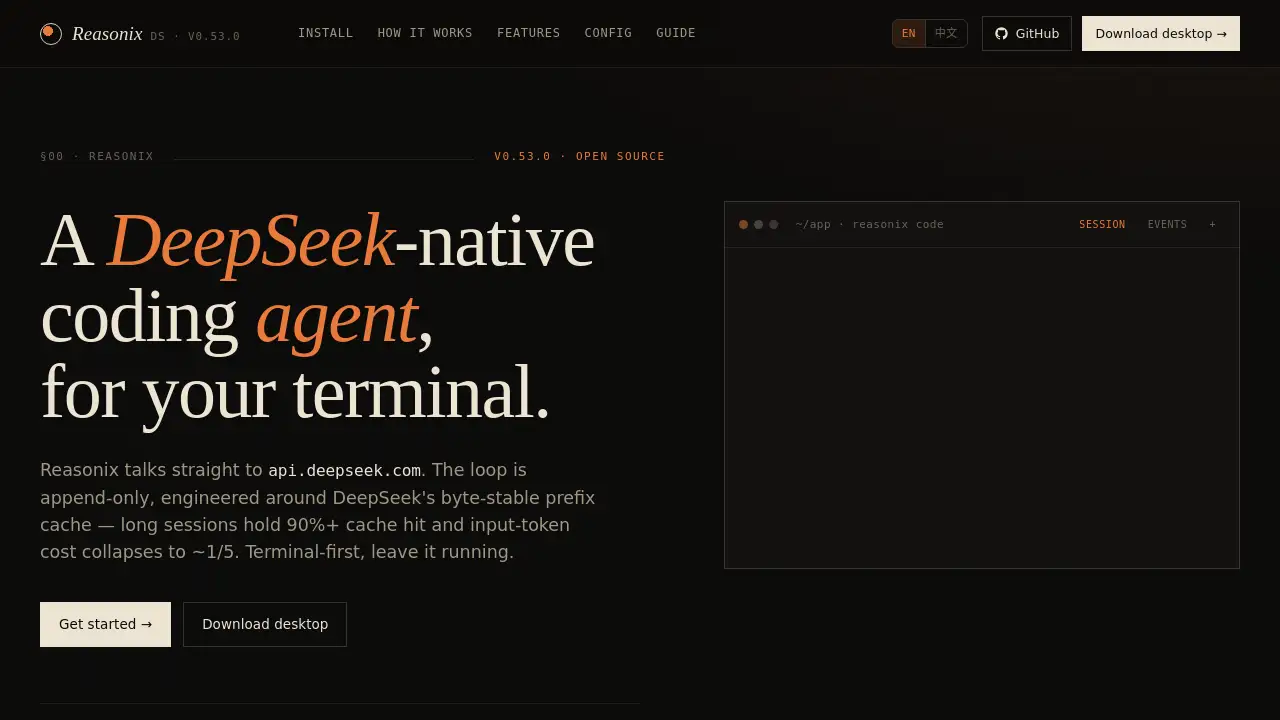
Reasonix is an open-source AI coding agent designed for the terminal, offering a cost-effective and efficient workflow for developers.
What is Reasonix?
Reasonix is a terminal-native AI coding assistant built specifically for the DeepSeek API. It is engineered to be an open-source AI agent that developers can run directly from their command line within their project directory. The core innovation of Reasonix is its cache-first loop, which is meticulously designed to leverage DeepSeek's byte-stable prefix cache. This engineering focus makes it a highly cost-effective AI coding tool, as it dramatically reduces token costs during long coding sessions by maintaining cache hit rates above 90%. It solves the problem of high operational costs associated with using large language models for extended development work, making it suitable for individual developers and teams who want a powerful, yet affordable, AI-powered pair programmer integrated into their existing terminal-based workflow.
Key Features of Reasonix
Cache-First Loop
The agent's core loop is append-only and byte-stable, ensuring that the cached prompt prefix survives throughout long sessions with multiple tool calls, which is key to achieving high cache hit rates and low token costs.
Terminal-Native TUI
Reasonix operates as a first-class citizen in your terminal, using native commands like git diff and ls for its operations, making it a seamless terminal AI assistant without requiring an IDE plugin.
DeepSeek V4 Two-Tier Model Support
It defaults to the cost-efficient DeepSeek-V4-Flash model for iteration, with the ability to instantly switch a single turn or an entire session to the more powerful V4-Pro model using simple slash commands.
First-Class MCP (Model Context Protocol) Support
You can easily integrate external tool servers via MCP with a simple command-line flag, merging their capabilities directly into the agent's tool registry for expanded functionality.
Sandboxed Execution and Plan Mode
All built-in tools are sandboxed to the project launch directory for safety, and a /plan mode acts as a read-only audit gate, preventing any writes to disk until a proposed plan is approved.
Composable Markdown Skills
Users can create reusable workflows by dropping Markdown files with specific frontmatter into a .reasonix/skills/ directory, enabling script-like automation and isolated subagent execution.
Session Replay and Analytics
Every interaction and event is logged to disk, allowing users to replay past sessions, run detailed statistics on token usage, cache performance, and cost, and audit the agent's behavior.
Use Cases for Reasonix
Long Coding and Refactoring Sessions
Developers working on extensive code refactoring, bug hunting, or feature implementation can use Reasonix as a persistent, cost-effective AI pair programmer throughout the session.
Learning and Exploring New Codebases
The agent can help quickly understand unfamiliar projects by reading files, explaining logic, and generating summaries, all from within the terminal.
Automated Code Generation and Task Execution
Through its skills system and tool integration, Reasonix can be configured to automate repetitive coding tasks, generate boilerplate code, or execute complex multi-step processes.
Safe, Audited Code Modifications
Using the /plan mode, developers can review and approve all proposed changes before they are applied, making it ideal for making cautious modifications to critical production code.
How to Use Reasonix
- Ensure Node.js 22+ is installed on your macOS, Linux, or Windows (with PowerShell/Git Bash) system.
- Navigate to your project directory using the terminal (
cd /path/to/your/project). - Run the agent with the command
npx reasonix code. The first launch includes a setup wizard that will guide you through adding your DeepSeek API key. - Interact with the TUI using natural language to ask for coding help, and use slash commands like
/planfor safe mode or/proto switch models.
Target Audience for Reasonix
- Developers and engineers who primarily work in the terminal.
- Teams looking for a cost-effective AI coding assistant to integrate into their workflow.
- Open-source contributors and hobbyists who prefer transparent, modifiable tools.
- Anyone seeking an AI pair programmer that doesn't lock them into a specific IDE.
Is Reasonix Free?
Reasonix itself is completely free and open-source, released under the MIT license. There are no fees for using the software.
However, it requires a DeepSeek API key to function, which operates on a pay-as-you-go model. The cost depends on usage and the cache efficiency Reasonix provides.
| Model | Input Token Cost (Uncached) | Input Token Cost (Cached) |
|---|---|---|
| DeepSeek-V4-Flash | $0.07 per 1M tokens | $0.014 per 1M tokens |
The cache-first loop in Reasonix is designed to maximize cached tokens, significantly reducing operational costs compared to using the API with a generic client.
Reasonix's Pros and Cons
| Aspect | Pros | Cons |
|---|---|---|
| Cost Efficiency | Extremely cost-effective for long sessions due to high cache hit rates. | Requires a paid DeepSeek API key (pay-as-you-go). |
| Integration & Workflow | Seamless terminal integration; no context switching from the developer's native environment. | No IDE plugin available; not suitable for developers who prefer GUI-heavy tools. |
| Flexibility & Safety | Highly configurable with MCP and skills; features like plan mode ensure safe code modifications. | The tool is currently specialized for DeepSeek only, not a multi-provider agent. |
| Ease of Use | Simple, two-step installation (npx) with a guided first-launch setup. | Requires comfort with the terminal and command-line interfaces. |
Frequently Asked Questions about Reasonix
Why does Reasonix only support DeepSeek?
This is a deliberate engineering choice, not a limitation. The entire cache-first loop is designed around the specific mechanics of DeepSeek's byte-stable prefix cache to achieve optimal performance and cost reduction. Using other backends would break this core optimization.
Is there a desktop version or IDE plugin?
There is a native Tauri desktop application that provides a visual companion with multi-tab sessions and live metrics. However, Reasonix remains a terminal-first AI agent and does not aim to replace IDE plugins; it leverages your existing terminal tools instead.
How safe are the tool calls and file writes?
Safety is a priority. All built-in tools are sandboxed to your launch directory. Crucially, the /plan mode puts the session into a read-only audit state, and SEARCH/REPLACE edits remain as pending changes until explicitly applied with /apply, preventing unintended modifications.
Can I use Reasonix with a self-hosted DeepSeek endpoint?
Yes. Since version 0.30, you can configure Reasonix to point to a private DeepSeek-compatible endpoint by setting a custom baseUrl in the configuration, allowing you to use the same optimized loop with your internal infrastructure.
How do I create my own custom skills?
Creating a Reasonix skill is straightforward. You can use the /skill new command within the TUI to scaffold a new skill file. Skills are simply Markdown files placed in a .reasonix/skills/ folder, where frontmatter defines their behavior, such as running as an isolated subagent.
Can I change the working directory mid-session?
No, you cannot switch the working directory during an active session, as this would complicate the sandbox paths and memory context. To work on a different directory, you should exit and relaunch Reasonix with the --dir <path> flag.
Reasonix Tags
Reasonix, AI coding agent, terminal AI assistant, open-source AI agent, DeepSeek coding, cache-first loop, cost-effective AI coding, terminal TUI, MCP integration, developer tools, AI pair programmer, code automation, Markdown skills, session replay, safe code editing