Introduction
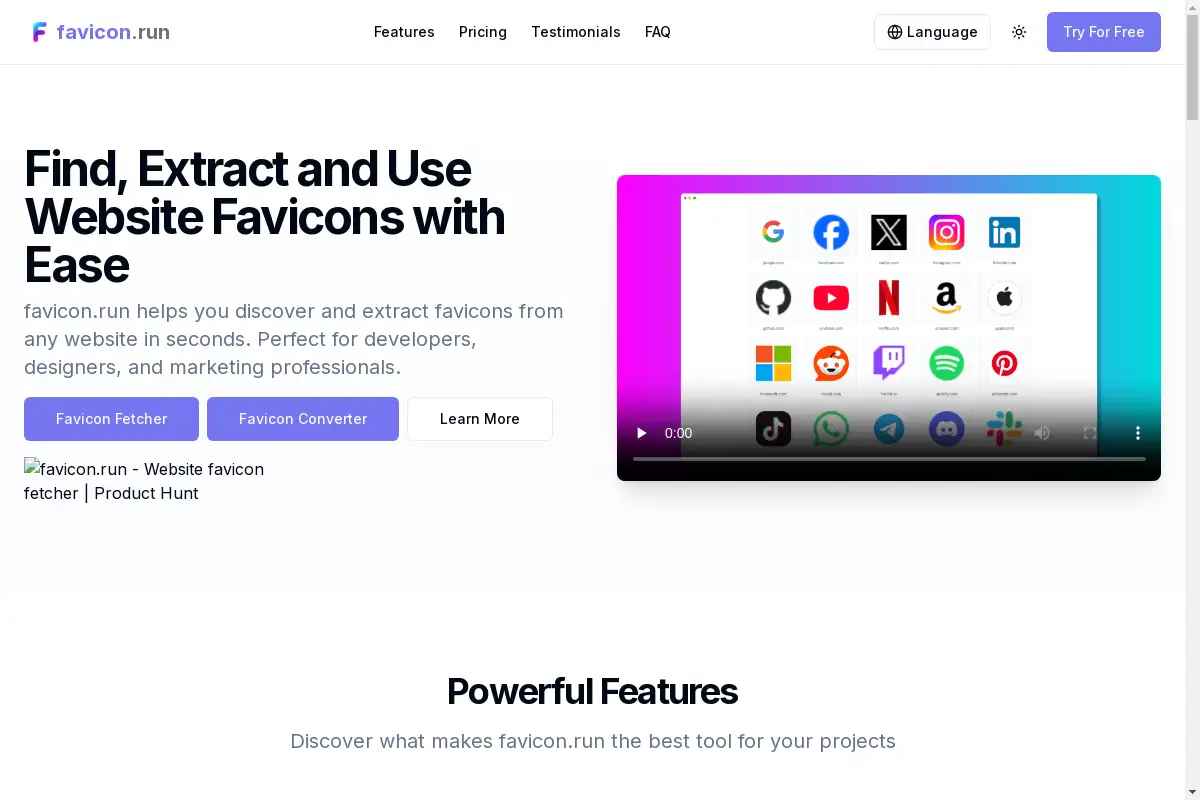
favicon.run is a free favicon embed and toolkit that lets developers and designers fetch, generate, and embed website icons with a single line of HTML. It solves the hassle of managing favicons across different platforms.
What is favicon.run?
favicon.run is an all-in-one free favicon embed and toolkit designed to simplify how developers, designers, and content creators work with website icons. Instead of manually searching for favicon files or writing complex code, users can extract icons from any URL, generate custom favicon sets from images or text, and embed them directly using a simple HTML snippet. The platform addresses common problems like missing favicon formats, inconsistent icon sizes, and the need for quick previews. Whether you need a favicon generator for a new project or want to fetch favicons for multiple sites at once, favicon.run provides a straightforward, zero-setup solution. Its importance lies in saving time and ensuring that every website, web app, or PWA has correctly configured icons without needing advanced technical skills.
Key Features of favicon.run
Extract Any Icon
Enter any website URL and instantly extract all available favicon sizes. The tool automatically detects multiple icon types, including PNG, ICO, and SVG, making it easy to fetch favicons for reuse or analysis.
Generate from Text or Emoji
No logo yet? Type a letter or pick an emoji, choose brand colors and corner radius, and generate a complete favicon package in one click. This feature turns simple text into a professional-looking favicon generator output instantly.
Favicon Generator from Image
Upload your own image and generate a full set of favicon files: favicon.ico, apple-touch-icon, and PNG icons in all required sizes. This is ideal for PWAs, iOS, and Android icons, all from a single upload.
One-line Favicon Embed
Copy a ready-to-use HTML or Markdown snippet to embed any favicon directly on your site. No upload, no setup – just paste the code and the icon appears. This feature is the core of the free favicon embed offering.
Batch Favicon Download
Process multiple websites at once and download all their favicons in a single zip file. This is useful for competitor research, building link pages, or populating a directory of site icons.
Favicon Health Checker
Enter any URL and get a clear pass/fail report on whether its favicon, apple-touch-icon, web manifest, and SVG icons are correctly configured. This helps diagnose missing or broken favicon links quickly.
Favicon Embed URL
Use the free URL endpoint at /favicon?domain=example.com&sz=128 to fetch any site's icon directly inside your own app or website. This programmatic embed method works with any domain and size.
Use Cases for favicon.run
Website Development
During development, use favicon.run to quickly fetch a client’s existing favicon or generate a new one from a logo image. The one-line embed code ensures the icon appears in browser tabs without extra file management.
Content Creation and Blogging
Bloggers and content creators can embed favicons of referenced websites in their articles using the simple HTML snippet. This adds visual context without leaving the editor.
SEO and Competitor Analysis
Perform batch favicon downloads to analyze competitor icons for a market report or link-building project. The health checker also helps audit your own site’s favicon setup for SEO best practices.
How to Use favicon.run
- Visit the website: Go to favicon.run. No sign-up is required.
- Choose a tool: Select from Fetch (extract icons), Generate (from text/emoji/image), or Embed (get code).
- Enter your input: For fetching, paste a domain. For generating, upload an image or type text.
- Get results: The tool displays all extracted icons, generated files, or the embed code instantly.
- Copy or download: Use the one-line favicon embed snippet for instant integration, or download the complete icon set as a zip file.
Target Audience for favicon.run
- Web developers and frontend engineers
- UI/UX designers
- Content creators and bloggers
- SEO specialists and digital marketers
- Freelancers building websites for clients
- Small business owners managing their own site
Is favicon.run Free?
Yes, favicon.run is completely free. Every feature – single fetch, batch processing, favicon generator from image, text, or emoji, health checker, and embed code generation – is available with no cost, no accounts, and no paywalls.
| Plan | Price | Features |
|---|---|---|
| Free | $0 | All features: single/batch fetch, text/emoji/image generator, embed code, health checker, embed URL |
No paid plans are mentioned on the website. The service remains free for unlimited use within reasonable fair-use limits.
favicon.run's Pros and Cons
| Aspect | Pros | Cons |
|---|---|---|
| Pricing | Completely free with no hidden costs | No premium options for heavy commercial use |
| Ease of Use | One-click operations, no accounts needed | Lacks advanced customization for icon styling |
| Feature Set | Covers all common favicon tasks (fetch, generate, embed, batch, health check) | Some users may want more export formats (e.g., SVG directly) |
| Integration | One-line HTML embed works everywhere | Embed URL requires query parameters; no API key management yet |
Frequently Asked Questions about favicon.run
What is a favicon and why do I need it?
A favicon is a small icon displayed in browser tabs, bookmarks, and history. It helps users visually identify your website among many open tabs. Using a free favicon embed tool like favicon.run ensures your site has a proper icon that shows up correctly across all devices.
How do I use favicon.run to fetch favicons from a website?
Simply enter the full URL of the website into the fetch tool on favicon.run. The tool automatically extracts all available icon sizes and formats. You can then copy the embed code or download the icons. This is the fastest way to fetch favicons without inspecting page source.
Can I use the extracted icons for commercial purposes?
The copyright of each favicon belongs to its respective website owner. While favicon.run can extract icons, you must obtain permission from the site owner before using their icon commercially. The tool itself does not grant any usage rights.
Is favicon.run really free for unlimited use?
Yes, favicon.run is completely free. There are no accounts, no paywalls, and no limits on the number of fetches or generations. The service is ad-supported but remains free for developers and designers. The favicon generator and embed features are all included at no cost.
Does favicon.run support generating favicons from emoji?
Yes, the text/emoji generator lets you pick an emoji as your icon source. You can also choose background color and corner radius. It creates a full favicon set including the necessary PNG and ICO files, perfect for quick branding when you have no logo.
How does the one-line favicon embed work?
After fetching or generating a favicon, favicon.run provides an HTML <link> tag or Markdown snippet. Copy that code into your website’s <head> section. For dynamic embeds, you can use the URL pattern /favicon?domain=example.com&sz=128 to display any site’s icon programmatically.
favicon.run Tags
free favicon embed, favicon generator, favicon toolkit, fetch favicons, one-line favicon embed, batch favicon download, favicon health checker, favicon.run, website favicon, HTML favicon embed, favicon from image, text to favicon