Introduction
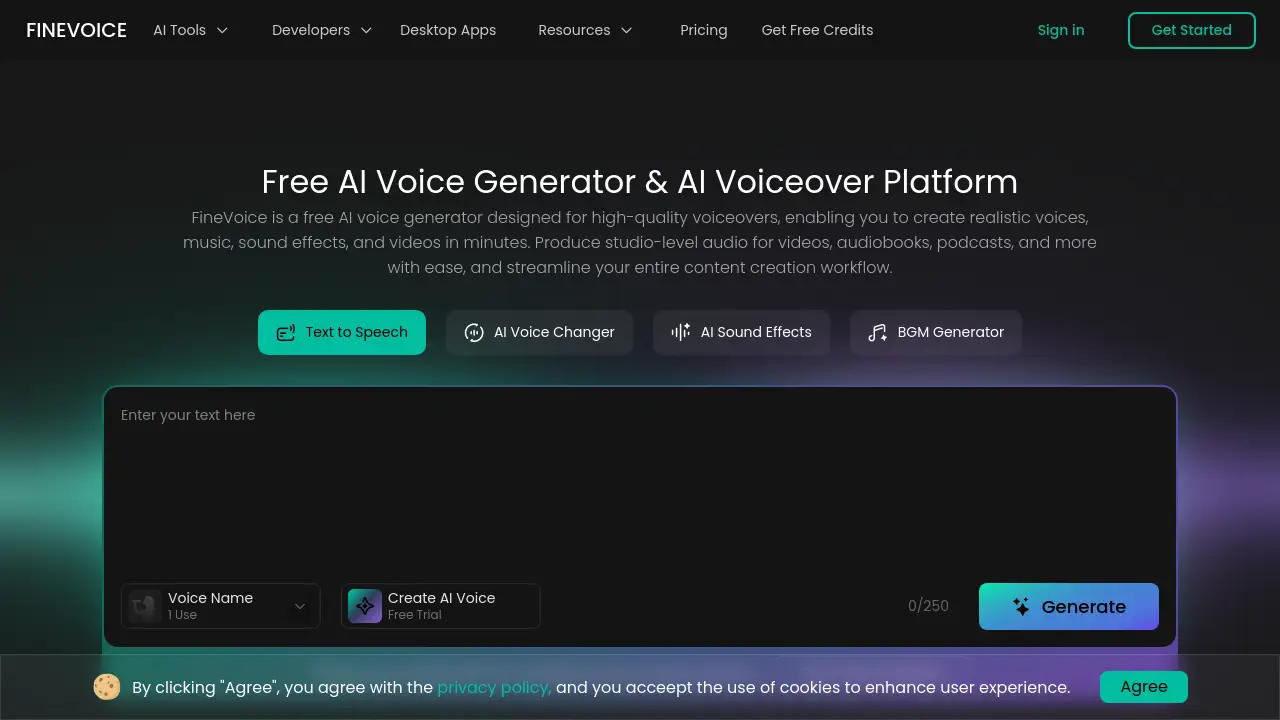
FineVoice is a versatile AI voice generator and video voiceover platform for creating realistic audio.
What is FineVoice?
FineVoice is an all-in-one AI voice generator and video voiceover platform designed to streamline audio content creation. It solves the problem of producing high-quality, professional audio without needing expensive studio equipment or voice actors. This tool is suitable for a wide range of users, from content creators and educators to developers and businesses. It matters because it democratizes access to studio-quality audio, allowing anyone to generate realistic text-to-speech, clone voices, create custom AI voices, and produce sound effects in minutes, significantly enhancing workflow efficiency for videos, podcasts, audiobooks, and more.
Key Features of FineVoice
Expressive AI Voice Library
FineVoice offers access to over 1,500 realistic AI voices across 154+ languages and accents, enabling users to find the perfect tone for narration, advertising, or e-learning.
Instant Voice Cloning
The platform allows users to clone any voice in seconds, capturing unique tone and rhythm for use in text-to-speech or voice transformation projects, ensuring brand consistency.
Custom AI Voice Design
Users can design completely unique, personalized AI voices from descriptive text prompts, offering maximum creative control for branding, characters, or specific projects.
AI Sound Effect Generator
Generate original, royalty-free sound effects from text or video input, providing creative freedom for enhancing games, videos, and presentations without licensing concerns.
Realistic Voice Changer
Transform your voice by altering pitch, age, or gender to create new character voices or styles for entertainment and interactive content with high-fidelity results.
Accurate Speech-to-Text
Convert audio into editable text with automatic punctuation and language detection, exporting in multiple formats like SRT for subtitles and transcripts.
Use Cases for FineVoice
YouTube Video Voiceovers
Creators can generate engaging, human-like narration for YouTube videos quickly, using emotional control to match the video's tone and style perfectly.
E-Learning and Course Narration
Educators can turn written course materials into professional audio lessons, making content more accessible and engaging for students worldwide in multiple languages.
Podcast Production
Podcasters can use voice cloning and the podcast generator to create consistent host voices, produce ads, or simulate guest dialogues, streamlining production.
Game and Animation Development
Developers and animators can create unique character voices and immersive sound effects to bring games, animations, and interactive stories to life.
Business Presentations and Ads
Businesses can produce polished voiceovers for presentations, advertisements, and training videos, maintaining a professional and consistent brand voice.
Audiobook Creation
Authors and publishers can convert book manuscripts into expressive audiobooks using natural-sounding AI narrators, speeding up the production process.
How to Use FineVoice
- Visit the Platform: Go to the FineVoice website and sign up for a free account to access the tools.
- Choose Your Tool: Select the desired feature from the dashboard, such as Text-to-Speech, Voice Cloning, or the Sound Effect Generator.
- Input Your Content: For text-to-speech, paste your script. For voice cloning, upload a short audio sample. For sound effects, describe the sound you need.
- Customize the Output: Adjust parameters like voice, emotion, speed, or pitch to fine-tune the audio to your requirements.
- Generate and Export: Click the generate button, preview the result, and download the high-quality audio file in your preferred format.
Target Audience for FineVoice
- Content Creators (YouTubers, social media influencers)
- Educators and E-Learning Professionals
- Podcasters and Audio Producers
- Game Developers and Animators
- Marketers and Advertisement Agencies
- Authors and Publishers
- Software Developers and SaaS Companies
Is FineVoice Free?
FineVoice offers a free plan with access to core features, which is ideal for trying out the AI voice generator. For advanced features, higher usage limits, and commercial licensing, paid subscription plans are available. For the most accurate and current details on pricing tiers and features, users should visit the official FineVoice pricing page.
FineVoice's Pros and Cons
| Aspect | Pros | Cons |
|---|---|---|
| Features | Comprehensive all-in-one platform for AI voice and audio creation. | Advanced features like video localization are marked "Coming Soon." |
| Usability | Simple, web-based interface requiring no technical expertise. | The wide array of tools might have a learning curve for complete beginners. |
| Output Quality | Produces studio-quality audio with realistic, human-like narration. | The free plan may include limitations or watermarks on exports. |
| Value | Powerful free tier available; supports 154+ languages for global reach. | Premium features require a subscription, which may be a cost for individual users. |
Frequently Asked Questions about FineVoice
Is FineVoice really free to use?
Yes, FineVoice offers a free plan that allows users to generate AI voiceovers and access basic features, making it an excellent tool to start with for video voiceover projects.
What audio formats can I export?
FineVoice typically allows users to export generated audio in common formats like MP3 or WAV. For speech-to-text, exports are available in TXT, SRT, JSON, and VTT formats for subtitles.
Can I use FineVoice voices for commercial projects?
While the free tier is great for testing, commercial use typically requires a paid subscription to ensure proper licensing for the AI-generated voices and sound effects.
How accurate is the voice cloning feature?
The voice cloning technology is designed to capture tone, rhythm, and nuance with high accuracy from a short audio sample, making it suitable for consistent branding across content.
Does FineVoice support languages other than English?
Absolutely. FineVoice supports text-to-speech and voice generation in over 154 global languages and accents, facilitating multilingual content creation.
How does the AI Sound Effect Generator work?
The generator creates original, royalty-free sound effects based on text descriptions or by analyzing video input, allowing for synchronized and custom audio enhancement.
FineVoice Tags
AI voice generator, video voiceover, text-to-speech, voice cloning, AI voice changer, sound effect generator, studio-quality audio, human-like narration, podcast generator, royalty-free sound effects, voiceover platform, content creation tools