Introduction
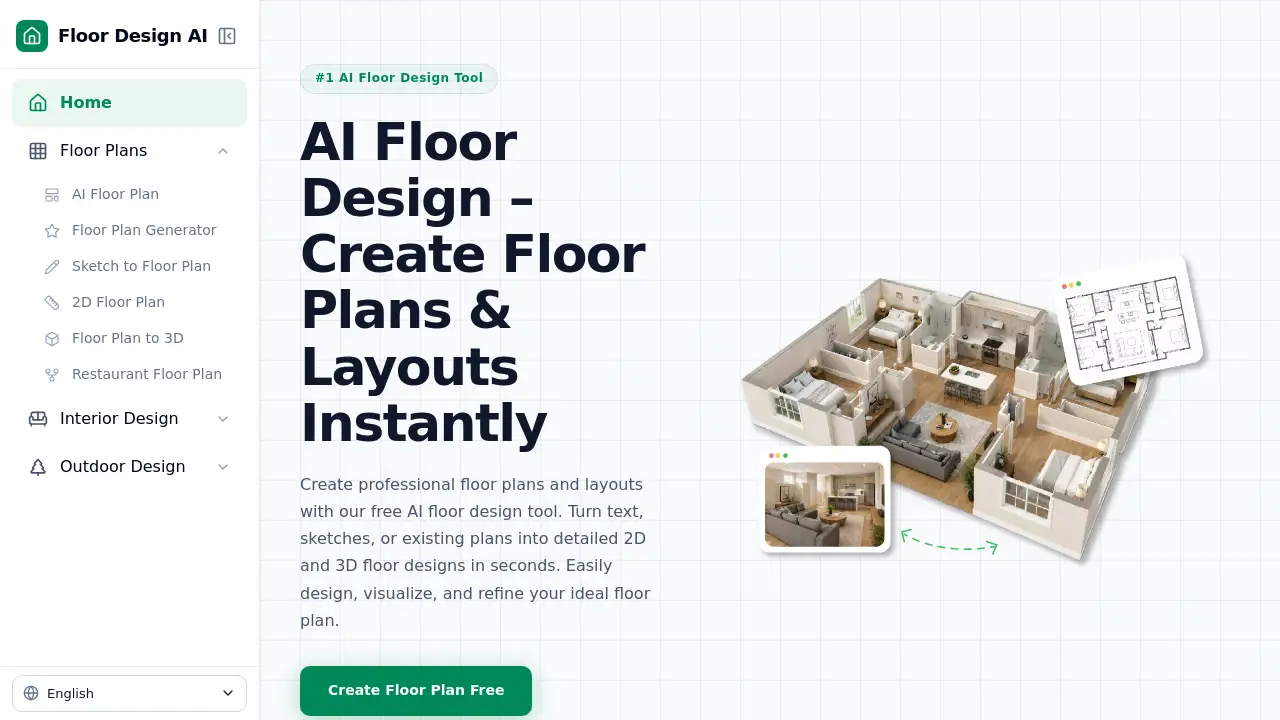
Floor Design AI is a free AI floor plan generator that lets users create floor plans, 2D layouts, and room designs online. It requires no login and turns text, sketches, or existing plans into visual designs in seconds. This review covers its features, use cases, and pricing.
What is Floor Design AI?
Floor Design AI is an online design tool built for quick space planning. Instead of learning complex software, users can describe a room, upload a sketch, or share a photo of an existing space. The AI then produces professional floor plans, realistic interior views, and even outdoor landscape visuals. It is suitable for homeowners, interior designers, landlords, and small business owners who need fast design ideas. The platform also works as a free floor plan generator, making professional-level planning accessible to everyone. Since no login is required for basic use, it removes common barriers for people who want to try AI floor design for the first time.
Key Features of Floor Design AI
AI-Powered Floor Plan Creation
Turn text descriptions or rough sketches into detailed 2D layouts and complete floor plans in seconds. This feature is the core of the AI floor plan generator and works without manual drawing.
Realistic Room Visualization
Upload a room photo and see new furniture, colors, materials, and styles applied to the space. This makes AI interior design useful for comparing options before making changes.
Flexible Design Styles
Explore modern, minimalist, luxury, contemporary, and other aesthetics. Users can experiment with different directions and personalize each AI floor design to match their taste.
Landscape AI
Visualize outdoor areas with the same AI assistant. The free AI landscape design feature helps users plan gardens, patios, and surrounding spaces.
Fast AI Generation
Create high-quality design concepts in moments without professional experience. This helps homeowners and creators test multiple layout ideas quickly.
Use Cases for Floor Design AI
Home Renovation Planning
Homeowners can use the AI floor plan generator to test new layouts, flooring, and room arrangements before renovating.
Real Estate and Property Staging
Agents and landlords can create attractive room designs and floor plans to market properties more clearly.
Restaurant or Retail Layout
Business owners can arrange seating, counters, and displays by generating several floor plan options in minutes.
Interior Design Projects
Designers can use AI interior design tools to produce client visuals and compare furniture and color choices quickly.
Outdoor Space Visualization
Landscape professionals and homeowners can explore garden and patio layouts with free AI landscape design tools.
How to Use Floor Design AI
- Upload an idea: Upload a room photo, a floor sketch, or type a description of the space.
- Let AI create designs: The AI analyzes the input and generates professional floor plans and realistic room designs.
- Refine and explore: Change styles, materials, and layouts until the result feels right.
- Download the design: Save high-quality images for planning, sharing, or further editing.
This simple flow makes Floor Design AI a practical free AI floor plan generator for quick concept testing.
Target Audience for Floor Design AI
- Homeowners planning renovations
- Interior designers and decorators
- Real estate agents and property managers
- Restaurant and retail business owners
- Architects and space planners
- DIY enthusiasts and renters
Is Floor Design AI Free?
Floor Design AI offers free AI-powered floor design generations to get users started. The homepage states that users can sign up and receive 3 free floor design generations. There are also premium plans for advanced users who need unlimited generations, though the exact premium pricing is not listed in the available reference content.
| Plan | Price | Features |
|---|---|---|
| Free | $0 | 3 free AI floor design generations, no login required for basic use |
| Premium | Not specified | Unlimited generations and advanced features for users who need more |
Floor Design AI's Pros and Cons
| Aspect | Pros | Cons |
|---|---|---|
| Pricing | Free to start, no login required | Premium pricing is not clearly listed |
| Ease of use | Simple 3-step process, no design experience needed | Free generation limit may be low for heavy users |
| Design options | AI floor plans, interior design, and landscape design in one place | Results depend on the quality of the input |
Frequently Asked Questions about Floor Design AI
Do I need to create an account to use Floor Design AI?
No. Floor Design AI works as a free AI floor plan generator and does not require login for basic use. Users can upload images or sketches and start generating designs immediately.
How many free designs can I get?
The homepage mentions 3 free AI floor design generations after signing up. Premium plans are available for users who need unlimited generations.
What types of designs can I create with Floor Design AI?
Users can create floor plans, 2D layouts, interior room designs, and outdoor landscape visuals. The platform combines an AI floor plan generator with AI interior design and free AI landscape design tools.
Can I upload my own room photo?
Yes. Users can upload a room photo, floor sketch, or text description. The AI then generates professional floor plans and realistic design visualizations based on the input.
Is Floor Design AI suitable for professional designers?
Yes. Interior designers and space planners can use the tool to explore layout ideas quickly and present concepts to clients. Homeowners and business owners can also use it to test design ideas before making changes.
Floor Design AI Tags
AI floor plan generator, AI floor design, free floor plan generator, AI interior design, AI landscape design, floor plan AI, room design AI, 2D floor plans, AI home design, virtual room designer, floor plan creator, no login design tool