Introduction
Formpost is a free contact form to email API that connects an HTML form to an email inbox with no backend code and no server. A typical static website needs a way to receive messages, yet building a backend just for this is overkill. Formpost gives each form a dedicated endpoint and does the work in the background. As a contact form to email API, it is designed for developers, freelancers, agencies, and site owners who want a reliable contact form experience. This review covers Formpost’s key features, best use cases, setup process, target audience, pricing, and pros and cons.
What is Formpost?
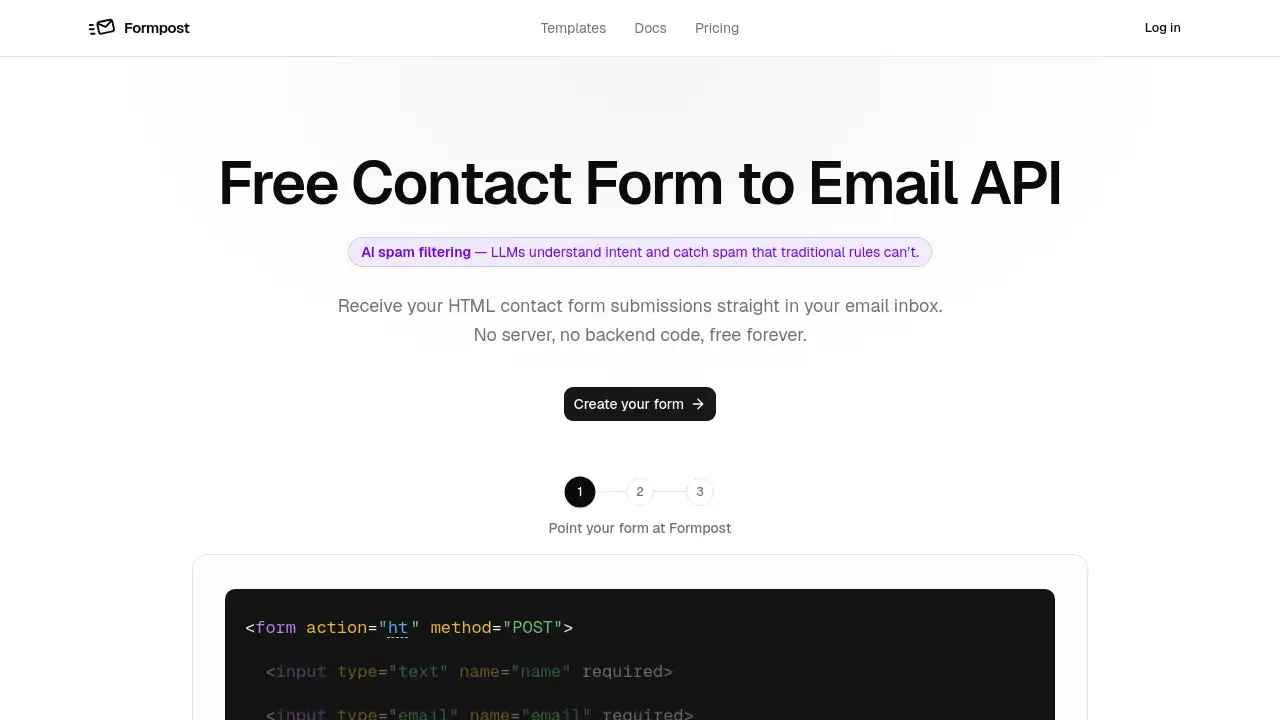
Formpost is a contact form to email API that turns any HTML form into a working contact form. For a static site owner, this type of contact form to email API removes the dependency on external form services. Users create a form, get a unique endpoint, and point the form’s action attribute to that URL. When someone submits the form, Formpost sends the submission to the chosen email inbox and stores a copy in its dashboard. The service works with any stack because it relies on standard HTTP POST requests. It suits static sites, landing pages, portfolios, business websites, and client projects. It matters because it removes the repeated work of hosting, patching, and maintaining a small server just to relay form messages. The main promise is no backend code, so the site owner only deals with replies in email.
Key Features of Formpost
No Backend Code
Formpost removes the need for backend code. It is a contact form to email API that hooks up an HTML form to email with a simple POST endpoint. There is nothing to deploy or patch while waiting for messages.
Secure Submission Storage
While some contact form to email API tools only email the message, Formpost also keeps a copy in its dashboard. Free plans store messages for 30 days, Pro for one year, and Business keeps data indefinitely.
Encrypted End to End
All data travels over HTTPS and is encrypted at rest. Each endpoint only sends to the email set for that form, so a copied URL cannot deliver messages to another recipient.
Custom Styling
Formpost is not a widget. It does not force an iframe, stylesheet, or badge. Users keep complete control over their HTML form appearance and can use plain HTML, CSS, or any framework.
Reliable Submission Endpoint
The endpoint is a lightweight Go service that stores the submission quickly. Slower tasks such as sending email and running integrations happen afterward, so visitors never face a delay from a busy mail provider.
S3 Attachments
File uploads go to Amazon S3 and are served from there. The database also sits in AWS, keeping attachments on managed infrastructure.
Contact Form Spam, Handled Four Ways
Formpost handles spam with honeypot fields, CAPTCHA options, keyword rules, and domain locking. AI spam filtering understands intent better than simple rules, and blocked spam does not count toward the monthly quota.
Webhooks and Chat Delivery
Formpost forwards submissions as JSON to custom endpoints or straight into Slack, Discord, and Telegram. This helps teams respond faster.
Submissions API
A read-only REST endpoint lets users pull form submissions into CRMs, spreadsheets, or dashboards. Data remains portable.
Use Cases for Formpost
Marketing Site Contact Forms
A typical website can point its HTML form at a Formpost endpoint and receive inquiries in the team inbox. Reply-to is set to the sender, so one click starts a conversation.
Job Application Forms
With file uploads enabled, applicants can send CVs. Attachments ride along with the notification email and are kept with the submission in the dashboard.
Support and Bug Reports
Teams can route reports into Slack or Discord, while email provides a permanent archived copy. This gives support staff immediate visibility.
Lead Capture on Landing Pages
Landing pages often have no backend code. Formpost provides one through the submissions API, letting users pull leads into a CRM later.
Client Sites for Agencies
Agencies get one contact form per client, each delivering to that client’s address. Unlimited forms on every plan make new projects easy.
How to Use Formpost
Using Formpost takes three steps:
- Create a form: Sign in to the Formpost dashboard and create a new form. The dashboard opens the new-form dialog immediately.
- Configure delivery: Set the destination email, subject line, spam protection, autoresponder, and forwarding options.
- Paste the snippet: Copy the snippet from the dashboard and place it in your page. Double-check that the
actionattribute points to the form’s own endpoint.
This is all that is needed to make an HTML form work as a contact form to email API with no backend code.
Target Audience for Formpost
- Web developers who want no backend code
- Freelancers building sites for clients
- Small business owners running their own websites
- Marketing teams using landing pages and lead capture pages
- Digital agencies managing multiple client sites
- Static site owners who use Jekyll, Hugo, Astro, or similar tools
Is Formpost Free?
Formpost has a free forever plan that allows 250 messages per month. That plan includes email delivery, dashboard storage for 30 days, search, export, and spam filtering.
| Plan | Price | Features |
|---|---|---|
| Free | $0 | 250 messages per month, 30-day storage, spam filtering, autoresponder, webhooks |
The homepage also mentions Pro and Business plans with one year and indefinite storage, but prices are not listed in the source material. Anyone interested in those plans should visit the official website for current pricing.
Formpost’s Pros and Cons
| Aspect | Pros | Cons |
|---|---|---|
| Pricing | Free tier for 250 messages per month | Paid plan pricing is not listed on the homepage |
| Setup | No backend code or server needed | API approach may feel technical for absolute beginners |
| Features | AI spam filtering, secure storage, S3 attachments | Free storage limited to 30 days |
| Integration | Webhooks, Slack, Discord, Telegram, REST API | Requires action config and form endpoint to be correct |
Frequently Asked Questions about Formpost
Is Formpost really free?
Yes. Formpost has a free forever plan with 250 messages per month. It is not a trial and does not require a credit card.
Does Formpost require a server?
No. Formpost is a contact form to email API. There is no server to set up, no backend code to write, and no infrastructure to maintain.
How does Formpost block spam?
Formpost uses honeypot fields, CAPTCHAs, keyword rules, domain locking, and AI-powered filtering. Blocked spam does not count toward the monthly quota.
Can I customize the contact form?
Yes. Formpost is an API, not a widget. There is no iframe or injected stylesheet, so users can write their own markup and CSS for their HTML form.
Does Formpost support file uploads?
Yes. File uploads from a contact form are stored on Amazon S3 and can be included with submission emails and dashboard records.
Can Formpost send submissions to chat tools?
Yes. Formpost can forward every contact form submission as JSON to Slack, Discord, Telegram, or any custom endpoint that accepts POST requests.
Formpost Tags
Formpost, contact form to email API, HTML form to email, no backend contact form, free form API, Formpost review, static site contact form, spam filtering for contact forms, form submissions in email, webhook contact form, form endpoint API, Formpost pricing