Introduction
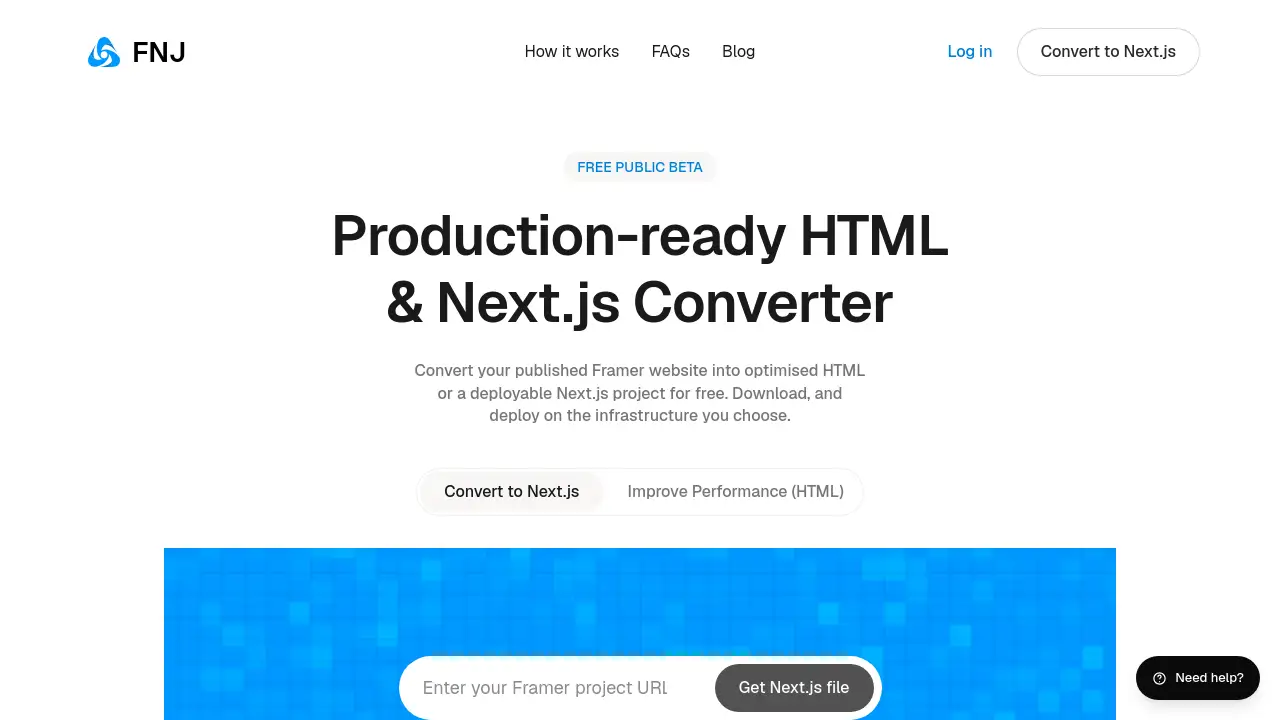
The Framer to Next.js Converter is a free tool that turns a published Framer site into a production-ready Next.js project or clean static HTML. This Framer to Next.js converter is designed for teams that want to escape platform limits and improve website performance. It removes unnecessary runtime code, optimizes images, and helps with SEO. The conversion process is visible from validation to download. This makes it easier for designers and developers to migrate their Framer website conversion workflow without guesswork.
What is Framer to Next.js Converter?
Framer to Next.js Converter is an online service that converts a published Framer website into code you can own, edit, and host anywhere. Instead of staying locked inside Framer’s system, users can get a standard Next.js project or clean static HTML files.
The main problem this tool solves is Framer lock-in. Framer is great for visual design, but many teams need more control over performance, hosting, and SEO. By using a Framer to Next.js conversion, users can keep the original design while moving the site to a more flexible development stack.
This tool is suitable for freelancers, agencies, startups, and in-house web teams. It matters because it gives users a clear path from a visual no-code tool to a modern React-based framework. The converter also produces lighter pages, which usually leads to better Lighthouse scores and faster loading times.
Key Features of Framer to Next.js Converter
Paste a Published Framer URL
Users can paste a published Framer website link directly into the converter. The tool validates the URL to make sure the site is available and ready for Framer to Next.js migration.
Generate a Next.js Project
The converter creates a production-ready Next.js project. This is useful for developers who want to continue building with React, components, and standard Next.js routing.
Export Clean Static HTML
Users can also choose to export static HTML. This option is great for simple websites, landing pages, or projects that should be deployed without a JavaScript framework.
Remove Unnecessary JavaScript
The conversion engine removes extra runtime code from the original Framer site. According to the product homepage, this can reduce JavaScript from about 920 KB to 80 KB, which is roughly 88% less JavaScript.
Optimize Images Automatically
Images are re-encoded and optimized during the conversion process. The homepage reports that images can become about 66% lighter by using modern formats like WebP.
Generate Lighthouse Reports
After conversion, users can review a Lighthouse report. Performance, accessibility, best practices, and SEO scores are shown before the final download or deployment.
Review and Deploy Anywhere
Users can preview the generated project, review the output, and then download it or deploy it to preferred hosting platforms. This makes the Framer to Next.js converter useful for teams with existing hosting setups.
Use Cases for Framer to Next.js Converter
Moving Client Sites from Framer to Next.js
Agencies can convert client sites from Framer into a Next.js project. This gives clients more flexibility for future development and avoids long-term platform dependency.
Improving Page Speed and SEO
Sites with too much JavaScript and large images can struggle with page speed. Using this converter helps reduce file sizes and improve SEO performance, which is important for marketing websites and content-heavy pages.
Switching to Static HTML Hosting
Some websites only need fast, simple static pages. Exporting clean static HTML from the converter allows users to host those pages on nearly any web server without needing Node.js or a build pipeline.
Keeping Visual Design While Adding Custom Code
Designers and developers can keep the visual style created in Framer and then extend the site with custom code in Next.js. This is useful for adding complex interactions, integrations, or unique functionality.
How to Use Framer to Next.js Converter
Using the Framer to Next.js converter follows a simple workflow:
- Copy the published Framer site URL. The URL should be from framer.com in a browser, not the Framer desktop app.
- Paste the URL into the converter. The tool will validate the URL and prepare the project for conversion.
- Choose the output format. Select either a Next.js project or static HTML, depending on the project needs.
- Review the generated preview and Lighthouse report. Check performance, accessibility, best practices, and SEO scores before continuing.
- Download or deploy. Export the generated project or deploy it directly to a hosting platform.
This process makes Framer to Next.js conversion clear and transparent at every stage.
Target Audience for Framer to Next.js Converter
- Frontend developers who need a clean React or Next.js codebase.
- Web design agencies that want to migrate client websites from Framer.
- Freelance designers who deliver code-ready designs to clients.
- Startups that need fast marketing sites without platform lock-in.
- SEO specialists who want better performance and Lighthouse scores.
- Content teams that prefer static HTML for simple publishing.
Is Framer to Next.js Converter Free?
Yes, the Framer to Next.js Converter is free to use. Users can paste a published Framer website, receive a generated project, and download the output without paying. The product homepage does not mention any paid plans at the moment.
| Plan | Price | Features |
|---|---|---|
| Free | $0 | Framer to Next.js conversion, static HTML export, image optimization, JavaScript reduction, Lighthouse report, project preview, download and deploy options |
Framer to Next.js Converter's Pros and Cons
| Aspect | Pros | Cons |
|---|---|---|
| Pricing | Free to use with no upfront cost | No clear paid plan for advanced features |
| Output options | Offers both Next.js project and static HTML | Users need to choose the right format based on their skills |
| Performance | Removes unnecessary JavaScript and optimizes images | Some complex Framer interactions may need manual review |
| SEO | Helps improve Lighthouse scores and page speed | Final scores still depend on hosting and content quality |
| Ease of use | Simple paste-and-convert workflow | A published Framer URL is required |
| Flexibility | Generated code can be hosted anywhere | Users should have some web development knowledge for Next.js output |
Frequently Asked Questions about Framer to Next.js Converter
What Framer sites can be converted?
Any published Framer website can be used as long as the person has permission to migrate it. The converter needs the published Framer URL from the browser, not the desktop app.
Is Framer to Next.js Converter really free?
Yes, the converter is offered as a free tool. Users can convert a published Framer site and download the output without paying. There is no mention of a paid plan on the product homepage.
Do I need coding skills to use this tool?
Basic use is simple because users only need to paste a URL and download the result. However, using the Next.js project output is easier if users understand React, Next.js, or general web development. The static HTML option is more beginner-friendly.
Will the converted website keep the same design?
The goal is to preserve the published website experience during conversion. Still, users should preview the generated site and check the Lighthouse report. Some custom Framer interactions or third-party embeds may behave differently in the converted code.
Does Framer to Next.js conversion improve SEO?
It can help improve SEO by reducing JavaScript size, optimizing images, and creating cleaner HTML. Better page speed often leads to better user experience and search rankings. However, SEO also depends on content, metadata, and hosting quality.
Can I host the converted project anywhere?
Yes. The converter produces code that can be deployed to popular hosting platforms or exported as static HTML. This removes the need to host the site exclusively on Framer and gives users more control.
Framer to Next.js Converter Tags
Framer to Next.js Converter, convert Framer to Next.js, Framer to Next.js conversion, Framer website converter, Next.js migration tool, Framer static HTML export, Framer to React converter, Lighthouse optimization, Framer SEO, Next.js hosting, Framer lock-in removal, free Framer converter