Introduction
AI test automation platform for streamlined software quality assurance.
What is Functionize?
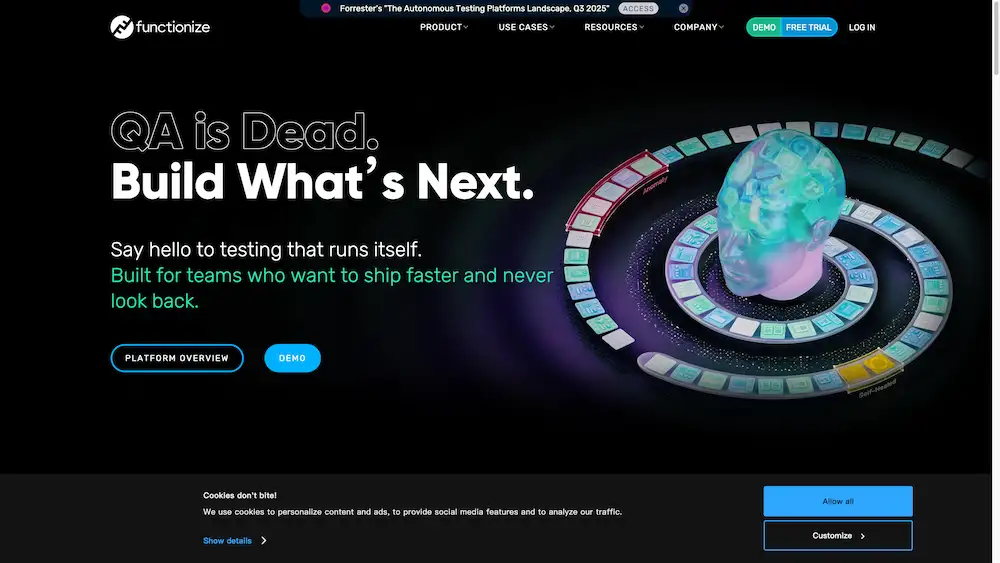
Functionize is an enterprise-grade AI test automation platform designed to simplify and accelerate software quality assurance. This product addresses the common challenges in QA, such as the time-consuming nature of manual testing, the complexity of creating and maintaining automated test scripts, and the high technical skill requirements. By leveraging artificial intelligence and machine learning, Functionize enables teams to create comprehensive end-to-end QA workflows quickly. The platform is particularly suitable for QA teams, developers, and product managers seeking to improve software release velocity and reliability without needing deep coding expertise. Its core value lies in making robust test automation accessible to a broader range of team members, thereby enhancing overall development efficiency.
Key Features of Functionize
AI-Powered Test Creation
The platform uses artificial intelligence to allow users to create automated tests without writing code, streamlining the test design process.
Self-Healing Tests
Machine learning algorithms enable tests to automatically adapt and self-heal when application interfaces or elements change, reducing maintenance overhead.
Cloud-Based Execution
Tests are executed in a scalable automation cloud that supports running on any browser and environment, ensuring broad compatibility.
Digital QA Agents
Functionize employs digital workers with agentic skills to manage and execute complex QA workflows, mimicking human testing actions.
End-to-End Workflow Automation
The platform supports the creation of complete testing workflows that cover multiple steps and integrations, providing thorough validation.
Visual Testing
It includes capabilities for visual validation, comparing screenshots to detect UI regressions and visual bugs automatically.
Use Cases for Functionize
Regression Testing
Teams can use Functionize for comprehensive regression testing suites that run automatically with each code change, ensuring new features don't break existing functionality.
Cross-Browser Testing
The platform validates application behavior across different browser types and versions, identifying compatibility issues early in the development cycle.
Continuous Integration Pipeline Integration
Functionize integrates seamlessly into CI/CD pipelines, providing automated quality gates that trigger with each build or deployment.
Mobile Application Testing
The solution supports testing of mobile web applications, ensuring responsive design and functionality work correctly on various devices.
How to Use Functionize
Using the Functionize AI test automation platform typically involves a straightforward process. First, users access the cloud-based platform through their web browser. They can then begin creating tests using the AI-assisted tools, often by recording actions or providing natural language instructions. Next, these tests are organized into end-to-end QA workflows that can include multiple steps and validation points. Finally, users schedule or trigger test executions through the automation cloud, where the tests run across specified browsers and environments, with results and insights provided through the platform's dashboard.
Target Audience for Functionize
- QA Engineers and Testers
- Software Development Teams
- DevOps and CI/CD Specialists
- Product Managers
- Enterprise IT Departments
Is Functionize Free?
Functionize operates on an enterprise pricing model, and specific details about free tiers or trial options are best obtained directly from their official website. The platform is positioned as an enterprise solution, typically offering various subscription plans tailored to organizational size and testing requirements. Interested parties should contact Functionize directly for the most current information regarding pricing structures, potential free trials, or demo opportunities to evaluate the platform's suitability for their specific testing needs.
Frequently Asked Questions about Functionize
What types of testing does Functionize support?
Functionize supports various testing types including functional testing, regression testing, visual testing, and cross-browser testing through its AI-powered automation platform.
Does Functionize require coding knowledge to use?
The platform is designed to minimize coding requirements, allowing users to create tests through AI-assisted methods like natural language processing and action recording, making it accessible to both technical and non-technical team members.
How does the self-healing capability work?
The self-healing feature uses machine learning algorithms to detect changes in the application under test, such as modified element selectors or layout adjustments, and automatically updates the test scripts to maintain reliability without manual intervention.
Can Functionize integrate with existing development tools?
Yes, Functionize offers integration capabilities with popular CI/CD tools, issue trackers, and development environments, allowing teams to incorporate automated testing into their existing workflows seamlessly.
What makes Functionize different from traditional test automation tools?
Unlike traditional tools that often require manual script maintenance and coding expertise, Functionize leverages AI and ML to reduce maintenance overhead, accelerate test creation, and make test automation more accessible across the organization.
Is there a limit to how many tests I can run?
Test execution capacity typically depends on the specific subscription plan, with enterprise offerings providing scalable resources in their automation cloud to accommodate varying testing volumes.
Functionize Tags
AI test automation, software testing platform, QA automation, self-healing tests, end-to-end testing, digital workers, test automation cloud, regression testing, continuous testing, AI-powered QA, functional testing, cross-browser testing