Introduction
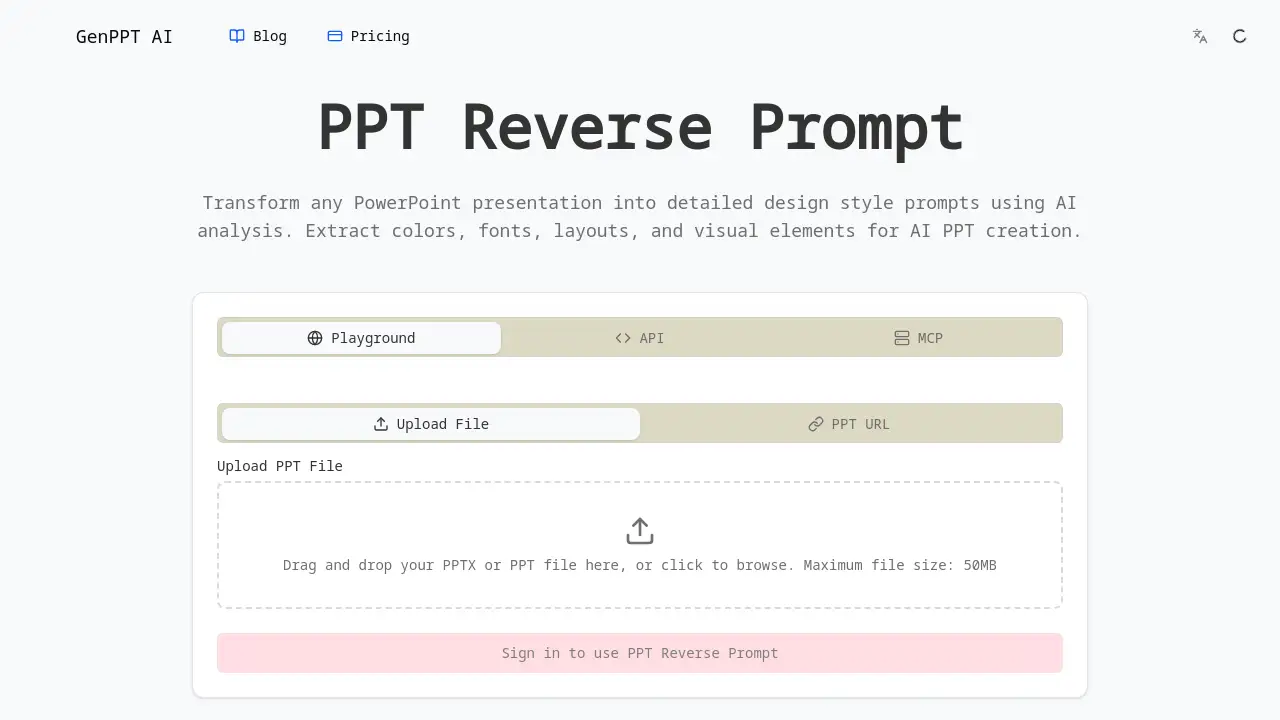
PPT Reverse Prompt is a free AI tool that analyzes PowerPoint files to create design style prompts.
What is PPT Reverse Prompt?
PPT Reverse Prompt is an AI-powered web tool designed to deconstruct existing PowerPoint presentations. It solves a common problem for designers, marketers, and professionals: understanding and replicating the design DNA of a successful slide deck. By uploading a PPTX or PPT file, the tool performs a deep analysis to extract core design elements like color palettes, font choices, layout structures, and visual hierarchies. This process transforms a static presentation into actionable design style prompts. These prompts are particularly useful for anyone looking to create new presentations with a consistent or inspired aesthetic using modern AI presentation generators, saving significant time on manual design analysis.
Key Features of PPT Reverse Prompt
Comprehensive PPT Analysis
The tool performs a thorough analysis of your PowerPoint file, extracting detailed information about color schemes, typography, layout patterns, and embedded visual elements to build a complete design profile.
AI-Powered Design Extraction
Powered by Google Gemini AI, the generator intelligently identifies professional design principles within the slides, including nuances like spacing, alignment, and visual hierarchy that might be overlooked manually.
Style Transformation
Users can transform the extracted PPT design prompt into different styles, enabling the conversion of a corporate deck into a startup pitch or academic slides into creative marketing materials.
Export-Ready Prompts
The generated PPT reverse prompts are formatted for immediate use, optimized for popular AI presentation tools like Gamma, Beautiful.ai, and Tome, facilitating a seamless creative workflow.
Simple File Upload
The process begins with a straightforward drag-and-drop interface, accepting common PPTX and PPT file formats with a maximum size of 50MB for quick and easy analysis.
Use Cases for PPT Reverse Prompt
Brand Guideline Development
Marketing teams can analyze their company's master presentations to automatically extract and document official color codes and font styles for consistent brand governance.
Presentation Template Creation
Consultants and freelancers can reverse-engineer their best-performing client decks to create reusable, professionally-designed templates for future projects.
AI Presentation Generation
Users can feed the generated design style prompts directly into AI PPT creators to produce new slides that perfectly match the aesthetic of an existing corporate or project identity.
Design Inspiration and Learning
Students and junior designers can upload well-designed presentations to learn how expert choices in layout and visual hierarchy contribute to an effective slide deck.
How to Use PPT Reverse Prompt
Using the tool is a straightforward process designed for efficiency.
- Prepare Your File: Ensure your PowerPoint presentation is saved in a compatible format (.PPTX or .PPT) and is under 50MB in size.
- Upload the Presentation: Navigate to the PPT Reverse Prompt tool page. Drag and drop your file into the designated area, or click to browse your computer and select it.
- Initiate AI Analysis: The tool will automatically begin processing your file using its AI analysis capabilities to examine colors, fonts, and layouts.
- Review and Transform: Once the analysis is complete, review the extracted design style prompt. You can then use the style transformation feature to adjust the output if desired.
- Copy and Export: Copy the generated, export-ready prompt. You can then paste it directly into your preferred AI presentation tool to generate new, stylistically consistent slides.
Target Audience for PPT Reverse Prompt
- Marketing and Brand Professionals needing to maintain visual consistency.
- Business Consultants and Freelancers who create client presentations regularly.
- Educators and Students working on academic or research presentations.
- Startup Founders and Teams building investor pitch decks and marketing materials.
- Graphic and Presentation Designers seeking inspiration or a starting point for new projects.
- Anyone using AI presentation tools who wants more control over the generated design output.
Is PPT Reverse Prompt Free?
Based on the available reference information, the PPT Reverse Prompt tool is promoted as a free service for its core functionality. The website explicitly mentions it as a "Free PPT reverse prompt tool." Users are encouraged to try the free AI presentation analysis without mention of a paid tier. For the most current and detailed information on any potential premium features or plans, visiting the official product website is recommended.
PPT Reverse Prompt's Pros and Cons
| Aspect | Pros | Cons |
|---|---|---|
| Accessibility | Completely free to use for core analysis; no account required. | Advanced features like batch processing or history may be limited. |
| Ease of Use | Extremely simple, drag-and-drop interface with instant analysis. | Design extraction is automated, offering less manual fine-tuning control. |
| Integration | Creates export-ready prompts optimized for major AI PPT generators. | Effectiveness depends on the quality and clarity of the input PowerPoint file. |
| Technology | Leverages powerful Google Gemini AI for sophisticated design principle recognition. | As an AI tool, its interpretation of subtle design intent may occasionally vary. |
Frequently Asked Questions about PPT Reverse Prompt
What file formats does PPT Reverse Prompt support?
The tool supports the most common PowerPoint file formats: .PPTX and .PPT. Ensure your file is saved in one of these formats before uploading.
Is there a file size limit for uploads?
Yes, there is a maximum file size limit of 50MB for PowerPoint presentations uploaded to the PPT Reverse Prompt analyzer.
What design elements can the AI extract from my PPT?
The AI-powered analysis extracts a comprehensive set of design elements, including the color scheme (hex codes), typography (font families and sizes), layout patterns, and key visual elements from your slides.
Can I use the generated prompts with any AI tool?
The prompts are formatted to be export-ready and are specifically optimized for popular AI presentation platforms like Gamma, Beautiful.ai, and Tome. They should provide excellent results with these and similar tools.
Do I need to create an account to use this tool?
According to the available information, you can use the free PPT reverse prompt tool without the need to sign up or create an account, allowing for immediate analysis.
How accurate is the design style prompt generated?
The accuracy is high for clearly designed presentations, as it uses advanced AI to analyze design principles. However, the output quality can depend on the complexity and consistency of the design in your original PowerPoint file.
PPT Reverse Prompt Tags
AI presentation tool, PowerPoint analyzer, design style prompt, extract colors from PPT, PPT reverse engineering, AI PPT generator, free design tool, presentation design, slide deck analysis, Google Gemini AI, export AI prompts, Gamma presentation, Beautiful.ai