Introduction
Getsolved.ai is a free AI writing assistant.
What is Getsolved.ai?
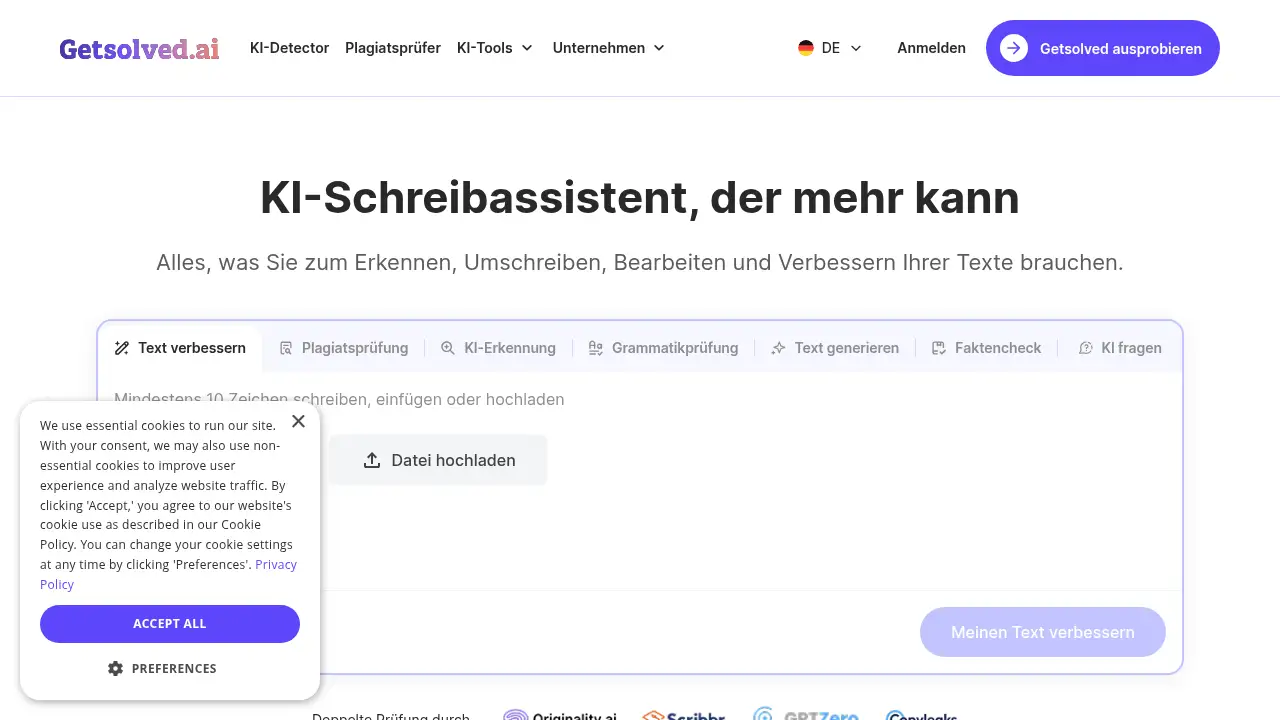
Getsolved.ai is an AI writing assistant and all-in-one writing workspace. It helps users move from a blank page to a clear draft, then edit that draft without switching between several websites. The platform combines grammar correction, AI pattern detection, sentence rewriting, AI text improvement, tone adjustment, readability checks, and fact-checking in one place. This matters because many writers lose time jumping from a grammar checker to a rewriting tool, then to an AI detector, and finally to a fact-checking page. Getsolved.ai brings those steps closer together.
The product is suitable for content creators, students, researchers, professionals, editors, and teams that produce text regularly. According to the reference information, Getsolved.ai has been used by 4.8 million+ users, researchers, and professionals worldwide, and it has analyzed 1 million+ texts for AI patterns and writing quality. The vendor also states that users can move from draft to polished text 3× faster. Those figures are vendor claims, but they show the product’s focus: faster, clearer writing with more control over the final result.
Key Features of Getsolved.ai
Getsolved.ai groups several writing and editing tools in one dashboard. The features below are useful for users who want an AI writing assistant that supports both drafting and cleanup.
All-in-One Writing Workspace
Use Getsolved.ai to turn a blank page into clear ideas and an editable draft, then continue editing without opening multiple apps. This all-in-one setup can improve time management for writers who need drafting, rewriting, and checking tools in one place.
AI Detection and Reports
The AI detection tool helps users spot AI-generated text patterns while keeping privacy in mind. Getsolved.ai provides a detailed report that shows where improvements may be useful, so users can review the text instead of accepting automatic changes.
AI Text Improvement
Improve AI text with Getsolved.ai by fixing repetitive or robotic phrasing. The tool aims to make writing sound more natural while preserving the user’s style and original meaning.
Grammar and Style Checker
Correct spelling, grammar, and structure errors quickly with the built-in grammar checker. Getsolved.ai also helps adjust word choice for a clearer, more professional writing style.
Fact-Checking Tools
Check texts for factual accuracy and possible hallucinations using integrated verification tools. Users can review questionable sentences and confirm details directly on the Getsolved.ai platform.
Tone and Readability Adjustment
Adjust tone, clarity, and readability so a draft fits its purpose, format, and audience. Getsolved.ai also supports tone changes across multiple languages while keeping the core message intact.
Use Cases for Getsolved.ai
Content Creation and Blogging
Bloggers and marketers can use Getsolved.ai to draft posts, rewrite sentences, and improve AI text before publishing. The AI writing assistant can help keep tone and readability consistent across long-form content.
Academic and Research Writing
Students and researchers can use Getsolved.ai to check grammar, review structure, and look for passages that may need fact-checking. This can support cleaner drafts, though final academic review should still follow institutional rules.
Professional and Business Writing
Professionals can use Getsolved.ai for reports, cover letters, resumes, and business messages. The tool can adjust tone and clarity so text fits a formal, neutral, or persuasive purpose.
Editing AI-Generated Drafts
Writers who start with AI-generated content can use Getsolved.ai to detect AI patterns and improve robotic phrasing. The goal is not to hide AI use, but to make the final text clearer and more natural.
Multilingual and Non-Native Writing
Non-native speakers can use Getsolved.ai as an AI writing assistant for grammar, style, and tone adjustments in multiple languages. This makes it easier to review a draft before sharing it with a wider audience.
How to Use Getsolved.ai
Using the AI writing assistant in Getsolved.ai follows a simple three-step workflow:
- Add text: Paste content into the workspace or upload a supported file such as DOCX, TXT, or PDF.
- Choose an action: Select what to improve, such as rewriting with AI, generating a new version, or checking for AI patterns.
- Review suggestions: Read the report, accept useful changes, or adjust them to improve clarity and flow.
Getsolved.ai is designed for quick checks, with the reference information stating that a review can take less than one minute after content is added. Users should still compare results with the original draft before finalizing important text.
Target Audience for Getsolved.ai
As an AI writing assistant, Getsolved.ai is suitable for:
- Content creators, bloggers, and marketers who need faster drafting and editing.
- Students and researchers who want grammar, clarity, and fact-checking support.
- Professionals who write reports, applications, emails, or business documents.
- Editors and teams that review AI-generated or human-written drafts.
- Non-native English speakers who want an AI writing assistant for tone and readability.
Is Getsolved.ai Free?
Getsolved.ai is described in the reference information as a free AI writing assistant. The available material does not list paid tiers, usage limits, or a detailed pricing table. Users who need current plan details should check the official Getsolved.ai website before relying on free access for ongoing work. The free positioning makes Getsolved.ai easy to test for grammar checking, rewriting, AI detection, and basic text improvement.
Getsolved.ai's Pros and Cons
| Aspect | Pros | Cons |
|---|---|---|
| Pricing | Free AI writing assistant access is advertised. | Paid plan details and usage limits are not listed in the reference. |
| Features | Combines drafting, grammar checking, AI detection, rewriting, tone adjustment, and fact-checking. | The broad toolset may be more than casual users need. |
| Speed | Vendor claims users can move from draft to polished text 3× faster. | Results still require human review for accuracy and style. |
| Privacy | AI detection is described as privacy-conscious. | No independent privacy audit is mentioned in the reference. |
| Usability | Supports pasted text and common file uploads such as DOCX, TXT, and PDF. | Exact language coverage and file limits are not specified. |
Frequently Asked Questions about Getsolved.ai
What can Getsolved.ai do?
Getsolved.ai can help create a draft, rewrite sentences, correct grammar and spelling, adjust tone, detect AI patterns, and check facts. It works as a single AI writing assistant for drafting and editing tasks.
Can Getsolved.ai rewrite an entire text?
Yes, Getsolved.ai can rewrite sections that need improvement after a user pastes or uploads content and selects a rewriting option. Users should keep the original text for comparison and review the suggestions before accepting them.
Does Getsolved.ai detect AI-generated content?
Yes. Getsolved.ai includes an AI detection feature that produces a report on AI-generated text patterns. The report is meant to guide review, not to replace human judgment.
Can users check facts while editing in Getsolved.ai?
Yes. Getsolved.ai includes fact-checking tools that highlight statements worth verifying. Users can review questionable sentences directly on the platform while editing.
Which file formats can users upload to Getsolved.ai?
Getsolved.ai supports common document formats, including DOCX, TXT, and PDF, according to the reference information. Users can also paste text directly into the workspace.
Is Getsolved.ai useful for non-native English speakers?
As an AI writing assistant, Getsolved.ai can be useful for non-native speakers because it offers grammar checking, tone adjustment, and readability support. These features can help users make drafts clearer before sharing them.
Getsolved.ai Tags
Getsolved.ai, AI writing assistant, free AI writing assistant, AI grammar checker, AI detection tool, rewrite sentences, improve AI text, fact-checking tool, tone adjustment, AI content editing, AI writing software, Getsolved.ai review