Introduction
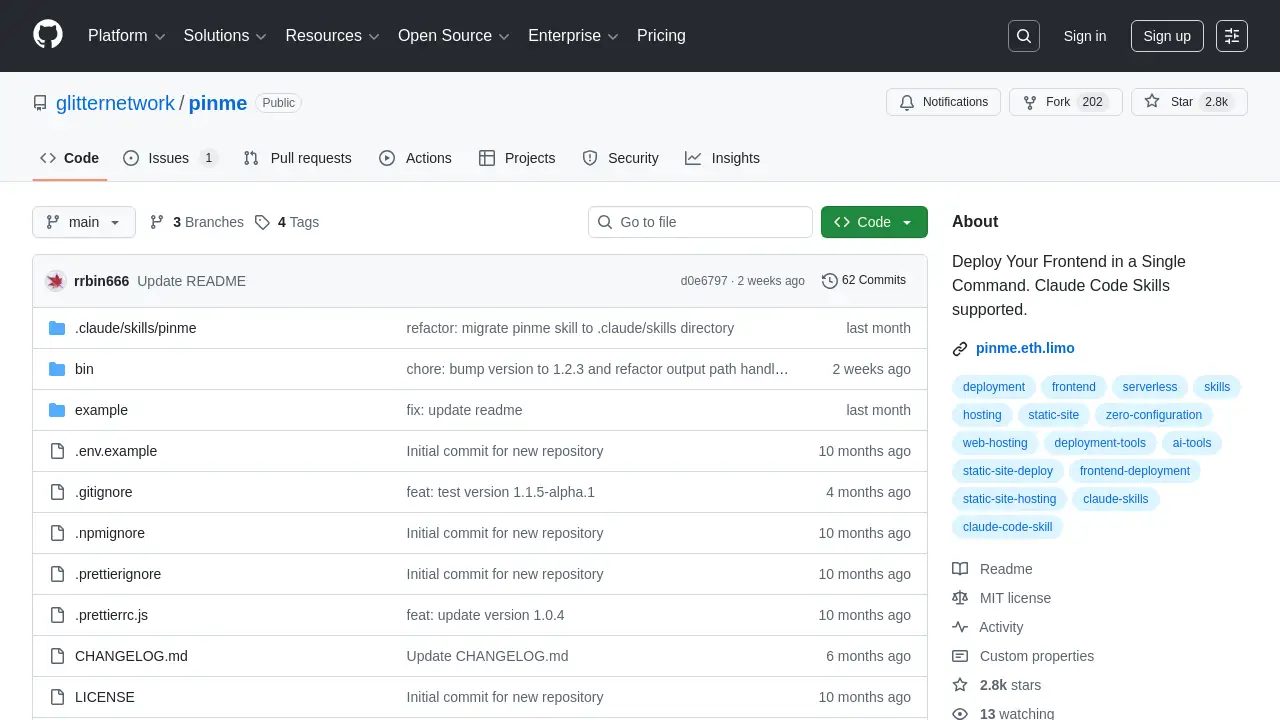
PinMe Repo is a zero-configuration tool for deploying frontend projects instantly with a single command.
What is PinMe Repo?
PinMe Repo, often simply called PinMe, is a command-line tool designed to simplify and accelerate frontend deployment. It solves the common problem of complex hosting setups by providing a zero-config solution that requires no servers, no user accounts, and no manual configuration. By publishing sites as verifiable content on decentralized networks, PinMe Repo enhances security and permanence, making silent tampering or accidental breakage harder than with traditional hosting services. This tool is particularly suitable for developers, designers, and AI agents working with static sites from frameworks like Vite, React, Vue, and Next.js, who want a fast, reliable, and hassle-free way to get their projects online.
Key Features of PinMe Repo
One-Command Deployment
The core feature of PinMe Repo is its ability to deploy a fully built static site with a single command, pinme upload, eliminating the need for lengthy configuration processes.
Zero-Configuration Setup
As a zero-config frontend deployment tool, PinMe Repo requires no setup of servers, domains, or account dashboards, allowing users to focus solely on development.
AI and CLI Integration
PinMe Repo provides specific protocols and machine-readable configuration for AI Code Skills, enabling automated agents to execute deployment workflows reliably and without human intervention.
Verifiable Content Addressing
Deployed sites are published as content-addressed data, ensuring each deployment is immutable and verifiable, which enhances security and trust compared to mutable traditional hosting.
Automatic Directory Detection
The tool intelligently scans for and validates common static output directories like dist, build, out, and public, streamlining the upload process for popular frameworks.
Flexible File Management
Beyond standard uploads, PinMe Repo supports importing and exporting CAR (Content Addressable aRchive) files, offering advanced users greater control over content on IPFS.
Use Cases for PinMe Repo
Rapid Prototyping and Demos
Developers can use PinMe Repo to instantly share live demos, prototypes, or proof-of-concept projects with stakeholders without any deployment overhead.
AI-Assisted Development Workflows
AI coding assistants and agents can leverage the AI Execution Protocol to autonomously build and deploy static sites as part of an automated development pipeline.
Simple Static Site Hosting
Individuals and small teams hosting portfolios, documentation, or blog sites can benefit from the tool’s simplicity, reliability, and verifiable content guarantees.
Decentralized Application (dApp) Frontends
Projects building on web3 or decentralized infrastructure can use PinMe Repo to deploy their frontends in a way that aligns with the principles of permanence and censorship-resistance.
How to Use PinMe Repo
Using PinMe Repo is a straightforward three-step process focused on the command line.
- Install the CLI Tool: First, ensure you have Node.js 16.13.0 or higher installed. Then, install PinMe Repo globally using npm with the command
npm install -g pinme. - Build Your Static Site: Navigate to your project directory and run the build command for your framework (e.g.,
npm run buildfor Vite or Next.js). This generates static files in a directory likedistorout. - Upload and Deploy: Execute the deployment command by pointing PinMe Repo to your build directory. For example,
pinme upload dist. The tool will process the files and provide a preview URL for your live site.
Target Audience for PinMe Repo
- Frontend Developers seeking a fast, no-fuss deployment solution for static sites.
- AI Engineers and Prompt Developers who need reliable, scriptable deployment for AI-generated projects.
- Open Source Contributors and hobbyists who want to quickly share their work online.
- Web3 and dApp Developers looking for hosting that complements decentralized backends with verifiable frontends.
Is PinMe Repo Free?
Based on available information, PinMe Repo appears to offer a free tier for its core deployment functionality. The tool can be installed and used via its CLI without mention of immediate payment. Some advanced features, like binding a custom subdomain using the --domain flag, are indicated to require a "Plus membership," but specific pricing details are not provided in the reference documentation. Users should check the official website at https://pinme.eth.limo/ for the most current plan information.
PinMe Repo's Pros and Cons
| Aspect | Pros | Cons |
|---|---|---|
| Ease of Use | Extremely simple one-command deployment with zero-config setup. | Primarily CLI-based, which may have a slight learning curve for non-developers. |
| Speed & Workflow | Drastically reduces time from development to live site, ideal for rapid iteration. | Limited to static site deployments; not suitable for dynamic, server-rendered applications. |
| Security & Integrity | Verifiable content addressing makes sites tamper-evident and durable. | Relies on the availability of underlying decentralized networks (e.g., IPFS gateways). |
| Automation | Excellent for AI Code Skills and CI/CD pipelines with clear protocols. | Advanced features like custom domains may be behind a paywall (Plus membership). |
Frequently Asked Questions about PinMe Repo
What are the prerequisites for using PinMe Repo?
You need to have Node.js version 16.13.0 or higher installed on your system. The tool is then installed globally via npm or yarn.
Which frameworks does PinMe Repo support?
PinMe Repo works with any framework that can output static files. It automatically detects output from popular tools like Vite, Vue CLI, Create React App (build/), and Next.js static exports (out/).
How does the AI integration work?
PinMe Repo provides a dedicated "For AI" section with an AI Execution Protocol and machine-readable configuration. This allows AI assistants to follow a strict set of steps to check the environment, install the CLI, identify the correct static directory, and execute the upload command, returning only the final preview URL.
What is a preview URL, and is my site permanent?
After upload, you receive a preview URL (e.g., https://pinme.eth.limo/#/preview/*). Your site's content is published to a decentralized network, making it verifiable and persistent. The specific gateway providing access to this content ensures availability.
Are there any file size limits for uploads?
Yes, PinMe Repo has upload limits. A single file cannot exceed 200MB, and the total size of a directory being uploaded must be under 1GB.
Can I use my own domain name with PinMe Repo?
The tool supports binding uploads to a PinMe subdomain using the --domain flag in the upload or import command. This feature is noted to require a Plus membership. The documentation does not specify support for custom top-level domains.
PinMe Repo Tags
PinMe Repo, PinMe, frontend deployment, zero-config deployment, static site hosting, deploy in one command, AI Code Skills, CLI tool, verifiable content, IPFS hosting, decentralized hosting, rapid prototyping, developer tools