Introduction
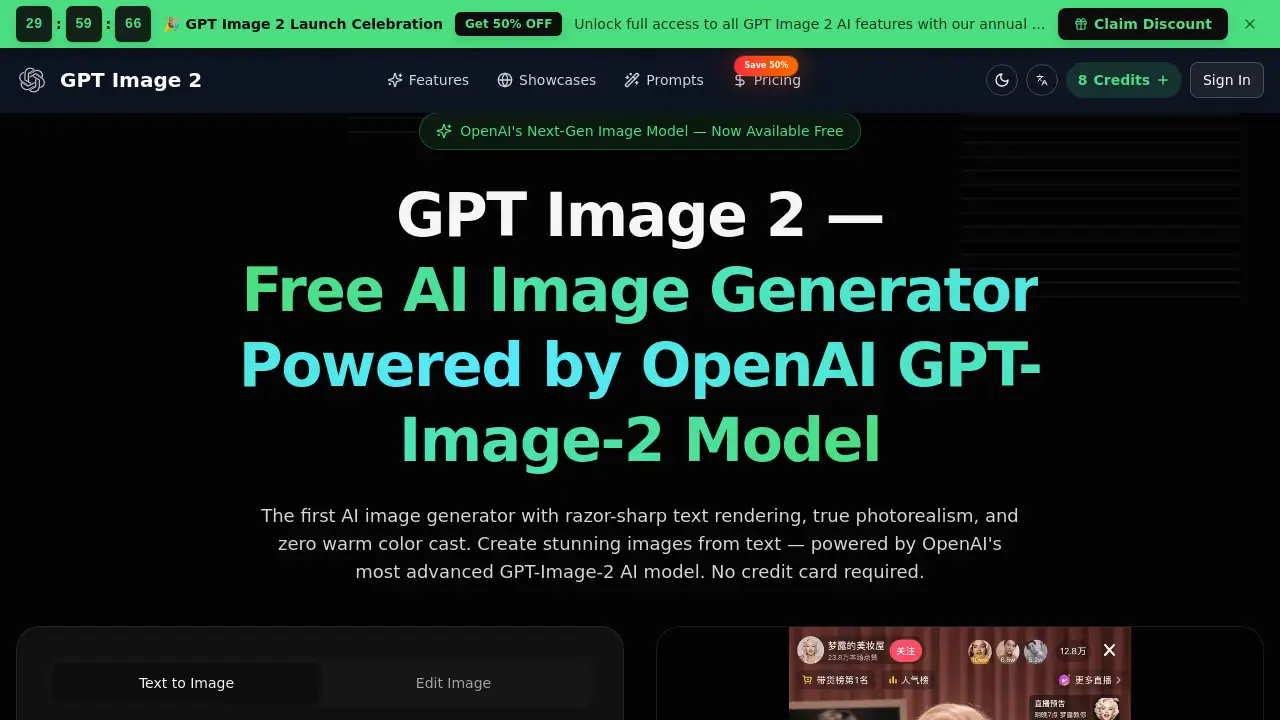
GPT Image 2 is OpenAI's next-generation AI image generator, offering photorealistic outputs with sharp text and accurate colors for free.
What is gpt image 2?
GPT Image 2 is a cutting-edge AI image generator developed by OpenAI. It represents a significant leap forward from previous image generation models, directly addressing common user pain points. This tool is designed for anyone who needs to create high-quality, realistic images from simple text descriptions. It solves problems like unrealistic outputs, poor text rendering within images, and inaccurate color reproduction. By leveraging the advanced GPT-Image-2 model, this platform provides a powerful solution for creators, marketers, and designers seeking production-ready visuals without requiring professional photography or design skills.
Key Features of gpt image 2
Photorealistic Image Generation
GPT Image 2 produces images with true photorealism, capturing natural skin textures, realistic lighting, and material details that eliminate the uncanny valley effect often seen in AI art.
Razor-Sharp Text Rendering
Unlike many other AI models, GPT Image 2 excels at generating legible text within images, making it ideal for creating signs, posters, UI mockups, and any visual that requires clear typography.
True Color Accuracy
The model completely eliminates the warm color cast that affected its predecessor, ensuring true color accuracy that is reliable for brand work, product visuals, and any project where color fidelity is critical.
World Knowledge and Context Awareness
Built on the GPT model family, GPT Image 2 uses deep world knowledge to generate contextually accurate scenes, understanding objects, cultural references, and spatial relationships for factually correct imagery.
Multi-Turn Conversational Editing
Users can refine their generated images through natural conversation, asking the model to move objects, change colors, or adjust compositions in an iterative, conversational image editing process.
Use Cases for gpt image 2
Designers and Creative Professionals
Designers can use GPT Image 2 to create photorealistic product shots, brand visuals, and UI prototypes with perfect text rendering for client presentations and mockups.
Marketing and E-Commerce Teams
Marketing teams can generate complete sets of product photography, social media assets, and campaign banners at scale, ensuring consistent lighting and accurate branding without expensive photo shoots.
Content Creators and Social Media Managers
This AI image generator helps produce engaging thumbnails, cover art, and infographics with legible text, enabling creators to maintain a consistent visual style across their content channels.
Developers and API Integrators
Developers can integrate the capabilities of the GPT-Image-2 model into their own applications via the OpenAI API to build custom creative tools and automated content pipelines.
How to Use gpt image 2
Using GPT Image 2 online is a straightforward three-step process.
- Describe Your Image: Enter a detailed text prompt describing the image you want to create. You can specify style, lighting, composition, and even upload a reference image for style matching.
- Configure and Generate: Select your desired aspect ratio and model settings. The platform uses a credit system, with each GPT Image 2 generation costing a certain number of credits.
- Review, Edit, and Download: Review the generated image. You can then use the conversational edit feature to make adjustments or simply download the high-resolution final result for immediate use.
Target Audience for gpt image 2
- Graphic designers and visual artists
- Marketing professionals and advertising teams
- E-commerce store owners and product managers
- Social media content creators and influencers
- App developers and SaaS founders
- Educators and presentation creators
Is gpt image 2 Free?
The product homepage indicates that GPT Image 2 is "Free to Start" and "No credit card required" for initial access. The service operates on a credit-based system. Detailed pricing for credit packs and subscription plans is available on the official pricing page.
| Plan | Price | Key Features |
|---|---|---|
| Free Tier | $0 | Access to generate a limited number of images with GPT Image 2 to start. |
| Paid Credits/Plans | Variable | Unlocks full access to all AI features, higher generation limits, and priority processing. Annual plans were offered at a 50% discount during the launch celebration. |
gpt image 2's Pros and Cons
| Aspect | Pros | Cons |
|---|---|---|
| Output Quality | Exceptional photorealism and razor-sharp text rendering. | As an AI model, it may still occasionally misinterpret complex prompts. |
| Ease of Use | Simple, intuitive three-step interface for text to image conversion. | The credit-based system requires understanding costs per generation. |
| Features | Advanced conversational image editing and true color accuracy. | The most advanced features require credits or a subscription. |
| Accessibility | Free to start with no credit card, lowering the barrier to entry. | For high-volume professional use, costs can accumulate. |
Frequently Asked Questions about gpt image 2
Is GPT Image 2 really free to use?
Yes, GPT Image 2 offers a free starting tier that allows users to generate images without a credit card. Continued use beyond the initial free allowance operates on a credit-based system.
What makes GPT Image 2 different from other AI image generators?
GPT Image 2 stands out due to its exceptional text rendering capability, true color accuracy without a warm cast, and its foundation on OpenAI's advanced GPT-Image-2 model with deep world knowledge.
Can I edit an image after it's generated?
Yes, a key feature of GPT Image 2 is multi-turn conversational editing. You can describe changes you want in natural language, and the model will adjust the image while preserving other elements.
Who is GPT Image 2 best suited for?
This AI image generator is ideal for designers, marketing teams, content creators, and developers who need high-fidelity, production-ready visuals with accurate text and colors.
How do I get more credits for GPT Image 2?
Users can purchase credit packs or subscribe to annual plans through the official pricing page on the GPT Image 2 website to unlock full access and more generations.
Does GPT Image 2 require any software installation?
No, GPT Image 2 is a web-based tool. You can access and use all its photorealistic image generation features directly through your browser.
gpt image 2 Tags
gpt image 2, AI image generator, OpenAI image generator, photorealistic AI, text to image, GPT-Image-2 model, free AI art, razor-sharp text rendering, conversational image editing, true color accuracy, world knowledge AI, product photography AI