Introduction
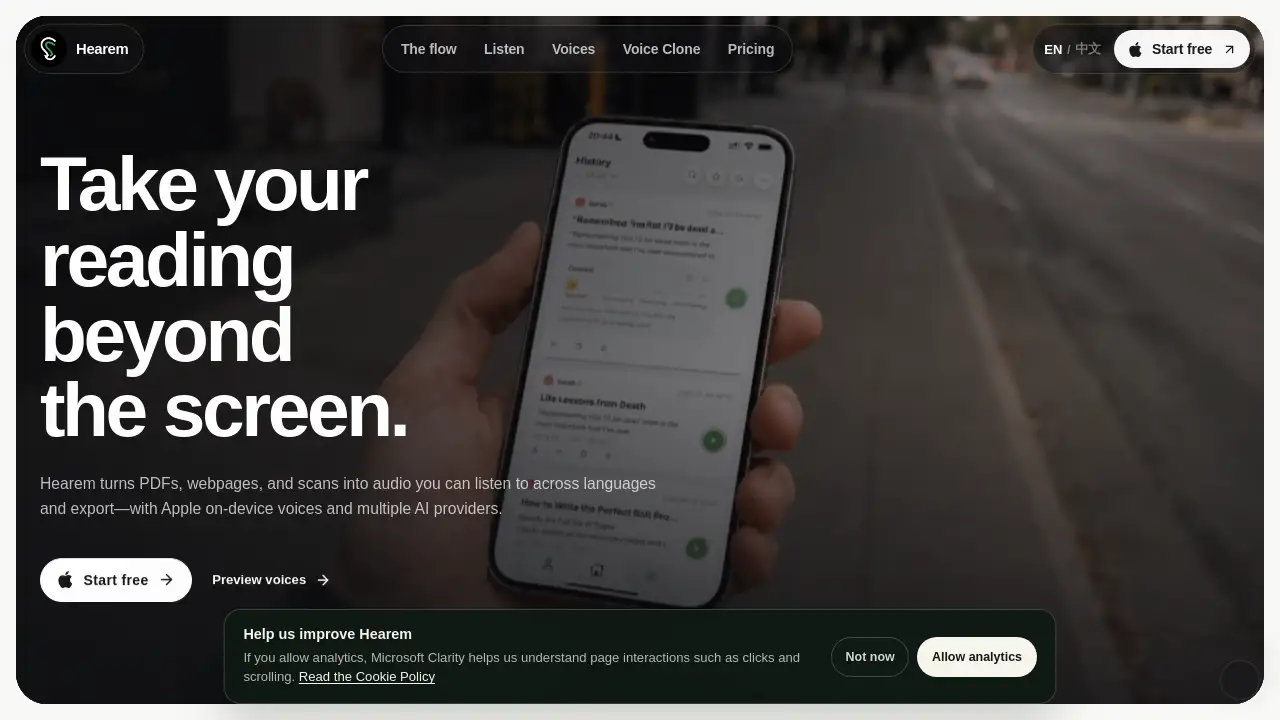
Hearem review: turn PDFs, webpages, and scans into audio. Hearem is a text to speech app that reads documents aloud with AI voices, cross-language support, subtitles, and export options. It helps students, commuters, and professionals listen to reading material instead of only viewing it on a screen.
What is Hearem?
Hearem is an AI voice reader that turns written content into spoken audio. Hearem accepts PDFs, webpages, screenshots, pasted text, and scans. Hearem converts them into listenable files with Apple on-device voices and multiple AI providers. The problem Hearem solves is simple: reading does not always fit. People have commutes, chores, workouts, or tired eyes. Hearem gives them a way to keep reading by listening. Hearem suits students, professionals, language learners, and anyone who wants a flexible text to speech app. Because Hearem supports cross-language listening, subtitles, and audio export, Hearem can fit into study, work, and accessibility routines. Hearem matters because it turns static documents into portable audio without requiring a full studio setup.
Key Features of Hearem
PDF, Webpage, and Scan Import
Hearem lets users import PDFs, webpages, screenshots, and documents, then turns them into audio. This makes PDF to audio and webpage to audio simple.
Multiple AI Voice Engines
Hearem offers Apple on-device voices and multiple leading AI providers. Users can compare naturalness, languages, and moods to find a voice that fits the content.
Cross-Language Listening
Hearem supports listening across languages and regions with different accents and moods. This helps language learners and multilingual readers follow content in another language.
Live Subtitles and Sentence Tracking
Hearem shows live subtitles that follow the narration. Tap a sentence to jump back, so it is easy to re-listen or take notes.
Audio and Subtitle Export
Hearem can export audio and subtitles for offline use, sharing, or archiving. This is useful for creators and students who need portable study material.
Offline Reading with Apple On-Device Voices
Hearem supports offline reading with Apple on-device voices. This helps users keep listening without an internet connection.
Voice Cloning with Permission
Hearem lets users create a voice in the app with their own voice or one they have clear permission to use. This adds a personal option for articles, notes, and scripts.
Magic Editor and Cleanup
Hearem removes page noise, keeps document structure, and offers Magic Editor when a source needs extra cleanup. This helps scans and messy PDFs sound clearer.
Player Controls and Queue
Hearem includes tools to save moments, set a timer, build a queue, and tune playback speed. Background and lock-screen playback help reading fit into daily routines.
Use Cases for Hearem
Students and Researchers
Hearem turns lecture notes, papers, and PDFs into audio for review during commutes or exercise. Subtitles and sentence tracking help with note-taking.
Commuters and Travelers
Hearem reads articles and documents aloud while driving, walking, or using public transport. Offline Apple on-device voices keep playback available without a strong signal.
Language Learners
Hearem uses cross-language listening and adjustable voices to help learners hear pronunciation and rhythm. Subtitles provide visual support while listening.
Professionals and Busy Readers
Hearem converts reports, webpages, and scans into audio for background listening. Export options make it easier to keep a personal audio library.
Content Creators and Accessibility Users
Hearem exports audio and subtitles for videos, podcasts, or accessible materials. Voice cloning with permission can help create a consistent narration style.
How to Use Hearem
- Add a source: paste text, scan a screenshot, import a PDF, or share a webpage into Hearem.
- Clean and shape: remove page noise, keep the structure, and use Magic Editor if the document needs more cleanup.
- Choose a voice: pick an Apple on-device voice or a provider, then select language, mood, and pace.
- Listen and follow: use live subtitles, tap sentences to jump back, set a timer, or build a queue.
- Save or export: export audio or subtitles when needed, or keep listening offline with Apple on-device voices.
Target Audience for Hearem
- Students, researchers, and academic readers
- Commuters, travelers, and busy professionals
- Language learners and multilingual readers
- Content creators who need audio and subtitle export
- People with visual fatigue, reading difficulties, or accessibility needs
- Anyone looking for an affordable text to speech app
Is Hearem Free?
Hearem offers a Start free option on its homepage. Public comparison information lists a monthly price of $3.99. Exact free limits, regional pricing, and plan features may vary, so check the official site for current details.
| Plan | Price | Features |
|---|---|---|
| Start free | $0 | Free entry option mentioned on the homepage; exact limits may vary. |
| Monthly | $3.99 | Public US monthly web price listed; includes access to the app's reading and listening tools. |
Hearem's Pros and Cons
| Aspect | Pros | Cons |
|---|---|---|
| Pricing | Listed at $3.99 per month, lower than several competitors. | Exact free plan limits are not clearly stated in the provided information. |
| Features | Supports PDF, web, OCR, multiple AI voices, subtitles, audio export, and offline Apple voices. | Some features may depend on language, provider, or device support. |
| Listening | Background playback, lock-screen controls, queue, timer, and resume where you left off. | No major listening limitations are listed. |
| Voice options | Multiple AI providers, moods, languages, and permission-based voice cloning. | Voice cloning requires clear permission and may not be available in every region. |
| Export | Audio and subtitle export are available. | Export formats and limits are not fully detailed in the reference. |
Frequently Asked Questions about Hearem
Is Hearem free?
Hearem has a Start free option. A public monthly price of $3.99 is also listed. Users should check the official site for current free limits and plan details.
What file types can Hearem read aloud?
Hearem can work with PDFs, webpages, screenshots, scans, and pasted text. This makes Hearem useful as a PDF to audio and webpage to audio tool.
Does Hearem work offline?
Yes, Hearem supports offline reading with Apple on-device voices. Other AI providers may require an internet connection.
Can I export audio and subtitles from Hearem?
Yes. Hearem supports audio export and subtitle export, which can help with studying, archiving, or content creation.
Can I use my own voice in Hearem?
Hearem allows users to create a voice in the app with their own voice or one they have clear permission to use. Permission is important before using another person's voice.
Is Hearem good for language learning?
Hearem can support language learning through cross-language listening, multiple voices, and live subtitles. Learners can follow sentences and replay them when needed.
Hearem Tags
Hearem, Hearem review, PDF to audio, text to speech app, AI voice reader, webpage to audio, scan to audio, cross-language listening, audio export, subtitle export, Apple on-device voices, voice cloning