Introduction
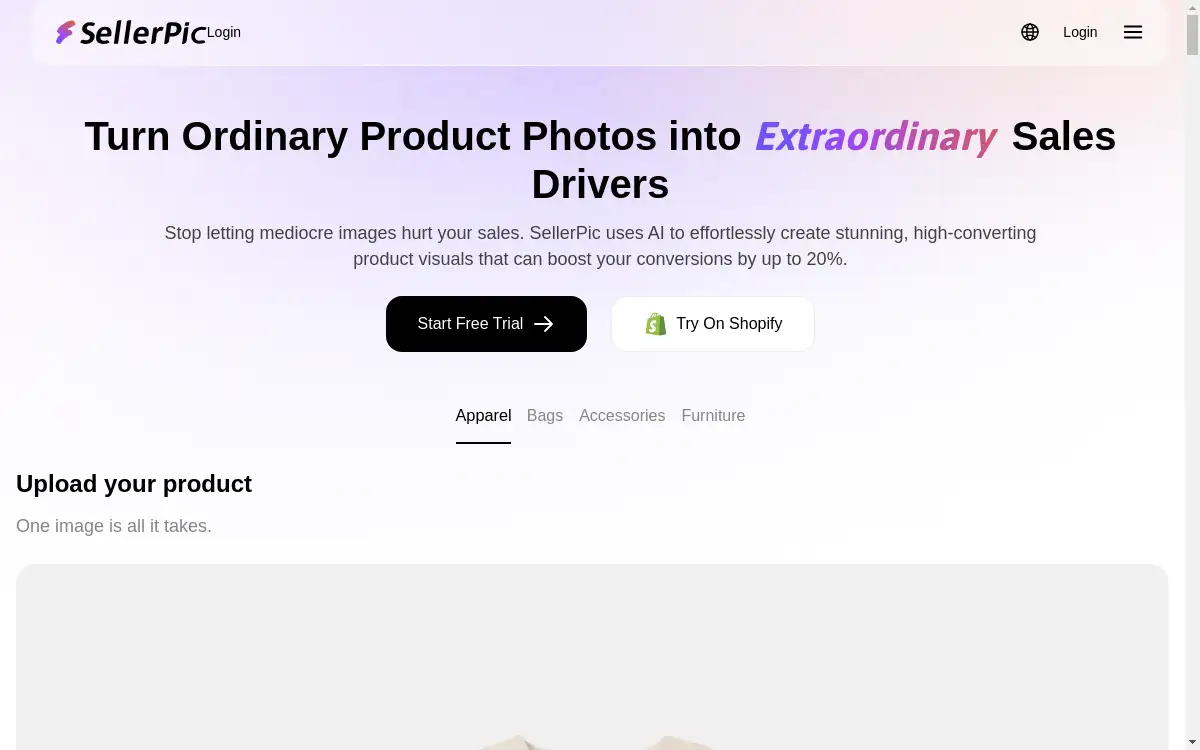
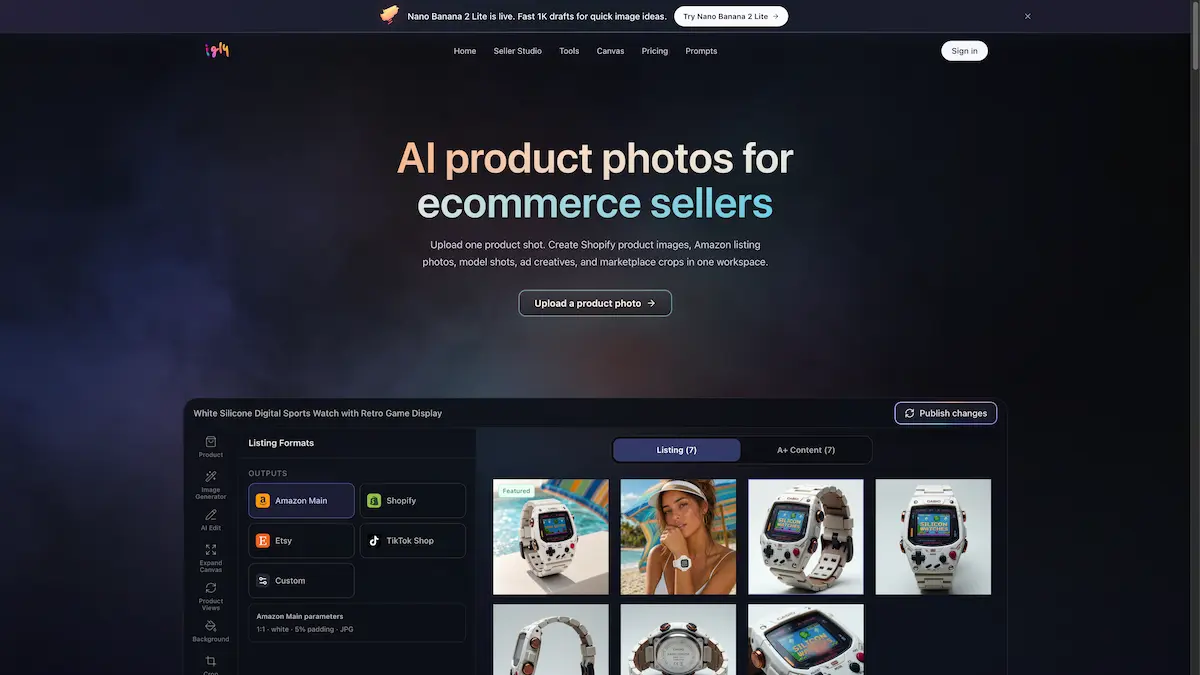
Igly Image is an AI product photos platform that helps ecommerce sellers create store-ready visuals quickly. By uploading a single product shot, users can generate AI product photos, including Shopify product images, Amazon listing photos, model shots, and ad creatives in one workspace.
What is Igly Image?
Igly Image is a specialized tool designed for ecommerce sellers who need high-quality product images without multiple photoshoots or complex editing software. It solves the common problem of producing consistent visuals across different sales channels. From a single product photo, the platform generates white backgrounds, lifestyle scenes, marketplace-specific crops, and A+ content modules. This makes it especially valuable for sellers on Shopify, Amazon, Etsy, and TikTok Shop who want to save time and reduce production costs. The platform connects directly with stores, allowing users to sync products, generate images, and publish finished assets without manual re-uploading. With built-in tools for background removal, resizing, cropping, and AI fashion modeling, Igly Image streamlines the entire visual workflow for catalog management.
Key Features of Igly Image
Seller Studio
Seller Studio is the central workspace where users pull in product photos, generate images, and publish them back to their store. It keeps all product context, SKU information, and image variants organized in one place, reducing folder chaos.
Marketplace Presets
Choose target marketplaces like Amazon, Shopify, or Etsy, and Igly Image automatically batches the correct formats, sizes, and crops for each channel. This feature eliminates manual resizing and formatting for every listing.
A+ Content Kit
Generate hero shots, detail images, lifestyle scenes, and A+ content modules as one connected set. This feature helps sellers create enhanced brand content for Amazon and other platforms without starting from scratch each time.
Built-in Tools
The platform includes tools for background removal, background replacement, image upscaling, object removal, and canvas expansion. Users can also crop, resize, rotate, and compress images directly within the workflow.
AI Fashion Model
Upload a garment photo and generate realistic model shots without a professional photoshoot. This tool supports try-on visuals for apparel brands and can save significant production costs.
Ghost Mannequin and Flat Lay
For clothing sellers, the ghost mannequin tool removes mannequins and creates clean product views, while the flat lay feature generates styled product arrangements for lifestyle imagery.
Store Sync
Connect a Shopify or other ecommerce store, pull in product photos and listings, generate new visuals, and publish the approved images back directly. This sync feature reduces manual uploads and keeps the store updated.
Use Cases for Igly Image
Creating Amazon Listing Photos
Upload one product image, select Amazon preset formats, and generate white background shots, infographics, and lifestyle images that meet Amazon’s specific requirements. This ensures listings go live faster with compliant visuals.
Generating Shopify Product Images
For DTC brand owners, Igly Image creates clean storefront images, variant shots, and lifestyle scenes from a single product photo. Users can publish directly to Shopify without manual media replacement.
Producing Model Shots for Apparel
Apparel sellers can upload a flat garment image and generate realistic try-on shots using the AI fashion model tool. This eliminates the need for expensive photoshoots and speeds up product launches.
Creating Ad Creatives
Generate social media ad packs for TikTok Shop, Facebook, or Instagram from existing product photos. The platform automatically crops and resizes images to fit different ad formats.
Batch Processing for Large Catalogs
For sellers with many SKUs, Igly Image allows queuing entire product batches for background cleanup, resizing, and marketplace formatting. Failed items can be retried individually without restarting the entire batch.
How to Use Igly Image
- Upload a product photo – Start by uploading one or more product images into Seller Studio. The platform accepts common image formats.
- Select your target marketplace – Choose from Amazon, Shopify, Etsy, or other channels to automatically apply the correct preset formats and crops.
- Generate images – Use the built-in tools to create white backgrounds, lifestyle scenes, model shots, or A+ content modules. Adjust settings as needed.
- Edit and refine – Use the editing tools to remove objects, replace backgrounds, expand canvas, or upscale images. Retry any failed individual outputs.
- Publish or export – Sync approved images back to your connected store or export ready-to-upload files for marketplaces, ads, or teams.
Target Audience for Igly Image
- Amazon FBA sellers – Need batch-generated listing images that comply with Amazon’s format requirements.
- DTC brand founders – Manage Shopify stores and require consistent product visuals without a design team.
- Etsy makers – Want clean, professional product photos that match their brand aesthetic.
- Apparel brand owners – Need model shots and try-on visuals without costly photoshoots.
- TikTok Shop sellers – Require ad-ready crops and images for quick social commerce posts.
- Product photographers – Use the platform to handle cleanup, angles, and batch outputs, freeing time for higher-value shoots.
Is Igly Image Free?
Igly Image offers a free tier with 20 credits every day for new users. For larger usage, paid plans are available on monthly or yearly subscriptions. Credits are used across all tools and Seller Studio runs, and unused monthly credits roll over once. Top-ups never expire.
| Plan | Price (Yearly Billed) | Monthly Credits | Key Features |
|---|---|---|---|
| Starter | $8.33/mo (billed $99.90/year) | 1,000 credits | Seller Studio access, Nano Banana 2 images, Alive Photos, Seedance videos, GPT Image 2 |
| Pro | $16.66/mo (billed $199.90/year) | 2,500 credits | Priority queue, direct support, all Starter features |
| Max | $41.66/mo (billed $499.90/year) | 7,500 credits | Highest priority queue, direct support channel, all Pro features |
Igly Image's Pros and Cons
| Aspect | Pros | Cons |
|---|---|---|
| Workflow Efficiency | Syncs products and images with connected stores; reduces manual uploads | Works best with Shopify integration; other platforms may require manual export |
| Feature Set | Wide range of tools including AI model, background removal, A+ content kit | Some advanced features like AI fashion model consume more credits per use |
| Pricing | Free daily credits; credit rollover; top-ups never expire | Credit costs per image can add up for high-volume sellers on the Starter plan |
| Ease of Use | Simple upload-and-generate interface; batch processing for large catalogs | Initial setup may require learning the Seller Studio workspace |
| Support | Priority queue and direct support on Pro and Max plans | Free tier users have no dedicated support channel |
Frequently Asked Questions about Igly Image
Can I edit every product one by one?
No. Users can queue entire product batches, track all images, retry only the missed outputs, and keep only the ready ones for listings.
Do I have to upload finished images back manually?
Not for connected stores. Users pull products in, approve images, and publish changes back. Clean file exports for other marketplaces and teams are also available.
Will the images fit each sales channel’s format?
Yes. The platform generates main product photos, white backgrounds, marketplace crops, A+ content modules, storefront images, and ad creatives from the same product set.
Is Igly Image just another AI image generator?
No. The image tools are embedded in the seller workflow. Users can generate, edit, resize, model-swap, and publish without losing product SKU or listing context.
What happens if a batch misses or fails?
Users can retry missed individual outputs instead of rerunning the whole set. Failed runs are auto-refunded, and a single credit balance covers Seller Studio plus all tools.
Are my supplier photos used to train models?
No. Uploads and outputs remain private to the user’s account. Igly does not train on user data, and providers only receive what is needed to run the job.
Igly Image Tags
AI product photos, Shopify product images, Amazon listing photos, model shots, ecommerce image generator, background removal tool, AI fashion model, marketplace presets, Amazon A+ content, product photo editor, batch image processing, seller studio