Introduction
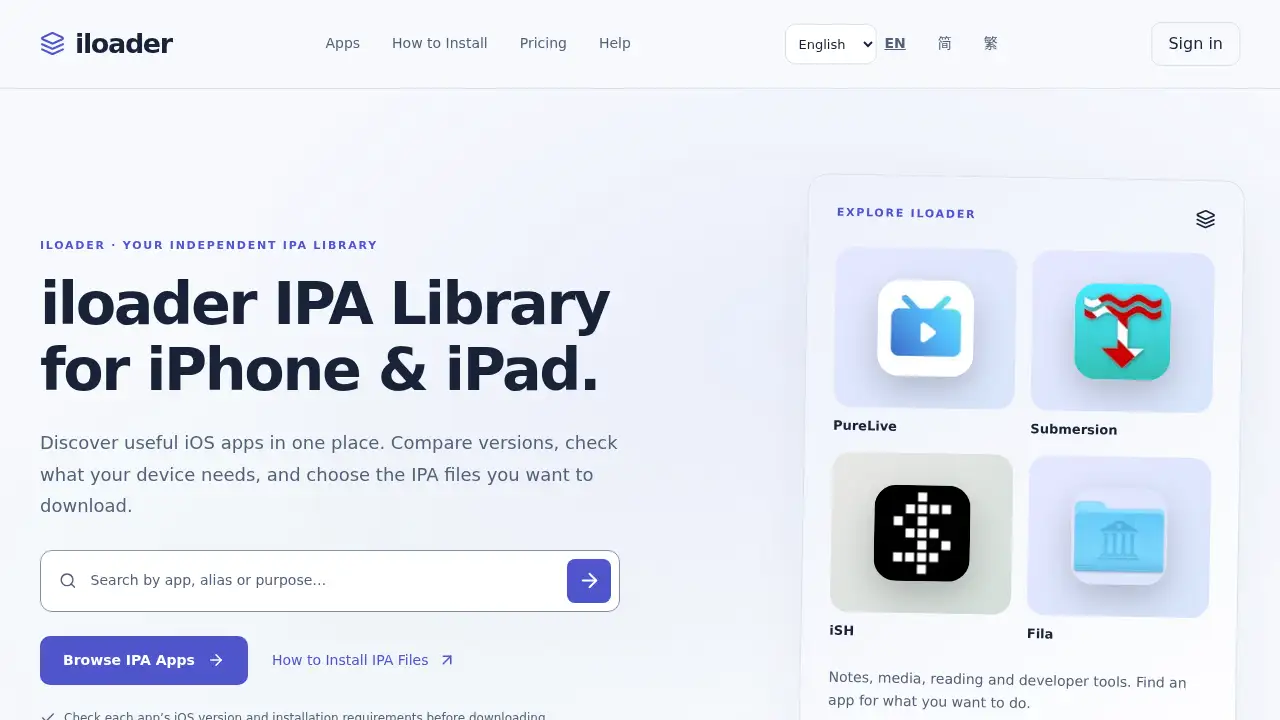
Explore the iloader IPA library for iOS.
What is iloader?
The iloader IPA library is an independent iOS app discovery and file delivery service for iPhone and iPad users. It collects approved app listings in one place, shows details such as release versions, minimum iOS requirements, and installation notes, and lets users download individual IPA files during a paid access period.
The service is designed for people who already understand that an IPA download is not the same as an installation. iloader helps users compare apps and check compatibility before downloading, but it does not sign apps, install them remotely, or replace sideloading tools. Users still need a compatible third-party workflow, such as SideStore or LiveContainer, to install IPA files on a device.
This matters because iOS app downloads often involve scattered information. The iloader IPA library puts app details, version history, file availability, and compatibility notes together so users can make a more informed choice before paying for access or starting an installation.
Key Features of iloader
Organized IPA App Discovery
Browse the iloader IPA library by app name or category to find media, productivity, utility, reading, and developer tools. Each listing gives users a clearer starting point before they choose an IPA download.
Version and iOS Requirement Checks
Compare release versions, file sizes, original sources, and minimum iOS versions on app pages. This helps users check iOS requirements before downloading an IPA file for an iPhone or iPad.
Individual IPA Downloads
Request individual IPA files through My Downloads rather than receiving a folder with the whole library. This supports a more controlled IPA downloads process during the stated access period.
Download History and Fresh Links
Sign in with the purchase account to request a fresh download link for an available app. File hashes and version history can help users identify the release they selected.
Clear Access Period
One payment covers the approved, available library for the stated period, with no automatic renewal mentioned. New approved versions are included during the same access period.
Use Cases for iloader
Finding a Specific iOS App
The iloader IPA library helps users locate an app by name or purpose, then review its version and requirements before choosing a file. This is useful when a user already knows which iOS app they want to explore.
Comparing Compatibility Before Downloading
Users can compare minimum OS declarations, installation notes, and device or signing requirements before starting IPA downloads. This reduces the risk of downloading a file that does not fit the device or tool setup.
Re-downloading an Approved Version
After purchasing library access, users can return to My Downloads and request a fresh link for an available app. This supports repeat downloads during the access period without searching for the file elsewhere.
Learning the IPA Installation Workflow
The site provides an installation guide for users who need to understand how IPA files work with sideloading tools. It is helpful for users who want a library service and installation guidance in one place, while still using a separate installer.
How to Use iloader
- Visit the official iloader site and browse the iloader IPA library by app name or category.
- Open an app page and check the release version, file source, minimum iOS version, and installation requirements.
- Review the price and access period, then choose library access if the terms fit the intended use.
- Sign in to My Downloads with the verified purchase email and request an individual IPA download link.
- Install the file with a compatible sideloading tool, such as SideStore or LiveContainer, by following the official setup guide for that tool.
Target Audience for iloader
- iPhone and iPad users who want an organized IPA library for app discovery.
- Users who compare iOS requirements and version details before IPA downloads.
- People who already use sideloading tools and need a source for individual IPA files.
- Users who prefer a paid access period without automatic renewal.
- Readers who want installation guidance alongside an IPA library service.
- Users looking for apps in categories such as media, productivity, utilities, reading, and developer tools.
Is iloader Free?
No free iloader library plan is stated in the reference information. The service describes paid library access, with one payment covering approved, available apps during a stated access period. SideStore and LiveContainer are described as free third-party tools available from their official projects, but they are separate from the iloader library service.
| Plan | Price | Features |
|---|---|---|
| Library Access | Price shown on the official iloader site | Approved, available apps; individual IPA downloads during the access period; new approved versions during the same period; email verification to restore access |
| SideStore / LiveContainer | Free | Third-party installation tools with their own setup requirements; not included with iloader library access |
Users should check the official iloader site for the current price and access period before purchasing.
iloader's Pros and Cons
| Aspect | Pros | Cons |
|---|---|---|
| Pricing | One payment covers the stated access period; no automatic renewal is mentioned | Price is not stated in the reference information; access is time-limited |
| Features | Organized app details, version history, and compatibility notes | No signing certificates or remote installation services |
| Convenience | My Downloads supports fresh link requests during access | Installation still requires a separate sideloading tool |
| Compatibility | Lists minimum iOS versions and installation notes | No guarantee of permanent availability or universal compatibility |
| Audience Fit | Useful for users who already understand IPA files and sideloading | Less suitable for beginners who expect one-click installation |
Frequently Asked Questions about iloader
What is the iloader IPA library?
The iloader IPA library is an independent collection of iOS app listings and IPA file downloads for iPhone and iPad users. It provides app details, version information, compatibility notes, and download access during a paid period.
Do IPA downloads install automatically?
No. Downloading an IPA file does not install it on an iPhone or iPad. Users need a compatible signing or container workflow, and iloader states that installation is a separate step handled with third-party sideloading tools.
Is iloader free to use?
The reference information does not describe a free iloader library plan. Library access is presented as a paid service for a stated period. SideStore and LiveContainer are free tools, but they are independent from the iloader library.
Which installation tools work with iloader?
The reference information mentions SideStore and LiveContainer as installation tools to use with compatible device setups. Both are free, independent tools with their own requirements, and users should follow their official setup instructions.
Can users download again after purchasing?
Yes, during the access period, users can sign in to My Downloads with the same verified email used for purchase and request a fresh link for an available app. This supports repeat IPA downloads for approved files.
Does iloader guarantee app compatibility?
No universal compatibility guarantee is stated. Each app page lists the minimum OS declared by the archive, but users must also check device support, signing method, TrollStore or JIT requirements, and their own account or media needs before downloading.
iloader Tags
iloader IPA library, IPA downloads, iPhone IPA files, iPad IPA files, iOS requirements, sideloading tools, SideStore, LiveContainer, install IPA files, iOS app library, IPA compatibility, iloader review