Introduction
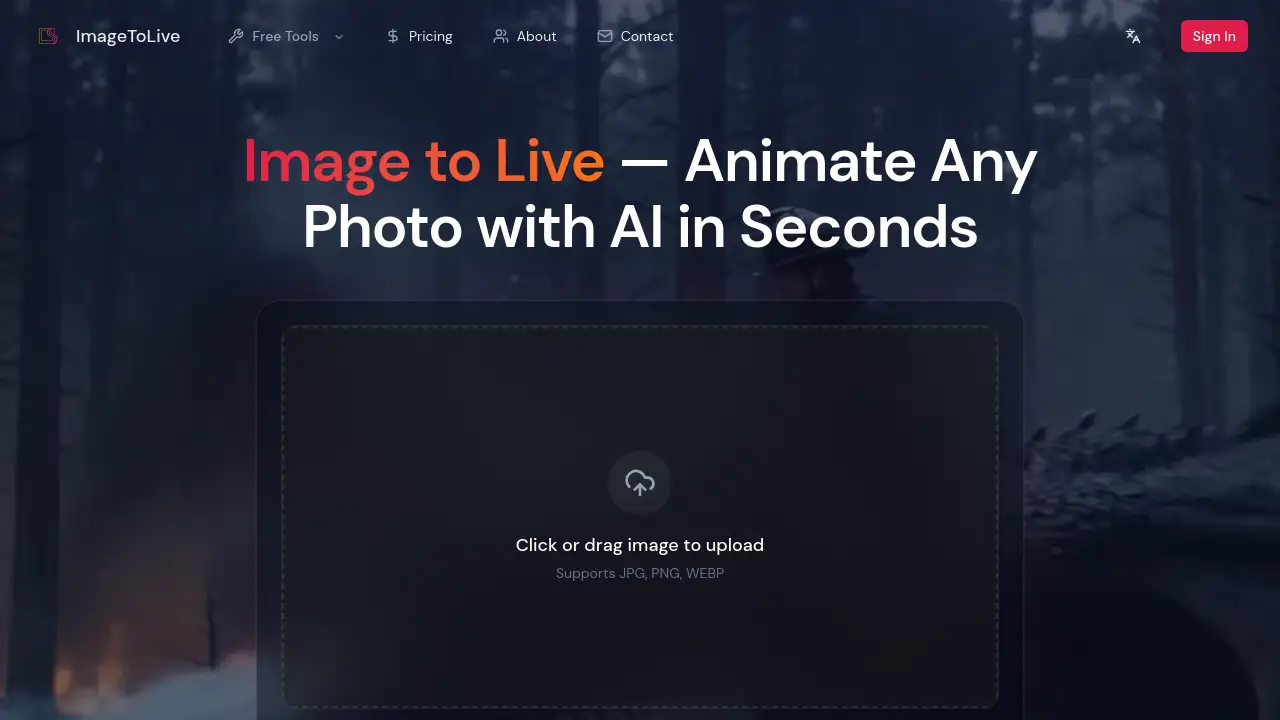
Image to Live — AI Photo Animator transforms static pictures into dynamic videos and live wallpapers effortlessly.
What is Image to Live — AI Photo Animator?
Image to Live — AI Photo Animator is an innovative online tool that uses artificial intelligence to bring static images to life. It solves the problem of needing advanced video editing skills or complex software to create motion from a photo. This tool is suitable for anyone, from social media enthusiasts and content creators to digital artists and marketing professionals. It matters because it democratizes animation, allowing users to generate engaging live video content from any image in seconds without technical expertise. By focusing on ease of use with preset styles, it removes the barrier of complicated AI prompting.
Key Features of Image to Live — AI Photo Animator
Incredible Style Presets
Users can choose from over 12 pre-configured cinematic presets like 'Cinematic Pan' and 'Anime Style' to animate photos instantly without writing a single prompt.
Simple Three-Step Process
The image to live generator operation is streamlined into three steps: upload a photo, select a preset, and let the AI generate the animation, typically in about 30 seconds.
High-Quality 4K Output
The tool produces videos and live wallpapers in up to 4K resolution, ensuring the final animated content is sharp and suitable for professional use.
Versatile Download Formats
Users can download their creations as MP4 files for social media or as Live Photo files compatible with iPhones, making sharing across platforms simple.
Free and Accessible
The core service is a free image to live converter with no watermark, no mandatory sign-up, and support for common image formats like JPG, PNG, HEIC, and WEBP.
Use Cases for Image to Live — AI Photo Animator
Social Media Content Creation
Creators can transform travel photos or portraits into eye-catching live videos for Instagram Reels, TikTok, or YouTube shorts to boost engagement.
Digital Art Animation
Artists can breathe life into their digital paintings or illustrations using styles like 'Dreamy Bloom', adding dynamic motion without manual frame-by-frame animation.
Marketing and Advertising
Marketing teams can animate static product shots to create more compelling and dynamic ad campaigns, potentially increasing click-through rates and return on ad spend (ROAS).
Personal Photo Enhancement
Individuals can turn memorable family photos or scenic shots into moving live wallpapers for their phone or desktop, adding a personal touch to their devices.
How to Use Image to Live — AI Photo Animator
Using this AI photo animator is straightforward. First, visit the website and drag and drop your image (JPG, PNG, HEIC, or WEBP format, up to 20MB). Second, browse the gallery of style presets and select one that matches your vision, such as 'Cinematic Pan' or 'Action Motion'. Third, click the generate button. The AI will analyze the image's depth and semantics. After a short wait (around 30 seconds), you can preview, then download your animated photo as an MP4 video or iPhone Live Photo.
Target Audience for Image to Live — AI Photo Animator
- Social media influencers and content creators
- Digital artists and graphic designers
- Marketing professionals and advertising agencies
- Photography enthusiasts and hobbyists
- Individuals looking to personalize devices with unique live wallpapers
Is Image to Live — AI Photo Animator Free?
The Image to Live tool offers a robust free tier. Based on the homepage information, users can access the core animation features without cost, sign-up, or watermarks on their outputs. For specific details on any premium plans or advanced features, users should refer to the official website's pricing page.
| Plan | Price | Key Features |
|---|---|---|
| Free Tier | $0 | Access to style presets, 4K output, no watermark, no sign-up required. |
Image to Live — AI Photo Animator's Pros and Cons
| Aspect | Pros | Cons |
|---|---|---|
| Ease of Use | Extremely simple three-step process; no technical skills or AI prompting needed. | Limited creative control compared to manual animation software. |
| Cost & Accessibility | Free core service with no hidden barriers like watermarks or mandatory accounts. | Advanced features or high-volume use may require a paid plan (check official site). |
| Output & Quality | Generates high-resolution 4K live videos and offers convenient download formats. | The AI's interpretation may not always match user expectation perfectly. |
| Speed | Fast generation, typically around 30 seconds per animation. | Processing time may vary with server load and image complexity. |
Frequently Asked Questions about Image to Live — AI Photo Animator
What image formats does the AI photo animator support?
The tool supports common formats including JPG, PNG, HEIC, and WEBP. Images should be under 20MB in size for upload.
Do I need to create an account to use the image to live converter?
No, you can use the basic service as a free image to live converter without signing up for an account or providing any personal information.
What are the preset styles or cinematic presets?
These are pre-configured animation effects created by professionals. Examples include 'Cinematic Pan', 'Anime Style', 'Live Wallpaper', and 'Action Motion'. You simply select one to apply it to your photo.
Can I use the output for commercial purposes, like in ads?
The generated live videos can be used to enhance marketing campaigns and social media ads. It is always recommended to review the website's terms of service for specific commercial usage rights.
What is the output resolution of the animated video?
The tool can generate outputs in up to 4K resolution, ensuring high-quality videos suitable for various displays and platforms.
How do I get the animated photo onto my iPhone as a Live Photo?
After generation, select the download option for Live Photo format. You can then transfer the file to your iPhone, where it can be set directly as a live wallpaper.
Image to Live — AI Photo Animator Tags
AI photo animator, image to live converter, free image to live, live video from photo, animate photo with AI, cinematic presets, live wallpaper maker, AI animation tool, photo to video, online image animator, no watermark, style presets, 4K video generator