Introduction
Explore Grok Imagine, a powerful AI tool for creating images and videos.
What is Grok Imagine?
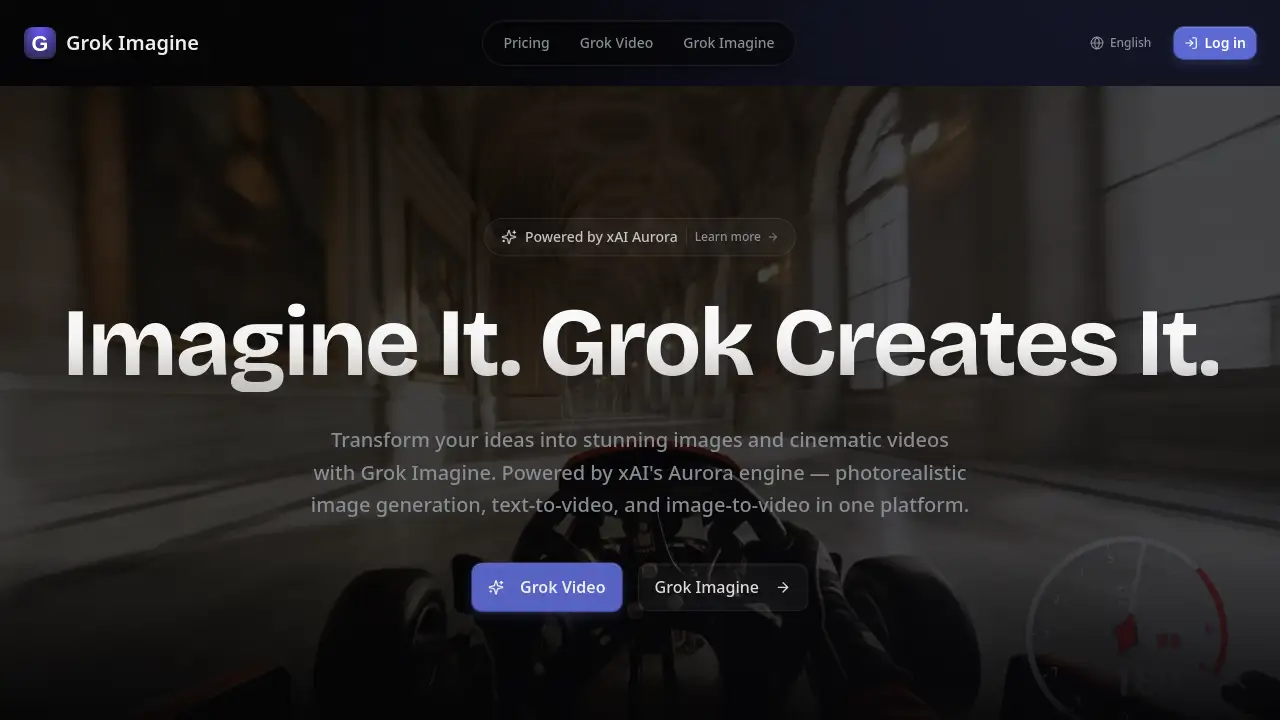
Grok Imagine is a multi-modal AI content generation platform developed by xAI. It transforms creative ideas into photorealistic images and cinematic videos using advanced technology, specifically the Aurora engine. This tool solves the problem of complex and expensive content creation by allowing users to generate professional-quality visuals from simple text prompts, uploaded images, or audio files. It is suitable for a wide range of users, from casual creators and social media managers to professional digital artists, filmmakers, and marketing teams. The ability to generate AI videos and AI images with features like built-in audio and high resolution makes it a significant tool for accelerating creative workflows.
Key Features of Grok Imagine
Text-to-Video Generation
Transform written descriptions into cinematic videos with natural motion, physics-aware rendering, and resolutions up to 2K.
Image-to-Video Animation
Animate static pictures into dynamic videos using AI-powered motion synthesis and integrated audio generation.
Multi-Modal Input Support
Upload and combine up to 9 images, 3 videos, and 3 audio files to serve as creative references for your project.
"Reference Anything" with Natural Language
Use simple text prompts to reference specific elements like motion, camera angles, characters, or visual styles from any uploaded content.
Video Extension and Editing
Seamlessly extend the length of existing video clips, merge different scenes, or edit specific segments while maintaining visual continuity.
Built-in Audio Generation
Automatically create context-aware sound effects and background music that are perfectly synchronized with your video content.
High-Quality Output
Generate photorealistic AI images and videos in various aspect ratios, with outputs up to 4K resolution and completely watermark-free.
Character and Style Consistency
Maintain perfect consistency for faces, clothing, text, and visual styles across all frames of a generated video.
Use Cases for Grok Imagine
Social Media Content Creation
Quickly produce eye-catching, platform-optimized video clips and images for Instagram Reels, TikTok, and YouTube Shorts.
Marketing and Advertising
Develop cinematic product videos, promotional clips, and branded visual content with synced audio at a fraction of the traditional cost.
Digital Art and Illustration
Explore creative concepts and generate unique AI images or animated artwork for personal projects or client commissions.
Prototyping and Storyboarding
Visualize scenes, characters, and motion for films, games, or presentations by generating video concepts from text descriptions.
E-commerce and Product Demos
Create engaging video showcases for online stores by animating product images and adding professional sound effects.
How to Use Grok Imagine
- Access the Platform: Visit the official Grok Imagine website and sign up for a free account to claim daily credits.
- Choose Your Mode: Select the desired function, such as text-to-video, image-to-video, or image generation.
- Provide Input: Write a detailed text prompt and/or upload reference images, videos, or audio files to guide the AI.
- Customize Settings: Specify parameters like aspect ratio, video length, or reference specific motions from your uploaded content using natural language.
- Generate and Download: Initiate the creation process, review the output, and download the high-resolution, watermark-free result.
Target Audience for Grok Imagine
- Social media influencers and content creators
- Digital artists and illustrators
- Marketing professionals and advertising agencies
- Small business owners and e-commerce entrepreneurs
- Filmmakers, animators, and game developers for pre-visualization
- Hobbyists exploring AI-powered creative tools
Is Grok Imagine Free?
Grok Imagine offers a tiered pricing model, including a free plan to get started. The available plans are:
| Plan | Price | Key Features |
|---|---|---|
| Free | $0 | 5 credits per day (login required), access to the Grok Imagine model for text/image-to-image and text/image-to-video. |
| Starter | $12/month | 250 credits/month, unlocks all 20+ AI models (Flux 2, Sora 2, etc.), includes Video Enhance & Extend. |
| Pro | $24/month | 500 credits/month, all features of Starter plus email support. |
| Premium | $48/month | 1,500 credits/month, all features of Pro with priority email support. |
Grok Imagine's Pros and Cons
| Aspect | Pros | Cons |
|---|---|---|
| Pricing & Accessibility | Offers a usable free tier; transparent, subscription-based pricing for higher tiers. | The free plan's daily credits are very limited for serious video generation. |
| Features & Capabilities | Powerful multi-modal input; unique "reference anything" feature; high-quality, watermark-free output. | The learning curve may be steep for users unfamiliar with crafting detailed AI prompts. |
| Output Quality | Generates photorealistic images and cinematic AI videos with built-in audio syncing. | Maximum video resolution is currently 2K, not 4K for video generation (4K is mentioned for images). |
| Ease of Use | Streamlines complex video production into a few simple steps. | Advanced features like multi-modal referencing require clear, descriptive input for best results. |
Frequently Asked Questions about Grok Imagine
What is Grok Imagine?
Grok Imagine is xAI's multi-modal AI generation model that creates images and videos from text, image, video, and audio inputs, allowing users to reference any content element using natural language.
What types of files can I upload to Grok Imagine?
You can upload up to 9 images, 3 videos (totaling 15 seconds or less), and 3 audio files, combining up to 12 files across these different modalities.
What is the maximum video length and resolution?
Grok Imagine can generate videos from 4 to 15 seconds long in various aspect ratios (like 16:9, 9:16, 1:1) with a resolution of up to 2K.
Does Grok Imagine add audio to videos?
Yes, it includes a built-in audio generation feature that creates context-aware sound effects and music synced to your video. You can also upload your own audio files.
Are the generated videos watermarked?
No, all videos and images created with Grok Imagine are completely watermark-free and ready for professional or personal use.
Who is Grok Imagine best suited for?
It is ideal for content creators, marketers, digital artists, and businesses looking for an efficient way to produce high-quality AI videos and photorealistic visual content.
Grok Imagine Tags
Grok Imagine, AI video generator, AI image generator, text-to-video, image-to-video, xAI Aurora engine, free AI art, cinematic video creation, multi-modal AI, photorealistic AI, built-in audio, video extension, content creation tool, AI for creators, watermark-free video