Introduction
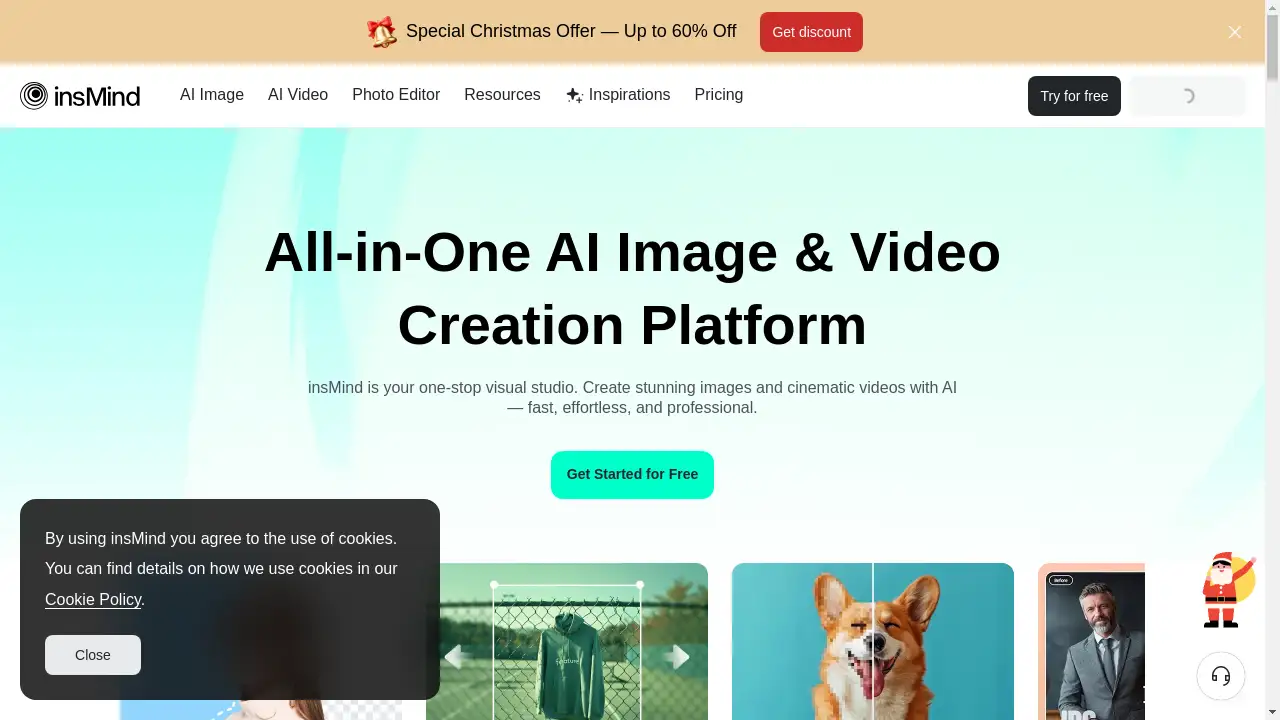
insMind is an AI-powered platform for creating and editing photos and videos with ease.
What is insmind?
insMind is an AI-powered photo and video creation platform designed to simplify the visual content creation process. It solves the problem of needing complex, expensive software or deep technical skills to produce professional-looking images and videos. The platform uses intelligent automation to help users instantly generate, enhance, and perfect their visuals. It is suitable for a wide range of users, from social media managers and small business owners to marketers and creative hobbyists. The importance of insMind lies in its ability to democratize high-quality visual creation, making it faster, more accessible, and more affordable than traditional methods.
Key Features of insmind
AI-Powered Background Editing
Effortlessly remove or change image backgrounds with one-click precision, or generate new, natural-looking AI backdrops to enhance any photo.
Intelligent Image Enhancement
Upscale image resolution, expand photos to different aspect ratios, and retouch fine details automatically to achieve a polished, professional look.
AI Video Generation
Create captivating videos in seconds from simple text prompts or by animating still images, offering powerful control over the final look and feel.
AI Image Generation
Transform written descriptions into unique visuals instantly, with options to upload reference images for more control and consistent output styles.
Creative Filters and Effects
Apply a variety of artistic filters to turn photos into sketches, cartoons, line drawings, or watercolor paintings with just a few clicks.
Template Library
Access a collection of pre-designed, one-click video and image templates to jumpstart projects and ensure a professional result quickly.
Use Cases for insmind
Social Media Content Creation
Quickly produce eye-catching posts, stories, and ads for platforms like Instagram, Facebook, and TikTok with tailored visuals and videos.
E-commerce Product Photography
Enhance product shots by removing distracting backgrounds, upscaling image quality, and creating consistent, appealing visuals for online stores.
Marketing and Advertising
Generate original ad creatives, promotional videos, and branded imagery without needing a full production team or budget.
Personal Creative Projects
Experiment with AI art, create unique gifts like custom ornaments or illustrations, and bring personal creative ideas to life easily.
Professional Portrait Retouching
Refine portrait photos by smoothing skin, removing blemishes, and adjusting backgrounds to achieve a studio-quality finish.
How to Use insmind
- Visit the Platform: Go to the insMind website and choose to start a new project for photo editing, AI image generation, or video creation.
- Upload or Describe: For editing, upload your existing image. For generation, type a text description of what you want to create.
- Select Your Tool: Choose from the available AI tools, such as background removal, image upscaling, video generation, or applying artistic filters.
- Customize and Generate: Adjust any available settings (like aspect ratio or style prompts) and let the AI process your request.
- Download and Share: Once satisfied with the result, download your final image or video in high quality for use on your chosen platform.
Target Audience for insmind
- Social Media Managers and Influencers
- Small Business Owners and E-commerce Sellers
- Digital Marketers and Advertisers
- Graphic Designers and Content Creators
- Hobbyists and Photography Enthusiasts
- Bloggers and Website Owners
Is insmind Free?
insMind offers a generous free plan that allows users to explore its core AI-powered photo and video creation features. This typically includes access to basic editing tools, a certain number of AI generations, and standard export quality. For users requiring higher volumes of creation, premium resolution exports, or access to advanced features and faster processing, insMind provides affordable premium subscription options. These paid plans are designed to offer greater value for professional or high-frequency use.
Frequently Asked Questions about insmind
What is insMind used for?
insMind is primarily used for AI-powered photo editing, background removal, image generation from text, and creating videos from prompts or images. It helps users create professional visuals quickly.
Do I need design experience to use insMind?
No, insMind is built for simplicity. Its one-click tools and intuitive interface allow anyone, regardless of design experience, to create and enhance photos and videos easily.
What kind of videos can I make with insMind AI?
You can create various short-form videos, including social media clips, product showcases, animations from still photos, and content based on text descriptions using models like Kling AI.
Can insMind edit existing photos?
Yes, insMind offers powerful editing features for existing photos, including background removal/replacement, object erasure, resolution upscaling, aspect ratio expansion, and applying artistic filters.
Is there a free version of insMind?
Yes, insMind provides a free plan that includes access to its essential AI creation and editing tools, allowing users to test and use the platform's core functionalities.
How does the AI image generation work?
You describe the image you want using text (a "prompt"). The AI interprets this description and generates a unique visual. For more control, you can also upload a reference image to guide the style.
insmind Tags
AI photo editor, AI video generator, background remover, image upscale, AI image creation, social media content creation, e-commerce photo editing, online design tool, AI art generator, remove background from image, create video from text, photo enhancement