Introduction
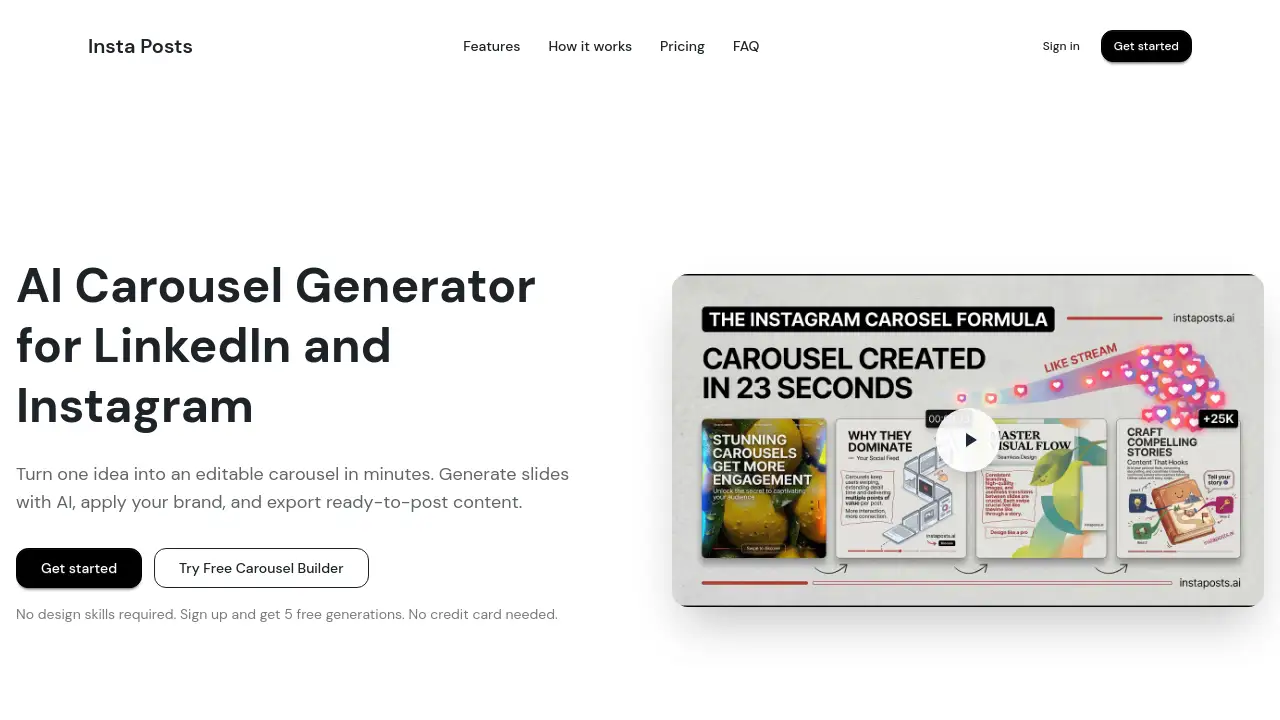
Insta Posts is a fast AI carousel generator for creating professional LinkedIn and Instagram posts in minutes, with no design skills required.
What is Insta Posts?
Insta Posts is an AI-powered design tool that streamlines the creation of carousel posts for social media platforms like LinkedIn and Instagram. It addresses the common pain point where content creators, marketers, and business owners struggle with the time-consuming and technically demanding process of designing multi-slide posts. By turning a simple text prompt into a fully structured, editable carousel, this AI carousel generator significantly reduces production time from hours to minutes. The platform is suitable for anyone looking to publish high-quality, engaging carousel content consistently, without needing advanced graphic design skills or expensive software. Its value lies in combining AI generation with user-friendly editing tools, making professional-grade social media content accessible to a broader audience.
Key Features of Insta Posts
AI Carousel Generation
This core feature allows users to generate a complete, polished carousel from a single prompt or pasted content, creating structured slides with relevant copy and visuals in under a minute.
Fast Editing Suite
Users can quickly edit generated carousels, updating text, swapping images, and applying brand colors and fonts in a centralized editor without losing their progress.
Template Library
The platform offers a library of proven templates for various use cases like education, thought leadership, and marketing, providing a strong starting point that users can adapt to their specific voice and needs.
Carousel Builder
For full creative control, the free Carousel Builder provides a Canva-style drag-and-drop canvas where users can manually design posts by adding, resizing, and styling text, images, and shapes.
Branding Presets
Users can save and apply consistent brand styles—including colors, fonts, and logos—to any carousel, ensuring all content is on-brand and professional.
One-Click Export
Finished carousels can be exported as ready-to-post image files, formatted correctly for platforms like LinkedIn and Instagram, streamlining the publishing workflow.
Use Cases for Insta Posts
Content Repurposing
Quickly transform a blog article, newsletter, or report into a visually engaging LinkedIn carousel to drive traffic and increase content reach.
Consistent Social Media Marketing
Marketing teams and solo creators can maintain a regular posting schedule by rapidly generating and branding carousel posts for Instagram and LinkedIn campaigns.
Thought Leadership Development
Professionals and coaches can articulate their expertise and frameworks through polished carousel posts, enhancing their credibility and audience engagement on LinkedIn.
Client Content Production
Agencies and freelancers can scale their service offerings by efficiently producing high volumes of branded carousel content for multiple clients using templates and AI generation.
How to Use Insta Posts
The process for creating a carousel with Insta Posts is straightforward and can be completed in three main steps.
- Input Your Content Idea: Start by entering a topic, pasting an outline or URL, or writing a rough draft into the AI prompt field.
- Generate and Review: The AI carousel generator will analyze your input and produce a complete, multi-slide carousel with draft copy and visuals in under 60 seconds.
- Edit and Export: Use the editing tools to fine-tune text, swap images, and apply your branding preset. Finally, export the slides as image files ready for upload to LinkedIn, Instagram, or other platforms.
For manual creation, users can skip the AI generation and start directly with the free Carousel Builder or a template.
Target Audience for Insta Posts
- Social Media Content Creators and influencers who need to produce engaging visual content regularly.
- Marketing Professionals and agencies managing social media campaigns for brands.
- Startup Founders and solopreneurs building their personal or company brand online.
- Coaches, Consultants, and Thought Leaders sharing expertise and educational content.
- Small Business Owners handling their own social media marketing without a dedicated design team.
Is Insta Posts Free?
Insta Posts offers a free trial with 50 credits (approximately 5 generations) to start, with no credit card required. For ongoing use, it operates on a subscription model with monthly and yearly billing options. The available plans are detailed below.
| Plan | Price (Monthly) | Key Features |
|---|---|---|
| Basic | $9/mo | 500 credits/month, 50 AI images, AI Carousels, Carousel Builder, all templates, export, branding presets. |
| Pro (Most Popular) | $29/mo | 2,000 credits/month, 200 AI images, all Basic features, plus priority support. |
| Power | $49/mo | 4,000 credits/month, 400 AI images, all Pro features, plus API access. |
Users can also purchase additional credit packs as needed.
Insta Posts's Pros and Cons
| Aspect | Pros | Cons |
|---|---|---|
| Speed & Efficiency | Dramatically reduces carousel creation time from hours to minutes. | AI-generated content may require manual tweaking to perfect tone or accuracy. |
| Ease of Use | Intuitive interface and AI prompts make it accessible for non-designers. | Advanced customization in the Carousel Builder has a slight learning curve. |
| Cost | Affordable entry point with a generous free trial; scalable plans for teams. | The subscription can be an additional cost for individuals on a tight budget. |
| Features | Strong combination of AI generation, manual editing, and branding tools. | Currently focused on static image carousels; does not support video carousels. |
Frequently Asked Questions about Insta Posts
What is an AI carousel generator?
An AI carousel generator is a tool that uses artificial intelligence to automatically create multi-slide social media posts (carousels) from a user's text input. Insta Posts is one such tool, producing draft copy, layout, and visuals for platforms like LinkedIn and Instagram.
Do I need a design background to use Insta Posts?
No, design skills are not required. The primary workflow involves using AI prompts to generate a complete draft, which you can then edit using simple, intuitive tools to adjust text, colors, and images.
Can I edit the AI-generated carousel?
Yes, every aspect of an AI-generated carousel is fully editable. You can modify the text on each slide, replace suggested images, change the layout, and apply your own branding before exporting.
Is the Carousel Builder really free to use?
Yes, the drag-and-drop Carousel Builder is free to use on any plan, including the free trial. You can design carousels from scratch or from templates without spending AI credits. Note that AI-assisted features within the builder, like text or image suggestions, do consume credits.
What social media platforms does Insta Posts support?
Insta Posts is specifically optimized for creating carousels for LinkedIn and Instagram. The exported images are standard formats (like JPG or PNG) that can be uploaded to these platforms or used elsewhere.
How does the credit system work?
Credits are consumed when you use AI features, such as generating a new carousel or using AI assistants within the editor. Each plan includes a monthly credit allowance. The free Carousel Builder for manual design does not use credits.
Insta Posts Tags
AI carousel generator, LinkedIn carousel maker, Instagram carousel creator, social media content tool, AI post generator, carousel design software, content repurposing tool, marketing automation, brand templates, drag-and-drop editor, content creation for creators, social media marketing tool