Introduction
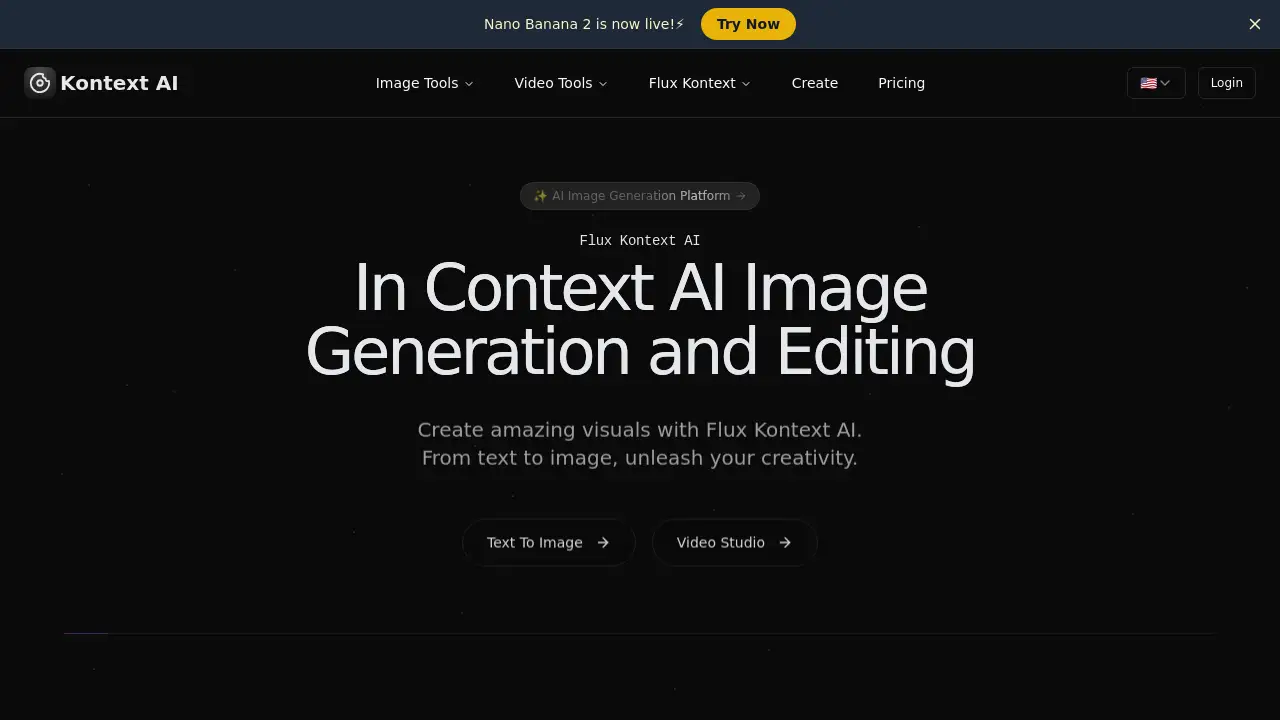
Flux Kontext AI is an advanced AI image generator and editor that enables true in-context image generation and editing.
What is Kontext AI?
Kontext AI is an online platform that provides access to advanced Flux.1 models for image generation and editing. Unlike standard text-to-image models, Flux Kontext AI understands both text prompts and existing images as input. This unique capability allows for genuine in-context modifications, making it a powerful tool for creative professionals, designers, marketers, and hobbyists who need precise control over their visual content. It solves the problem of maintaining consistency and context when editing or generating new scenes from existing imagery.
Key Features of Kontext AI
Character Consistency
Flux Kontext AI preserves character identities, styles, and features across different scenes and edits, maintaining visual consistency while allowing for targeted modifications.
Local Editing Precision
The platform enables local editing, allowing users to target and modify specific parts of an image without affecting the rest of the composition.
Style Reference
Users can generate new scenes in existing styles. The AI analyzes style elements from reference images to create consistent visual aesthetics across different generations.
Interactive Speed Editing
Flux Kontext AI offers fast, iterative editing with minimal latency, understanding both text and visual context for quick and intelligent image modifications.
Advanced AI Models
The platform offers different models, such as Flux Kontext Pro for fast editing and Flux Kontext Max for maximum performance with improved prompt adherence and typography.
True In-Context Generation
As a core differentiator, it performs true in-context generation and editing, using both images and text as input to understand and manipulate the context of a scene.
Use Cases for Kontext AI
Graphic Design and Illustration
Designers can use Flux Kontext AI to quickly iterate on concepts, change elements like clothing or backgrounds, and maintain character consistency across a series of illustrations.
Photo Restoration and Enhancement
The tool is effective for restoring old photographs, colorizing black-and-white images, and removing unwanted objects while preserving the original context and feel.
Marketing and Content Creation
Marketers can generate consistent branded imagery, create multiple scene variations for campaigns, and edit product photos locally, such as changing colors or adding elements.
Film and Storyboarding
Creators can use it for pre-visualization, turning character images into full scenes, changing settings, or adjusting elements to quickly explore different narrative visuals.
Social Media Content
Users can create engaging, stylistically consistent visuals for posts, edit existing photos with new elements, or generate entirely new images from a style reference.
How to Use Kontext AI
- Visit the Platform: Go to the Kontext AI website and navigate to the Flux Kontext tools or a specific application like the AI Image Generator.
- Upload or Generate: Start by uploading an existing image you want to edit or input a text prompt to generate a new base image.
- Provide Instructions: Use the text prompt field to describe the desired changes, such as "change the hairstyle to curly" or "add a mountain background."
- Select Model and Execute: Choose between available models (e.g., Pro or Max) based on your need for speed or detail, then run the generation.
- Iterate and Download: Review the output and make further prompt adjustments if needed. Once satisfied, download the final image.
Target Audience for Kontext AI
- Graphic Designers and Digital Artists
- Photographers and Photo Editors
- Marketing Professionals and Social Media Managers
- Film and Video Producers for Pre-Visualization
- Hobbyists and Enthusiasts interested in AI Image Generation
- E-commerce Businesses for product image editing
Is Kontext AI Free?
The platform offers a free tier to try basic functionalities. For full access to advanced Flux Kontext models and higher usage limits, paid plans are available. Users are directed to the official Kontext AI pricing page for detailed plan structures and current rates.
| Plan | Price | Features |
|---|---|---|
| Free | $0 | Access to basic tools and generations with limitations. |
| Paid Plans | Variable | Unlocked access to advanced Flux models (Pro/Max), higher resolution, more generations, and priority features. Check official site for latest pricing. |
Kontext AI's Pros and Cons
| Aspect | Pros | Cons |
|---|---|---|
| Technology | True in-context editing and character consistency are state-of-the-art features. | Advanced capabilities may have a steeper learning curve for complete beginners. |
| Functionality | Powerful local editing and style reference capabilities offer great creative control. | Output quality can vary depending on the complexity of the input prompt and image. |
| Accessibility | Offers a free tier to try and is available online without complex software installation. | Full power of advanced Flux.1 models is locked behind paid plans. |
| Use Case | Excellent for iterative design, restoration, and maintaining visual consistency. | May not be necessary for users who only need simple, one-off image generation without editing. |
Frequently Asked Questions about Kontext AI
What is Flux Kontext AI?
Flux Kontext AI is a suite of advanced AI models that allow for image generation and editing by understanding both text and images as input, enabling true in-context modifications.
What makes Flux Kontext AI special?
Its key differentiator is true in-context generation. It doesn't just overlay changes; it understands the context of an existing image to make intelligent, consistent edits or extensions, which is ideal for maintaining character consistency and style.
Which Flux Kontext AI model should I choose?
Flux Kontext Pro is optimized for speed and iterative editing, ideal for quick brainstorming. Flux Kontext Max is designed for maximum performance, offering better prompt adherence and detail, suitable for final, high-quality outputs.
How does Flux Kontext AI achieve character consistency?
The model is trained to recognize and preserve key features of subjects across generations. By analyzing the input image context, it can modify specific attributes while keeping the core identity of a character or object intact.
What is Flux Kontext AI local editing?
Local editing refers to the ability to make precise modifications to a specific area of an image (like changing a piece of clothing or an object) without altering the rest of the scene, thanks to the model's contextual understanding.
Can Flux Kontext AI restore old photos?
Yes, based on community testimonials, it has been effectively used for photo restoration tasks, including colorizing old photos, repairing damage, and enhancing clarity while preserving the original context and feel.
Kontext AI Tags
Flux Kontext AI, AI image generator, AI image editor, Flux.1 models, in-context editing, character consistency AI, local image editing, style reference AI, free AI image tool, Kontext AI review, AI for designers, photo restoration AI, Black Forest Labs Flux, AI visual consistency