Introduction
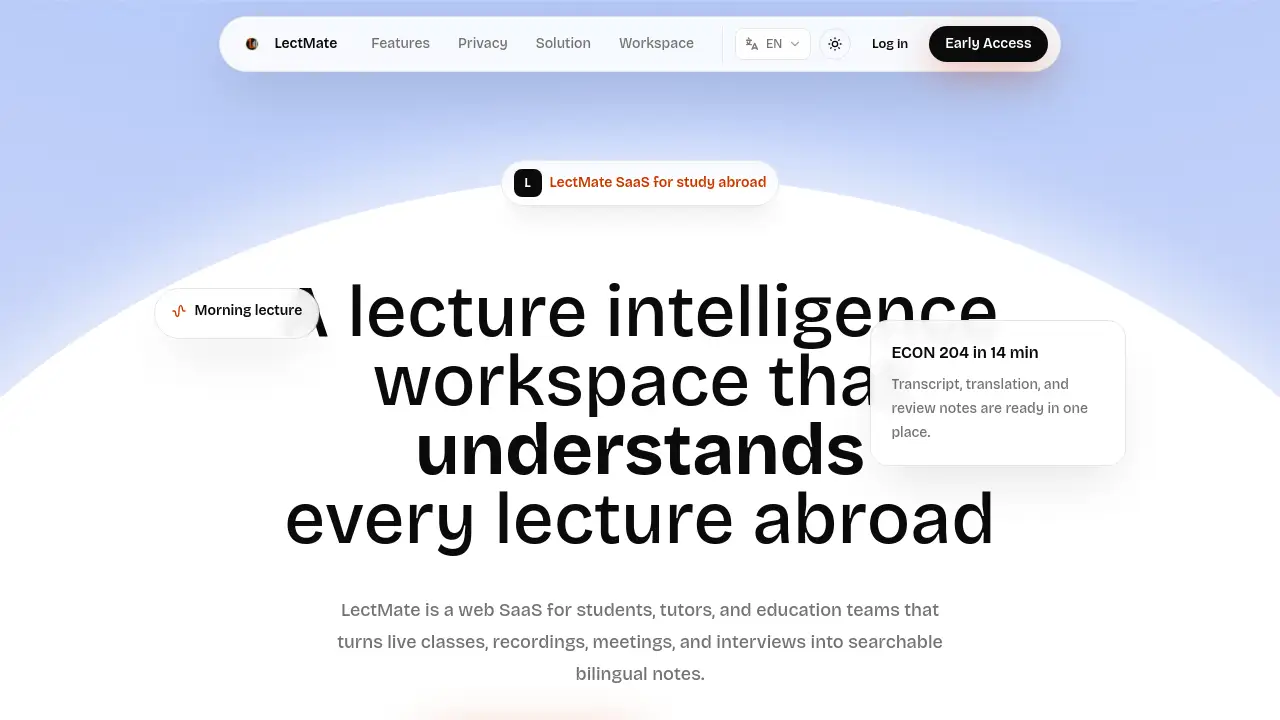
An AI-powered lecture intelligence SaaS that captures classes and creates bilingual notes in real time for international students.
What is LectMate?
LectMate is a web-based software-as-a-service (SaaS) platform designed specifically to assist students studying abroad. The core problem it solves is the difficulty of fully understanding and retaining information from fast-paced, often multilingual lectures. By providing real-time transcription and simultaneous lecture translation, LectMate helps students follow along during class. Afterward, it transforms the raw audio into organized, searchable, and bilingual notes, making exam preparation and review significantly more efficient. This makes it a complete study system for anyone who needs to listen first and organize their learning materials later.
Key Features of LectMate
Real-time Transcription
LectMate captures live audio and instantly converts speech into text, allowing students to follow lectures through live captions instead of frantic note-taking.
Lecture Translation
The platform supports simultaneous translation for online and offline lectures, helping students overcome language barriers posed by fast speech, accents, and technical vocabulary.
Bilingual Notes
It automatically pairs the original transcript with the translated text, creating side-by-side bilingual notes that are ideal for thorough review before exams or group discussions.
Keyword Summaries
LectMate analyzes long recordings to extract key concepts and main ideas, giving students a quick overview of the lecture's most important points.
Search and Replay
Users can search for any word or phrase within a session's transcript and instantly replay the corresponding audio segment, a powerful tool for focused review.
Import and Export Control
LectMate allows users to import pre-recorded audio files and export their finalized transcripts and notes, maintaining full control over their data from capture to deletion.
Use Cases for LectMate
Zoom Lectures and Video Meetings
Students can use LectMate to get real-time captions and translations during online classes, making it easier to follow teachers and participate in discussions despite accents or poor audio quality.
Offline Lectures and Seminars
The tool is perfect for in-person classes, capturing every word the student might miss while typing, and later converting the recording into structured bilingual study material.
Exam Prep and Assignment Research
By turning long lecture recordings into a searchable knowledge base, students can quickly find specific formulas, terms, or examples mentioned by the professor without listening to entire sessions again.
Calls, Interviews, and Daily Conversations
Beyond academia, LectMate is useful for capturing important details from phone calls, job interviews, customer service interactions, or travel conversations where understanding speech is critical.
How to Use LectMate
Using LectMate involves a straightforward four-step workflow designed to seamlessly integrate into a student's routine:
- Capture the Audio: Start a new session in the LectMate web workspace before your lecture or meeting begins. The platform will stream live transcription as you listen.
- Review with Translation: During the session, view the simultaneous translation alongside the original transcript to grasp the context immediately.
- Organize Post-Class: After the session, use LectMate's tools to clean up the transcript, identify keywords, generate summaries, and finalize your bilingual notes.
- Search and Export: When studying, use the search function to find specific content, replay the audio, and export your notes for use in other applications or for sharing.
Target Audience for LectMate
- International Students: The primary users who face language barriers in foreign lecture halls.
- Students in Multilingual Programs: Those attending courses taught in a non-native language.
- Researchers and Academics: Individuals who need accurate records of interviews, seminars, or conferences.
- Professionals in Global Meetings: Anyone who requires real-time translation and transcription for work calls or client meetings.
- Language Learners: People using authentic speech content to improve their listening and comprehension skills.
Is LectMate Free?
Specific pricing details for LectMate are not provided on the homepage. Prospective users are encouraged to visit the official LectMate website at https://lectmate.com/ for the most current information on free trials, subscription plans, and feature availability.
LectMate's Pros and Cons
| Aspect | Pros | Cons |
|---|---|---|
| Workflow | Integrates capture, transcription, translation, and note-taking into one seamless SaaS platform. | Relies on a stable internet connection for real-time features. |
| Functionality | Powerful search and replay function turns lectures into a dynamic, searchable knowledge base. | Advanced features like AI summarization may have a learning curve. |
| Usability | Designed for a specific, clear use case (students abroad), making it highly focused. | May be less optimized for professional use cases outside of education. |
| Data Control | Emphasizes user privacy, control over data, and easy deletion paths. | Pricing and storage limits for heavy users are not publicly detailed. |
Frequently Asked Questions about LectMate
What is LectMate?
LectMate is a lecture intelligence SaaS platform that helps students studying abroad by providing real-time transcription and translation during classes, turning every lecture into organized, bilingual notes for review.
Is LectMate only for online lectures?
No. While excellent for Zoom classes, LectMate is also designed for capturing offline lectures, seminars, office hours, and even everyday conversations like phone calls or interviews where important speech needs to be recorded.
Can LectMate create bilingual notes?
Yes. A core feature of LectMate is its ability to generate bilingual notes by keeping the original transcript and its translated version aligned, which are then enriched with keyword summaries for easier studying.
Which AI models power LectMate?
According to its technical overview, LectMate utilizes a stack of models including gpt-realtime-whisper for live transcription, gpt-realtime-translate for streaming translation, and stronger language models like GPT-4o and GPT-5.5 for post-processing, summarization, and note generation.
Is LectMate a standalone application?
Yes, LectMate is a standalone web-based SaaS product with its own dedicated workspace, user controls, billing, and privacy model, requiring only a browser to use.
How does LectMate handle privacy?
LectMate states a "privacy first" approach, giving users control to delete their recordings, transcripts, and notes. It also indicates that by default, private user data is not used for model training.
LectMate Tags
lecture transcription, real-time translation, bilingual notes, study abroad tool, lecture intelligence SaaS, international students, note-taking app, speech to text for students, lecture capture, online class tool, exam preparation, study workflow, language learning, academic productivity, meeting transcription