Introduction
Legal AI by Referent automates routine law firm work.
What is Legal AI?
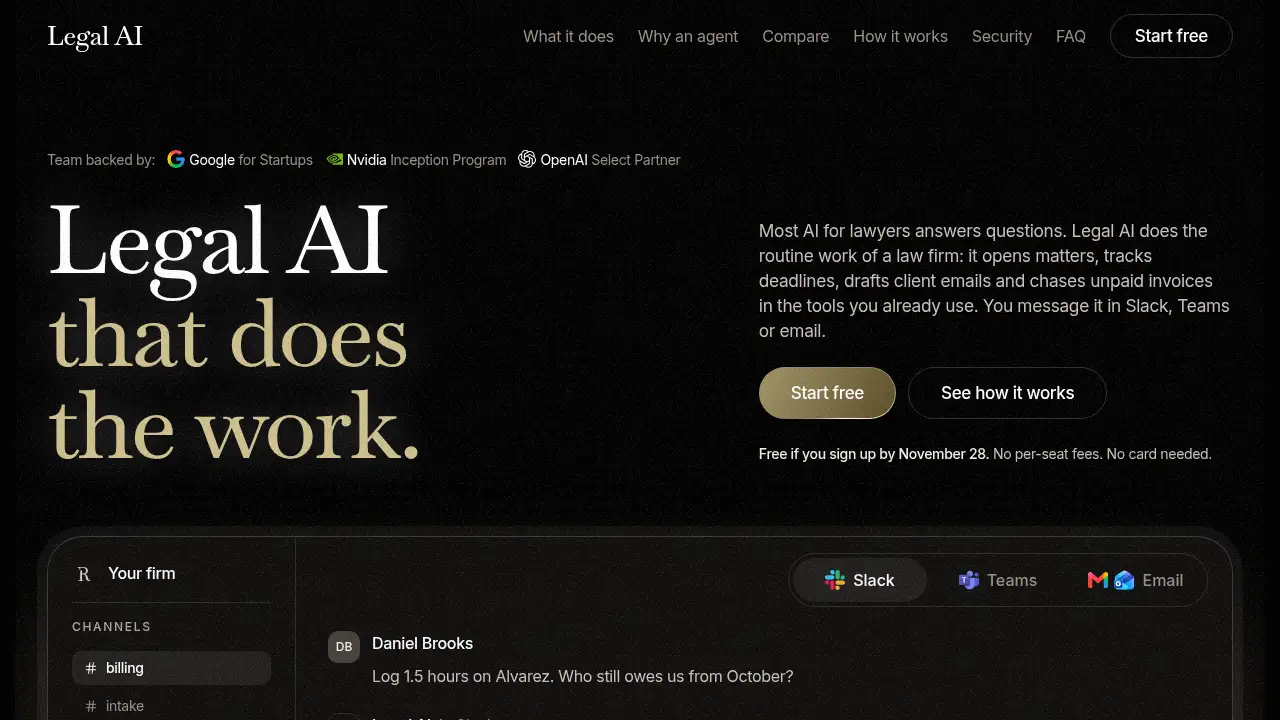
Legal AI is an AI-powered assistant designed specifically for law firms. It goes beyond answering legal questions and actually performs routine tasks such as opening matters, tracking deadlines, drafting client emails, and chasing unpaid invoices. Unlike many AI for lawyers that operate in a separate chat window, Legal AI works inside the tools a firm already uses, including Slack, Teams, email, and practice management software. The product is built by Referent and is described as a legal AI agent that handles the everyday work around a matter, not just legal research or document drafting. This matters because lawyers often lose hours to short administrative tasks. Legal AI aims to reduce that burden while keeping a lawyer in control. It is suitable for firms that already have research or drafting tools and want to automate the routine work around them. By connecting to existing software, Legal AI avoids migration projects and fits into current workflows. It also uses zero data retention, meaning AI models do not store prompts or answers after replying. This focus on privacy and supervision makes it a practical option for firms exploring legal AI tools.
Key Features of Legal AI
Acts as a Legal AI Agent, Not Just a Chatbot
Legal AI takes an instruction and performs the steps in connected software, then reports what it did. This makes it a legal AI agent rather than a simple chatbot that only replies in its own window.
Works Inside Existing Tools
The product joins Slack, Teams, or an email address and operates inside practice management software, email, calendar, and files. This means firms can use AI for lawyers without changing their current software stack.
Handles Routine Law Firm Tasks
Legal AI manages client intake, deadlines and calendar entries, client follow-ups, time and billing, matter status updates, and daily or weekly reports. These are common law firm automation tasks that often consume billable time.
Keeps Data Private with Zero Data Retention
Legal AI runs under zero data retention on every plan, so AI companies do not store prompts or answers after the reply. Client information is not used to train models, and data is encrypted.
Provides Supervision and Action Logs
Client emails, filings, and payments wait for approval from a named lawyer. Every action is logged, showing who asked, what the agent did, and what was sent. This supports supervision and accountability.
Use Cases for Legal AI
Client Intake and Follow-Ups
Legal AI can track new leads and identify those who have not been called back. It drafts follow-up emails for approval, helping firms respond faster to potential clients.
Deadline and Calendar Management
The agent can open matters, set deadlines, and add reminders to the calendar. It reports on upcoming tasks so lawyers can stay on top of critical dates.
Time and Billing Support
Legal AI can log time entries and check unpaid invoices. It drafts reminders for clients with outstanding balances and schedules follow-ups, reducing manual billing chores.
Matter Status Updates
Lawyers can ask for a short brief on any matter, including open tasks, upcoming deadlines, and unanswered emails. The agent replies in the same chat thread with the requested information.
Daily and Weekly Reports
Legal AI can generate routine reports about firm activity, such as lead response times or matter progress. This helps firms monitor operations without building reports manually.
How to Use Legal AI
- Fill in the sign-up form. The process takes less than a minute and does not require a card for the free sign-up offer.
- Connect your tools. Add Legal AI to Slack, Teams, or email, then sign in to the practice software and files the firm uses. A short call can help with setup.
- Give it a real task. Start with one task from the current week, such as logging time or checking unpaid invoices.
- Review and approve. Legal AI prepares actions and waits for a lawyer to approve emails, filings, and payments before anything goes out.
- Check the action log. Every step is recorded, so the firm can see what was requested, what was done, and what was sent.
Target Audience for Legal AI
- Boutique law firms with lean teams that need help with routine tasks.
- Firms that already use legal research or drafting AI and want to automate the surrounding work.
- Practices that use Clio, MyCase, Drive, Outlook, Slack, or Teams and do not want to migrate software.
- Law firms looking for a legal AI assistant with zero data retention and lawyer supervision.
- Legal teams that need law firm automation for intake, deadlines, follow-ups, and billing.
Is Legal AI Free?
Legal AI offers a free sign-up opportunity until November 28, with no card required. After that period, pricing starts at $90 per month for the whole firm, with no per-seat fees.
| Plan | Price | Features |
|---|---|---|
| Free sign-up (until November 28) | $0 | Free sign-up; no card required |
| Firm plan | From $90/month | One price for the whole firm; no per-seat fees; works across connected tools |
Pricing details may change, so firms should check the official Legal AI website for current information.
Legal AI's Pros and Cons
| Aspect | Pros | Cons |
|---|---|---|
| Pricing | One firm-wide price from $90/month; no per-seat fees | May be costly for solo practitioners or very small firms |
| Features | Automates routine tasks; works inside existing tools; zero data retention | Not a replacement for legal research or drafting AI |
| Supervision | Lawyer approval before client emails, filings, and payments; action logs | Requires setup and connection to existing software |
| Privacy | Zero data retention on every plan; encrypted data | No permanent free plan mentioned after the promotional period |
Frequently Asked Questions about Legal AI
What is Legal AI?
Legal AI is an AI agent for law firms that performs routine work such as intake, deadlines, client follow-ups, time and billing, and matter status updates. It works inside tools like Slack, Teams, email, and practice management software.
Who is Legal AI for?
Legal AI is designed for law firms that want to automate routine tasks without changing their existing software. It is especially useful for boutique firms, teams using Clio or MyCase, and firms that already have legal research or drafting tools.
How does Legal AI differ from ChatGPT or Claude?
ChatGPT and Claude are general assistants that reply in a separate app. Legal AI acts inside the firm’s software, performs the steps, and reports back. It also uses zero data retention, while some general AI apps may store chats.
Does Legal AI keep client data?
No. Legal AI runs under zero data retention, meaning AI models do not store prompts or answers after the reply. Client information is not used for training, and data is encrypted.
Can Legal AI replace a lawyer?
No. Legal AI handles routine administrative work, but a lawyer must review and approve client emails, filings, and payments. Legal judgment and legal advice remain with licensed lawyers.
How much does Legal AI cost?
Legal AI is free to sign up until November 28 with no card required. After that, pricing starts at $90 per month for the whole firm, with no per-seat fees.
Legal AI Tags
Legal AI, AI for lawyers, legal AI agents, law firm automation, legal practice management AI, AI legal assistant, legal AI tools, AI for law firms, zero data retention AI, legal AI in Slack, legal AI in Teams, legal AI by email