Introduction
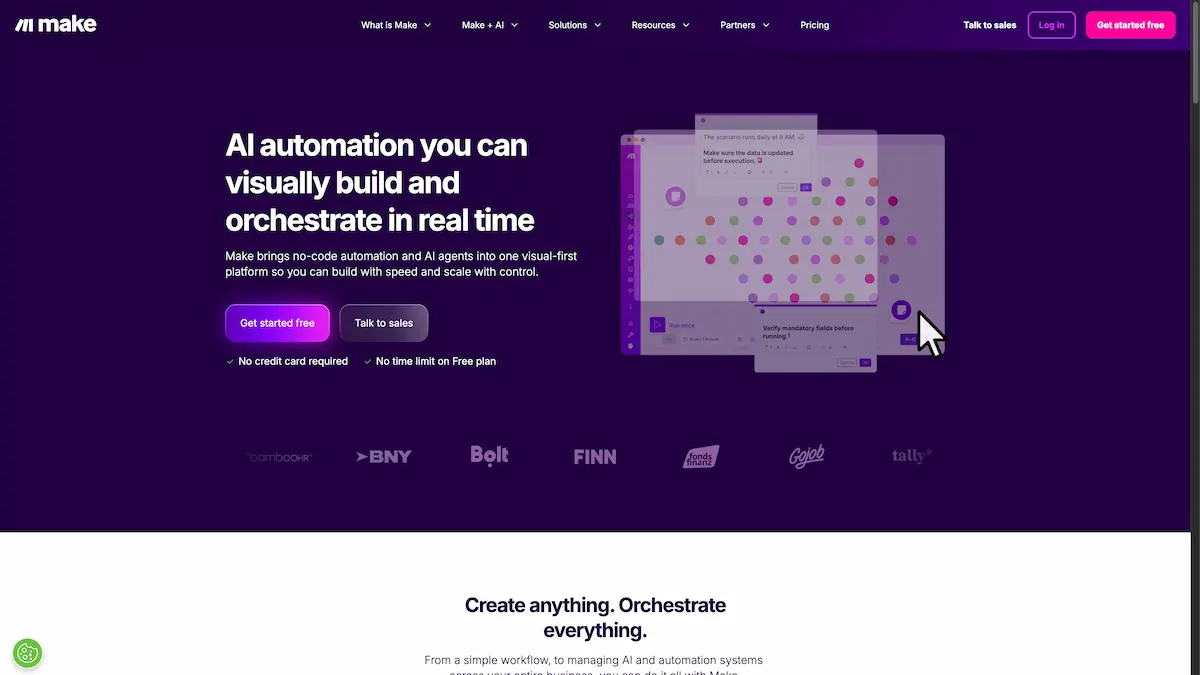
Make is a leading AI workflow automation platform that helps businesses automate their work visually.
What is Make?
Make is a visual automation platform that enables users to build, scale, and automate workflows without writing any code. It addresses the challenge of integrating disparate applications and manual, repetitive tasks by providing a drag-and-drop interface. This no-code integration tool is suitable for a wide range of users, from individual entrepreneurs to large enterprise teams, across departments like marketing, sales, and IT. Its significance lies in democratizing automation, allowing non-technical users to create sophisticated AI and agentic workflows that enhance efficiency, reduce errors, and accelerate business processes. The platform's ability to connect over 3,000 apps makes it a powerful hub for workflow automation.
Key Features of Make
Visual Scenario Builder
The core of the platform is a visual canvas where users can design automation sequences, known as scenarios, by dragging and dropping app modules.
Extensive App Library
Make provides access to a vast library of over 3,000 pre-built applications for instant connectivity and no-code integration.
AI and Agentic Automation
The platform incorporates AI automation capabilities, allowing users to build AI agents that can think, adapt in real-time, and execute complex tasks autonomously.
Make Grid for Orchestration
This feature offers a real-time visual map of an organization's entire automation landscape, providing clarity and control over all active workflows.
Enterprise-Grade Security
Make is built with robust security foundations, including SOC 2 Type II compliance, GDPR adherence, encryption, and single sign-on (SSO).
Templates and Academy
Users can jumpstart their automation with a library of pre-built templates and enhance their skills through the Make Academy eLearning content.
Use Cases for Make
Automated Social Media Posting
Businesses can schedule and publish content across multiple social media platforms automatically, saving time and ensuring a consistent online presence.
Lead Management and Processing
Sales teams can automate the capture, qualification, and routing of leads from various sources into their CRM systems for faster follow-up.
IT Operations Automation
IT departments can automate monitoring, incident response, and tool integration to reduce manual work and system complexity.
Content Creation with AI
Marketing teams can leverage integrated AI apps to generate high-quality content, from blog ideas to full drafts, within their automated workflows.
Automated Invoicing and Finance
Finance teams can streamline invoicing, billing, and other repetitive financial processes to improve accuracy and save time.
How to Use Make
Using Make involves a straightforward process centered on its visual interface. First, users sign up for an account on the Make website, which offers a free plan to begin. Next, within the platform, they select a trigger—an event that starts the automation, such as receiving a new form submission. Then, users build their scenario by visually connecting subsequent actions from the extensive app library. For example, a new form submission could trigger an action to create a contact in a CRM and then send a personalized confirmation email. Finally, users activate their scenario, and Make executes the workflow automatically whenever the trigger condition is met.
Target Audience for Make
- Marketing professionals seeking to automate campaigns and social media.
- Sales teams needing to streamline lead management and follow-ups.
- Operations managers aiming to improve cross-team and tool collaboration.
- IT departments looking to automate system monitoring and incident responses.
- Small business owners and entrepreneurs who want to automate processes without a technical team.
- Enterprise organizations requiring scalable, secure, and visually orchestrated automation.
Is Make Free?
Make offers a generous free plan that allows users to explore the platform's core features without a credit card or time limit. This plan includes a set number of operations, which are the actions performed within automations. For users with greater needs, Make provides several affordable premium options with increased operation limits, higher data transfer speeds, and advanced features like premium support and custom security options, catering to both individual users and large enterprises.
Frequently Asked Questions about Make
What is the difference between Make and other automation tools?
Make distinguishes itself with a powerful visual scenario builder that offers deep customization and flexibility, a massive library of over 3,000 integrated apps, and a strong focus on AI and agentic workflows for adaptive automation.
Does Make require coding skills?
No, Make is designed as a no-code integration tool. Its drag-and-drop interface allows users with no programming background to build complex and powerful automations.
How does Make handle data security?
Make prioritizes security with built-in features that include GDPR compliance, SOC 2 Type II certification, data encryption, and support for single sign-on (SSO) for enterprise customers.
What kinds of apps can I connect with Make?
The platform supports integration with a vast range of over 3,000 apps, including popular services like Google Workspace, Salesforce, Slack, and many specialized AI apps.
Can I manage multiple automations at once?
Yes, through the Make Grid feature, users can visualize, manage, and orchestrate their entire landscape of automations from a single, real-time dashboard.
Is there a community or support for new users?
Make provides extensive resources, including a vibrant online Community for peer support, a Help Center with documentation, and step-by-step How-to-guides.
Make Tags
Make, AI workflow automation, no-code integration tool, workflow automation, AI automation, agentic workflows, visual automation, Make scenarios, business automation, app integration, automate work, AI agents