Introduction
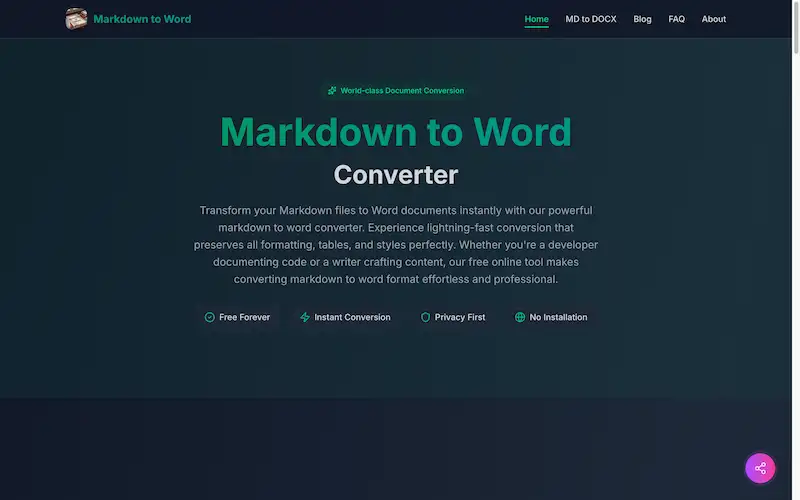
A free online tool for instant markdown to word conversion with perfect formatting.
What is markdown to word?
Markdown to word is a specialized online converter that transforms plain text Markdown files into fully formatted Microsoft Word documents. This tool addresses a common workflow problem for developers, writers, and students who prefer writing in Markdown for its simplicity but need to share their work in the universally accepted DOCX format. The markdown to word conversion process is crucial for collaborating with colleagues, clients, or publishers who may not be familiar with Markdown syntax. This converter acts as a bridge, allowing users to maintain an efficient writing workflow while delivering professional, editable documents to any recipient. The service is particularly valuable for anyone needing to preserve complex elements like tables, code blocks, and nested lists during the document transformation.
Key Features of markdown to word
Instant Conversion
The markdown to word converter processes documents in milliseconds, delivering Word files almost immediately after initiating the conversion.
Format Preservation
Every formatting detail, including headers, lists, tables, and code blocks, is perfectly preserved during the markdown to word transformation.
Client-Side Processing
All markdown to word conversion happens directly in the user's browser, ensuring files never leave the local computer for maximum security.
No Installation Required
This markdown to word converter operates entirely online without requiring any software downloads, installations, or system updates.
Cross-Platform Compatibility
The tool works seamlessly across all operating systems and devices, providing consistent markdown to word conversion results everywhere.
Real-Time Preview
Users can preview how their Word document will appear before downloading, allowing for adjustments during the markdown to word process.
Use Cases for markdown to word
Technical Documentation
Developers can convert GitHub README files and API documentation into polished Word reports for stakeholder presentations using the markdown to word converter.
Academic Writing
Students and researchers transform their Markdown research notes into properly formatted Word documents suitable for journal submissions and academic papers.
Business Reporting
Professionals create business reports in Markdown and convert them to client-ready Word documents that maintain corporate formatting standards.
Content Creation
Writers and bloggers use the markdown to word conversion to share their content with editors and collaborators who prefer working in Microsoft Word.
Documentation Publishing
Teams working with static site generators can use the markdown to word converter to create printable versions of their documentation for offline distribution.
How to Use markdown to word
Using the markdown to word converter involves a straightforward three-step process that takes only seconds to complete. First, input your Markdown content by pasting text directly into the converter, uploading an .md file, or using the drag-and-drop interface. Second, review the real-time preview to ensure your document appears exactly as intended in Word format, making any necessary adjustments to the source Markdown. Finally, click the convert button and download your professionally formatted Word document, ready for sharing, editing, or printing. The entire markdown to word conversion requires no technical expertise and delivers publication-ready results every time.
Target Audience for markdown to word
- Software developers and engineers documenting code and APIs
- Technical writers creating user manuals and documentation
- Academic researchers and students writing papers and theses
- Content creators, bloggers, and journalists
- Business professionals preparing reports and proposals
- Project managers coordinating between technical and non-technical teams
Is markdown to word Free?
The markdown to word converter is completely free with no hidden costs or premium tiers. Users enjoy unlimited conversions without any file size restrictions or daily limits. The generous free plan includes all features, from format preservation to batch processing capabilities, with no requirement for user registration or account creation. This commitment to free access ensures that everyone from individual students to large organizations can benefit from reliable markdown to word conversion without financial barriers.
Frequently Asked Questions about markdown to word
Is the markdown to word conversion really free?
Yes, the markdown to word converter is completely free with no hidden fees, subscription requirements, or conversion limits. Users can process unlimited documents without any cost.
What markdown elements are supported during conversion?
The converter supports all CommonMark elements plus GitHub Flavored Markdown extensions, including headers, lists, code blocks, tables, links, images, blockquotes, and emphasis formatting.
How secure is my data during markdown to word conversion?
The conversion process is extremely secure as it happens entirely client-side in your browser. Files never upload to external servers, ensuring complete privacy for confidential documents.
Can I convert large markdown files to Word?
Yes, the markdown to word converter handles files of any size, from brief notes to extensive documentation projects spanning hundreds of pages, without compromising conversion quality.
Does the converter require an internet connection?
While the initial page load requires internet access, the markdown to word conversion processing itself happens locally in the browser once the web application is loaded.
What if I need to convert multiple markdown files?
The converter processes files individually for optimal quality, but the lightning-fast conversion speed makes sequential processing of multiple documents practical and efficient.
markdown to word Tags
markdown to word, md to docx, markdown converter, free document conversion, online markdown tool, md to word, markdown to docx, format preservation, secure conversion, no installation, technical documentation, academic writing, business reports, content creation