Introduction
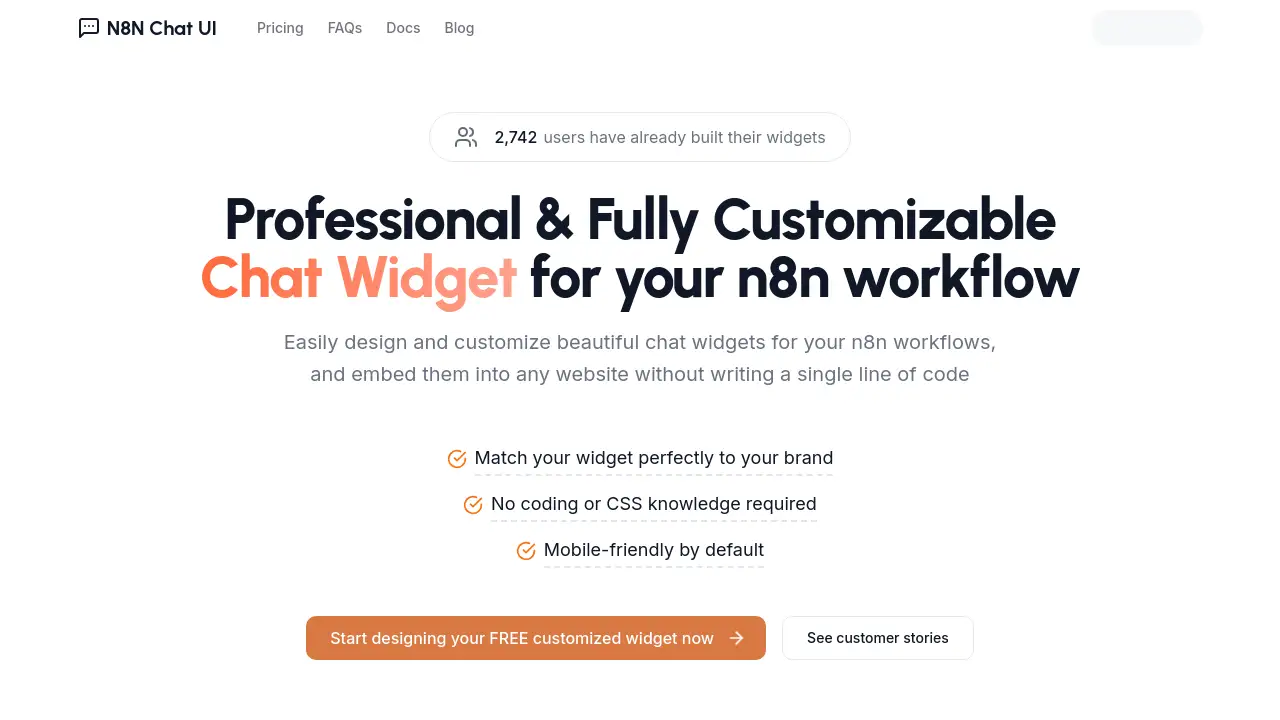
Looking for an n8n chat widget that actually looks and feels like your brand? N8N Chat UI is a no-code builder for creating beautiful chat interfaces and embedding them into any n8n workflow. Instead of styling generic HTML or learning CSS, you can create an n8n chat widget visually and launch it without writing a single line of code. Already, 2,742 users have built their widgets with this tool.
What is N8N Chat UI?
N8N Chat UI is a visual widget builder made for the n8n automation community. n8n workflows often end with a simple chatbot window that feels generic, and improving it normally requires HTML, CSS, and JavaScript skills. N8N Chat UI removes that technical barrier by giving users a simple design surface for every visual detail.
The main goal is simple: turn a default n8n chat widget into a polished, branded conversation experience. You can modify bubble style, colors, position, sizing, icons, and mobile behavior from one place. Once saved, the widget can be embedded into any website, so visitors can talk to the AI assistant or automation behind the n8n workflow.
This is ideal for n8n users who are building customer support bots, internal helper tools, or marketing experiences and do not want to hire a front-end developer for every project.
Key Features of N8N Chat UI
Visual No-Code Widget Designer
Customize an n8n chat widget directly in the browser. Pick colors, preview changes instantly, and see exactly how the window will appear on a real website without touching code or CSS.
Chat Bubble Color and Shape Controls
Modify the bubble's background color, border radius, size, and right or bottom position. The chat bubble edge style can be circle, rounded, or none, which helps the n8n chat widget fit the shape of your brand.
Custom Icon Support
Upload a custom icon or paste an icon URL to replace the default bubble icon. You can also change its size, border radius, and the color of internal icons, making it easy to build a custom chat widget without CSS.
Draggable Bubble
Let visitors move the chat bubble around their screen instead of keeping it locked in one corner. This small UX detail makes an n8n chat widget feel more accessible during customer conversations.
Auto-Open Bot Window
Set the chat window to open automatically when someone lands on the page. This option is useful for announcements, guided flows, or customer support scenarios where you want users to notice the AI assistant immediately.
Mobile-Friendly by Default
Every layout produced by N8N Chat UI is responsive, so the widget switches comfortably between desktop and mobile screens. The mobile friendly design is built in and does not need extra media queries or manual adjustments.
Easy Web Embedding
After finishing the design, generate the embed code and paste it into any website or web app. No developer support is needed. This makes the custom chat widget deliverable to clients in minutes.
Use Cases for N8N Chat UI
Customer Support Chatbot
Build a polished n8n chat widget that greets website visitors, answers common questions, and escalates complex issues to your team. The styled bubble makes the assistant feel like part of your support experience.
Internal Employee Help Desk
Use N8N Chat UI to create an internal chatbot interface for HR policies, IT requests, or onboarding information. A clean branded widget encourages employees to use the n8n workflow instead of searching through long documents.
Lead Generation Assistant
Connect the chat with your n8n marketing workflow and capture visitors’ contact details. The custom chat widget can reflect your campaign colors and tone while collecting leads without feeling like an afterthought.
How to Use N8N Chat UI
- Go to the N8N Chat UI website and start a free design session.
- Use the editor to choose chat bubble shape, background color, icon, size, and position.
- Turn on options such as draggable bubble or auto-open chat window.
- Generate an embed code for the finished n8n chat widget.
- Paste the code into your website or web application and send test messages to confirm everything works.
Target Audience for N8N Chat UI
- n8n developers who need a faster way to polish chatbot interfaces
- Automation consultants who build AI assistants for clients
- Website owners who deploy n8n workflows but have no CSS background
- SaaS and startup teams shipping conversational support
- Business users adding a custom chat widget to marketing or sales pages
- Agencies that need professional-looking chat experiences without writing code
Is N8N Chat UI Free?
The official N8N Chat UI homepage promotes “Get started for FREE.” A free entry point lets new users test the design tool, customize the bubble, and discover whether it works for their n8n chat widget.
| Plan | Price | Features |
|---|---|---|
| Free | $0 | Widget builder, bubble customization, custom icons, mobile-friendly layout, embed code |
More advanced plan details are not clearly listed in the public product description, so check the official website for current pricing options.
N8N Chat UI's Pros and Cons
| Aspect | Pros | Cons |
|---|---|---|
| Pricing | Free to start for basic n8n chat widget needs | Exact paid plan pricing is not listed in the official material |
| Ease of Use | No code, no CSS, no JavaScript required | Limited control if you need very advanced front-end logic |
| Customization | Wide selection of bubble sizes, positions, colors, shapes, and icons | Focused on chat UI design, not a full live-chat platform |
| Embedding | Works on any website with a generated snippet | Requires pasting the embed code into a page that accepts scripts |
| Community | Over 2,742 users have already built widgets | Smaller ecosystem compared with major live-chat tools |
Frequently Asked Questions about N8N Chat UI
What is an n8n chat widget?
An n8n chat widget is the floating chat interface connected to your n8n workflow. N8N Chat UI helps users style and embed that widget so it looks professional and matches the website where it appears.
Do I need coding skills to use N8N Chat UI?
No. The tool is designed for no-code customization. You can change colors, spacing, icons, and behavior through visual controls, so a custom chat widget can be created without writing HTML or CSS.
Can I change the chat bubble's icon and position?
Yes. In the widget editor, you can adjust bubble size, right and bottom position, background color, border radius, custom icon URL, icon size, and the color of internal icons.
Does the widget work on mobile devices?
Yes. N8N Chat UI is mobile-friendly by default, so the chat widget automatically adjusts to smaller screens. You can also enable the draggable bubble option to improve the mobile experience.
Can I embed the widget on any website?
You can paste the generated embed code into any site or web application that allows custom scripts. This makes it useful for business sites, landing pages, knowledge bases, and client projects.
Is there a free version of N8N Chat UI?
Yes. The homepage encourages users to get started for free. You can try the builder, customize an n8n chat widget, and test the embed process before deciding whether you need more advanced features.
N8N Chat UI Tags
N8N Chat UI, n8n chat widget, custom chat widget, chat widget for n8n workflows, no-code chat widget, n8n chatbot UI, n8n workflows, chat widget embed, draggable chat bubble, mobile-friendly chat widget